
ClipGrab
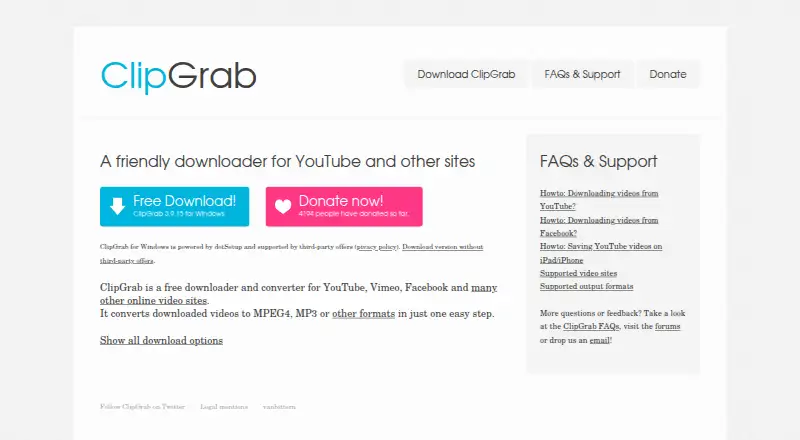
ClipGrab: A capable free downloader for video and audio saves, with broad site support and format conversion. Ranked #44 of 58 in Download Manager Software by our editors (4.8/10); pricing: Free plan; best for free users focused on straightforward video downloads.
At a glance
- Editor score4.8 / 10
- PricingFree plan
- Best forFree users focused on straightforward video downloads
- Free planYes
- Paid fromFree
- Video downloadingYes
- Founded2007 · Seybothenreuth, Germany
- Facts checked20 Sep 2026
Where it wins
- Supports YouTube, Vimeo, Dailymotion, Facebook and thousands of other sites
- Offers quality selection, audio-only MP3 downloads and original-format preservation
- Free, GPLv3 open-source software for Windows, macOS and Linux
Where it doesn't
- No scheduled downloads, remote control or portable version
- No browser extension support
- Windows installer may include third-party offers unless a direct installer is selected
Our verdict on ClipGrab
ClipGrab is a free desktop application for individual users who want to download online videos or extract audio for offline use. It supports Windows, macOS and Linux, accepts copied video URLs, and includes integrated YouTube search. Downloads can be selected in HD or standard definition, while video recognition extends support to thousands of additional websites beyond YouTube, Vimeo, Dailymotion and Facebook. Its GPLv3 open-source licensing and 2007 founding year give the project a long-established software history.
The main strength is breadth within a focused desktop workflow. ClipGrab can convert downloads to MPEG4, MP3, WMV, OGG Vorbis and OGG Theora, or preserve the original video format without conversion. Audio-only MP3 downloads are also supported, making it suitable for users who want a simple way to save video content or create audio files. The Free plan includes video downloading, video conversion and the open-source GPLv3 software, so the product does not divide core capabilities across paid tiers.
ClipGrab is less suitable for users who need automation or browser-based controls. Scheduled downloads, remote control and a portable version are not part of the listed capabilities, and browser extension support is not included. Windows users should also select the direct installer without offers if they want to avoid the third-party offers that may appear in the standard installer. Choose ClipGrab for straightforward, no-cost desktop downloads and format conversion across the three supported operating systems; choose another tool if scheduling, browser integration or portable use is central to the workflow.
Your product? Our editors can test ClipGrab in depth and publish a review, labelled as paid · from $149/mo →
ClipGrab pricing
All 1 ClipGrab plans and prices →
ClipGrab fact sheet
| Free plan | Yes |
|---|---|
| Paid from | Free |
| Supported platforms | Windows, macOS, Linux |
| Browser integration | No |
| Video downloading | Yes |
| Download scheduling | No |
| Concurrent downloads | Not verified |
| Remote control | No |
| Portable version | No |
| Deployment | Desktop |
| Platforms | Windows, macOS, Linux |
| Support | Email, Community, Docs |
| Built for | Solo, Small business (editorial estimate) |
| Integrations | 4 integrations: YouTube, Vimeo, Dailymotion, Facebook |
| Pricing | Free plan (source) |
| Website | clipgrab.org |
| Facts checked | 20 Sep 2026 |
ClipGrab integrations
ClipGrab lists 4 integrations on its own site.
- YouTube
- Vimeo
- Dailymotion
Alternatives to ClipGrab
- Free Download ManagerA broad free manager with acceleration, torrents, scheduling, and multi-platform support.9.3
- JDownloaderA broad free download manager for queues, plugins, archives, streams, and remote control.9.2
- Internet Download ManagerA capable paid Windows manager for organized, resumable and scheduled downloads.9.1


See all ClipGrab alternatives →
Also Ranked In
ClipGrab is ranked in 2 of our directories.
Used ClipGrab? Be the first to review it
The editor score above is our own research. What this page doesn't have yet is a reader's view — what you used ClipGrab for, what worked and what didn't. No stars are seeded and no review is paid for; an editor reads every one before it appears.
Write a reviewTwo minutes · verified accounts only · read by an editor before it appears
Featured on iTechGuides

ClipGrab is listed in our Download Manager Software directory. Add the badge to your site — it links back to this page.
<a href="https://www.itechguides.com/products/clipgrab/"><img src="https://www.itechguides.com/best/badge/clipgrab.svg" alt="Featured on iTechGuides" width="230" height="46"></a>
Reviewed by iTechGuides Editors · Editorial team · Updated Sep 2026
Advertiser disclosure: iTechGuides is reader-supported. Vendors can pay for top positions in our rankings and for a place on other products' pages, and we may earn a commission when you click some links. Bought places stand at the number bought; this page and our disclosure say so. Paying vendors may get a fuller, more detailed review from our editors, and that review can change their score. How we rank.
Last updated · How we research and update