
CleanFinding Browser
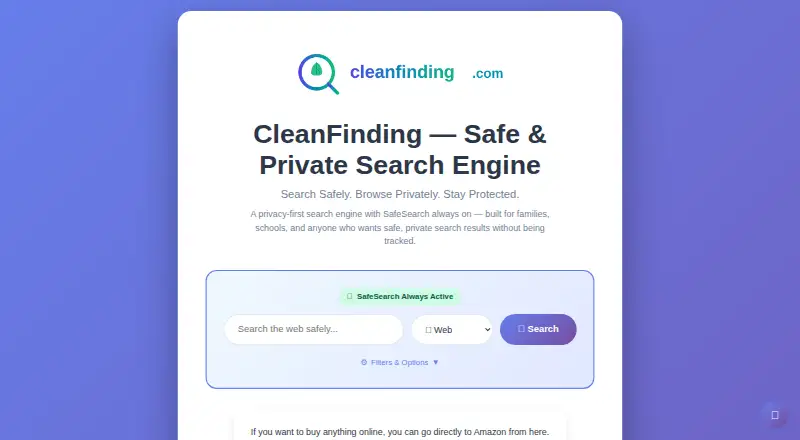
CleanFinding Browser: CleanFinding pairs privacy controls with everyday browsing tools at no cost. Ranked #35 of 145 in Web Browsers by our editors (5.6/10); pricing: Free plan; best for privacy-focused users wanting content filtering.
At a glance
- Editor score5.6 / 10
- PricingFree plan
- Best forPrivacy-focused users wanting content filtering
- Free planYes
- Paid fromFree
- Facts checked19 Sep 2026
Where it wins
- Blocks trackers, ads, and third-party cookies at the network level
- Automatically declines cookie consent and sends Global Privacy Control signals
- Includes safe browsing, family-safe filtering, and Duck Player
Where it doesn't
- Available platforms are Android, Windows, macOS, and Linux
- No verified extension support or cross-device synchronization
- Its focus on filtering may not suit users seeking a broader browser ecosystem
Our verdict on CleanFinding Browser
CleanFinding Browser is a free browser for individuals and families who want content filtering and privacy controls alongside standard browsing tools. It is available on Android, Windows, macOS, and Linux. Its everyday features include bookmarks, history, downloads, multiple tabs, reader mode, page translation, screenshots, and zoom controls, so the product is not limited to private browsing alone.
Privacy features are the main reason to consider CleanFinding. It blocks trackers, ads, and third-party cookies at the network level, automatically declines cookie-consent prompts, and sends Global Privacy Control signals. A privacy dashboard presents blocking statistics and privacy grades, while incognito mode offers a separate browsing option. Family-safe content filtering and safe browsing extend the browser's focus to household use. Duck Player is designed for privacy-enhanced YouTube viewing; YouTube, Gmail, Outlook, Yahoo Mail, and ProtonMail are named among its integrations.
The published Free plan costs $0 and is described as free to download and use, with no ads, subscriptions, or hidden costs. That makes it a straightforward option for people who want these controls without a paid tier. The trade-off is platform and ecosystem fit: the listed platforms are Android, Windows, macOS, and Linux, and extension support and cross-device synchronization are not verified. Choose CleanFinding if its included filtering and privacy tools meet your needs; consider another browser if extensions or syncing across devices are essential to your workflow.
Your product? Our editors can test CleanFinding Browser in depth and publish a review, labelled as paid · from $149/mo →
CleanFinding Browser pricing
All 1 CleanFinding Browser plans and prices →
CleanFinding Browser fact sheet
| Free plan | Yes |
|---|---|
| Paid from | Free |
| Supported platforms | Both |
| Browser engine | Not verified |
| Built-in ad blocking | Yes |
| Tracking protection | Advanced |
| Extension support | Not verified |
| Cross-device sync | Not verified |
| Open source | Not verified |
| Deployment | Mobile, Desktop |
| Platforms | Android, Windows, macOS, Linux |
| Integrations | 5 integrations: YouTube, Gmail, Outlook, Yahoo Mail, ProtonMail |
| Pricing | Free plan (source) |
| Website | cleanfinding.com |
| Facts checked | 19 Sep 2026 |
CleanFinding Browser integrations
CleanFinding Browser lists 5 integrations on its own site.
- YouTube
- Gmail
- Outlook
- Yahoo Mail
- ProtonMail
Alternatives to CleanFinding Browser
- Google ChromeA complete free browser with broad platform coverage, sync, extensions, and built-in security.9.3
- Microsoft EdgeA free, cross-platform browser suited to Microsoft users who want broad compatibility.9.2
- Mozilla FirefoxA mature, privacy-focused browser for everyday browsing across desktop and mobile.9.1


See all CleanFinding Browser alternatives →
Used CleanFinding Browser? Be the first to review it
The editor score above is our own research. What this page doesn't have yet is a reader's view — what you used CleanFinding Browser for, what worked and what didn't. No stars are seeded and no review is paid for; an editor reads every one before it appears.
Write a reviewTwo minutes · verified accounts only · read by an editor before it appears
Featured on iTechGuides

CleanFinding Browser is listed in our Web Browsers directory. Add the badge to your site — it links back to this page.
<a href="https://www.itechguides.com/products/cleanfinding-browser/"><img src="https://www.itechguides.com/best/badge/cleanfinding-browser.svg" alt="Featured on iTechGuides" width="230" height="46"></a>
Reviewed by iTechGuides Editors · Editorial team · Updated Oct 2026
Advertiser disclosure: iTechGuides is reader-supported. Vendors can pay for top positions in our rankings and for a place on other products' pages, and we may earn a commission when you click some links. Bought places stand at the number bought; this page and our disclosure say so. Paying vendors may get a fuller, more detailed review from our editors, and that review can change their score. How we rank.
Last updated · How we research and update