
Clarifi
Clarifi: A desktop meeting notepad with multilingual transcription and bot-free audio capture. Ranked #78 of 111 in Meeting Notes Software by our editors (3.0/10); pricing: 30-day trial; best for desktop users needing multilingual bot-free notes.
At a glance
- Editor score3.0 / 10
- Pricing30-day trial
- Best forDesktop users needing multilingual bot-free notes
- Free planNo
- Paid from$19/mo
- AI summariesYes
- Facts checked22 Sep 2026
Where it wins
- Captures computer audio without joining meetings as a bot
- Transcribes in 100 languages with automatic language detection
- Searches past recaps and answers questions across meetings
Where it doesn't
- No permanent free plan
- Desktop-only deployment for Windows and macOS
- Email is the listed support channel
Our verdict on Clarifi
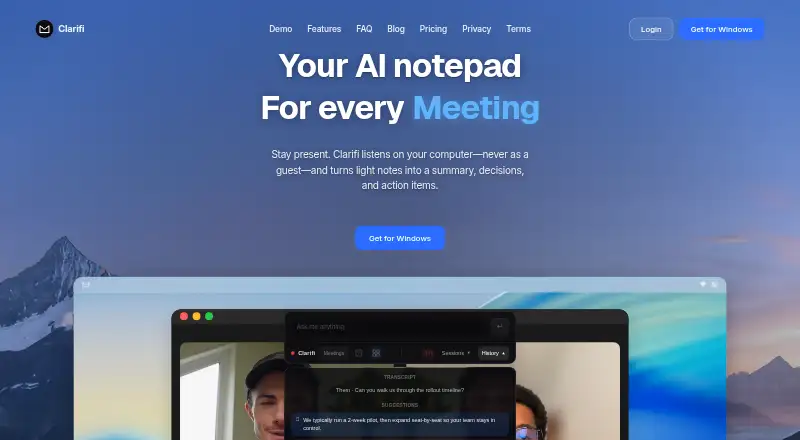
Clarifi is a desktop AI notepad for team meetings, client calls, interviews, lectures, and one-to-one conversations. It captures computer audio without joining meetings as a bot, produces a live transcript, and turns conversations plus user notes into summaries, decisions, and action items. Searchable recaps, cross-meeting questions and answers, and selective sharing make it suited to solo users and small to mid-market teams that want structured meeting records without adding a bot to calls.
Pricing is monthly and paid-only. The Pro plan costs $19 per month and includes live transcription, summaries, decisions, action items, meeting history, and chat. Pro+ costs $39 per seat per month and lists the same highlights. A 30-day trial is available. Clarifi runs on Windows and macOS and works alongside Zoom, Google Meet, Microsoft Teams, Slack, and Discord. Google Calendar and Microsoft Outlook connections are optional, so its workflow fits teams that already organize meetings across those applications.
Its strongest differentiator is the combination of bot-free computer-audio capture and broad language support: transcription covers 100 languages with automatic detection. The product also supports searchable archives, selective sharing of summaries and follow-ups, and questions across past meetings. That breadth makes Clarifi a practical choice for users who want transcription, structured recaps, and retrieval in one desktop workflow. It is less suitable for teams that require a permanent free tier, mobile access, or support beyond email, and its value is narrower for organizations that need a browser-first or multi-platform deployment.
Your product? Our editors can test Clarifi in depth and publish a review, labelled as paid · from $149/mo →
Clarifi pricing
All 2 Clarifi plans and prices →
Clarifi fact sheet
| Free plan | No |
|---|---|
| Paid from | $19/mo |
| Transcription | Yes |
| AI summaries | Yes |
| Action-item tracking | Yes |
| Searchable archive | Yes |
| Meeting recording | Yes |
| Speaker labels | Yes |
| Note templates | Not verified |
| Free trial | 30 days |
| Deployment | Desktop |
| Platforms | Windows, macOS |
| Compliance & security | GDPR |
| Support | |
| Built for | Solo, Small business, Mid-market (editorial estimate) |
| Integrations | 7 integrations: Zoom, Google Meet, Microsoft Teams, Slack, Discord, Google Calendar … |
| Pricing | 30-day trial (source) |
| Website | clarifiapp.com |
| Facts checked | 22 Sep 2026 |
Clarifi integrations
Clarifi lists 7 integrations on its own site.
- Zoom
- Google Meet
- Microsoft Teams
- Slack
- Discord
- Google Calendar
- Microsoft Outlook
Alternatives to Clarifi
- Otter.aiA capable meeting archive with core transcription and summaries at a low paid entry price.9.2
- Krisp AI Meeting AssistantA full-featured meeting capture and follow-up tool with affordable annual pricing.9.0
- Fireflies.aiA broad meeting capture and intelligence suite for teams handling many languages and meeting sources.8.9



See all Clarifi alternatives →
Used Clarifi? Be the first to review it
The editor score above is our own research. What this page doesn't have yet is a reader's view — what you used Clarifi for, what worked and what didn't. No stars are seeded and no review is paid for; an editor reads every one before it appears.
Write a reviewTwo minutes · verified accounts only · read by an editor before it appears
Featured on iTechGuides

Clarifi is listed in our Meeting Notes Software directory. Add the badge to your site — it links back to this page.
<a href="https://www.itechguides.com/products/clarifi/"><img src="https://www.itechguides.com/best/badge/clarifi.svg" alt="Featured on iTechGuides" width="230" height="46"></a>
Reviewed by iTechGuides Editors · Editorial team · Updated Oct 2026
Advertiser disclosure: iTechGuides is reader-supported. Vendors can pay for top positions in our rankings and for a place on other products' pages, and we may earn a commission when you click some links. Bought places stand at the number bought; this page and our disclosure say so. Paying vendors may get a fuller, more detailed review from our editors, and that review can change their score. How we rank.
Last updated · How we research and update