
ChannelCast
ChannelCast: A focused OTT channel platform with strong scheduling and a high starting price. Ranked #21 of 28 in Live Stream Scheduling Software by our editors (7.4/10); pricing: 14-day trial; best for OTT channel and app operators.
At a glance
- Editor score7.4 / 10
- Pricing14-day trial
- Best forOTT channel and app operators
- Free planNo
- Paid from$150/mo
- Playlist supportYes
- Facts checked20 Sep 2026
Where it wins
- Scheduled playlists, automatic recording, and VOD creation
- Roku, Fire TV, web player, and OTT distribution support
- Analytics plus eligible-plan simulcasting to external destinations
Where it doesn't
- Starts at $150 per month with no free plan
- Live streaming hours are capped by plan
- Advanced capacity and restreaming require higher-priced tiers
Our verdict on ChannelCast
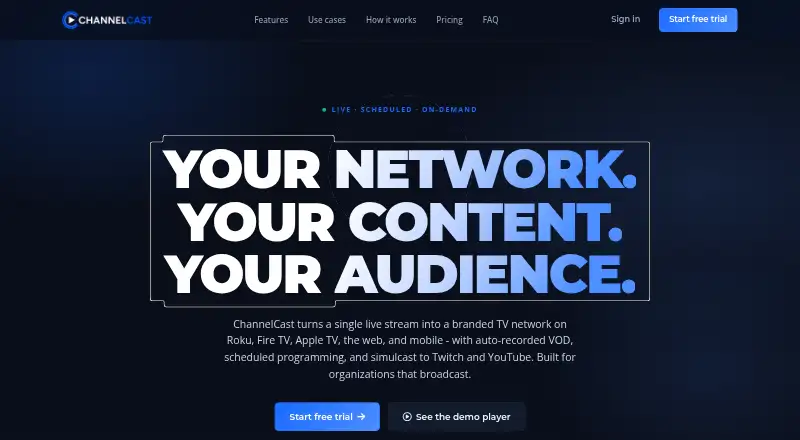
ChannelCast is hosted software for turning RTMP broadcasts into branded live channels, recorded archives, scheduled playlists, web streams, and OTT distribution feeds. It is aimed at creators, schools, enterprises, sports organizations, churches, media companies, nonprofits, and live-event producers that need more than a single live broadcast. Web-based channel management, adaptive bitrate streaming, VOD creation, Roku and Fire TV support, and white-label Fire TV apps make it a fit for operators building recurring programming across branded destinations.
Pricing is structured around three monthly plans. Starter costs $150 per month and includes two online streaming channels, 10 live streaming hours, unlimited video scheduling, automatic recording and playlist scheduling, 60 days of free storage, and a VOD network. Pro costs $350 per month, adds unlimited channels, 15 live streaming hours, three restreaming targets, automatic recording and scheduling, and 90 days of free storage. Complete costs $1,850 per month and includes unlimited channels, 20 live streaming hours, four restreaming targets, automatic video scheduling, and 120 days of free storage. A 14-day Pro trial is available without a credit card.
The platform’s strongest distinction is its combination of scheduled programming and OTT ecosystem support. Integrations include Twitch, YouTube Live, Facebook Live, Kick, Roku Direct Publisher, Media RSS, the Fire TV catalog API, Segment, BigQuery, and Amazon S3. Channel and VOD analytics support ongoing programming decisions, while simulcasting is available on eligible plans. ChannelCast suits organizations operating branded channels or app-based television experiences. Teams that only need inexpensive playlist scheduling, or that require more live hours without moving to a higher tier, should consider a simpler alternative.
Your product? Our editors can test ChannelCast in depth and publish a review, labelled as paid · from $149/mo →
ChannelCast pricing
All 3 ChannelCast plans and prices →
ChannelCast fact sheet
| Free plan | No |
|---|---|
| Paid from | $150/mo |
| Playlist support | Yes |
| Simulcasting | Yes |
| Max destinations | 0 |
| Maximum resolution | Not verified |
| Video storage | Not verified |
| Recurring schedules | Yes |
| Free trial | 14 days · no card needed |
| Deployment | Cloud |
| Platforms | Web |
| Support | |
| Built for | Small business, Mid-market, Enterprise (editorial estimate) |
| Integrations | 10 integrations: Twitch, YouTube Live, Facebook Live, Kick, Roku Direct Publisher, Media RSS … |
| Pricing | 14-day trial (source) |
| Website | channelcast.tv |
| Facts checked | 20 Sep 2026 |
ChannelCast integrations
ChannelCast lists 10 integrations on its own site.
- Twitch
- YouTube Live
- Facebook Live
- Kick
- Roku Direct Publisher
- Media RSS
- Fire TV catalog API
- Segment
- BigQuery
- Amazon S3
Alternatives to ChannelCast
- Amagi CLOUDPORTA broadcast-focused cloud platform for scheduling, playout, live control, and channel operations.9.4
- Frequency StudioA broad cloud playout and scheduling platform for automated linear channel operations.9.3
- Veset NimbusA full cloud playout suite for teams managing scheduled, live, and multi-channel broadcasts.9.1



See all ChannelCast alternatives →
Used ChannelCast? Be the first to review it
The editor score above is our own research. What this page doesn't have yet is a reader's view — what you used ChannelCast for, what worked and what didn't. No stars are seeded and no review is paid for; an editor reads every one before it appears.
Write a reviewTwo minutes · verified accounts only · read by an editor before it appears
Featured on iTechGuides

ChannelCast is listed in our Live Stream Scheduling Software directory. Add the badge to your site — it links back to this page.
<a href="https://www.itechguides.com/products/channelcast/"><img src="https://www.itechguides.com/best/badge/channelcast.svg" alt="Featured on iTechGuides" width="230" height="46"></a>
Reviewed by iTechGuides Editors · Editorial team · Updated Oct 2026
Advertiser disclosure: iTechGuides is reader-supported. Vendors can pay for top positions in our rankings and for a place on other products' pages, and we may earn a commission when you click some links. Bought places stand at the number bought; this page and our disclosure say so. Paying vendors may get a fuller, more detailed review from our editors, and that review can change their score. How we rank.
Last updated · How we research and update