
CBackup
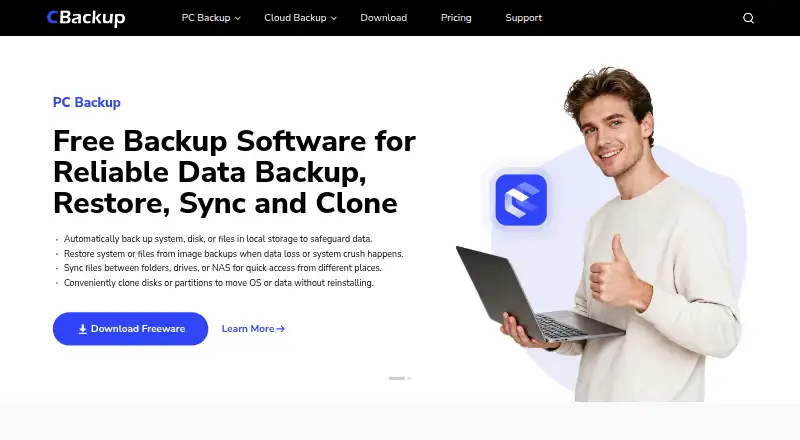
CBackup: Broad Windows backup and recovery options, with a free edition and paid upgrades. Ranked #71 of 150 in Backup Software by our editors (3.0/10); pricing: Free plan; best for windows users wanting broad backup options on a budget.
At a glance
- Editor score3.0 / 10
- PricingFree plan
- Best forWindows users wanting broad backup options on a budget
- Free planYes
- Server backupYes
- Facts checked19 Sep 2026
Where it wins
- Free edition includes backup, restore, cloning, and bootable media.
- Supports scheduled, incremental, differential, and event-triggered backups.
- Works with local storage, NAS, network shares, and supported cloud services.
Where it doesn't
- Available for Windows only.
- Email or Outlook backup is a Professional-plan feature.
- CBackup Cloud is a separate offering from the PC backup plans.
Our verdict on CBackup
CBackup brings backup and recovery tools together for Windows PCs and Windows servers. It is aimed at people who want options beyond copying files: the software covers files, folders, partitions, disks, systems, and email, alongside synchronization, cloning, and recovery media. Its free edition gives Windows users a substantial starting set, while paid plans add capabilities for professional recovery, technician use, or cloud storage and transfer. That breadth suits users who want one Windows-focused toolkit; it is less suitable for anyone who needs a non-Windows client.
Backup destinations include local and external drives, USB, NAS, network locations, and supported services such as Google Drive, OneDrive, Dropbox, and CBackup Cloud. Scheduling options include incremental and differential backups, as well as event-triggered runs. Restores can target files, systems, disks, or partitions, and universal restore is intended for different hardware. Bootable Windows PE or Linux recovery media and cloning with OS migration extend the toolkit beyond routine file copies. Users choosing CBackup should consider which storage destinations and recovery workflows they actually need, since cloud-focused features are offered separately from the PC backup plans.
CBackup Free includes system, disk, partition, and file backup and restore, automatic backup and sync, cloning, and bootable media. According to the vendor's pricing page, Professional is advertised at $3.99 per computer per month with annual billing; it adds email or Outlook backup, restore to dissimilar hardware, a recovery environment, and OS migration. Technician includes Professional features, a portable version, technical support, and support for 99 computers. CBackup Cloud is presented separately with 1 TB of storage, 2 TB of cloud data traffic, PC-to-cloud and cloud-to-cloud functions, and encrypted cloud backup. Choose CBackup for varied Windows backup and restore needs; look elsewhere if you need another operating system.
Your product? Our editors can test CBackup in depth and publish a review, labelled as paid · from $149/mo →
CBackup pricing
All 4 CBackup plans and prices →
CBackup fact sheet
| Free plan | Yes |
|---|---|
| Paid from | Not verified |
| Computer backup | Yes |
| Mobile backup | No |
| Server backup | Yes |
| Backup scope | Mixed |
| Restore modes | Mixed |
| Ransomware protection | Yes |
| Supported platforms | windows |
| Deployment | Desktop |
| Platforms | Windows |
| Integrations | 6 integrations: Google Drive, OneDrive, Dropbox, NAS, network shares, CBackup Cloud |
| Pricing | Free plan (source) |
| Website | cbackup.com |
| Facts checked | 19 Sep 2026 |
CBackup integrations
CBackup lists 6 integrations on its own site.
- Google Drive
- OneDrive
- Dropbox
- NAS
- network shares
- CBackup Cloud
Alternatives to CBackup
- Veeam Backup & ReplicationA wide-ranging backup platform for enterprise virtual and hybrid environments.9.4
- Rubrik Security CloudA cyber-recovery platform built around immutable backup, threat investigation, and clean-state recovery.9.2
- NAKIVO Backup & ReplicationA broad VM backup platform with recovery, replication, and disaster-recovery workflows.8.8

See all CBackup alternatives →
Used CBackup? Be the first to review it
The editor score above is our own research. What this page doesn't have yet is a reader's view — what you used CBackup for, what worked and what didn't. No stars are seeded and no review is paid for; an editor reads every one before it appears.
Write a reviewTwo minutes · verified accounts only · read by an editor before it appears
Featured on iTechGuides

CBackup is listed in our Backup Software directory. Add the badge to your site — it links back to this page.
<a href="https://www.itechguides.com/products/cbackup/"><img src="https://www.itechguides.com/best/badge/cbackup.svg" alt="Featured on iTechGuides" width="230" height="46"></a>
Reviewed by iTechGuides Editors · Editorial team · Updated Oct 2026
Advertiser disclosure: iTechGuides is reader-supported. Vendors can pay for top positions in our rankings and for a place on other products' pages, and we may earn a commission when you click some links. Bought places stand at the number bought; this page and our disclosure say so. Paying vendors may get a fuller, more detailed review from our editors, and that review can change their score. How we rank.
Last updated · How we research and update