Capture2Text
Capture2Text: A focused Windows utility for quick, shortcut-driven OCR from screen regions. Ranked #34 of 40 in OCR Software by our editors (5.3/10); pricing: Free plan; best for windows screen-region OCR.
At a glance
- Editor score5.3 / 10
- PricingFree plan
- Best forWindows screen-region OCR
- Free planYes
- Paid fromFree
- Facts checked22 Sep 2026
Where it wins
- Free and open-source with portable operation and no installation
- Extracts selected screen regions using customizable keyboard shortcuts
- Supports more than 90 languages, translation, and text-to-speech
Where it doesn't
- Windows-only desktop availability
- Focused on image snippets rather than full document processing
- Latest listed project update is dated 2022-03-19
Our verdict on Capture2Text
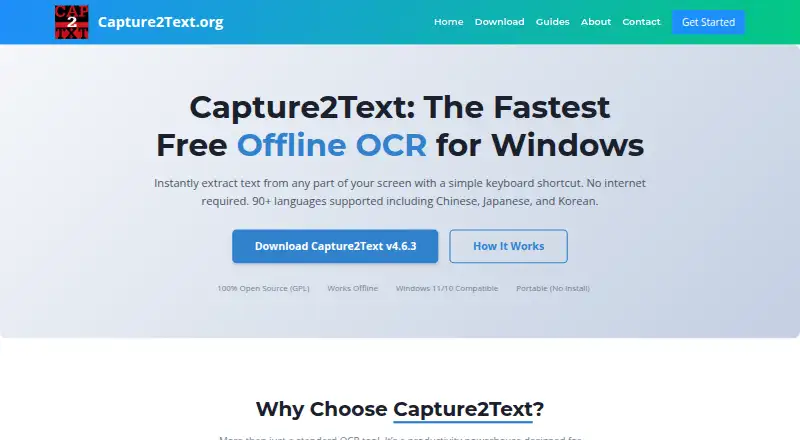
Capture2Text is a free, open-source Windows utility for extracting text from a selected screen area. A keyboard shortcut captures the region, runs OCR, and copies the result to the clipboard. It is aimed at desktop users who need text from visible screen content rather than a document-processing workflow. The portable application requires no installation and supports both graphical and command-line interfaces.
Its main strength is a focused screen-OCR workflow. Customizable keyboard shortcuts and output options let users adjust how captures are triggered and delivered. Support for more than 90 languages includes Chinese, Japanese, Korean, Russian, and Spanish. Google Translate support extends the workflow beyond extraction, while text-to-speech provides another way to work with recognized text. The free, open-source model keeps the core utility available without a paid tier structure.
Capture2Text fits users who regularly need quick OCR from applications, images, or other screen content on Windows. Its clipboard output, portable operation, GUI, and CLI modes give it flexibility for both occasional desktop tasks and repeatable workflows. The trade-off is its narrow scope: it is designed for image snippets selected from the screen, not full document processing. It also does not extend beyond Windows in the listed platform support. Choose it when shortcut-based screen capture and language coverage are the priority; choose a broader OCR product when document-oriented processing is the central requirement.
Your product? Our editors can test Capture2Text in depth and publish a review, labelled as paid · from $149/mo →
Capture2Text pricing
Capture2Text fact sheet
| Free plan | Yes |
|---|---|
| Paid from | Free |
| Searchable PDF | Not verified |
| Word export | Not verified |
| Handwriting OCR | Not verified |
| Supported languages | Not verified |
| Monthly page limit | Not verified |
| Primary platform | Desktop |
| Supported inputs | Image |
| Deployment | Desktop |
| Platforms | Windows |
| Support | Tickets |
| Built for | Solo, Small business (editorial estimate) |
| Integrations | 1 integrations: Google Translate |
| Pricing | Free plan |
| Website | capture2text.org |
| Facts checked | 22 Sep 2026 |
Capture2Text integrations
Capture2Text lists 1 integrations on its own site.
- Google Translate
Alternatives to Capture2Text
- PaddleOCRA developer-focused OCR toolkit with multilingual, handwriting, and document parsing workflows.9.3
- Tesseract OCRA mature, developer-focused OCR engine with broad outputs and self-hosting flexibility.9.1
- ABBYY FineReader PDFA broad desktop PDF suite for OCR, editing, conversion, forms, and document control.9.0

See all Capture2Text alternatives →
Used Capture2Text? Be the first to review it
The editor score above is our own research. What this page doesn't have yet is a reader's view — what you used Capture2Text for, what worked and what didn't. No stars are seeded and no review is paid for; an editor reads every one before it appears.
Write a reviewTwo minutes · verified accounts only · read by an editor before it appears
Featured on iTechGuides

Capture2Text is listed in our OCR Software directory. Add the badge to your site — it links back to this page.
<a href="https://www.itechguides.com/products/capture2text/"><img src="https://www.itechguides.com/best/badge/capture2text.svg" alt="Featured on iTechGuides" width="230" height="46"></a>
Reviewed by iTechGuides Editors · Editorial team · Updated Oct 2026
Advertiser disclosure: iTechGuides is reader-supported. Vendors can pay for top positions in our rankings and for a place on other products' pages, and we may earn a commission when you click some links. Bought places stand at the number bought; this page and our disclosure say so. Paying vendors may get a fuller, more detailed review from our editors, and that review can change their score. How we rank.
Last updated · How we research and update