
Canva Whiteboards
Canva Whiteboards: A flexible whiteboard for Canva users, with strong collaboration and a costly Pro tier. Ranked #11 of 56 in Online Whiteboard Tools by our editors (8.2/10); pricing: Free plan; best for canva users adding whiteboarding.
At a glance
- Editor score8.2 / 10
- PricingFree plan
- Best forCanva users adding whiteboarding
- Free planYes
- Infinite canvasYes
- Facts checked22 Sep 2026
Where it wins
- Infinite canvas supports brainstorming, planning, and workshops
- Converts between whiteboards, presentations, and documents
- Works across web, desktop, iOS, and Android
Where it doesn't
- Pro starts at $144 per person per year
- Business costs $250 per person per year
- Integrations are centered on Canva's ecosystem
Our verdict on Canva Whiteboards
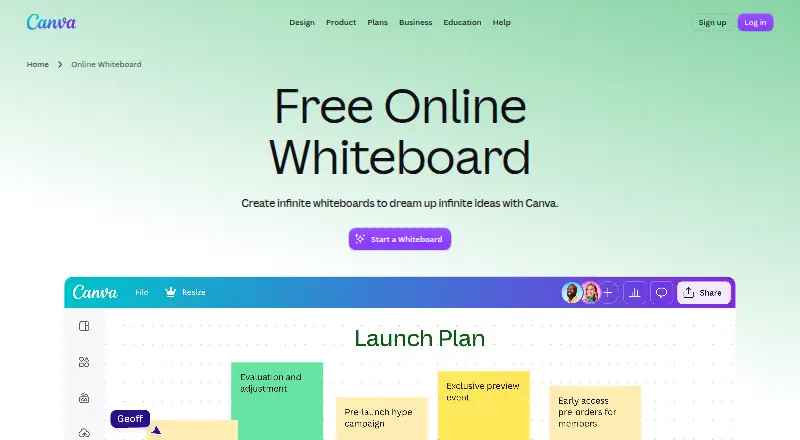
Canva Whiteboards is an infinite digital canvas for brainstorming, planning, diagramming, teaching, and collaborative workshops. It suits Canva users who want to add whiteboarding to an existing creative workflow, as well as teams that need real-time collaboration, sticky notes, comments, reactions, timers, templates, and diagramming tools. Colorful cursors support shared sessions, while presentation and document conversion connects whiteboard work to other Canva formats.
The free plan includes real-time collaboration, sorting, reactions, and a timer with music. Pro costs $144 per person per year on annual billing and adds premium content, AI tools, social content scheduling, and 100GB of cloud storage. Business costs $250 per person per year and adds collaboration and team administration tools, 100 Brand Kits and approvals, and 500GB of cloud storage. Enterprise adds enterprise-level security and controls, SSO and SCIM provisioning, and custom apps. The paid entry point is high compared with comparable whiteboard tools, so the free plan is the more practical starting point for occasional workshops or lightweight planning.
Its strongest ecosystem fit is Canva itself: Whiteboards connects with Canva Presentations, Canva Docs, and the Canva Visual Suite. AI-powered sorting and summarization, automatic diagram connectors, workshop templates, voting tools, presentation mode, and synchronized timers give it a broader scope than a basic blank canvas. Access across web, Windows, macOS, iOS, and Android also supports mixed-device teams. Choose Canva Whiteboards if your work already moves through Canva or you want whiteboarding tied to presentations and documents. Teams seeking a lower-cost dedicated whiteboard, or integrations beyond Canva's ecosystem, should compare other options.
Your product? Our editors can test Canva Whiteboards in depth and publish a review, labelled as paid · from $149/mo →
Canva Whiteboards pricing
All 4 Canva Whiteboards plans and prices →
Canva Whiteboards fact sheet
| Free plan | Yes |
|---|---|
| Paid from | Not verified |
| Infinite canvas | Yes |
| Diagramming tools | Yes |
| Workshop templates | Yes |
| Guest collaboration | Yes |
| Presentation mode | Yes |
| Board limit | Not verified |
| Voting tools | Yes |
| Deployment | Cloud, Desktop, Mobile |
| Platforms | Web |
| Compliance & security | SOC 2, ISO 27001, GDPR, PCI DSS, 2FA |
| Support | Live chat, Tickets, Docs |
| Built for | Solo, Small business, Mid-market, Enterprise (editorial estimate) |
| Pricing | Free plan (source) |
| Website | canva.com |
| Facts checked | 22 Sep 2026 |
Alternatives to Canva Whiteboards
- MiroA broad whiteboard suite for teams that need collaboration, workshops, diagrams, and presentations.9.4
- MURALA facilitation-focused whiteboard with strong workshop controls and enterprise options.9.2
- FigJamAn affordable collaborative whiteboard with strong workshop tools and a focused ecosystem.9.0



See all Canva Whiteboards alternatives →
Also Ranked In
Canva Whiteboards is ranked in 2 of our directories.
Used Canva Whiteboards? Be the first to review it
The editor score above is our own research. What this page doesn't have yet is a reader's view — what you used Canva Whiteboards for, what worked and what didn't. No stars are seeded and no review is paid for; an editor reads every one before it appears.
Write a reviewTwo minutes · verified accounts only · read by an editor before it appears
Featured on iTechGuides

Canva Whiteboards is listed in our Online Whiteboard Tools directory. Add the badge to your site — it links back to this page.
<a href="https://www.itechguides.com/products/canva-whiteboards/"><img src="https://www.itechguides.com/best/badge/canva-whiteboards.svg" alt="Featured on iTechGuides" width="230" height="46"></a>
Reviewed by iTechGuides Editors · Editorial team · Updated Oct 2026
Advertiser disclosure: iTechGuides is reader-supported. Vendors can pay for top positions in our rankings and for a place on other products' pages, and we may earn a commission when you click some links. Bought places stand at the number bought; this page and our disclosure say so. Paying vendors may get a fuller, more detailed review from our editors, and that review can change their score. How we rank.
Last updated · How we research and update