
Calculator+
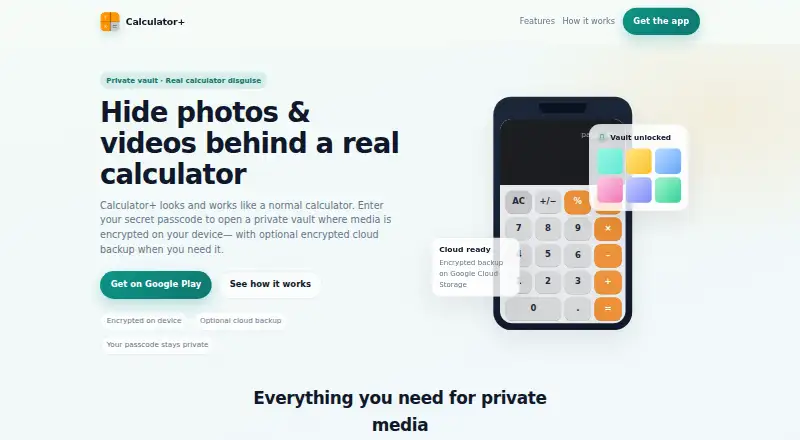
Calculator+: A focused Android vault with local encryption, private albums, and optional cloud backup. Ranked #29 of 32 in Photo Vault Apps by our editors (6.0/10); pricing: Freemium; best for android users wanting a calculator disguise.
At a glance
- Editor score6.0 / 10
- PricingFreemium
- Best forAndroid users wanting a calculator disguise
- Cloud backupYes
- Facts checked22 Sep 2026
Where it wins
- Calculator disguise adds a discreet passcode entry point
- Encrypted local storage protects photos and videos
- Cloud backup and synchronization extend access across devices
Where it doesn't
- Available only on Android
- Fingerprint unlocking is a premium feature
- Cloud backup and synchronization add dependence on an optional cloud service
Our verdict on Calculator+
Calculator+ is an Android photo and video vault from Green Water that presents itself as a functional calculator. A passcode entered through the calculator interface opens the private vault, where users can import photos and videos, arrange them in private albums and folders, and manage a separate video vault. It is aimed at Android users who want discreet storage for personal media, particularly those who value a calculator disguise alongside ordinary vault functions.
Its strongest angle is the combination of privacy controls and media organization. Calculator+ uses encrypted local storage and supports direct photo capture into the vault, so users can add new images without first placing them in the standard gallery. Fingerprint unlocking provides an additional access method as a premium feature. Export, move, and share tools allow decrypted files to leave the vault when needed, while private albums and folders provide a clearer structure than a single concealed media list.
Calculator+ also extends beyond a device-only vault through optional encrypted cloud backup and multi-device synchronization. That makes it more suitable for users who want continuity across Android devices, although the broader feature set depends on using the optional cloud service. The main boundary is platform coverage: Android users get the full product direction, while people seeking an iPhone option or a cross-platform vault should choose an alternative. It is a focused fit for discreet Android photo and video storage rather than a general-purpose gallery replacement.
Your product? Our editors can test Calculator+ in depth and publish a review, labelled as paid · from $149/mo →
Calculator+ pricing
Calculator+ fact sheet
| Free plan | Not verified |
|---|---|
| Paid from | Not verified |
| Free vault limit | Not verified |
| Cloud backup | Yes |
| Decoy vault | Not verified |
| Intruder alerts | Not verified |
| Private camera | Yes |
| Mobile platforms | Android |
| Deployment | Cloud, Mobile |
| Platforms | Android |
| Support | |
| Built for | Solo, Small business (editorial estimate) |
| Pricing | Freemium |
| Website | calculatorphotovault.info |
| Facts checked | 22 Sep 2026 |
Alternatives to Calculator+
- Quantum Media VaultA cross-platform vault with strong local privacy controls and flexible cloud sync.9.4
- Keepsafe Photo VaultA feature-rich mobile vault with cloud backup, recovery, decoy access and intruder evidence.9.1
- Private Photo VaultAn affordable mobile vault with strong privacy controls, decoy access, and cloud backup.8.9



See all Calculator+ alternatives →
Used Calculator+? Be the first to review it
The editor score above is our own research. What this page doesn't have yet is a reader's view — what you used Calculator+ for, what worked and what didn't. No stars are seeded and no review is paid for; an editor reads every one before it appears.
Write a reviewTwo minutes · verified accounts only · read by an editor before it appears
Featured on iTechGuides

Calculator+ is listed in our Photo Vault Apps directory. Add the badge to your site — it links back to this page.
<a href="https://www.itechguides.com/products/calculator/"><img src="https://www.itechguides.com/best/badge/calculator.svg" alt="Featured on iTechGuides" width="230" height="46"></a>
Reviewed by iTechGuides Editors · Editorial team · Updated Oct 2026
Advertiser disclosure: iTechGuides is reader-supported. Vendors can pay for top positions in our rankings and for a place on other products' pages, and we may earn a commission when you click some links. Bought places stand at the number bought; this page and our disclosure say so. Paying vendors may get a fuller, more detailed review from our editors, and that review can change their score. How we rank.
Last updated · How we research and update