bwmon
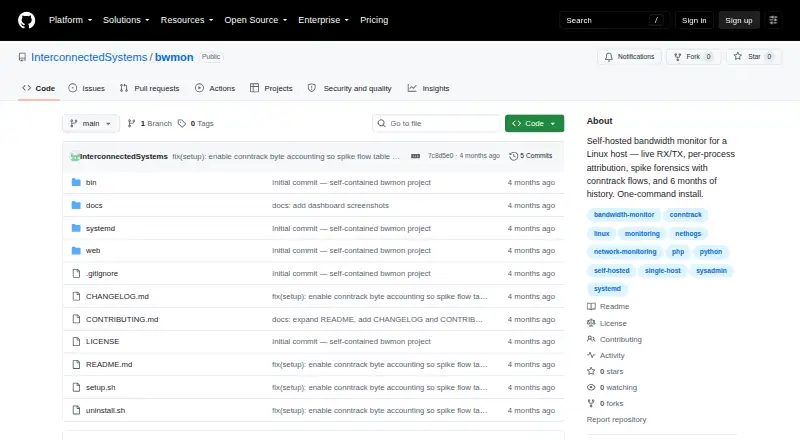
bwmon: A focused, open-source tool for diagnosing bandwidth usage on one Linux machine. Ranked #18 of 33 in Bandwidth Monitoring Software by our editors (7.2/10); pricing: Free plan; best for local Linux bandwidth diagnostics.
At a glance
- Editor score7.2 / 10
- PricingFree plan
- Best forLocal Linux bandwidth diagnostics
- Free planYes
- Paid fromFree
- Application monitoringYes
- Facts checked21 Sep 2026
Where it wins
- One-second live RX/TX monitoring with per-process attribution
- Spike forensics, heatmaps, and six months of history
- Open-source local deployment with CLI and alerting tools
Where it doesn't
- Designed for one Linux host rather than multi-host monitoring
- No user monitoring or SNMP monitoring
- Requires a Linux server stack including nginx, PHP-FPM, cron, and systemd
Our verdict on bwmon
bwmon is a self-hosted bandwidth monitoring tool for system administrators investigating network usage on a single Linux host. It provides live receive and transmit graphs, per-process attribution through nethogs, spike detection using conntrack flows, sustained-bandwidth alerts, and command-line monitoring and history tools. The local design avoids a cloud service and keeps the product focused on host-level diagnosis rather than centralized infrastructure monitoring.
Its strongest area is investigation depth for a single machine. One-second polling supports live observation, while forensic records, heatmaps, bandwidth-rate distributions, and six months of historical samples help connect unusual activity with processes and connection flows. Sustained-rate alerts include history tracking, giving administrators a way to review recurring bandwidth conditions instead of relying only on live graphs. Integrations with nginx, PHP-FPM, systemd, cron, Plotly, and nethogs fit a Linux server environment, and the project includes one-command installation and uninstall scripts.
The trade-off is scope. bwmon is built around one Linux host and does not provide user monitoring or SNMP monitoring, so it is not suited to teams that need multi-device flow analysis, network-device polling, or a broader monitoring stack. Its deployment also assumes familiarity with Linux services and the supporting server components. Administrators who need detailed local bandwidth diagnostics, open-source licensing, and historical analysis should find the focus appropriate; teams seeking centralized visibility across hosts or SNMP-managed infrastructure should choose a broader platform instead.
Your product? Our editors can test bwmon in depth and publish a review, labelled as paid · from $149/mo →
bwmon pricing
bwmon fact sheet
| Free plan | Yes |
|---|---|
| Paid from | Free |
| Application monitoring | Yes |
| User monitoring | No |
| Flow protocol support | Not verified |
| SNMP monitoring | No |
| Monitored device limit | Not verified |
| Historical data retention | Not verified |
| Bandwidth alerts | Yes |
| Deployment | Self-hosted, Browser extension |
| Platforms | Web, Linux |
| Support | Docs, Community |
| Built for | Solo, Small business (editorial estimate) |
| Integrations | 6 integrations: nethogs, nginx, PHP-FPM, systemd, cron, Plotly |
| Pricing | Free plan |
| Website | github.com |
| Facts checked | 21 Sep 2026 |
bwmon integrations
bwmon lists 6 integrations on its own site.
- nethogs
- nginx
- PHP-FPM
- systemd
- cron
- Plotly
Alternatives to bwmon
- ntopngA broad self-hosted toolkit for real-time, historical, and infrastructure visibility.9.4
- ManageEngine NetFlow AnalyzerA broad flow-monitoring suite for enterprise networks, with free and scalable paid editions.9.2
- Progress FlowmonA broad hybrid monitoring platform for teams needing flow, topology, performance and security analysis.9.0



Used bwmon? Be the first to review it
The editor score above is our own research. What this page doesn't have yet is a reader's view — what you used bwmon for, what worked and what didn't. No stars are seeded and no review is paid for; an editor reads every one before it appears.
Write a reviewTwo minutes · verified accounts only · read by an editor before it appears
Featured on iTechGuides

bwmon is listed in our Bandwidth Monitoring Software directory. Add the badge to your site — it links back to this page.
<a href="https://www.itechguides.com/products/bwmon/"><img src="https://www.itechguides.com/best/badge/bwmon.svg" alt="Featured on iTechGuides" width="230" height="46"></a>
Reviewed by iTechGuides Editors · Editorial team · Updated Oct 2026
Advertiser disclosure: iTechGuides is reader-supported. Vendors can pay for top positions in our rankings and for a place on other products' pages, and we may earn a commission when you click some links. Bought places stand at the number bought; this page and our disclosure say so. Paying vendors may get a fuller, more detailed review from our editors, and that review can change their score. How we rank.
Last updated · How we research and update