btop
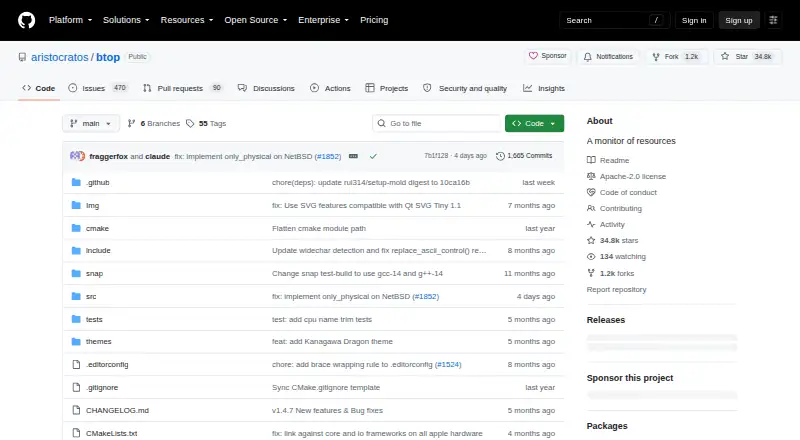
btop: A free, open-source terminal monitor with detailed local process controls. Ranked #16 of 26 in Process Monitoring Software by our editors (7.8/10); pricing: Free plan; best for customizable terminal monitoring on Unix systems.
At a glance
- Editor score7.8 / 10
- PricingFree plan
- Best forCustomizable terminal monitoring on Unix systems
- Free planYes
- Paid fromFree
- Facts checked21 Sep 2026
Where it wins
- Monitors processor, memory, disk, network, GPU, battery, and processes
- Filters, sorts, pauses, and displays processes in a tree view
- Offers configurable themes, presets, mouse support, and debug metrics
Where it doesn't
- Does not provide alerting or remote monitoring
- Has no integrations
- Focuses on local terminal monitoring rather than verified history
Our verdict on btop
btop is an open-source, terminal-based resource monitor for Linux, macOS, and BSD systems. It is designed for people who want a detailed view of system resources and processes directly in a terminal interface. The monitor covers processor, memory, disk, network, GPU, battery, and process information, while its interactive, mouse-supported layout keeps those views available in one local tool. Its Apache License 2.0 distribution also supports compiling from source or installing through supported system package managers.
Process inspection is btop’s strongest area. Users can select processes to view detailed statistics, filter and sort process lists, switch to a process tree view, pause the process list, and send signals to selected processes. Configurable themes and presets allow the interface to be adjusted to different terminal preferences, while debug mode adds further logs and metrics. This combination gives Unix system administrators, developers, and technically minded users granular control over how local process and resource information is displayed.
The trade-off is its narrow operating model. btop is a local terminal monitor, so it does not provide alerting, remote monitoring, integrations, or verified history. That makes it a strong fit for interactive inspection and process management on supported Unix systems, but a weaker choice for teams that need centralized visibility, connected workflows, or historical monitoring. Choose btop when terminal control, open-source licensing, and broad local resource coverage matter most; choose another process monitoring option when remote access, alerts, or integrations are required.
Your product? Our editors can test btop in depth and publish a review, labelled as paid · from $149/mo →
btop pricing
btop fact sheet
| Free plan | Yes |
|---|---|
| Paid from | Free |
| Supported platforms | Linux, macOS, FreeBSD, NetBSD, OpenBSD |
| Remote monitoring | Not verified |
| Service monitoring | Not verified |
| Process alerting | Not verified |
| History retention | Not verified |
| Process controls | Yes |
| Activity logs | Not verified |
| Deployment | Self-hosted |
| Platforms | Linux, macOS |
| Support | Community, Docs |
| Built for | Solo, Small business (editorial estimate) |
| Pricing | Free plan |
| Website | github.com |
| Facts checked | 21 Sep 2026 |
Alternatives to btop
- GlancesA broad, free monitoring toolkit for cross-platform and self-hosted infrastructure.9.4
- PM2A capable Node.js process manager with deeper monitoring in paid tiers.9.2
- MonitA focused self-hosted monitor for service health, system checks, and automatic recovery.9.1



Also Ranked In
btop is ranked in 3 of our directories.
Used btop? Be the first to review it
The editor score above is our own research. What this page doesn't have yet is a reader's view — what you used btop for, what worked and what didn't. No stars are seeded and no review is paid for; an editor reads every one before it appears.
Write a reviewTwo minutes · verified accounts only · read by an editor before it appears
Featured on iTechGuides

btop is listed in our Process Monitoring Software directory. Add the badge to your site — it links back to this page.
<a href="https://www.itechguides.com/products/btop/"><img src="https://www.itechguides.com/best/badge/btop.svg" alt="Featured on iTechGuides" width="230" height="46"></a>
Reviewed by iTechGuides Editors · Editorial team · Updated Oct 2026
Advertiser disclosure: iTechGuides is reader-supported. Vendors can pay for top positions in our rankings and for a place on other products' pages, and we may earn a commission when you click some links. Bought places stand at the number bought; this page and our disclosure say so. Paying vendors may get a fuller, more detailed review from our editors, and that review can change their score. How we rank.
Last updated · How we research and update