
Blue Moon AI
Blue Moon AI: A flexible web suite for turning architectural inputs into editable visual concepts. Ranked #16 of 23 in AI Architectural Rendering Software by our editors (5.9/10); pricing: Free plan; best for flexible rendering from many architectural inputs.
At a glance
- Editor score5.9 / 10
- PricingFree plan
- Best forFlexible rendering from many architectural inputs
- Free planYes
- Workflow modeMixed
- Facts checked20 Sep 2026
Where it wins
- Accepts text, sketches, plans, photos, CAD-derived images, and model screenshots
- Combines rendering with editing, staging, upscaling, animation, and image-to-3D tools
- Shared canvases include pooled credits, version history, and restore capabilities
Where it doesn't
- CAD/BIM files are not supported as direct imports
- The product is available through the web platform only
- Some higher upscaling output is limited to certain plans
Our verdict on Blue Moon AI
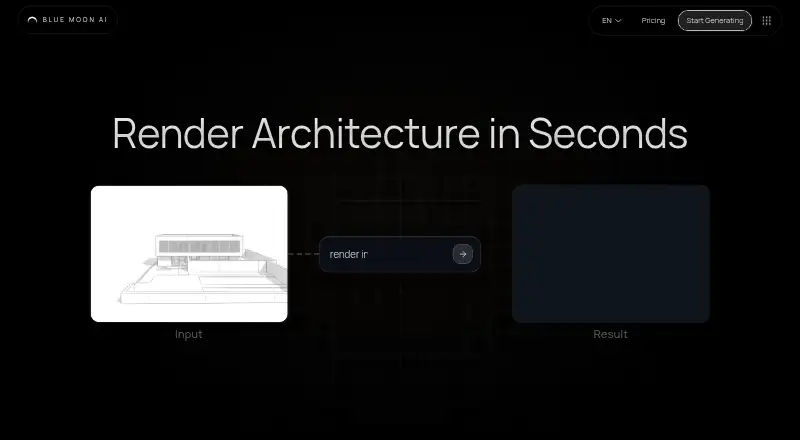
Blue Moon AI is a browser-based visualization suite for architects, designers, real-estate professionals, and students. It generates architectural visuals from text descriptions, sketches, drawings, reference photos, elevations, facades, floor plans, CAD-derived images, PDFs, and 3D-model screenshots. That mixed-input workflow makes it suitable for users who move between early concepts, technical references, presentation imagery, and existing model views. Commercial use is supported, and the product is available on the web.
Its main strength is breadth within the rendering workflow. Users can generate visuals from architectural descriptions or source images, then refine them with masks and text prompts. Virtual staging and furnishing support presentation work, while upscaling reaches 4x, with higher output available on some plans. Still images can also be animated into short videos. The suite extends beyond visual renders with vectorization and image-to-3D workflows, giving users several ways to develop a concept without switching between narrowly focused tools.
For collaborative work, Blue Moon AI includes a shared team canvas, pooled credits, generation lineage, version history, and restore capabilities. A free plan provides an entry point, while the freemium model leaves room for plan-based access to additional capabilities. The key boundary is file handling: CAD/BIM exports can inform image-based rendering, but CAD/BIM files are not direct imports. Teams that need a broad browser workflow across many visual inputs should consider Blue Moon AI; users who require native CAD/BIM ingestion or a non-web platform should choose an alternative built around those requirements.
Blue Moon AI pricing
Blue Moon AI fact sheet
| Free plan | Yes |
|---|---|
| Paid from | Not verified |
| Workflow mode | Mixed |
| Supported inputs | text prompts; sketches; drawings; reference photos; elevations; facades; floor plans; CAD/BIM exports; 3D-model screenshots; PDFs |
| Maximum output resolution | Not verified |
| Commercial use rights | Yes |
| CAD/BIM import | No |
| Monthly credits | Not verified |
| API access | Not verified |
| Deployment | Cloud |
| Platforms | Web |
| Support | Docs |
| Built for | Solo, Small business, Mid-market (editorial estimate) |
| Pricing | Free plan (source) |
| Website | blmn.ai |
| Facts checked | 20 Sep 2026 |
Alternatives to Blue Moon AI
- HarthA web-based rendering workspace for BIM teams with broad model imports and credit-based plans.9.3
- Luw.ai StudioA broad browser-based workspace for architectural planning, modeling, furnishing, and rendering.9.0
- TreformA broad AI architecture workspace for early-stage modeling, massing, and site studies.8.0



See all Blue Moon AI alternatives →
Used Blue Moon AI? Be the first to review it
The editor score above is our own research. What this page doesn't have yet is a reader's view — what you used Blue Moon AI for, what worked and what didn't. No stars are seeded and no review is paid for; an editor reads every one before it appears.
Write a reviewTwo minutes · verified accounts only · read by an editor before it appears
Featured on iTechGuides

Blue Moon AI is listed in our AI Architectural Rendering Software directory. Add the badge to your site — it links back to this page.
<a href="https://www.itechguides.com/products/blue-moon-ai/"><img src="https://www.itechguides.com/best/badge/blue-moon-ai.svg" alt="Featured on iTechGuides" width="230" height="46"></a>
Reviewed by iTechGuides Editors · Editorial team · Updated Sep 2026
Advertiser disclosure: iTechGuides is reader-supported. We may earn a commission when you click some links. How we rank.
Last updated · How we research and update