binjgb
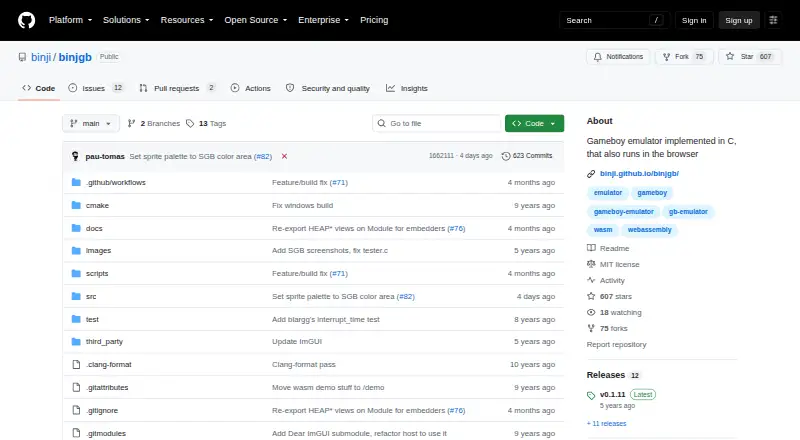
binjgb: A flexible GB/GBC emulator with useful debugging and state-management tools. Ranked #16 of 23 in Game Boy Emulators by our editors (7.9/10); pricing: Open source; best for open-source browser and desktop experimentation.
At a glance
- Editor score7.9 / 10
- PricingOpen source
- Best forOpen-source browser and desktop experimentation
- Paid fromNone
- Supported systemsGame Boy (GB); Game Boy Color (GBC); Super Game Boy (SGB)
- Facts checked20 Sep 2026
Where it wins
- Runs on web, Windows, macOS, and Linux
- Includes rewind, frame stepping, cycle seeking, and state files
- Offers audio, graphics, and experimental debugger controls
Where it doesn't
- Super Game Boy support is partial
- The debugger is experimental
- Touch-gamepad support applies to the browser version
Our verdict on binjgb
binjgb is a C-based emulator for Game Boy and Game Boy Color software, with partial Super Game Boy support. It targets people who want an open-source emulator that works across desktop operating systems and in a browser. Native builds are available for Linux, macOS, and Windows, while the WebAssembly build brings the emulator to web browsers. The browser version can also display an on-screen gamepad on touch-capable devices.
Its strongest area is control over emulation and saved progress. Alongside battery-backup save and load, binjgb supports saving and loading emulator states to files. Playback controls include fast-forward, pause, frame stepping, rewind, and cycle seeking, giving users several ways to inspect or move through software. Audio-channel and graphics-layer controls add further visibility into how a game is rendered and played. These tools make binjgb particularly suitable for experimentation, debugging-oriented work, and users who want more control than basic start-and-play emulation.
The project also has a focused but useful platform range: Game Boy and Game Boy Color support are central, with partial Super Game Boy support extending its scope. An experimental debugger with visualizations adds depth, but its experimental status makes it a better fit for exploration than for users seeking a polished debugging environment. The MIT license and open-source model suit developers and technically minded users who value inspectable software. Choose binjgb for cross-platform GB/GBC experimentation, browser access, and detailed emulation controls; choose an alternative if complete Super Game Boy support or a mature debugger is the priority.
binjgb pricing
binjgb fact sheet
| Free plan | Not verified |
|---|---|
| Paid from | None |
| Supported systems | Game Boy (GB); Game Boy Color (GBC); Super Game Boy (SGB) |
| Supported platforms | Web browser; Windows; macOS; Linux |
| Save states | Yes |
| Link cable emulation | Not verified |
| Netplay | Not verified |
| Real-time clock | Not verified |
| Controller support | Not verified |
| Deployment | Desktop |
| Platforms | Web, Windows, macOS, Linux |
| Built for | Solo, Small business (editorial estimate) |
| Pricing | Open source |
| Website | github.com |
| Facts checked | 20 Sep 2026 |
Alternatives to binjgb
- SameBoyAccurate, feature-rich Game Boy emulation across desktop and iOS.9.4
- GearboyA broad, free emulator with strong save, link-cable and debugging features.9.3
- BGBA free Windows emulator with hardware-accurate timing and unusually deep debugging tools.9.2

Used binjgb? Be the first to review it
The editor score above is our own research. What this page doesn't have yet is a reader's view — what you used binjgb for, what worked and what didn't. No stars are seeded and no review is paid for; an editor reads every one before it appears.
Write a reviewTwo minutes · verified accounts only · read by an editor before it appears
Featured on iTechGuides

binjgb is listed in our Game Boy Emulators directory. Add the badge to your site — it links back to this page.
<a href="https://www.itechguides.com/products/binjgb/"><img src="https://www.itechguides.com/best/badge/binjgb.svg" alt="Featured on iTechGuides" width="230" height="46"></a>
Guides on game boy emulators
Reviewed by iTechGuides Editors · Editorial team · Updated Oct 2026
Advertiser disclosure: iTechGuides is reader-supported. We may earn a commission when you click some links. How we rank.
Last updated · How we research and update