
Bing Wallpaper
Bing Wallpaper: A free Windows tray app for daily Bing imagery, browsing, and image-origin details. Ranked #33 of 34 in Desktop Wallpaper Software by our editors (6.0/10); pricing: Free plan; best for windows users wanting a new Bing image each day.
At a glance
- Editor score6.0 / 10
- PricingFree plan
- Best forWindows users wanting a new Bing image each day
- Free planYes
- Paid fromFree
- Platform coverageWindows
- Facts checked23 Sep 2026
Where it wins
- Automatically changes the desktop image each day.
- Offers a collection of Bing homepage images to browse.
- Shows where images are from and includes Bing search features.
Where it doesn't
- Available for Windows, with no listed support for other platforms.
- Focuses on daily image rotation rather than scheduling controls.
- Does not offer the multi-monitor management found in broader wallpaper tools.
Our verdict on Bing Wallpaper
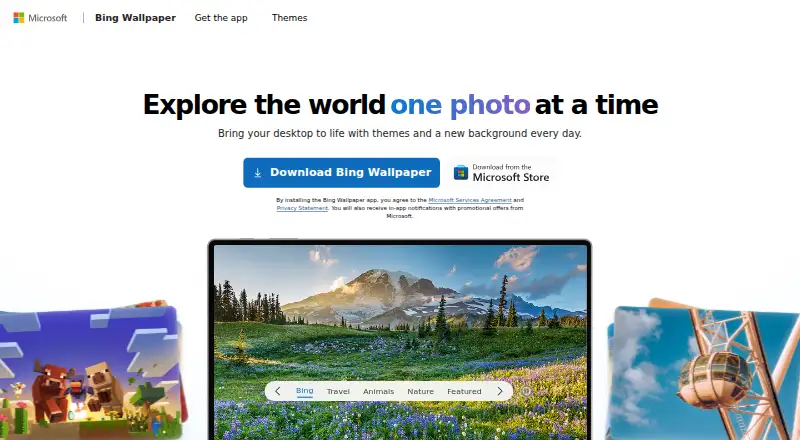
Bing Wallpaper brings images from the Bing homepage collection to a Windows desktop, automatically setting a new background each day. It is aimed at Windows users who want a changing image without managing a wallpaper library themselves. The system-tray app also lets users browse the collection, see where images are from, and access Bing search-related functionality. Its narrow purpose suits people who want daily Bing imagery more than a configurable wallpaper manager.
The product is free to download, so there are no paid tiers to weigh against the daily rotation and image browsing. The central feature is straightforward: the app selects a new image each day from the Bing homepage collection, while browsing and origin information add context for people who want to explore an image rather than simply keep it as a background. The app is a focused choice for an individual Windows desktop, not a broad tool for tailoring wallpaper behavior.
That focus also defines the trade-off. Bing Wallpaper runs on Windows and does not provide the scheduling controls or multi-monitor support associated with broader wallpaper managers; it is not positioned around live or video wallpapers. The product description notes that setup may prompt users to add a browser extension, which is worth considering if you prefer a minimal installation. Choose Bing Wallpaper if free daily Bing images and a tray-based browsing experience are enough. Look elsewhere if you need more control over timing, multiple displays, or wallpaper formats beyond still images.
Your product? Our editors can test Bing Wallpaper in depth and publish a review, labelled as paid · from $149/mo →
Bing Wallpaper pricing
Bing Wallpaper fact sheet
| Free plan | Yes |
|---|---|
| Paid from | Free |
| Platform coverage | Windows |
| Live wallpapers | No |
| Automatic rotation | Yes |
| Multi-monitor support | Not verified |
| Video wallpapers | No |
| Interactive wallpapers | Not verified |
| Performance controls | Not verified |
| Deployment | Desktop |
| Platforms | Windows |
| Built for | Solo (editorial estimate) |
| Pricing | Free plan |
| Website | bingwallpaper.microsoft.com |
| Facts checked | 23 Sep 2026 |
Alternatives to Bing Wallpaper
- Lively WallpaperA feature-rich free wallpaper app for Windows users who want animated, interactive desktops.9.3
- DesktopHutA capable free choice for Windows users who want flexible live wallpapers.9.2
- Wallpaper EngineA broad wallpaper platform for power users who want creation tools and control.9.1



See all Bing Wallpaper alternatives →
Used Bing Wallpaper? Be the first to review it
The editor score above is our own research. What this page doesn't have yet is a reader's view — what you used Bing Wallpaper for, what worked and what didn't. No stars are seeded and no review is paid for; an editor reads every one before it appears.
Write a reviewTwo minutes · verified accounts only · read by an editor before it appears
Featured on iTechGuides

Bing Wallpaper is listed in our Desktop Wallpaper Software directory. Add the badge to your site — it links back to this page.
<a href="https://www.itechguides.com/products/bing-wallpaper/"><img src="https://www.itechguides.com/best/badge/bing-wallpaper.svg" alt="Featured on iTechGuides" width="230" height="46"></a>
Reviewed by iTechGuides Editors · Editorial team · Updated Oct 2026
Advertiser disclosure: iTechGuides is reader-supported. Vendors can pay for top positions in our rankings and for a place on other products' pages, and we may earn a commission when you click some links. Bought places stand at the number bought; this page and our disclosure say so. Paying vendors may get a fuller, more detailed review from our editors, and that review can change their score. How we rank.
Last updated · How we research and update