Backup4all
Backup4all: Affordable Windows file backup with broad destinations and one-time licensing. Ranked #88 of 150 in Backup Software by our editors (3.0/10); pricing: 30-day trial; best for windows users wanting affordable file backup.
At a glance
- Editor score3.0 / 10
- Pricing30-day trial
- Best forWindows users wanting affordable file backup
- Free planNo
- Paid from$29.99/device one-time
- Server backupYes
- Founded1999 · Cluj-Napoca, Romania
- Facts checked20 Sep 2026
Where it wins
- One-time pricing starts at $29.99 per license
- Supports local, network, FTP/SFTP, and cloud destinations
- Includes encryption, integrity testing, and selective version restore
Where it doesn't
- Windows-only platform scope
- File-based backup rather than full-system imaging
- No confirmed ransomware protection
Our verdict on Backup4all
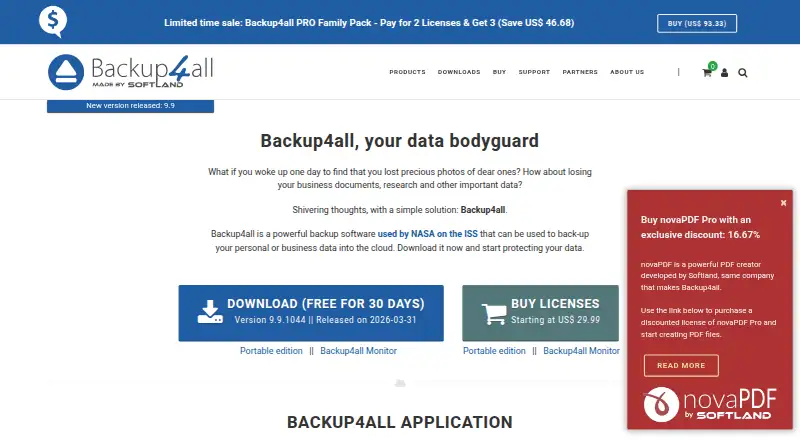
Backup4all is Windows backup software for personal and business data. It focuses on file and folder protection, with full, differential, incremental, mirror, and smart backup types. Users can schedule unattended jobs through Windows Scheduler, apply inclusion and exclusion filters, compress backups with ZIP and ZIP64, and restore selected files, folders, versions, or files from a specified date. Destinations include local and external drives, network locations, optical media, FTP/FTPS/SFTP servers, and cloud services, making it suitable for Windows users who want flexible file backup without recurring licensing.
The four editions use one-time per-license pricing. Lite costs $29.99 and includes local, external, and network destinations, backup plugins, and mirror backups with or without ZIP compression. Standard costs $39.99 and adds block backups, cloud backups, AES encryption, and password protection. Professional costs $59.99 and adds full, differential, and true incremental backups plus cloud, FTP, FTPS, and SFTP support. Portable also costs $59.99 and runs from USB or FireWire devices, with local, external, network, Azure, and Amazon S3 destinations. A 30-day trial is available, and there is no free plan.
Backup4all’s strongest fit is for users who need detailed file-backup controls and a wide choice of storage targets. Integrations include Google Drive, Google Cloud Storage, Microsoft OneDrive, Dropbox, Amazon S3, Microsoft Azure, Box, HiDrive, HubiC, FTP, FTPS, SFTP, and Amazon S3-compatible destinations. AES encryption, password-protected files, backup integrity testing and repair, logs, and email notifications add useful operational safeguards. The trade-off is its Windows-only, file-based scope, so users seeking broader platform coverage, full-system imaging, or confirmed ransomware protection should consider an alternative designed around those requirements.
Your product? Our editors can test Backup4all in depth and publish a review, labelled as paid · from $149/mo →
Backup4all pricing
All 4 Backup4all plans and prices →
Backup4all fact sheet
| Free plan | No |
|---|---|
| Paid from | $29.99/device one-time |
| Computer backup | Yes |
| Mobile backup | No |
| Server backup | Yes |
| Backup scope | File |
| Restore modes | File |
| Ransomware protection | Not verified |
| Supported platforms | windows |
| Free trial | 30 days |
| Deployment | Desktop |
| Platforms | Windows |
| Support | Email, Phone, Community, Docs |
| Built for | Solo, Small business, Mid-market (editorial estimate) |
| Integrations | 11 integrations: Google Drive, Microsoft OneDrive, Dropbox, Amazon S3, Microsoft Azure, Box … |
| Pricing | 30-day trial (source) |
| Website | backup4all.com |
| Facts checked | 20 Sep 2026 |
Backup4all integrations
Backup4all lists 11 integrations on its own site.
- Google Drive
- Microsoft OneDrive
- Dropbox
- Amazon S3
- Microsoft Azure
- Box
- HiDrive
- Google Cloud Storage
- FTP
- FTPS
- SFTP
Alternatives to Backup4all
- Veeam Backup & ReplicationA wide-ranging backup platform for enterprise virtual and hybrid environments.9.4
- Rubrik Security CloudA cyber-recovery platform built around immutable backup, threat investigation, and clean-state recovery.9.2
- NAKIVO Backup & ReplicationA broad VM backup platform with recovery, replication, and disaster-recovery workflows.8.8

See all Backup4all alternatives →
Also Ranked In
Backup4all is ranked in 2 of our directories.
Used Backup4all? Be the first to review it
The editor score above is our own research. What this page doesn't have yet is a reader's view — what you used Backup4all for, what worked and what didn't. No stars are seeded and no review is paid for; an editor reads every one before it appears.
Write a reviewTwo minutes · verified accounts only · read by an editor before it appears
Featured on iTechGuides

Backup4all is listed in our Backup Software directory. Add the badge to your site — it links back to this page.
<a href="https://www.itechguides.com/products/backup4all/"><img src="https://www.itechguides.com/best/badge/backup4all.svg" alt="Featured on iTechGuides" width="230" height="46"></a>
Reviewed by iTechGuides Editors · Editorial team · Updated Oct 2026
Advertiser disclosure: iTechGuides is reader-supported. Vendors can pay for top positions in our rankings and for a place on other products' pages, and we may earn a commission when you click some links. Bought places stand at the number bought; this page and our disclosure say so. Paying vendors may get a fuller, more detailed review from our editors, and that review can change their score. How we rank.
Last updated · How we research and update