AyeSpy
AyeSpy: A practical self-hosted choice for Selenium teams comparing browser screenshots. Ranked #18 of 26 in Visual Regression Testing Software by our editors (7.4/10); pricing: Open source; best for self-hosted Selenium teams.
At a glance
- Editor score7.4 / 10
- PricingOpen source
- Best forSelf-hosted Selenium teams
- Paid fromFree
- Cross-browser captureYes
- Facts checked20 Sep 2026
Where it wins
- Free open-source baseline and latest screenshot comparison
- Chrome, Firefox, Selenium Grid, and configurable viewport support
- Branch runs, page preparation controls, and optional Amazon S3 storage
Where it doesn't
- Requires a self-hosted testing environment
- Focused on command-line and Selenium-based workflows
- No documented paid plans or approval workflow
Our verdict on AyeSpy
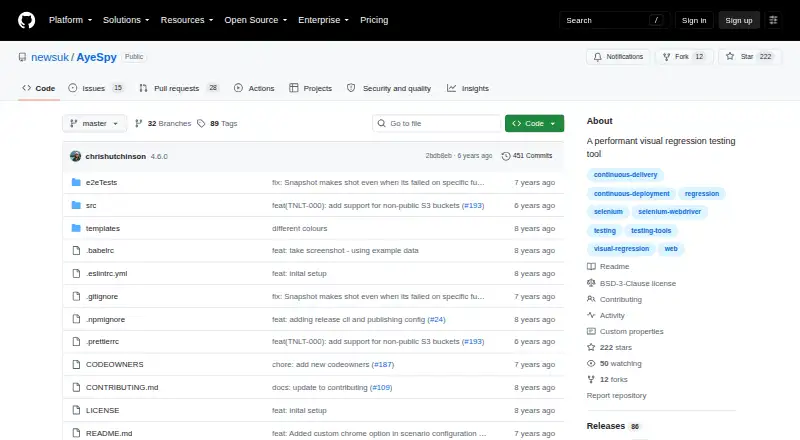
AyeSpy is a command-line visual regression testing tool for teams that need to compare web interface screenshots across repeatable browser runs. It captures pages through Selenium WebDriver, compares new images with baselines, generates visual-difference reports, and can fail builds when differences are detected. Its strongest fit is a self-hosted Selenium team that wants an open-source workflow rather than a hosted visual testing service.
The testing surface is broader than simple screenshot comparison. AyeSpy supports Chrome and Firefox, Selenium Grid, configurable viewport sizes, and mobile device emulation through Chrome. Teams can prepare pages before capture with scripts, waits, cookies, and selectors, while element cropping, hiding, and removal help focus comparisons on relevant content. Branch-specific screenshot runs also support parallel development workflows. Docker integration and the npm package format fit environments that already standardize browser automation around those tools.
Storage and execution remain part of the team’s infrastructure responsibility. Optional Amazon S3 remote image storage can support shared baseline and screenshot handling, while Docker and Selenium Grid can provide repeatable execution environments. AyeSpy is a focused choice for engineering teams comfortable maintaining self-hosted browser testing and wiring visual checks into CI/CD. Teams looking for a managed service, a broader ecosystem beyond Selenium, or a documented approval workflow should consider a different product.
Your product? Our editors can test AyeSpy in depth and publish a review, labelled as paid · from $149/mo →
AyeSpy pricing
AyeSpy fact sheet
| Free plan | Not verified |
|---|---|
| Paid from | Free |
| Visual diff modes | Not verified |
| Cross-browser capture | Yes |
| CI/CD integrations | Yes |
| Approval workflow | Yes |
| Project limit | Not verified |
| Browser count | Not verified |
| Deployment | Self-hosted |
| Support | Docs |
| Built for | Small business, Mid-market, Enterprise (editorial estimate) |
| Integrations | 3 integrations: Amazon S3, Selenium WebDriver, Docker |
| Pricing | Open source |
| Website | github.com |
| Facts checked | 20 Sep 2026 |
AyeSpy integrations
AyeSpy lists 3 integrations on its own site.
- Amazon S3
- Selenium WebDriver
- Docker
Alternatives to AyeSpy
- PercyA mature choice for cross-browser visual reviews, CI/CD, and scheduled URL monitoring.9.4
- ChromaticA strong Storybook workflow with CI checks, review tools, and four-browser testing on paid plans.9.2
- Applitools EyesA broad visual testing suite for teams that need AI-assisted analysis and enterprise controls.8.9



Used AyeSpy? Be the first to review it
The editor score above is our own research. What this page doesn't have yet is a reader's view — what you used AyeSpy for, what worked and what didn't. No stars are seeded and no review is paid for; an editor reads every one before it appears.
Write a reviewTwo minutes · verified accounts only · read by an editor before it appears
Featured on iTechGuides

AyeSpy is listed in our Visual Regression Testing Software directory. Add the badge to your site — it links back to this page.
<a href="https://www.itechguides.com/products/ayespy/"><img src="https://www.itechguides.com/best/badge/ayespy.svg" alt="Featured on iTechGuides" width="230" height="46"></a>
Reviewed by iTechGuides Editors · Editorial team · Updated Oct 2026
Advertiser disclosure: iTechGuides is reader-supported. Vendors can pay for top positions in our rankings and for a place on other products' pages, and we may earn a commission when you click some links. Bought places stand at the number bought; this page and our disclosure say so. Paying vendors may get a fuller, more detailed review from our editors, and that review can change their score. How we rank.
Last updated · How we research and update