AVS Document Converter
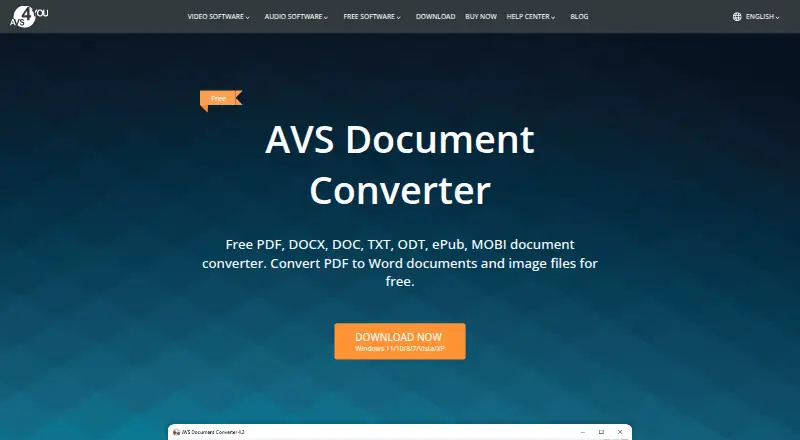
AVS Document Converter: A Windows-focused converter with bulk processing, document controls, and command-line support. Ranked #50 of 69 in File Conversion Software by our editors (4.2/10); pricing: Free plan; best for windows document conversion with controls.
At a glance
- Editor score4.2 / 10
- PricingFree plan
- Best forWindows document conversion with controls
- Free planYes
- Paid from$149/device/yr
- Batch conversionYes
- Facts checked22 Sep 2026
Where it wins
- Converts documents, ebooks, PDFs, and image formats
- Supports bulk conversion, merging, watermarks, and batch renaming
- Adds PDF restrictions, ZIP passwords, image extraction, and command-line mode
Where it doesn't
- Windows-only desktop software
- Paid subscriptions start at $149 per license per year
- Paid plans provide access to five AVS4YOU programs rather than this tool alone
Our verdict on AVS Document Converter
AVS Document Converter is Windows desktop software for converting documents, ebooks, PDFs, and images between formats such as PDF, DOC, DOCX, ODT, RTF, TXT, HTML, EPUB, and MOBI. It is suited to beginners and professional users who need local file conversion alongside basic document protection and organization. Its feature set covers bulk processing, merging, text watermarks, image extraction, batch renaming, and command-line conversion, giving it a broader scope than a simple format converter.
The product is presented as free Windows software, while the vendor’s subscription plans package access to five AVS4YOU programs. The 1 year subscription costs $149 per license per year and includes access to those five programs. The Unlimited subscription costs $279 per license, is billed annually, includes unlimited access to the five programs, and has no yearly renewals. Buyers should therefore distinguish the standalone product’s free positioning from the suite pricing when assessing the overall purchase. The paid plans make more sense for users who also want the wider AVS4YOU program access.
Local document handling is the central fit. AVS Document Converter can create PDF passwords and restrict editing, copying, and printing; add text watermarks; create password-protected ZIP archives; and run through command-line conversion mode. Those controls are useful for repeatable office workflows and files that need basic distribution restrictions. The trade-off is platform scope: the software is Windows-only, with no Mac or Linux support. Choose it for Windows-based conversion with batch tools and document controls; users working on other desktop platforms should choose a cross-platform alternative instead.
Your product? Our editors can test AVS Document Converter in depth and publish a review, labelled as paid · from $149/mo →
AVS Document Converter pricing
All 2 AVS Document Converter plans and prices →
AVS Document Converter fact sheet
| Free plan | Yes |
|---|---|
| Paid from | $149/device/yr |
| Max file size | Not verified |
| Batch conversion | Yes |
| Cloud conversion | Not verified |
| API access | Not verified |
| OCR conversion | Not verified |
| Deployment | Desktop |
| Money-back guarantee | 30 days |
| Deployment | Desktop |
| Platforms | Windows |
| Compliance & security | GDPR |
| Support | Email, Tickets, Docs |
| Built for | Solo, Small business (editorial estimate) |
| Pricing | Free plan (source) |
| Website | avs4you.com |
| Facts checked | 22 Sep 2026 |
Alternatives to AVS Document Converter
- PandocA broad, programmable converter for technical documents, markup, and publishing workflows.9.3
- ConvertioA broad converter for documents, media, batch jobs, OCR, and automated workflows.9.1
- Zamzar APIA broad, asynchronous conversion API with flexible imports, exports, and extraction workflows.9.0



See all AVS Document Converter alternatives →
Also Ranked In
AVS Document Converter is ranked in 2 of our directories.
Used AVS Document Converter? Be the first to review it
The editor score above is our own research. What this page doesn't have yet is a reader's view — what you used AVS Document Converter for, what worked and what didn't. No stars are seeded and no review is paid for; an editor reads every one before it appears.
Write a reviewTwo minutes · verified accounts only · read by an editor before it appears
Featured on iTechGuides

AVS Document Converter is listed in our File Conversion Software directory. Add the badge to your site — it links back to this page.
<a href="https://www.itechguides.com/products/avs-document-converter/"><img src="https://www.itechguides.com/best/badge/avs-document-converter.svg" alt="Featured on iTechGuides" width="230" height="46"></a>
Reviewed by iTechGuides Editors · Editorial team · Updated Oct 2026
Advertiser disclosure: iTechGuides is reader-supported. Vendors can pay for top positions in our rankings and for a place on other products' pages, and we may earn a commission when you click some links. Bought places stand at the number bought; this page and our disclosure say so. Paying vendors may get a fuller, more detailed review from our editors, and that review can change their score. How we rank.
Last updated · How we research and update