AutoScan-Network
AutoScan-Network: A free desktop tool for network discovery, scanning, equipment inventory, and basic supervision. Ranked #48 of 54 in Network Monitoring by our editors (4.5/10); pricing: Free plan; best for small teams needing free network discovery and inventory.
At a glance
- Editor score4.5 / 10
- PricingFree plan
- Best forSmall teams needing free network discovery and inventory
- Free planYes
- Paid fromFree
- Facts checked24 Sep 2026
Where it wins
- Discovers network equipment and scans TCP/IP, ports, and SNMP
- Maintains an equipment database and exports the network tree to XML
- Supports Windows, macOS, and Linux, with local or remote scanner agents
Where it doesn't
- Monitoring depth is limited for teams needing broader network oversight
- Integrations are limited
- Desktop deployment may not suit teams seeking a different deployment model
Our verdict on AutoScan-Network
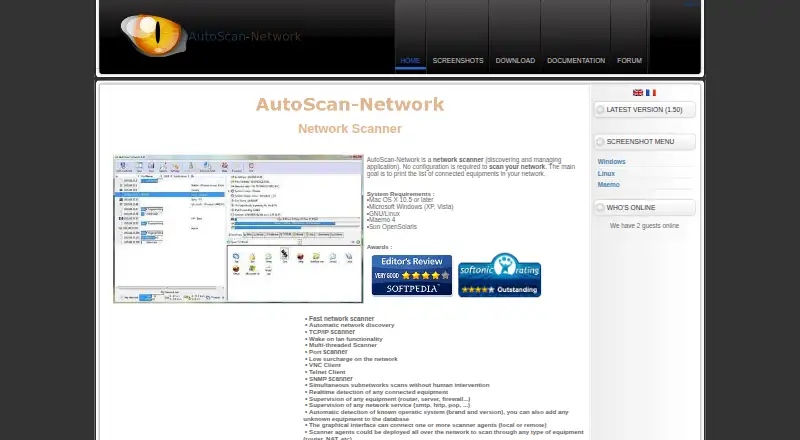
AutoScan-Network is a free, GPL-licensed desktop application for discovering and managing network equipment. It is aimed at network administrators and small teams that need a way to scan TCP/IP networks, identify connected equipment, and keep an inventory. The application supports Windows, macOS, and Linux. Its feature set also includes port and SNMP scanning, operating-system identification, real-time connected-equipment detection, Wake-on-LAN, and a network intruder detection mode. For teams looking for a free starting point for discovery and inventory rather than a broad monitoring suite, its scope is clear.
Inventory and discovery are the product's most concrete strengths. AutoScan-Network maintains a network equipment database and can export the network tree to XML, which gives administrators a portable representation of discovered equipment. Supervision covers equipment and network services, while VNC and Telnet clients provide access tools within the application. Local or remote scanner agents can scan across subnetworks. Together, these capabilities make it more than a simple port scanner, though they do not change the positioning: the available monitoring depth and integrations are limited. Teams that need deeper monitoring or wider integration options should consider a different fit.
The free model avoids a paid-plan decision, and the published application is desktop-based. That suits teams comfortable running a cross-platform desktop tool and managing scanner agents where subnetworks need coverage. Community support and documentation are the listed support channels, so this is a better fit for administrators who can work with those resources than for organizations requiring a different support model. AutoScan-Network is a reasonable choice for free discovery, scanning, and equipment inventory; it is less suitable when monitoring breadth or integrations are central requirements.
Your product? Our editors can test AutoScan-Network in depth and publish a review, labelled as paid · from $149/mo →
AutoScan-Network pricing
AutoScan-Network fact sheet
| Free plan | Yes |
|---|---|
| Paid from | Free |
| Synthetic checks | Not verified |
| Device limit | Not verified |
| Traffic monitoring | Not verified |
| Topology maps | Not verified |
| Alert channels | Not verified |
| Deployment | Not verified |
| Deployment | Desktop |
| Platforms | Windows, macOS, Linux |
| Support | Community, Docs |
| Built for | Small business, Mid-market, Enterprise (editorial estimate) |
| Pricing | Free plan |
| Website | autoscan.kerios.net |
| Facts checked | 24 Sep 2026 |
Alternatives to AutoScan-Network
- ZabbixBroad infrastructure monitoring with a free self-hosted edition and paid cloud options.9.4
- CheckmkA broad hybrid monitoring platform with a capable free edition and costly paid entry.9.3
- ManageEngine OpManagerBroad monitoring, mapping, traffic analysis, automation, and distributed coverage across four editions.9.1



See all AutoScan-Network alternatives →
Also Ranked In
AutoScan-Network is ranked in 2 of our directories.
Used AutoScan-Network? Be the first to review it
The editor score above is our own research. What this page doesn't have yet is a reader's view — what you used AutoScan-Network for, what worked and what didn't. No stars are seeded and no review is paid for; an editor reads every one before it appears.
Write a reviewTwo minutes · verified accounts only · read by an editor before it appears
Featured on iTechGuides

AutoScan-Network is listed in our Network Monitoring directory. Add the badge to your site — it links back to this page.
<a href="https://www.itechguides.com/products/autoscan-network/"><img src="https://www.itechguides.com/best/badge/autoscan-network.svg" alt="Featured on iTechGuides" width="230" height="46"></a>
Reviewed by iTechGuides Editors · Editorial team · Updated Sep 2026
Advertiser disclosure: iTechGuides is reader-supported. Vendors can pay for top positions in our rankings and for a place on other products' pages, and we may earn a commission when you click some links. Bought places stand at the number bought; this page and our disclosure say so. Paying vendors may get a fuller, more detailed review from our editors, and that review can change their score. How we rank.
Last updated · How we research and update