AutoRun Manager
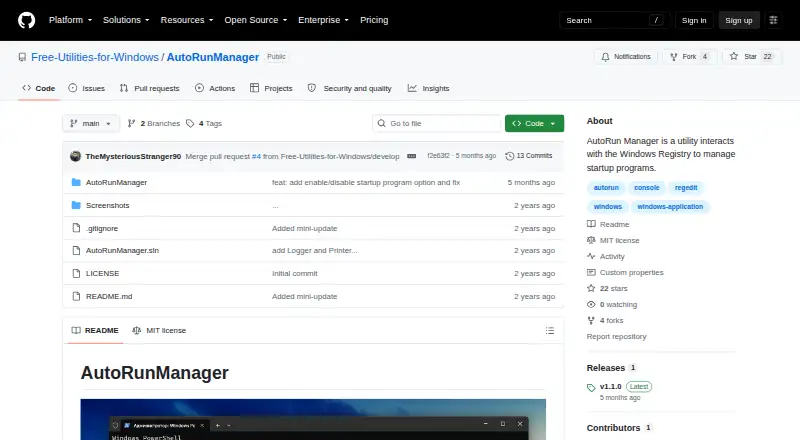
AutoRun Manager: A free, open-source command-line tool for backing up and managing Windows startup entries. Ranked #7 of 30 in Startup Manager Software by our editors (8.3/10); pricing: Free plan; best for open-source startup configuration backups.
At a glance
- Editor score8.3 / 10
- PricingFree plan
- Best forOpen-source startup configuration backups
- Free planYes
- Paid fromFree
- Facts checked20 Sep 2026
Where it wins
- Backs up and restores startup configuration
- Enables, disables, adds, removes, and cleans up entries
- Records actions and errors in timestamped log files
Where it doesn't
- Runs only on Windows
- Requires an administrator command prompt
- Command-line operation may not suit users seeking a graphical interface
Our verdict on AutoRun Manager
AutoRun Manager is a free, open-source Windows command-line utility for inspecting and managing programs configured to run at system startup. It is aimed at users who want direct control over startup entries, particularly those who value configuration backups and a transparent record of changes. The utility can display startup programs, add or remove entries, enable or disable them, clean up startup programs, and work with the Windows Registry. It is distributed under the MIT license by Free-Utilities-for-Windows.
Its strongest practical feature is startup configuration recovery. AutoRun Manager can back up the current startup configuration and restore it later, giving administrators a way to preserve or recover changes. It also writes actions and errors to timestamped files under the user’s Documents directory. That combination makes the tool useful for maintenance workflows where change history and rollback matter more than a visual interface. The published release is v1.1.0, and the project remains available as open-source software.
AutoRun Manager is a focused choice rather than a broad system-management suite. Operation takes place from an administrator command prompt, so it fits users comfortable with Windows administration and command-line tools. It is limited to Windows and centers on startup programs; the product description does not present broader service management or startup-delay controls. Choose it for free startup inspection, entry management, logging, and configuration backups. Users seeking a graphical startup manager or wider system-tuning features should consider a different type of utility.
Your product? Our editors can test AutoRun Manager in depth and publish a review, labelled as paid · from $149/mo →
AutoRun Manager pricing
AutoRun Manager fact sheet
| Free plan | Yes |
|---|---|
| Paid from | Free |
| Startup delay | Not verified |
| Service control | Not verified |
| Startup inspection | Yes |
| Windows support | Not verified |
| Portable edition | Not verified |
| Startup item limit | Not verified |
| Deployment | Desktop |
| Platforms | Windows |
| Built for | Solo, Small business (editorial estimate) |
| Pricing | Free plan |
| Website | github.com |
| Facts checked | 20 Sep 2026 |
Alternatives to AutoRun Manager
- AutorunsA free, detailed Windows tool for auditing and controlling startup activity.9.4
- Autorun OrganizerA broad, free Windows utility for controlling startup entries, delays, services, and scheduled tasks.9.2
- HiBit Startup ManagerA free Windows utility combining startup control, monitoring, delays, and system management.9.0



See all AutoRun Manager alternatives →
AutoRun Manager vs the competition
- AutoRun Manager vs Autoruns
- AutoRun Manager vs Autorun Organizer
- AutoRun Manager vs HiBit Startup Manager
- AutoRun Manager vs BootRacer
- AutoRun Manager vs WhatInStartup
- AutoRun Manager vs Quick Startup

Compare AutoRun Manager with any tool side by side →
Used AutoRun Manager? Be the first to review it
The editor score above is our own research. What this page doesn't have yet is a reader's view — what you used AutoRun Manager for, what worked and what didn't. No stars are seeded and no review is paid for; an editor reads every one before it appears.
Write a reviewTwo minutes · verified accounts only · read by an editor before it appears
Featured on iTechGuides

AutoRun Manager is listed in our Startup Manager Software directory. Add the badge to your site — it links back to this page.
<a href="https://www.itechguides.com/products/autorun-manager/"><img src="https://www.itechguides.com/best/badge/autorun-manager.svg" alt="Featured on iTechGuides" width="230" height="46"></a>
Reviewed by iTechGuides Editors · Editorial team · Updated Oct 2026
Advertiser disclosure: iTechGuides is reader-supported. Vendors can pay for top positions in our rankings and for a place on other products' pages, and we may earn a commission when you click some links. Bought places stand at the number bought; this page and our disclosure say so. Paying vendors may get a fuller, more detailed review from our editors, and that review can change their score. How we rank.
Last updated · How we research and update