
asciinema
asciinema: A focused, free open-source tool for recording and sharing terminal sessions. Ranked #129 of 131 in Screen Recording Software by our editors (3.0/10); pricing: Free plan; best for terminal-session recording and sharing.
At a glance
- Editor score3.0 / 10
- PricingFree plan
- Best forTerminal-session recording and sharing
- Free planYes
- Paid fromFree
- Founded2011
- Facts checked20 Sep 2026
Where it wins
- Captures terminal output as lightweight asciicast files
- Supports local and remote live streaming
- Offers hosting, embedding, search, and plain-text transcripts
Where it doesn't
- Not a conventional audiovisual screen recorder
- Focused on terminal sessions rather than general screen capture
- Self-hosting requires the asciinema server
Our verdict on asciinema
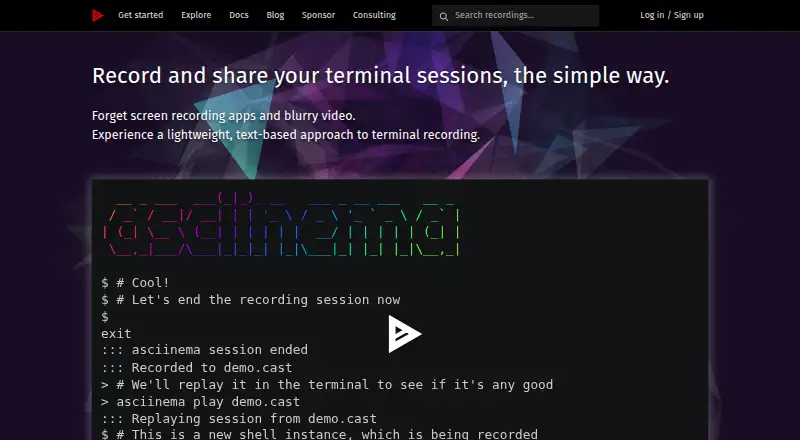
asciinema is a free, open-source suite for recording, replaying, live streaming, and sharing terminal sessions. It is intended for developers, system administrators, educators, and command-line users creating tutorials, demonstrations, live coding sessions, or reproducible bug reports. The CLI records terminal output and terminal events as asciicast files, rather than conventional video, keeping the product focused on command-line activity. Recordings can be replayed locally, hosted on asciinema.org, embedded in websites, or published to a self-hosted server.
Its strongest fit is the terminal-specific workflow. Users can record sessions, replay them in a terminal, stream locally or remotely, control recording visibility and metadata, search recordings and terminal content, and download plain-text transcripts. The surrounding ecosystem includes the asciinema server, asciinema player, and asciinema.org, with platform coverage across the web, Linux, macOS, an API, and self-hosted deployments. This makes asciinema suitable for sharing command-line demonstrations in documentation, teaching materials, websites, or technical reports without turning the session into a conventional video file.
The main trade-off is its narrow scope. asciinema should be chosen when terminal output, replay, sharing, and text-based session content are the priority. It is less appropriate for presentations or product demonstrations that depend on conventional audiovisual screen recording. Teams that want control over hosting can self-host the asciinema server, while those seeking a hosted workflow can use asciinema.org. Overall, it suits command-line-focused creators who value an open-source format and terminal-native playback more than broader screen-recording capabilities.
Your product? Our editors can test asciinema in depth and publish a review, labelled as paid · from $149/mo →
asciinema pricing
asciinema fact sheet
| Free plan | Yes |
|---|---|
| Paid from | Free |
| Webcam recording | Not verified |
| System audio | Not verified |
| Microphone recording | Not verified |
| Max recording length | Not verified |
| Maximum video quality | Not verified |
| Supported platforms | Linux, macOS, FreeBSD |
| Deployment | Cloud, Self-hosted |
| Platforms | Web, Linux, macOS |
| Support | Community, Docs |
| Built for | Solo, Small business, Mid-market (editorial estimate) |
| Integrations | 3 integrations: asciinema server, asciinema player, asciinema.org |
| Pricing | Free plan |
| Website | asciinema.org |
| Facts checked | 20 Sep 2026 |
asciinema integrations
asciinema lists 3 integrations on its own site.
- asciinema server
- asciinema player
- asciinema.org
Alternatives to asciinema
- CamtasiaA deep desktop toolkit for training videos, tutorials, and structured learning content.9.3
- ScreenPalA feature-rich choice for budget-conscious creators who need more than basic recording.9.1
- LoomA broad screen recorder for teams that communicate through polished async video.9.0



See all asciinema alternatives →
Used asciinema? Be the first to review it
The editor score above is our own research. What this page doesn't have yet is a reader's view — what you used asciinema for, what worked and what didn't. No stars are seeded and no review is paid for; an editor reads every one before it appears.
Write a reviewTwo minutes · verified accounts only · read by an editor before it appears
Featured on iTechGuides

asciinema is listed in our Screen Recording Software directory. Add the badge to your site — it links back to this page.
<a href="https://www.itechguides.com/products/asciinema/"><img src="https://www.itechguides.com/best/badge/asciinema.svg" alt="Featured on iTechGuides" width="230" height="46"></a>
Reviewed by iTechGuides Editors · Editorial team · Updated Oct 2026
Advertiser disclosure: iTechGuides is reader-supported. Vendors can pay for top positions in our rankings and for a place on other products' pages, and we may earn a commission when you click some links. Bought places stand at the number bought; this page and our disclosure say so. Paying vendors may get a fuller, more detailed review from our editors, and that review can change their score. How we rank.
Last updated · How we research and update