
Areca Backup
Areca Backup: A flexible file archiver with several backup modes and detailed recovery options. Ranked #86 of 150 in Backup Software by our editors (3.0/10); pricing: Open source; best for users needing free, flexible file archiving and restore.
At a glance
- Editor score3.0 / 10
- PricingOpen source
- Best forUsers needing free, flexible file archiving and restore
- Paid fromFree
- Facts checked19 Sep 2026
Where it wins
- Full, incremental, differential, and delta backup modes
- Local, network, USB, FTP/FTPS, and SFTP destinations
- Encrypted archives with file-version and directory recovery
Where it doesn't
- Focuses on file backup rather than broader system imaging
- Requires configuring filters, destinations, or scripts for tailored workflows
- Ransomware protection is not verified
Our verdict on Areca Backup
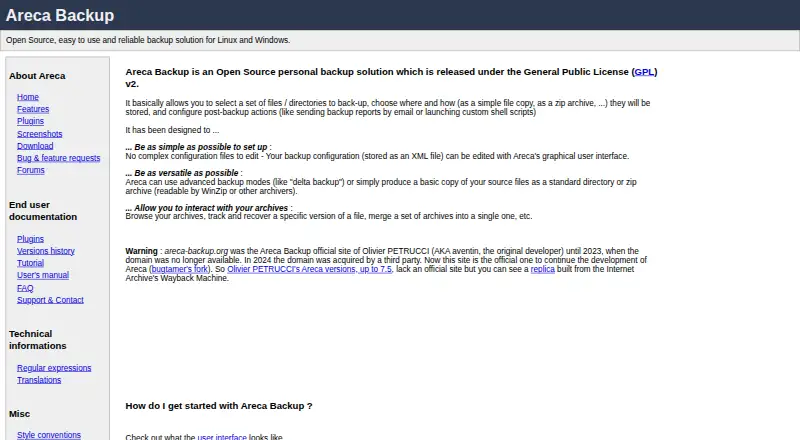
Areca Backup is an open-source personal file backup application for Windows and Linux. It suits individuals who want control over which files and directories are archived, where archives are stored, and how they can be restored. Its file-focused scope makes it a fit for flexible archiving rather than a broad computer-protection suite.
Backup choices include full, incremental, differential, and delta modes, with ZIP or ZIP64 compression and AES-128 or AES-256 encryption. Destinations span local and network storage, USB drives, and FTP, FTPS, or SFTP servers. Filters can target files, directories, extensions, regular expressions, size, date, or status. That breadth helps tailor archive contents and storage, though it also means users may need to configure their own selection rules and destination details. Graphical and command-line interfaces support both manual administration and automation; post-backup shell scripts and reports by disk or email extend those workflows.
Recovery is a notable strength: users can browse, search, and merge archives, track file versions, and restore complete archives, individual files, directories, or specific versions. This is useful when recovery needs vary from restoring one older file to bringing back a larger archive. Areca Backup is a reasonable choice for users seeking a free, flexible file archiver with encryption and granular restore options across Windows and Linux. Those seeking a tool centered on broader system imaging or verified ransomware protection should look elsewhere; its described scope is file backup and recovery.
Your product? Our editors can test Areca Backup in depth and publish a review, labelled as paid · from $149/mo →
Areca Backup pricing
Areca Backup fact sheet
| Free plan | Not verified |
|---|---|
| Paid from | Free |
| Computer backup | Yes |
| Mobile backup | Not verified |
| Server backup | Not verified |
| Backup scope | File |
| Restore modes | File |
| Ransomware protection | Not verified |
| Supported platforms | windows, linux |
| Deployment | Desktop |
| Platforms | Windows, Linux |
| Integrations | 3 integrations: FTP, FTPS, SFTP |
| Pricing | Open source |
| Website | areca-backup.sourceforge.io |
| Facts checked | 19 Sep 2026 |
Areca Backup integrations
Areca Backup lists 3 integrations on its own site.
- FTP
- FTPS
- SFTP
Alternatives to Areca Backup
- Veeam Backup & ReplicationA wide-ranging backup platform for enterprise virtual and hybrid environments.9.4
- Rubrik Security CloudA cyber-recovery platform built around immutable backup, threat investigation, and clean-state recovery.9.2
- NAKIVO Backup & ReplicationA broad VM backup platform with recovery, replication, and disaster-recovery workflows.8.8

See all Areca Backup alternatives →
Used Areca Backup? Be the first to review it
The editor score above is our own research. What this page doesn't have yet is a reader's view — what you used Areca Backup for, what worked and what didn't. No stars are seeded and no review is paid for; an editor reads every one before it appears.
Write a reviewTwo minutes · verified accounts only · read by an editor before it appears
Featured on iTechGuides

Areca Backup is listed in our Backup Software directory. Add the badge to your site — it links back to this page.
<a href="https://www.itechguides.com/products/areca-backup/"><img src="https://www.itechguides.com/best/badge/areca-backup.svg" alt="Featured on iTechGuides" width="230" height="46"></a>
Reviewed by iTechGuides Editors · Editorial team · Updated Oct 2026
Advertiser disclosure: iTechGuides is reader-supported. Vendors can pay for top positions in our rankings and for a place on other products' pages, and we may earn a commission when you click some links. Bought places stand at the number bought; this page and our disclosure say so. Paying vendors may get a fuller, more detailed review from our editors, and that review can change their score. How we rank.
Last updated · How we research and update