
AnyMP4 Screen Recorder
AnyMP4 Screen Recorder: A capable desktop recorder for detailed capture, annotations, and post-processing. Ranked #40 of 131 in Screen Recording Software by our editors (5.0/10); pricing: Paid; best for users needing detailed capture and post-processing.
At a glance
- Editor score5.0 / 10
- PricingPaid
- Best forUsers needing detailed capture and post-processing
- Free planNo
- Paid from$24.90/device/mo
- Webcam recordingYes
- Facts checked22 Sep 2026
Where it wins
- Supports screen, webcam, system audio, microphone, game, and phone capture
- Adds 4K, H.265, 60 FPS, and GPU-accelerated game recording
- Includes trimming, compression, merging, conversion, and annotations
Where it doesn't
- No free plan is available
- Monthly pricing starts at $24.90 per device
- Does not offer integrations with other software
Our verdict on AnyMP4 Screen Recorder
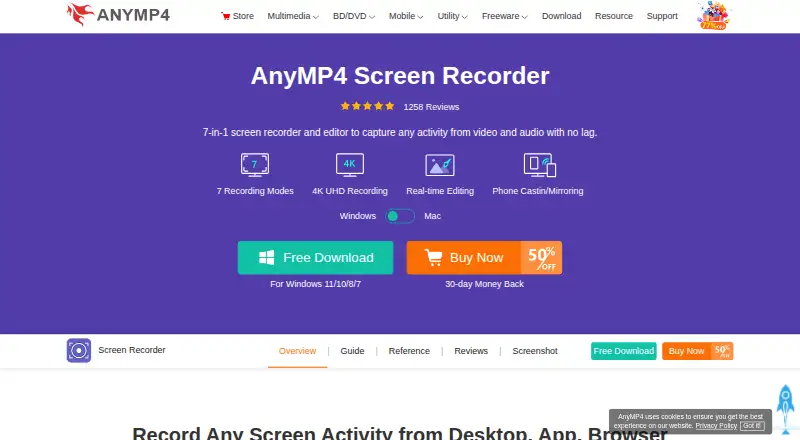
AnyMP4 Screen Recorder is desktop software for Windows and macOS that captures full screens, selected regions, application windows, games, webcams, system audio, microphone input, and mirrored phone displays. It is aimed at people creating meetings, online courses, tutorials, gameplay videos, demonstrations, presentations, and social-media content. Recording can be scheduled, annotated in real time, and followed by screenshots, scrolling capture, and pin-to-screen tools. The software also supports recording previews, trimming, compression, file merging, conversion, metadata editing, and audio tools.
Pricing offers several licensing paths. According to the vendor’s pricing page, the 1 Month License costs $24.90 per device per month for one PC, with auto-renewal, cancellation at any time, and one month of free upgrades. The Lifetime License costs $62.45 one time per device for one PC and includes lifetime free upgrades and free customer support. The 3-User License costs $187.35 one time for three devices, with lifetime upgrades and support. The Team & Business License costs $99.96 one time for five devices and includes multi-device choice, a volume discount, and lifetime updates. There is no free plan.
The strongest case for AnyMP4 is feature depth within a desktop workflow. Capture modes cover full-screen, region, window, and multi-window recording, while game capture reaches 4K, H.265, 60 FPS, and GPU acceleration. Phone mirroring, webcam overlays, scheduling, drawing, screenshots, and post-processing add flexibility for creators and instructors. The trade-off is platform and ecosystem scope: it runs on Windows and macOS, but does not provide integrations. Users who want detailed local recording and editing should consider it; teams that prioritize connected workflows or a lower monthly device cost should choose an alternative.
Your product? Our editors can test AnyMP4 Screen Recorder in depth and publish a review, labelled as paid · from $149/mo →
AnyMP4 Screen Recorder pricing
All 4 AnyMP4 Screen Recorder plans and prices →
AnyMP4 Screen Recorder fact sheet
| Free plan | No |
|---|---|
| Paid from | $24.90/device/mo |
| Webcam recording | Yes |
| System audio | Yes |
| Microphone recording | Yes |
| Max recording length | Not verified |
| Maximum video quality | 4k |
| Supported platforms | windows, macos |
| Money-back guarantee | 30 days |
| Deployment | Desktop |
| Platforms | Windows, macOS |
| Support | Email, Docs · 24/7 |
| Built for | Solo, Small business, Mid-market (editorial estimate) |
| Pricing | Paid (source) |
| Website | anymp4.com |
| Facts checked | 22 Sep 2026 |
Alternatives to AnyMP4 Screen Recorder
- CamtasiaA deep desktop toolkit for training videos, tutorials, and structured learning content.9.3
- ScreenPalA feature-rich choice for budget-conscious creators who need more than basic recording.9.1
- LoomA broad screen recorder for teams that communicate through polished async video.9.0



See all AnyMP4 Screen Recorder alternatives →
Also Ranked In
AnyMP4 Screen Recorder is ranked in 2 of our directories.
Used AnyMP4 Screen Recorder? Be the first to review it
The editor score above is our own research. What this page doesn't have yet is a reader's view — what you used AnyMP4 Screen Recorder for, what worked and what didn't. No stars are seeded and no review is paid for; an editor reads every one before it appears.
Write a reviewTwo minutes · verified accounts only · read by an editor before it appears
Featured on iTechGuides

AnyMP4 Screen Recorder is listed in our Screen Recording Software directory. Add the badge to your site — it links back to this page.
<a href="https://www.itechguides.com/products/anymp4-screen-recorder/"><img src="https://www.itechguides.com/best/badge/anymp4-screen-recorder.svg" alt="Featured on iTechGuides" width="230" height="46"></a>
Reviewed by iTechGuides Editors · Editorial team · Updated Oct 2026
Advertiser disclosure: iTechGuides is reader-supported. Vendors can pay for top positions in our rankings and for a place on other products' pages, and we may earn a commission when you click some links. Bought places stand at the number bought; this page and our disclosure say so. Paying vendors may get a fuller, more detailed review from our editors, and that review can change their score. How we rank.
Last updated · How we research and update