
AlwaysUp
AlwaysUp: A focused Windows service manager for keeping background applications running reliably. Ranked #12 of 30 in Startup Manager Software by our editors (7.6/10); pricing: 30-day trial; best for reliable application startup as Windows services.
At a glance
- Editor score7.6 / 10
- Pricing30-day trial
- Best forReliable application startup as Windows services
- Free planNo
- Paid from$37.49/device one-time
- Startup delayYes
- Facts checked20 Sep 2026
Where it wins
- Runs apps, scripts, Java and Python programs without user login
- Monitors crashes, hangs, CPU and memory use, then restarts applications
- Adds scheduled restarts, health checks, notifications and web management
Where it doesn't
- Windows-only software
- No free plan is available
- Advanced site licenses cost more than individual licenses
Our verdict on AlwaysUp
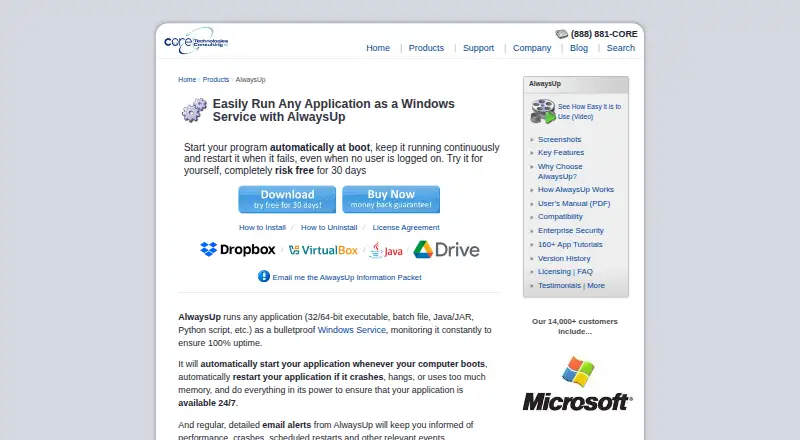
AlwaysUp converts applications, scripts, batch files, Java applications, Python scripts and other executables into Windows services. It is designed for individuals, developers, IT administrators and organizations that need background programs to start with Windows and continue running without an interactive user logged in. The software supports Windows 10 and 11, and it can manage services through its graphical interface, the Services Control Panel, NET and SC commands.
The published plans show a one-time purchase model. An Individual license costs $49.99 per license and includes a perpetual license, a free upgrade to the next major version and professional technical support. Volume pricing lowers the per-license cost to $44.99 for 2-9 licenses, $39.99 for 10-24 and $37.49 for 25 or more. Site licensing includes Limited Site at $999, Site Plus at $1,999 and Unlimited Site at $2,999; the Unlimited Site plan provides unlimited use at one geographic location. Limited Enterprise costs $1,999 and supports enterprise deployment. A 30-day trial is available, but there is no free plan.
Operational monitoring is the product’s strongest differentiator. AlwaysUp can restart applications after crashes or hangs, detect excessive CPU or memory use, send email notifications about crashes, restarts and other events, and perform custom sanity checks for application health. Delayed startup, scheduled application restarts and scheduled computer reboots add control for services that need managed operating routines. Browser-based management is available through AlwaysUp Web Service. This focused Windows approach suits teams managing persistent background workloads on Windows computers and servers. Organizations needing a broader, non-Windows startup tool should choose a different category of product.
Your product? Our editors can test AlwaysUp in depth and publish a review, labelled as paid · from $149/mo →
AlwaysUp pricing
All 12 AlwaysUp plans and prices →
AlwaysUp fact sheet
| Free plan | No |
|---|---|
| Paid from | $37.49/device one-time |
| Startup delay | Yes |
| Service control | Yes |
| Startup inspection | Not verified |
| Windows support | Windows 10 and 11 |
| Portable edition | Not verified |
| Startup item limit | Not verified |
| Free trial | 30 days · no card needed |
| Money-back guarantee | 30 days |
| Deployment | Desktop |
| Platforms | Windows |
| Support | Email, Phone, Docs |
| Built for | Solo, Small business, Mid-market, Enterprise (editorial estimate) |
| Pricing | 30-day trial (source) |
| Website | coretechnologies.com |
| Facts checked | 20 Sep 2026 |
Alternatives to AlwaysUp
- AutorunsA free, detailed Windows tool for auditing and controlling startup activity.9.4
- Autorun OrganizerA broad, free Windows utility for controlling startup entries, delays, services, and scheduled tasks.9.2
- HiBit Startup ManagerA free Windows utility combining startup control, monitoring, delays, and system management.9.0



See all AlwaysUp alternatives →
Used AlwaysUp? Be the first to review it
The editor score above is our own research. What this page doesn't have yet is a reader's view — what you used AlwaysUp for, what worked and what didn't. No stars are seeded and no review is paid for; an editor reads every one before it appears.
Write a reviewTwo minutes · verified accounts only · read by an editor before it appears
Featured on iTechGuides

AlwaysUp is listed in our Startup Manager Software directory. Add the badge to your site — it links back to this page.
<a href="https://www.itechguides.com/products/alwaysup/"><img src="https://www.itechguides.com/best/badge/alwaysup.svg" alt="Featured on iTechGuides" width="230" height="46"></a>
Reviewed by iTechGuides Editors · Editorial team · Updated Oct 2026
Advertiser disclosure: iTechGuides is reader-supported. Vendors can pay for top positions in our rankings and for a place on other products' pages, and we may earn a commission when you click some links. Bought places stand at the number bought; this page and our disclosure say so. Paying vendors may get a fuller, more detailed review from our editors, and that review can change their score. How we rank.
Last updated · How we research and update