
Allegro CL
Allegro CL: A Lisp-focused IDE that also brings debugging, data, web, and deployment tools together. Ranked #33 of 65 in Integrated Development Environments by our editors (6.0/10); pricing: Free plan; best for lisp teams needing an IDE and application infrastructure.
At a glance
- Editor score6.0 / 10
- PricingFree plan
- Best forLisp teams needing an IDE and application infrastructure
- Free planYes
- Founded1984 · Lafayette, California, USA
- Facts checked22 Sep 2026
Where it wins
- Combines Lisp listeners, editing, inspection, debugging, and profiling.
- Project tools cover testing applications and generating standalone executables.
- Includes database, web, and AllegroGraph LLM-related capabilities.
Where it doesn't
- Focused on Common Lisp rather than a broad range of languages.
- The free Express edition has limitations compared with commercial versions.
- Commercial licensing and pricing require contacting Franz Inc.
Our verdict on Allegro CL
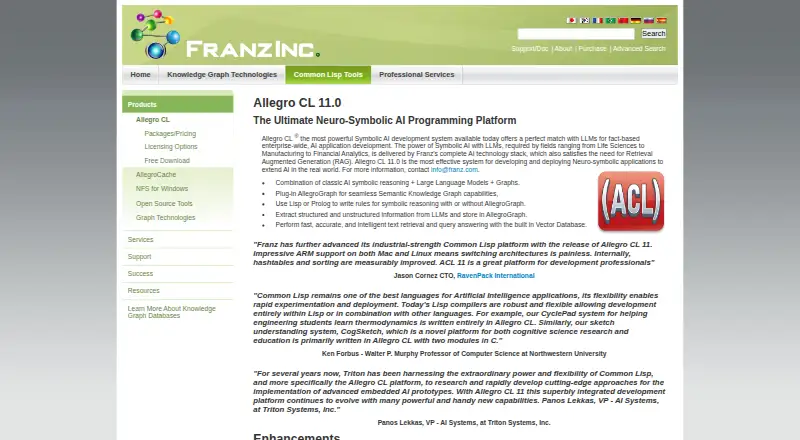
Allegro CL is Franz Inc.'s Common Lisp development environment for teams building and deploying Lisp applications. Its desktop IDE combines listeners, code editing, object inspection, project management, testing, debugging, profiling, and executable generation. Available for Windows, macOS, and Linux, it is positioned for mid-market and enterprise work, including symbolic AI, data integration, and applications using AllegroGraph or AllegroCache. Its strengths are most relevant to teams committed to Common Lisp; developers seeking a general-purpose, multi-language IDE should look elsewhere.
The toolset extends beyond editing and debugging into application infrastructure. AllegroCache provides persistent object storage with transactions and client-server operation, while connectivity features include XML parsers, SSL socket streams, and RPC. AllegroServe and the Webactions framework address web applications. AllegroGraph adds knowledge graph and vector storage capabilities, as well as LLM integration. The listed ecosystem also includes Oracle, MySQL, ODBC, GNU Emacs, and SLIME. This breadth may suit teams that want Lisp development and supporting application components in one environment, though it is a more specialized fit than an IDE centered on broad language coverage.
Allegro CL has a free plan, and the free Express edition has limitations compared with commercial versions. According to Franz Inc., prospective customers should contact the company for commercial licensing and pricing, so teams evaluating paid use will need to engage with the vendor. Support channels include email and documentation. Choose Allegro CL when Common Lisp is central to the work and its integrated project, database, web, and deployment tools match the stack. It is less suitable for teams prioritizing a broad language ecosystem or transparent published commercial pricing.
Your product? Our editors can test Allegro CL in depth and publish a review, labelled as paid · from $149/mo →
Allegro CL pricing
Allegro CL fact sheet
| Free plan | Yes |
|---|---|
| Paid from | Not verified |
| Supported operating systems | Not verified |
| Integrated debugger | Yes |
| Integrated testing tools | Yes |
| Build tools | Yes |
| Project management | Yes |
| Dev container support | Not verified |
| Deployment | Desktop |
| Platforms | Windows, macOS, Linux |
| Support | Email, Docs |
| Built for | Mid-market, Enterprise (editorial estimate) |
| Integrations | 7 integrations: AllegroGraph, AllegroCache, Oracle, MySQL, ODBC, GNU Emacs … |
| Pricing | Free plan (source) |
| Website | franz.com |
| Facts checked | 22 Sep 2026 |
Allegro CL integrations
Allegro CL lists 7 integrations on its own site.
- AllegroGraph
- AllegroCache
- Oracle
- MySQL
- ODBC
- GNU Emacs
- SLIME
Alternatives to Allegro CL
- IntelliJ IDEAA full-featured, cross-platform IDE for Java and Kotlin teams.9.4
- Visual StudioA full-featured Windows IDE for .NET and C++ teams with broad tooling.9.3
- PyCharmA full-featured Python IDE with strong testing, debugging, data, and remote workflows.9.2



See all Allegro CL alternatives →
Used Allegro CL? Be the first to review it
The editor score above is our own research. What this page doesn't have yet is a reader's view — what you used Allegro CL for, what worked and what didn't. No stars are seeded and no review is paid for; an editor reads every one before it appears.
Write a reviewTwo minutes · verified accounts only · read by an editor before it appears
Featured on iTechGuides

Allegro CL is listed in our Integrated Development Environments directory. Add the badge to your site — it links back to this page.
<a href="https://www.itechguides.com/products/allegro-cl/"><img src="https://www.itechguides.com/best/badge/allegro-cl.svg" alt="Featured on iTechGuides" width="230" height="46"></a>
Reviewed by iTechGuides Editors · Editorial team · Updated Oct 2026
Advertiser disclosure: iTechGuides is reader-supported. Vendors can pay for top positions in our rankings and for a place on other products' pages, and we may earn a commission when you click some links. Bought places stand at the number bought; this page and our disclosure say so. Paying vendors may get a fuller, more detailed review from our editors, and that review can change their score. How we rank.
Last updated · How we research and update