
Adapter
Adapter: A capable free desktop converter with batch processing and media editing tools. Ranked #54 of 69 in File Conversion Software by our editors (3.8/10); pricing: Free plan; best for simple free desktop media conversion.
At a glance
- Editor score3.8 / 10
- PricingFree plan
- Best forSimple free desktop media conversion
- Free planYes
- Paid fromFree
- Batch conversionYes
- Facts checked22 Sep 2026
Where it wins
- Converts video, audio, and image files in batches
- Includes previews, trimming, overlays, GIF creation, and audio extraction
- Free on Windows and macOS with no stated limits or restrictions
Where it doesn't
- Desktop-only workflow with no cloud conversion
- Published downloads list older platform requirements and versions
- Workflow depends on VLC, FFmpeg, and iTunes integrations for some functions
Our verdict on Adapter
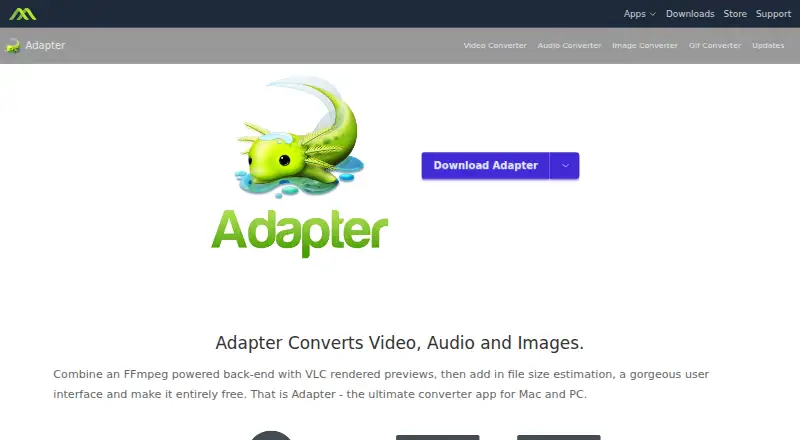
Adapter is a free desktop application for Windows and macOS that converts video, audio, and image files between formats. It is aimed at people who want local media conversion without a paid plan, especially users handling several files at once. Its scope goes beyond basic format changes: batch conversion, file-size estimation, trimming, subtitle and audio-track handling, text and image overlays, watermarks, image sequences, animated GIF creation, audio extraction, and ringtone creation are all included. Adapter is distributed by Macroplant LLC and installed on a Mac or PC.
The published Free plan covers video, audio, and image conversion, batch conversion, and no stated limits or restrictions. That makes the pricing straightforward: there are no paid tiers to compare, and the product is positioned as freeware rather than a subscription service. Local processing also suits users who prefer to keep conversion work on a desktop instead of sending files to an online service. Adapter should appeal to individuals who need a broad set of everyday media tools without adding a recurring software cost.
Its strongest differentiator is the combination of conversion and practical media preparation features. VLC supports side-by-side output previews, while FFmpeg powers conversion; iTunes is also listed as an integration. These connections add useful ecosystem fit for users already working with those applications. The trade-off is that Adapter remains a desktop-only tool, with cloud conversion not part of its deployment model, and the published downloads list older platform requirements and versions. Choose Adapter for free, local, multi-format conversion with editing extras; choose another option if browser access or cloud-based workflows are central to your process.
Your product? Our editors can test Adapter in depth and publish a review, labelled as paid · from $149/mo →
Adapter pricing
All 1 Adapter plans and prices →
Adapter fact sheet
| Free plan | Yes |
|---|---|
| Paid from | Free |
| Max file size | Not verified |
| Batch conversion | Yes |
| Cloud conversion | No |
| API access | Not verified |
| OCR conversion | Not verified |
| Deployment | Desktop |
| Deployment | Desktop |
| Platforms | Windows, macOS |
| Support | Email, Tickets, Docs |
| Built for | Solo, Small business (editorial estimate) |
| Integrations | 3 integrations: VLC, FFmpeg, iTunes |
| Pricing | Free plan (source) |
| Website | macroplant.com |
| Facts checked | 22 Sep 2026 |
Adapter integrations
Adapter lists 3 integrations on its own site.
- VLC
- FFmpeg
- iTunes
Alternatives to Adapter
- PandocA broad, programmable converter for technical documents, markup, and publishing workflows.9.3
- ConvertioA broad converter for documents, media, batch jobs, OCR, and automated workflows.9.1
- Zamzar APIA broad, asynchronous conversion API with flexible imports, exports, and extraction workflows.9.0



See all Adapter alternatives →
Also Ranked In
Adapter is ranked in 3 of our directories.
Used Adapter? Be the first to review it
The editor score above is our own research. What this page doesn't have yet is a reader's view — what you used Adapter for, what worked and what didn't. No stars are seeded and no review is paid for; an editor reads every one before it appears.
Write a reviewTwo minutes · verified accounts only · read by an editor before it appears
Featured on iTechGuides

Adapter is listed in our File Conversion Software directory. Add the badge to your site — it links back to this page.
<a href="https://www.itechguides.com/products/adapter/"><img src="https://www.itechguides.com/best/badge/adapter.svg" alt="Featured on iTechGuides" width="230" height="46"></a>
Reviewed by iTechGuides Editors · Editorial team · Updated Oct 2026
Advertiser disclosure: iTechGuides is reader-supported. Vendors can pay for top positions in our rankings and for a place on other products' pages, and we may earn a commission when you click some links. Bought places stand at the number bought; this page and our disclosure say so. Paying vendors may get a fuller, more detailed review from our editors, and that review can change their score. How we rank.
Last updated · How we research and update