
Aconvert
Aconvert: A broad free converter with OCR, batch processing, URL input, and cloud imports. Ranked #9 of 69 in File Conversion Software by our editors (8.4/10); pricing: Free plan; best for free, broad conversion with OCR and cloud imports.
At a glance
- Editor score8.4 / 10
- PricingFree plan
- Best forFree, broad conversion with OCR and cloud imports
- Free planYes
- Paid fromFree
- Batch conversionYes
- Founded2000
- Facts checked22 Sep 2026
Where it wins
- Converts documents, media, ebooks, archives, images, and more
- Includes batch processing, OCR, URL input, and format discovery
- Supports Google Drive, OneDrive, Dropbox, and offline Android conversion
Where it doesn't
- No REST API is provided
- Maximum file size varies by conversion category
- Online files are temporarily stored before automatic deletion
Our verdict on Aconvert
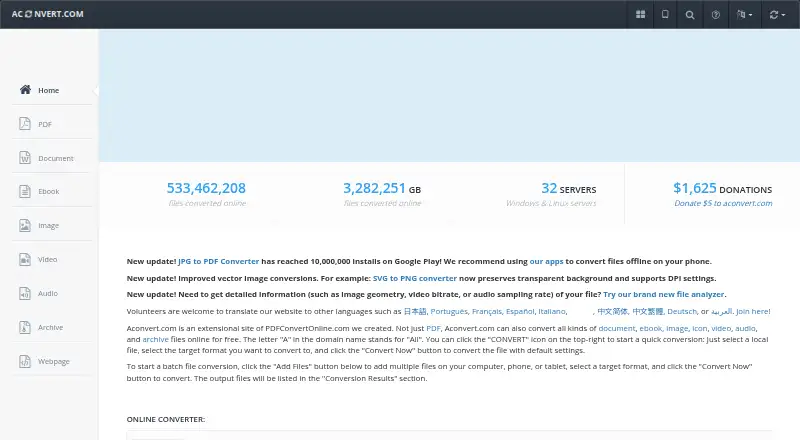
Aconvert is a free file conversion service for people who need to change documents, images, video, audio, ebooks, icons, or archives between formats. It runs on the web and supports Android apps for offline conversion. Document formats include DOC, DOCX, XLS, XLSX, PPT, PDF, HTML, TXT, CSV, and OpenDocument formats, making it suitable for general file conversion rather than a single-format workflow.
Its strongest feature is breadth combined with practical conversion tools. Users can upload local files or provide online file URLs, convert multiple files in batches, search for file formats, and discover available conversion paths. OCR converts images and scanned PDFs into text or editable documents, which gives Aconvert a useful role in document recovery and reuse. The service also connects with Google Drive, OneDrive, and Dropbox for cloud-based file access.
Aconvert is a good fit when free access, wide format coverage, and occasional OCR matter more than automation infrastructure. Online files are temporarily stored and automatically deleted after 1–2 hours, while maximum file size varies by conversion category. The service does not provide a REST API, so it is less suitable for developers building conversion into an automated product or workflow. Choose it for varied personal or office conversions across web and Android; look elsewhere when API access or a single predictable file-size limit is central.
Your product? Our editors can test Aconvert in depth and publish a review, labelled as paid · from $149/mo →
Aconvert pricing
Aconvert fact sheet
| Free plan | Yes |
|---|---|
| Paid from | Free |
| Max file size | Not verified |
| Batch conversion | Yes |
| Cloud conversion | Yes |
| API access | No |
| OCR conversion | Yes |
| Deployment | Web |
| Deployment | Cloud, Mobile |
| Platforms | Web, Android |
| Support | Email, Docs |
| Built for | Solo, Small business (editorial estimate) |
| Integrations | 3 integrations: Google Drive, OneDrive, Dropbox |
| Pricing | Free plan |
| Website | aconvert.com |
| Facts checked | 22 Sep 2026 |
Aconvert integrations
Aconvert lists 3 integrations on its own site.
- Google Drive
- OneDrive
- Dropbox
Alternatives to Aconvert
- PandocA broad, programmable converter for technical documents, markup, and publishing workflows.9.3
- ConvertioA broad converter for documents, media, batch jobs, OCR, and automated workflows.9.1
- Zamzar APIA broad, asynchronous conversion API with flexible imports, exports, and extraction workflows.9.0



See all Aconvert alternatives →
Also Ranked In
Aconvert is ranked in 2 of our directories.
Used Aconvert? Be the first to review it
The editor score above is our own research. What this page doesn't have yet is a reader's view — what you used Aconvert for, what worked and what didn't. No stars are seeded and no review is paid for; an editor reads every one before it appears.
Write a reviewTwo minutes · verified accounts only · read by an editor before it appears
Featured on iTechGuides

Aconvert is listed in our File Conversion Software directory. Add the badge to your site — it links back to this page.
<a href="https://www.itechguides.com/products/aconvert/"><img src="https://www.itechguides.com/best/badge/aconvert.svg" alt="Featured on iTechGuides" width="230" height="46"></a>
Reviewed by iTechGuides Editors · Editorial team · Updated Oct 2026
Advertiser disclosure: iTechGuides is reader-supported. Vendors can pay for top positions in our rankings and for a place on other products' pages, and we may earn a commission when you click some links. Bought places stand at the number bought; this page and our disclosure say so. Paying vendors may get a fuller, more detailed review from our editors, and that review can change their score. How we rank.
Last updated · How we research and update