
AccessMonitor
AccessMonitor: A free, open-source WCAG 2.1 validator with browser-based checks for logged-in pages. Ranked #80 of 163 in Accessibility Testing Software by our editors (3.0/10); pricing: Free plan; best for web teams checking logged-in pages at no cost.
At a glance
- Editor score3.0 / 10
- PricingFree plan
- Best forWeb teams checking logged-in pages at no cost
- Free planYes
- Paid fromFree
- WCAG coverageWcag 2.1
- Facts checked19 Sep 2026
Where it wins
- Tests URLs, HTML code, and HTML files against WCAG 2.1 practices
- Shows issue details with HTML, DOM locations, and visual highlighting
- Chrome extension can check logged-in pages; local-server deployment is available
Where it doesn't
- Coverage is centered on WCAG 2.1 practice testing
- Does not provide mobile testing
- The browser extension is limited to Chrome
Our verdict on AccessMonitor
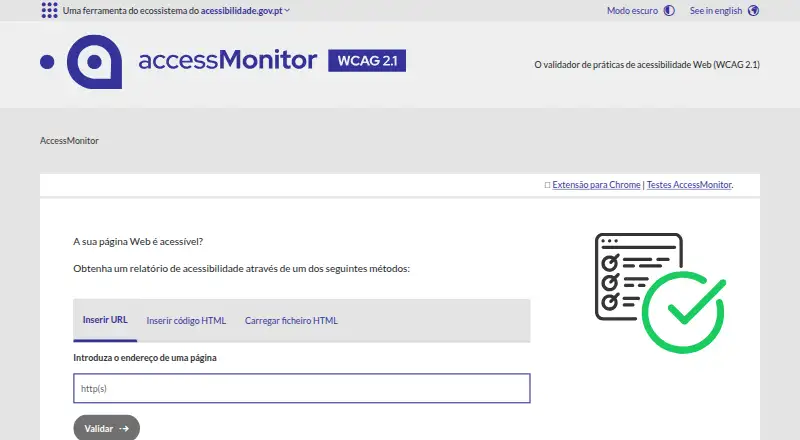
AccessMonitor is a free, open-source web accessibility validator from Agência para a Reforma Tecnológica do Estado, I.P. It is suited to web teams that need to evaluate pages against WCAG 2.1 practices, including pages that require a login. Checks can begin with a URL, HTML code, or an HTML file in the online service; the Chrome extension can evaluate pages directly in the browser. Its reports distinguish acceptable, manually reviewable, and unacceptable practices, giving teams a way to separate automated findings from checks that need human judgment.
The strongest fit is its combination of report detail and practical access options. Issue views include HTML code and the affected DOM location, and visual highlighting points to page elements involved in findings. Reports can be downloaded as CSV. Teams can use the extension to inspect logged-in pages, while local-server deployment supports larger-scale evaluations. That mix makes AccessMonitor useful beyond a one-off public URL scan, particularly for teams that need to inspect internal or in-development pages and then work through findings in a report.
AccessMonitor’s scope is narrower than a broad accessibility testing program: its stated testing is based on WCAG 2.1, and it does not provide mobile testing. The extension is for Chrome, so teams relying on another browser would need to use the online URL or HTML submission options instead. It is a sensible choice for web teams seeking a free validator, detailed findings, and a route to check logged-in pages. Teams whose evaluation depends on mobile testing or coverage beyond WCAG 2.1 should look for a tool that addresses those needs.
Your product? Our editors can test AccessMonitor in depth and publish a review, labelled as paid · from $149/mo →
AccessMonitor pricing
All 1 AccessMonitor plans and prices →
AccessMonitor fact sheet
| Free plan | Yes |
|---|---|
| Paid from | Free |
| WCAG coverage | Wcag 2.1 |
| Automated scans | Yes |
| Manual review tools | Yes |
| Mobile testing | No |
| Browser extension | Yes |
| CI/CD integration | Not verified |
| Remediation guidance | Yes |
| Deployment | Cloud, Browser extension, Self-hosted |
| Platforms | Web, Chrome extension |
| Pricing | Free plan (source) |
| Website | accessmonitor.acessibilidade.gov.pt |
| Facts checked | 19 Sep 2026 |
Alternatives to AccessMonitor
- WAVEA low-cost starting point for page analysis, browser testing, and API automation.9.3
- IBM Equal Access Accessibility CheckerA broad free toolkit for automated web accessibility checks across development workflows.9.1
- Axe DevToolsA free-starting accessibility toolkit that extends from browser scans to CI/CD and APIs.8.9



See all AccessMonitor alternatives →
Also Ranked In
AccessMonitor is ranked in 2 of our directories.
Used AccessMonitor? Be the first to review it
The editor score above is our own research. What this page doesn't have yet is a reader's view — what you used AccessMonitor for, what worked and what didn't. No stars are seeded and no review is paid for; an editor reads every one before it appears.
Write a reviewTwo minutes · verified accounts only · read by an editor before it appears
Featured on iTechGuides

AccessMonitor is listed in our Accessibility Testing Software directory. Add the badge to your site — it links back to this page.
<a href="https://www.itechguides.com/products/accessmonitor/"><img src="https://www.itechguides.com/best/badge/accessmonitor.svg" alt="Featured on iTechGuides" width="230" height="46"></a>
Reviewed by iTechGuides Editors · Editorial team · Updated Oct 2026
Advertiser disclosure: iTechGuides is reader-supported. Vendors can pay for top positions in our rankings and for a place on other products' pages, and we may earn a commission when you click some links. Bought places stand at the number bought; this page and our disclosure say so. Paying vendors may get a fuller, more detailed review from our editors, and that review can change their score. How we rank.
Last updated · How we research and update