
The Tool Desk
Outbyte PC Repair FREERepair Windows errors before they cause bigger problemsFix Now →Outbyte Driver Updater FREEScan for outdated or missing drivers - takes under a minuteDriver Scan →iTechGuides is reader-supported. When you buy through links on our site, we may earn an affiliate commission. As an Amazon Associate I earn from qualifying purchases. Learn more
This Motion App Review finds that Motion is worth considering when automatic task scheduling is your main productivity problem. Motion combines an AI calendar, task and project manager, meeting tools, documents, notes, and AI assistance, but its $19-per-seat Pro AI plan and iCloud task-sync limitation make simpler or more specialized alternatives better for some users.
Motion is not merely an AI calendar. Motion’s central idea is that a task should be connected to available time: the platform evaluates deadlines, estimated durations, priorities, dependencies, working hours, and calendar commitments, then attempts to place work on the calendar and re-plan it when circumstances change.
Key takeaways
- Motion’s strongest differentiator is automatic, calendar-based task scheduling and re-scheduling rather than ordinary task storage.
- Motion lists Pro AI at $19 per seat per month and Business AI at $29 per seat per month, with annual billing advertised as saving 33%; prices were checked on August 16, 2026.
- Pro AI includes 7,500 AI credits per seat monthly, while Business AI includes 15,000 credits per seat monthly.
- Google Calendar and Outlook receive the strongest documented integration; Motion tasks can be displayed in Google and Outlook but do not fully synchronize back from those calendars.
- Motion supports iCloud event synchronization, but Motion tasks do not currently synchronize to iCloud calendars.
- Motion is most suitable for people who want one opinionated system to turn workload into scheduled time, not for people who only need a cheap checklist or highly configurable specialist software.
What is Motion?
Motion is an AI-powered productivity and work-management platform that combines task planning, project management, calendars, meetings, documents, notes, reports, workflows, and AI assistance. Motion’s official product overview positions the service as a unified workspace rather than a standalone calendar or meeting-booking tool.
Quick wins for a faster PC:
Repair Windows errors before they cause bigger problemsFix Now →Scan for outdated or missing drivers - takes under a minuteDriver Scan →The product is built around the relationship between work and time. A conventional task manager records that a task exists. Motion attempts to decide when the task should happen, reserve time for it, and adjust the plan if a meeting appears, a deadline changes, or higher-priority work arrives.
Popular on Amazon

- No APP & Phone Required Fitness Tracker Watch: This Fitness Tracker watch doesn't require any App or smartphone connections! It's as simple to use as a regular watch but smarter. Perfect for anyone looking for an easy fitness tracker without the hassle of smartphone setups.
- Heart Rate and Sleep Monitoring: The Fitness Tracker monitors your heart rate automatically all day, and you can select manual mode through the App. The fitness Watch also monitors your sleep at night, providing a detailed analysis of your sleep quality (deep sleep, light sleep, awake time). It is a health advisor for women men in daily life.
- Multi Sport Modes with Activity Tracking: The fitness tracker features 9 sport modes like running, walking and more. Additionally, the activity tracker records daily steps, calories burned, walking distance and active time throughout the day. You can also set a daily steps goals through the App to track your progress.
- Smart Notification Reminder: You can get SMS messages, and SNS notifications directly on your wrist including Facebook, Twitter, Gmail ect. You won't miss any important calls and message and stay updated. Please note: the smart watch can not make calls or text.
- Long Battery Life and IP68 Waterproof: This smart watch only requires 2 hours of charging and can be used for 5-7 days continuously, IP68 waterproof rating can withstand daily sweat, washing hands and rainy day, allowing you to fully enjoy your workouts.
That approach makes Motion opinionated. Users who want a clear daily plan may find the automation valuable. Users who prefer to arrange every task manually may find the planner intrusive or unnecessarily complex.
How does Motion’s automatic scheduling work?
Motion’s automatic scheduling works by converting task information into calendar time. The usual workflow is:
- Connect one or more calendars and configure working hours, availability, and focus time.
- Add or import tasks and organize them into projects.
- Give important tasks a duration, deadline, priority, and—where relevant—dependencies.
- Let Motion evaluate available calendar time and place tasks into work blocks.
- Review the resulting plan and correct unrealistic durations, priorities, or availability.
- Allow Motion to re-plan the remaining work when meetings, deadlines, or priorities change.
Motion says its planner considers deadlines, durations, dependencies, priorities, and workload. The quality of the resulting schedule therefore depends on the quality of the information supplied. A task estimated at 20 minutes when it really takes two hours will produce a misleading plan, regardless of how sophisticated the scheduling algorithm is.
What is the difference between a due date, a scheduled task, and a calendar event?
A due date is the point by which a task must be completed. A scheduled or “do” date is when Motion intends you to work on the task. A calendar event is a fixed appointment, such as a client call or meeting. A Motion task time block is the portion of calendar time Motion allocates for completing the task.
| Item | Meaning | Example |
|---|---|---|
| Due date | Completion deadline | Submit the proposal by Friday |
| Scheduled/do date | Planned work time | Draft the proposal on Wednesday from 10:00 to 11:30 |
| Calendar event | Fixed appointment or commitment | Client meeting at 2:00 p.m. |
| Task time block | Work time allocated by Motion | 90 minutes reserved for proposal drafting |
This distinction matters because moving a task’s visible time block in an external calendar does not necessarily change the underlying Motion task. Motion’s documentation describes calendar events as bidirectionally synchronized while Motion tasks are primarily synchronized outward for display.
Is Motion’s AI task and project management useful?
Motion’s task and project features are most useful when a workload contains many deadlines, durations, dependencies, and competing priorities. The platform can prioritize tasks, schedule and re-schedule them, group work into projects, and use AI assistance to help create project structures.
Motion also promotes workflows for repeatable projects and standard operating procedures. A repeatable workflow can reduce the need to rebuild the same task structure for recurring client work, launches, onboarding, or internal processes.
Free tools Windows power users keep installed
One-click scans. No signup required.
Business AI adds team-oriented features including capacity planning, advanced dashboards and reports, timeline and Gantt views, time tracking, permissions, central billing, and priority support. These features make Business AI more relevant to small teams than to solo users, although a team should confirm that the added controls justify the additional per-seat cost.
Motion’s website uses phrases such as “perfect plan,” “10x productivity,” and “137% more work” in its marketing. Those are vendor claims, not independent benchmarks or guaranteed outcomes. The practical benefit is more modest and more testable: Motion can reduce the manual effort required to decide where task work belongs on a calendar, provided that task data and availability settings remain accurate.
How good are Motion’s calendar and meeting features?
Motion connects with Google Calendar, Microsoft Outlook, and iCloud Calendar accounts. Motion can use calendar availability when scheduling tasks, provide booking links for meetings, and connect meetings through Google Meet, Microsoft Teams, and Zoom. Motion also offers desktop and mobile access, so the planned schedule is not limited to a browser.
Motion’s meeting features are designed to connect scheduling with execution. A meeting can occupy calendar time, meeting information can be associated with work, and follow-up tasks can be added to the same project or workspace. Booking links use calendar-based availability rather than treating every open-looking hour as available.
What are Motion’s calendar-sync limitations?
Motion’s calendar integration is not identical across providers. Google Calendar and Outlook provide the clearest two-way event behavior. Motion tasks can be pushed to Google and Outlook calendars so that scheduled work is visible there, but editing the external task entry does not generally update the underlying Motion task.
iCloud support is more limited. Motion’s documentation says iCloud events can synchronize, but Motion tasks do not currently synchronize to iCloud calendars. iCloud event synchronization can also be delayed by up to approximately 10 minutes. Apple-heavy users who require tasks to flow back into iCloud should treat this as a decisive limitation, not a minor integration detail.
Motion requires calendar permissions, including read access and, where applicable, write access to create or update events. Users should distinguish calendars that Motion uses to calculate availability from calendars connected only for visibility. Users traveling across time zones should also check their settings manually because Motion’s help documentation says the service does not automatically switch time zones when traveling.
For setup details, Motion documents supported calendar providers, calendar permissions, and provider-specific synchronization behavior.
What’s actually slowing this PC down?
Pick the symptom - the matching free tool is one click away.
Does Motion include a meeting notetaker?
Motion promotes a meeting notetaker that can record meetings, produce transcripts, generate AI summaries and notes, and turn action items into Motion tasks. Meeting information can then be connected with documents, calendars, projects, and follow-up work.
The available first-party material confirms those capabilities but does not establish universal answers for recording initiation, participant notifications, transcript-retention periods, transcript export, editing behavior, or accuracy rates. Buyers should verify those details in current Motion documentation before deploying the notetaker for customer calls or internal meetings.
Also popular on Amazon
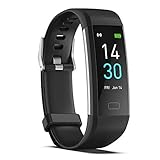
- 【All-day Activity Tracker】: ENGERWALL IP68 Waterproof fitness tracker can record and track your daily steps, calories burned, exercise distance and time. It can also monitor your Body Temp, Heart Rate, Blood Oxygen and Blood Pressure. IP68 waterproof ensures that you don't need to take it off for daily hand washing and swimming, but don't soak it in water for a long time or wear it for hot baths, saunas.
- 【Slim and simple band design】The design concept of this tracker’s band is slim and unique, offering a comfortable and lightweight wearing experience. Suitable for men, women and the elderly.
- 【Heart Rate Monitor and Sleep Tracker】: Smart tracker can detect heart rate, blood pressure, blood oxygen, and body temperature in daily life. Monitor your sleep and analyze your sleep quality through Fall Sleep, Deep Sleep, Light Sleep, REM Sleep. You can view daily, weekly, and monthly data in the APP "Runmefit" to help you better understand your health status and lead a healthy lifestyle. [IMPORTANT] The blood pressure measurement feature must be downloaded and enabled within the app.
- 【Call and message notifications】: You can receive text messages and SNS notifications (including Facebook, Twitter, WhatsApp and Instagram) directly on your wrist. When your phone's Bluetooth is turned on, if you receive a message, the watch will vibrate to remind you and you can view the specific message. This function is very practical whether in work or life.
- 【Working Time】: Smart Fitness Watch is the best partner at work, you can set it on the mobile APP ‘Runmefit’: up to 5 sets of alarms, you don’t have to worry about being late for appointments or forgetting important things. You can set drinking Water Reminders and Sedentary Reminders to establish a healthy way of working.
Recording and transcription also create privacy and workplace-policy questions. Participants may need notice or consent depending on local law, company policy, contract terms, and the meeting’s subject matter. Organizations should review Motion’s current privacy, security, data-processing, and retention documentation before using recordings or transcripts for sensitive work.
What are Motion Docs, Notes, Wiki, and AI Writer?
Motion’s document features cover notes, pages, processes, and internal wiki content. Motion promotes AI-assisted drafting, editing, summarization, and organization, along with the ability to embed tasks, projects, tables, images, and attachments in documents.
Recommended Free Tools
Documents can also be converted into tasks or projects, and Motion provides search across notes and documents. Published documents can be shared as links or live websites. Those connections are useful when a project brief, process document, and task list need to remain in one workspace.
Motion can be a practical supporting knowledge base for a small team, but the available evidence does not establish feature parity with dedicated documentation platforms such as Notion or Confluence. Readers who need complex databases, extensive page customization, mature publishing controls, or deep knowledge-management workflows should test those requirements separately rather than assuming Motion replaces a dedicated wiki.
How do Motion AI Chat, Writer, and credits work?
Motion presents AI Chat as an assistant that can use context from Motion documents, tasks, projects, and calendars. AI Writer and Editor support drafting and revision. AI assistance can therefore operate closer to the user’s work context than a general-purpose chatbot with no access to the workspace.
Motion’s pricing page lists monthly AI allowances by plan. Pro AI includes 7,500 credits per seat per month, and Business AI includes 15,000 credits per seat per month. The same page lists additional credits at $0.25 per 100 credits for the lower allowance and $0.19 per 100 credits for the higher allowance.
A credit is not necessarily equivalent to a prompt, word, meeting, or token. Credit consumption can differ by feature and workload, so buyers should check Motion’s current credit-consumption rules before estimating monthly usage. Heavy use of AI chat, writing, meeting notes, project generation, or other AI functions may change the real cost beyond the headline subscription price.
Which integrations does Motion support?
Motion’s first-party materials identify native or connected support for Google Calendar, Microsoft Outlook 365, iCloud Calendar, Zoom, Google Meet, Microsoft Teams, Gmail forwarding, Zapier, Siri, and Motion’s API. These connection types are not interchangeable: a native calendar connection, a Zapier automation, an API integration, and email forwarding provide different levels of control and reliability.
| Connection type | Examples | What to expect |
|---|---|---|
| Calendar and meeting connections | Google Calendar, Outlook, iCloud, Zoom, Google Meet, Microsoft Teams | Calendar availability, events, meeting scheduling, or meeting-platform connections, with provider-specific limits |
| Automation | Zapier | Workflow connections beyond Motion’s native integrations; not equivalent to native support |
| Developer access | Motion API | Custom integrations where the API supports the required workflow |
| Capture and forwarding | Siri and Gmail forwarding | Convenient task capture, but narrower than a complete email-client integration |
Motion says there are currently no planned native integrations with Notion, ClickUp, or Google Sheets, although Zapier or the API may provide workarounds. Motion’s integration FAQ also says Motion and Akiflow cannot be integrated through Zapier in the relevant trigger configuration. The current Motion integrations page should be checked before purchase because integration availability can change.
Why can Motion email-to-task creation fail?
Motion email-to-task creation requires forwarding from an address configured in Motion’s Accounts section. Motion’s help documentation says email-created tasks usually appear in about 30 seconds or less, but the feature has important constraints.
- Email attachments are not parsed for task creation.
- Emails sent with additional CC or BCC recipients can fail to create tasks.
- The sender must be configured in Motion’s Accounts section.
- Email content may be interpreted differently from the sender’s intended task.
Email forwarding is useful for capture, but it should not be described as a full email-client integration. See Motion’s integration FAQ for the documented limitations.
What apps and platforms does Motion support?
Motion’s pricing page lists iOS, Android, desktop apps, and integrations. The U.S. App Store listing describes task planning, AI scheduling, meeting scheduling, documents, notes, Siri task capture, and mobile access. App versions and operating-system requirements change frequently, so readers should check the current U.S. App Store listing before relying on a particular version or device requirement.
How much does Motion cost?
As checked on August 16, 2026, Motion’s first-party pricing page lists two primary plans: Pro AI at $19 per seat per month and Business AI at $29 per seat per month. Both prices are per seat, so team costs scale with the number of users before any custom arrangement, taxes, add-on credits, AI employee features, enterprise terms, or legacy-plan differences.
| Feature | Pro AI | Business AI |
|---|---|---|
| Advertised monthly price | $19 per seat per month | $29 per seat per month |
| AI credit allowance | 7,500 credits per seat per month | 15,000 credits per seat per month |
| AI Chat | Included | Included |
| AI Projects and Tasks | Included | Included |
| AI Calendar and Meetings | Included | Included |
| AI Docs, Wiki, and Notes | Included | Included |
| AI Writer and Editor | Included | Included |
| Storage | Unlimited | Unlimited |
| Mobile and desktop apps | Included | Included |
| Integrations | Included | Included |
| Team capacity planning | Not listed | Included |
| Advanced dashboards and reports | Not listed | Included |
| Timeline and Gantt charts | Not listed | Included |
| Time tracking | Not listed | Included |
| Permissions and access control | Not listed | Included |
| Central billing | Not listed | Included |
| Priority support | Not listed | Included |
Motion advertises annual billing as saving 33%. The exact annual payment should be confirmed at checkout before publication or purchase rather than inferred from the advertised percentage. Existing customers may also have different terms from new subscribers.
Do these 3 things before closing this tab:
1Scan for outdated or missing drivers - takes under a minute2Repair Windows errors before they cause bigger problems3Fix the driver behind crashes, sound loss and screen glitchesThird-party pricing pages can be stale or describe a different packaging model. For example, G2’s 2026 listing shows an “AI Workplace” price of $29 and additional “AI Employees” tiers, while Motion’s current first-party pricing page lists Pro AI at $19 and Business AI at $29. Motion’s own pricing page should control the purchase decision.
What happens during Motion’s free trial, cancellation, and refund process?
Motion advertises a free trial, but the available pricing material does not establish a trial duration that should be repeated as a permanent fact. Check the signup flow for the current trial terms.
What are Motion’s main advantages?
- Calendar-first planning: Motion addresses the difficult question of when task work should happen, not just where tasks should be stored.
- Automatic re-planning: A changed schedule can trigger a revised plan instead of requiring the user to manually rearrange every task.
- Broad workspace: Tasks, projects, meetings, documents, notes, workflows, and AI assistance are available in one product.
- Team features: Business AI adds capacity planning, dashboards, Gantt views, time tracking, permissions, central billing, and priority support.
- Useful capture options: Forwarded email, Siri, meeting action items, API access, and Zapier can extend task capture beyond manual entry.
- Cross-device availability: Motion offers mobile and desktop apps in addition to web access.
What are Motion’s main disadvantages?
- Higher cost: Motion costs more than a basic task list or ordinary calendar, and per-seat pricing can become significant for teams.
- Setup dependency: Automatic planning works best when durations, deadlines, priorities, dependencies, working hours, and calendar availability are maintained accurately.
- Limited iCloud task synchronization: iCloud events can sync, but Motion tasks do not currently sync to iCloud calendars.
- Incomplete native integration coverage: Motion says native Notion, ClickUp, and Google Sheets integrations are not currently planned.
- External-calendar ambiguity: Seeing a Motion task in Google or Outlook is not the same as having full two-way task synchronization.
- AI-credit uncertainty: Monthly credits are not a direct measure of prompts, words, meetings, or tokens, so real usage can be difficult to estimate without checking the current rules.
- Algorithmic trade-off: A mathematically sensible schedule may not reflect interruptions, energy levels, or the practical difficulty of a task.
- Refund risk: Cancellation does not automatically create a refund, and Motion describes purchases as non-refundable at its discretion.
Who should use Motion?
Motion is a strong fit for solo professionals whose main problem is deciding when to work on a large number of tasks. Consultants, executives, freelancers, and people with frequent schedule changes may benefit when the cost of manual planning is greater than the subscription price.
Also popular on Amazon

- A FULL-FEATURED HEALTH TRACKER—Apple Watch Series 11 gives you invaluable insights about your body, right from your wrist. Take an ECG anytime* and get alerts for a high and low heart rate or an irregular rhythm*—so you can stay closer to your heart. You can also view your overnight health tracking metrics with the Vitals app* and be notified of possible sleep apnea.*
- KNOW YOUR SLEEP SCORE—With advanced sleep tracking, Series 11 gives you a daily sleep score. It’s an easy way to help measure and understand the quality of your sleep, so you can make it more restorative.
- GET HYPERTENSION NOTIFICATIONS—Did you know that Series 11 can spot signs of chronic high blood pressure? By analyzing how your blood vessels respond to beats of the heart, it can notify you of possible hypertension.*
- SAFETY FEATURES—A smartwatch that puts your safety first. Series 11 can detect a hard fall or severe car crash, automatically help connect you with emergency services, and notify your emergency contacts.* Check In can automatically notify a loved one when you’ve arrived at your destination.
- A POWERFUL FITNESS TRACKER—With advanced metrics and motivating features like Pacer, Heart Rate Zones, training load, and Workout Buddy powered by Apple Intelligence from your nearby iPhone*—Series 11 is made to help everyone stay active, from runners and hikers to strength-training enthusiasts.
Motion can fit small teams that want shared projects, capacity planning, permissions, dashboards, Gantt views, time tracking, and central billing. Business AI is more defensible when those team controls are used regularly; paying for Business AI merely to obtain a shared task list is harder to justify.
PC Slower Than It Used to Be?
A free scan shows the junk files, broken settings and background clutter dragging Windows down - then fixes them in one click.Free scan · Windows 10 & 11Crashes, No Sound, or Screen Glitches?
Random freezes, missing sound and display glitches usually trace back to one bad driver. Find and replace yours safely.Free scan · under a minuteMeeting-heavy users may benefit from booking links, connected meeting platforms, recordings, transcripts, summaries, and action items that become tasks. Organizations should still validate consent, retention, and data-governance requirements before enabling recording.
Apple-heavy users need caution. Motion supports iCloud events, but the lack of Motion-task synchronization to iCloud calendars is a material limitation for workflows that depend on Apple Calendar as the main task view.
Minimalist productivity users are likely to prefer an alternative. Motion may feel overbuilt if the desired workflow is simply a short task list, reminders, and manually chosen calendar blocks.
Enterprise buyers should validate governance before deployment. The presence of permissions, reports, and team features does not by itself establish enterprise-grade governance, security certifications, retention controls, or service-level commitments. Review Motion’s current documentation for those requirements.
Which Motion alternative fits each use case?
No alternative is universally better than Motion. The correct choice depends on whether the buyer values automatic scheduling, deliberate manual planning, flexible documentation, configurable project operations, or a lightweight task list.
| Service | Best suited to | Planning approach | How it differs from Motion |
|---|---|---|---|
| Reclaim | Calendar automation and habit scheduling | Calendar-focused automation | A candidate for users who prioritize calendar and habit automation over Motion’s broader workspace |
| Sunsama | Deliberate daily planning and reflection | Guided manual planning | A candidate for users who want more control and less automatic re-planning |
| Akiflow | Fast task capture and a unified agenda | Calendar-plus-task workflow with manual control | A candidate for users who do not need Motion’s broader project, document, and AI suite; Motion’s FAQ says the two services cannot be integrated through Zapier in the relevant trigger configuration |
| ClickUp | Configurable project management, collaboration, reporting, and workflows | Project-operation customization | A candidate for teams that prioritize configurable project operations over Motion’s calendar-centered scheduling; Motion says there is no current planned native ClickUp integration |
| Notion | Flexible documents, databases, wikis, and knowledge management | Manual or customized workspace design | A candidate for knowledge-management-first users; Motion says there is no current planned native Notion integration |
| Todoist | Lightweight cross-platform task management | User-managed scheduling | A candidate for readers who want a simpler task system and are willing to place work on the calendar themselves |
Use the following decision test before switching:
- Do you need Motion to decide when tasks happen, or do you only need a place to record tasks?
- Will you use project-management features such as dependencies, Gantt views, reports, capacity planning, or time tracking?
- Is a wiki or flexible database more important than automatic time-blocking?
- Does your workflow depend on Google Calendar, Outlook, or iCloud?
- Will your team use enough Business AI features to justify paying per seat?
- Will AI chat, writing, meeting notes, and project generation consume enough credits to make the allowance important?
- Do you require native integrations with Notion, ClickUp, Google Sheets, or a CRM?
- Do you prefer manual planning over algorithmic re-planning?
- Are meeting recording and transcript policies acceptable for your organization?
- Would two specialist tools cost less and fit the workflow better?
How should you test Motion before paying?
A useful trial should test the scheduling engine rather than only the interface. Connect the calendar that contains real availability, configure working hours, and import a representative project. Then add realistic durations, hard and flexible deadlines, dependencies, and priorities.
- Create a week containing meetings, focused work, personal commitments, and at least one deadline.
- Check whether Motion places tasks in plausible blocks rather than filling every available minute.
- Change a meeting and observe whether the task plan re-plans as expected.
- Edit a task in Google Calendar or Outlook and verify whether the underlying Motion task changes; do not assume external visibility means two-way task sync.
- Test iCloud separately if Apple Calendar is central to the workflow.
- Forward an email without attachments and without CC or BCC recipients to test email-to-task creation.
- Try the AI features that matter to you and monitor credit usage under the current rules.
- Test meeting recording only after reviewing participant-notification, consent, retention, and export requirements.
- Calculate the full team cost using the actual number of seats and the plan’s required features.
Final verdict: is Motion worth it?
Motion is worth considering when automatic calendar-based execution is worth paying for. Motion offers a broader system than a typical AI calendar: tasks, projects, meetings, notes, documents, workflows, reports, and AI assistance all support the same time-centered workspace.
For a solo user, Pro AI is easiest to justify when Motion replaces enough manual planning or several separate productivity subscriptions. The $19 monthly price is difficult to justify for someone who only needs a basic checklist or prefers to schedule work manually.
Free tools Windows power users keep installed
One-click scans. No signup required.
For a team, Business AI is potentially worthwhile when capacity planning, dashboards, Gantt charts, time tracking, permissions, central billing, and priority support are used in daily operations. Business AI is less compelling when the team needs deep native integrations, extensive enterprise governance, or project-management customization that Motion does not provide.
Choose Motion when the central problem is turning an overloaded task list into workable calendar time. Choose Reclaim for a narrower calendar-and-habits focus, Sunsama or Akiflow for more deliberate manual planning, ClickUp for configurable project operations, Notion for flexible knowledge management, or Todoist for a simpler task system. The deciding question is not whether Motion has many features; it is whether Motion’s automatic scheduling solves a problem that the buyer is willing to pay to remove.
Frequently Asked Questions
Is Motion worth the money?
Motion is worth the money when automatic task scheduling and calendar-based re-planning solve a major productivity problem. Motion is harder to justify for users who only need a basic task list, prefer manual planning, or already own a complete project-management and calendar stack.
Does Motion sync tasks with iCloud Calendar?
Motion currently supports iCloud event synchronization, but Motion tasks do not synchronize to iCloud calendars. iCloud event synchronization can also be delayed by up to approximately 10 minutes, making the limitation important for Apple-centric workflows.
Quick wins for a faster PC:
Repair Windows errors before they cause bigger problemsFix Now →Scan for outdated or missing drivers - takes under a minuteDriver Scan →How much does Motion cost in 2026?
As checked on August 16, 2026, Motion lists Pro AI at $19 per seat per month and Business AI at $29 per seat per month. Motion advertises annual billing as saving 33%, but buyers should confirm the exact annual charge, taxes, add-ons, and current terms at checkout.
Are Motion purchases refundable after cancellation?
Canceling Motion does not automatically refund a payment. Motion’s support policy says purchases are non-refundable at its discretion, so users should review the cancellation terms before starting a paid subscription.
The Bottom Line
Bottom line: Motion is a strong choice for people who want an opinionated system that continuously turns tasks, deadlines, and calendar commitments into scheduled work. Motion is not the obvious choice for every productivity workflow: iCloud task synchronization is limited, native integrations with several major work-management tools are absent, AI usage has credit allowances, and the subscription cost is significant. Buy Motion when automatic calendar-based execution is the feature you need most; choose a specialist alternative when simplicity, lower cost, manual control, or deeper integration matters more.

