
Choose Mailchimp for a quick poll or a linked survey; choose involve.me when your newsletter quiz needs multiple steps, scoring, conditional logic, personalized outcomes, or quiz-result data sent into Mailchimp. These tools address different levels of interaction: Mailchimp’s documented email poll and survey tags ask simple questions, while involve.me builds a fuller quiz experience that readers typically open as a web page.
What “interactive newsletter quiz” means in each tool
A quiz promoted in a newsletter is not necessarily answered inside the email. Mailchimp offers simple poll and survey merge tags for email, as well as hosted surveys shared by a link. involve.me describes multi-step quizzes with scoring and routed outcomes; a newsletter can direct readers to that web experience.


The distinction matters because a one-question poll is useful for a quick audience pulse, but it is not the same as a scored, branching personality quiz or product recommendation flow.
| Capability | Mailchimp | involve.me with Mailchimp |
|---|---|---|
| Email interaction | Poll merge tag with a scale response; survey merge tag with one multiple-choice question. Mailchimp’s poll and survey merge-tag guide | Build a multi-step quiz and link to it from the newsletter; the quiz is a web experience. involve.me quiz builder |
| Hosted questions | Hosted survey page with multiple questions and answer types, shared by link or through supported channels. Mailchimp survey setup guide | Multi-step quiz with scoring, formulas, logic, and outcome pages. involve.me quiz builder |
| Outcome routing | Survey documentation describes collecting responses and tagging under certain conditions; comparable scored outcome routing is not established in the cited survey guidance. Mailchimp survey setup guide | Respondents can be routed to different outcome pages, with personalized follow-up sequences described by involve.me. involve.me quiz builder |
| Quiz data in Mailchimp | Can collect survey responses and, under specified conditions, associate them with contacts and apply tags. Mailchimp survey setup guide | Native integration can send participant information and result metrics to Mailchimp audience fields. involve.me Mailchimp integration guide |
When Mailchimp is enough
Use Mailchimp alone when you need a fast response to a straightforward question, such as asking subscribers to rate a topic or choose among a few options. Its poll merge tag uses a 1-to-10 scale, while the survey merge tag asks one multiple-choice question in an email. For a longer questionnaire, use a hosted survey rather than treating the email tag as a full quiz. Mailchimp’s poll and survey merge-tag guide
#1 Best Overall
Mailchimp’s hosted survey can include multiple questions and different answer types. You can share it from an email, automation, social post, or URL. The response-identification details depend on how it is shared:
- For an email or automation share, Mailchimp says responses are tracked when the respondent is already in the audience or provides an email address.
- For a general survey URL, responses are tracked only if the survey includes an email question.
- Automatic tagging of existing contacts depends on the sharing method; new contacts can be tagged when they join through the survey.
These behaviors make Mailchimp a practical option for a basic feedback form or audience pulse, particularly when a hosted page is acceptable and elaborate quiz outcomes are unnecessary. Mailchimp survey setup guide
Rank #2
![Express Schedule Free Employee Scheduling Software [PC/Mac Download]](https://m.media-amazon.com/images/I/41yvuCFIVfS._SL160_.jpg)
- Simple shift planning via an easy drag & drop interface
- Add time-off, sick leave, break entries and holidays
- Email schedules directly to your employees
When involve.me is the better fit
Choose involve.me when the quiz itself needs to shape what happens next. Its documented builder supports multi-step quizzes, answer-based scoring, formulas, conditional logic, lead capture, result pages, segmentation, and personalized follow-up sequences. That capability fits use cases such as a product finder, personality quiz, knowledge check, or lead-qualification flow better than a one-question email poll. involve.me quiz builder
With the Mailchimp integration, involve.me says it can automatically add participants and send personal data and result metrics. You can map quiz data to existing Mailchimp audience fields or create fields as part of configuration. This provides a route from an answer or outcome to audience data for later segmentation and follow-up. involve.me Mailchimp integration guide
Set up the integration without losing contacts or consent
Before publishing, check the Mailchimp audience fields and the quiz’s mapping. The integration documentation warns that required Mailchimp fields must be populated for a contact to be added successfully. It also describes an option to trigger the integration only when a participant selects an opt-in checkbox, plus optional Mailchimp double opt-in. Run a test submission as the vendor recommends, and confirm how your own consent and privacy requirements apply. involve.me Mailchimp integration guide
- Confirm plan access. The reviewed involve.me help page lists the Mailchimp integration on Start, Grow, and Scale, but not Free. Plan names and availability can change, so check the current account and plan details before building around the integration. involve.me Mailchimp integration guide
- Review required Mailchimp fields. Identify required fields in the target audience and make sure the quiz collects and maps a value for each one.
- Map useful quiz data. Send the participant information and result metrics you need for segmentation or follow-up to the relevant audience fields.
- Choose the consent behavior. Configure the opt-in checkbox trigger if appropriate, and decide whether to use Mailchimp double opt-in.
- Test the whole path. Submit a test response and check that the contact, mapped fields, result data, and consent behavior are correct before sending the newsletter.
How to decide
- Pick Mailchimp for a one-question email poll, a simple survey, or a hosted questionnaire whose responses do not need scored outcomes.
- Pick involve.me plus Mailchimp for a branching or scored quiz that captures leads, routes readers to different results, or sends outcome data into Mailchimp for tailored follow-up.
- Check the delivery experience before launch: the quiz may be linked from the newsletter, but it is a web experience rather than a documented multi-step interaction contained entirely in the email. Verify the publishing method and mobile experience in your account.
This is a capability comparison drawn from the vendors’ documentation, not a hands-on test. Feature behavior, plan eligibility, contact limits, and consent obligations should be confirmed for your account before launch.
Quick Recap
Rank #4
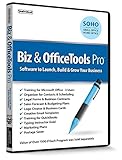
- Value of over $500 if each program was sold separately
- Includes Legal Forms and Business Contracts
- 3-User License for Training on Microsoft Office & QuickBooks
- Creative Marketing Templates for Email Offers and Logo & Business Card Creator
- Small Business Start-Up Kit eBook
Product prices and availability are accurate as of the date/time indicated and are subject to change. Any price and availability information displayed on Amazon at the time of purchase will apply.

