
The Tool Desk
Outbyte PC Repair FREERepair Windows errors before they cause bigger problemsFix Now →Outbyte Driver Updater FREEFix the driver behind crashes, sound loss and screen glitchesFind Drivers →iTechGuides is reader-supported. When you buy through links on our site, we may earn an affiliate commission. As an Amazon Associate I earn from qualifying purchases. Learn more
The Lenovo ThinkPad T14s Gen 6 Snapdragon is an excellent Windows business laptop for Microsoft 365, browser work, communication, programming, and frequent travel. Its low-power IPS configuration can last roughly 21–22.5 hours in independent tests, but Windows-on-ARM driver compatibility makes the T14s a poor choice for some legacy business software, peripherals, virtualization, gaming, and Linux-first workflows.
The best-balanced configuration is the Snapdragon X Elite model with 32 GB of soldered memory, the matte 1920×1200 low-power IPS display, and a 512 GB or 1 TB SSD. That combination preserves the T14s’s biggest advantage—exceptional endurance—while providing enough memory for several years of professional multitasking.
Key takeaways
- The Lenovo ThinkPad T14s Gen 6 Snapdragon combines a 14-inch 16:10 ThinkPad chassis with Snapdragon X Elite or X Plus processors and Windows 11 on ARM.
- Tom’s Hardware recorded 21 hours 3 minutes and Notebookcheck recorded 22 hours 29 minutes in web-focused tests using low-power IPS configurations, while maximum brightness reduced Notebookcheck’s result to 12 hours.
- The low-power 1920×1200 IPS display is the sensible travel choice; the 2880×1800 120 Hz OLED panel offers much better image quality but should not be expected to match the IPS battery results.
- Windows 11’s Prism emulation supports many x86 and x64 applications, but emulation cannot solve missing ARM64 drivers for VPN clients, security tools, specialist peripherals, virtualization, scanners, or anti-cheat systems.
- The ThinkPad keyboard, TrackPoint, USB4, HDMI, optional cellular connectivity, and business-focused security features make the T14s more practical than many consumer Snapdragon laptops.
What is the Lenovo ThinkPad T14s Gen 6 Snapdragon?
The Lenovo ThinkPad T14s Gen 6 Snapdragon is a thin-and-light 14-inch business laptop built around Qualcomm’s Snapdragon X platform instead of Intel or AMD x86 hardware. Lenovo lists Windows 11 Home or Pro for ARM, Snapdragon X Elite and X Plus processors, soldered LPDDR5X memory, and a user-replaceable M.2 2242 SSD in its ThinkPad T14s Gen 6 Snapdragon specifications.
The T14s retains the priorities that distinguish a ThinkPad from a generic ultraportable: a comfortable six-row keyboard, TrackPoint, business security features, docking support, a subdued professional chassis, and options such as an IR camera and nano-SIM connectivity. The Snapdragon platform adds unusually strong battery efficiency and a 45-TOPS NPU, which qualifies the laptop as a Copilot+ PC. Copilot+ branding describes the hardware category; it does not by itself make the laptop more useful for every buyer.
Popular on Amazon

- Intel Core Ultra 7 258V 8-Core
- 32GB LPDDR5X | 512GB M.2 NVMe SSD
- 14" 1920 x 1200 IPS Display
- Integrated Intel Arc Graphics
- Wi-Fi 7 | Bluetooth 5.4
Which ThinkPad T14s Gen 6 Snapdragon configuration should you buy?
The configuration matters more than the product name. An X Elite/32 GB/1 TB/IPS machine should not be treated as equivalent to an X Plus/16 GB/256 GB/OLED machine, because the processor, memory capacity, storage, and screen all affect performance, endurance, and long-term value.
| Component | Available choices | Best choice for most professionals |
|---|---|---|
| Processor | Snapdragon X Elite X1E-78-100 or Snapdragon X Plus X1P-42-100 | X Elite for heavier multitasking and longer useful life; X Plus if the price is substantially lower |
| Memory | 16 GB, 32 GB, or 64 GB LPDDR5X | 32 GB; choose 64 GB for large development projects or unusually heavy multitasking |
| Storage | One user-replaceable M.2 2242 PCIe 4.0 x4 SSD; Lenovo lists configurations up to 1 TB | 512 GB or 1 TB, depending on local files and price |
| Display | 1920×1200 low-power IPS, 1920×1200 touch IPS, or 2880×1800 120 Hz OLED | Low-power IPS for travel and office work; OLED for image quality |
| Operating system | Windows 11 Home or Pro on ARM | Windows 11 Pro for business deployment, if the exact SKU includes it |
Memory is soldered and cannot be upgraded later, so 32 GB is the minimum I would choose for a professional laptop intended to last several years. The 16 GB/256 GB version is reasonable only when heavily discounted and when the buyer’s work is light, cloud-based, and unlikely to expand.
Before ordering, use Lenovo’s official T14s Gen 6 Snapdragon product page to inspect the exact processor, RAM, SSD, display, warranty, and Windows edition. Lenovo’s custom-build price and a sale price can differ substantially, so a generic “starting at” figure is not a useful comparison.
Recommended Free Tools
How portable and durable is the T14s Gen 6 Snapdragon?
The T14s measures 313.6 × 219.4 × 16.9 mm and starts at 1.24 kg (2.72 lb), according to Lenovo’s PSREF. The laptop uses a CFRP top cover and aluminum bottom, giving it a light but businesslike construction rather than the decorative finish of some premium consumer notebooks.
The 14-inch 16:10 shape gives the display more vertical workspace than a conventional 16:9 laptop. The chassis is portable enough for daily commuting and air travel, although the T14s is not exceptionally thin or visually luxurious beside an X1 Carbon, MacBook Air, or high-end Surface Laptop.
The keyboard is one of the strongest reasons to choose the T14s. The spill-resistant six-row layout has 1.5 mm of travel across the main keyboard area, and the TrackPoint remains valuable for users who prefer to keep their hands near the home row. Tom’s Hardware described the keyboard as highly comfortable and recorded 100 words per minute with a 3% error rate in its typing test. The smooth Mylar touchpad measures approximately 60 × 115 mm and supports standard Windows multitouch gestures.
Lenovo’s Commercial Vantage software can customize the F12 key, although the software does not provide unlimited arbitrary remapping without third-party tools. The keyboard and pointing options make the T14s more suitable for long document sessions than many minimalist ultraportables with shallow, flat keyboards.
Which display is best?
The 1920×1200 low-power IPS display is the best choice for battery-conscious office work, while the 2880×1800 OLED display is the best choice for contrast, HDR, and color. The 1920×1200 touch panel sits between those choices but is less compelling for color-sensitive work because Lenovo rates it at 45% NTSC.
| Display | Important specifications | Best for | Main compromise |
|---|---|---|---|
| Low-power IPS | 1920×1200, 400 nits, 60 Hz, 100% sRGB, matte anti-glare, 1000:1 contrast | Travel, documents, spreadsheets, browsers, terminals | Lower resolution and less dramatic contrast than OLED |
| Touch IPS | 1920×1200, 400 nits, 60 Hz, touch, 45% NTSC | Users who specifically need touch input | Narrower color coverage and potentially lower endurance |
| OLED | 2880×1800, 120 Hz, 100% DCI-P3, 400 nits, HDR True Black 500, Dolby Vision | Video, photos, richer contrast, occasional creative work | Higher resolution, higher refresh rate, and OLED power use can reduce battery life |
The low-power IPS option is not a poor screen. Lenovo rates the panel at 400 nits and 100% sRGB, which suits normal productivity, and Tom’s Hardware measured 452 nits on its tested unit. Tom’s Hardware measured that sample at 70.6% of the DCI-P3 gamut, but the panel choice still matters: the published 100% sRGB specification applies to the low-power non-touch IPS panel, not every T14s display.
Choose OLED only when better image quality is worth giving up some of the Snapdragon platform’s endurance advantage. A review battery result from a low-power IPS model cannot be transferred to an OLED configuration.
How fast is the Snapdragon X Elite model?
The Snapdragon X Elite is fast enough for office productivity, large browser sessions, Microsoft 365, video calls, moderate software development, compiling ordinary projects, and general creative work. The Snapdragon X Plus should also handle everyday work well, but the available independent benchmark figures in this dossier concern the X Elite configuration and should not be assigned to the X Plus model.
Also popular on Amazon

- AI-POWERED LAPTOP - ThinkPad T14 Gen 6 is an advanced AI PC built to keep high‑performing professionals productive throughout the workday. Enjoy enhanced video conferencing and collaboration tools, robust security, document automation including scanning, summarizing, email management and scheduling. Tested to MIL‑STD‑810H standards, it delivers proven durability and reliability, while long battery life with fast charging supports remote work and outdoor use.
- POWERFUL PERFORMANCE - Powered by an Intel 12-Core Ultra 5 225U processor (up to 4.8GHz) with Intel Graphics, this system balances speed and efficiency for demanding workloads and AI‑assisted tasks. With 32GB DDR5 memory and 1TB PCIe NVMe M.2 SSD, it supports easy multitasking, quick startup, and fast app loading.
- EXCELLENT VISUAL - The 14" WUXGA (1920×1200) IPS touchscreen delivers 400-nit brightness with an anti‑glare finish for clear visuals during focused work and content review. Dual Thunderbolt 4 and one HDMI ports allow connection to up to three external 4K monitors @60Hz without a docking station. A 5MP IR webcam with privacy shutter ensures sharp video calls and secure Windows Hello facial login.
- VERSATILE CONNECTIVITY - Includes two Thunderbolt 4, two USB‑A, HDMI, Ethernet (RJ-45), and audio combo jack to connect essential peripherals with ease. Wi‑Fi 6E and Bluetooth 5.3 provide fast, stable wireless connections, while a fingerprint reader and backlit keyboard support secure access and comfortable typing in any lighting condition.
- OPERATING SYSTEM - Preinstalled with Windows 11 Professional 64‑bit and AI‑powered Copilot, this system delivers a secure, stable, and business‑grade operating platform designed for professional environments. It offers enhanced security controls, enterprise‑level manageability, and broad compatibility with modern applications and services, ensuring consistent and reliable Windows experience.
Tom’s Hardware tested a Snapdragon X Elite T14s with 32 GB of RAM, a 1 TB SSD, and an IPS display. The tested system scored 2,459 single-core and 14,486 multi-core in Geekbench 6, completed a 4K-to-1080p HandBrake transcode in 5 minutes 34 seconds, and transferred a 25 GB file at 1,069 MB/s. Across ten Cinebench 2024 runs, the system averaged 732, with individual results from 675 to 751 and an average CPU temperature of 69.4°C. These are results for that specific X Elite review configuration, not a guarantee for every T14s Gen 6 Snapdragon SKU; see the Tom’s Hardware performance testing.
| Workload | Verdict | Reason |
|---|---|---|
| Web, email, Office, Teams, Zoom | Excellent | Strong CPU performance and very low platform power use |
| Programming and moderate compilation | Good to excellent | Fast enough for normal development, provided tools and extensions support ARM or emulate acceptably |
| Photo and light video work | Good with software verification | Several major applications have ARM versions, but plug-ins, codecs, and hardware drivers need checking |
| Virtual machines and specialized engineering software | Risky | Virtualization, drivers, and x86-only components can create compatibility or performance problems |
| Serious 3D rendering, CUDA, or high-end gaming | Not recommended | The integrated Adreno GPU is aimed at productivity and light gaming, not workstation graphics |
Notebookcheck found strong general CPU performance but workload-dependent results rather than universal domination over comparable Intel or Qualcomm systems. The Adreno GPU is adequate for productivity and light or older games, but the T14s is not a workstation or gaming laptop. Some games can fail because of kernel-level anti-cheat drivers even when the GPU would otherwise be fast enough.
How long does the battery last?
The Lenovo ThinkPad T14s Gen 6 Snapdragon delivers outstanding Windows battery life, with independent low-power IPS tests lasting approximately 21 to 22.5 hours in web-focused conditions. Real-world runtime can be lower with maximum brightness, demanding applications, emulation, frequent video calls, high-performance modes, cellular connectivity, or the OLED display.
| Test or claim | Runtime | How to interpret it |
|---|---|---|
| Tom’s Hardware web browsing/video streaming at 150 nits | 21 hours 3 minutes | Independent mixed web/video result for a particular tested configuration |
| Notebookcheck Wi-Fi web test | 22 hours 29 minutes | Independent result using Notebookcheck’s conditions and a low-power 1920×1200 display |
| Notebookcheck maximum brightness | 12 hours | Shows how strongly brightness and test conditions affect endurance |
| Notebookcheck maximum load | 1 hour 51 minutes | Heavy-load endurance, not ordinary productivity battery life |
| Lenovo JEITA video estimate | Up to 19.32 hours | Manufacturer test estimate under specified conditions |
| Lenovo JEITA idle estimate | Up to 37.37 hours | Controlled idle estimate, not normal mixed use |
| Lenovo local video playback estimate | Up to 34.9 hours | Manufacturer playback estimate under specified conditions |
The T14s uses a 58 Wh battery. Lenovo specifies Rapid Charge of up to 80% in one hour under its stated conditions with a 65 W USB-C adapter. The independent figures from Notebookcheck’s battery and thermal testing are more useful for buyer expectations than Lenovo’s maximum idle claim, but neither review can predict every display and workload combination.
Quick wins for a faster PC:
Clear out junk files and repair common Windows errorsFree Scan →Fix the driver behind crashes, sound loss and screen glitchesFind Drivers →Repair Windows errors before they cause bigger problemsFix Now →The practical verdict is simple: the low-power IPS T14s can comfortably cover a long workday and often much more. The T14s should not be marketed as a universal 21-hour laptop because the 21-hour result belongs to a particular test configuration and test method.
Does Windows on ARM cause compatibility problems?
Windows on ARM is the T14s’s main buying risk. Microsoft says Windows 11 ARM can run many Windows applications natively or through x86 and x64 emulation, and Windows 11 24H2 uses the Prism emulation engine. Microsoft lists ARM versions of common applications including Microsoft 365, Teams, Outlook, Word, Excel, OneDrive, Chrome, Slack, Spotify, Zoom, WhatsApp, Blender, Affinity, and DaVinci Resolve in its Windows Arm-based PCs FAQ.
The important distinction is that application emulation does not replace a missing hardware driver. A normal x86 productivity application may work acceptably through Prism, while an installer that needs a kernel driver, virtual machine monitor, security module, or specialized peripheral driver may fail completely or lose important functions. Emulated software can also consume more power and run slower than a native ARM64 version.
Software and hardware to verify before buying
- Corporate VPN client, SSO software, and endpoint detection and response agent.
- Remote-management, imaging, Autopilot, and support tools used by your employer.
- Smart-card readers, security tokens, biometric devices, and certificate middleware.
- Printers, scanners, specialty USB devices, audio interfaces, and their configuration utilities.
- Virtual machines, hypervisors, container workflows, and device passthrough requirements.
- CAD, engineering, scientific, accounting, or other specialist applications with plug-ins.
- Games that use kernel-level anti-cheat.
- Any application whose installer or documentation says that it requires a Windows device driver.
Microsoft specifically identifies some antivirus and antimalware products, specialized printing and scanning utilities, virtualization software, certain assistive technologies, some anti-cheat games, unsupported hardware utilities, and Windows Fax and Scan as potential problem areas. A USB4 port does not guarantee that every dock, display adapter, printer, scanner, or security token will work; ARM64 driver support remains decisive.
For corporate deployment, test the exact Windows 11 Pro image and management stack before buying a fleet. Autopilot, endpoint protection, VPN, SSO, smart-card authentication, remote support, docks, and conference-room peripherals all deserve a pilot deployment rather than an assumption based on the ThinkPad name.
Is the T14s Gen 6 Snapdragon good for Linux?
The T14s Gen 6 Snapdragon is not a conventional out-of-the-box Linux recommendation. Community documentation describes manual Debian installation as possible, but the process involves device-tree, firmware, and hardware-support considerations rather than the straightforward experience associated with a mature x86 ThinkPad.
Lenovo’s official support material is centered on Windows 11 ARM drivers and firmware, including a Qualcomm integrated system and firmware package for Windows 11 ARM version 24H2 or later. The Debian community installation page is evidence of progress, not proof of full official hardware support.
Also popular on Amazon
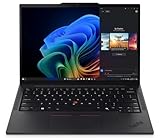
- Processor: AMD Ryzen AI 7 PRO 350 Processor (2.00 GHz up to 5.00 GHz) Graphic Card: Integrated AMD Radeon 860M
- Memory: 32 GB DDR5 (SODIMM); Storage: 1 TB SSD M.2 2280 PCIe Gen4 Performance
- Display: 14" WUXGA (1920 x 1200), IPS, Anti-Glare, Non-Touch, 45%NTSC, 400 nits, 60Hz
- Dimensions (H x W x D): 16.9mm x 313.6mm x 219.4mm / 0.66″ x 12.3″ x 8.6″ Weight: Starting at 1.30kg / 2.86lbs
Linux-first buyers should choose the T14s only if they are comfortable researching ARM laptop support, extracting or installing firmware, troubleshooting suspend, audio, USB, and external-display behavior, and retaining Windows for hardware or application gaps. Buyers who need predictable Linux support should consider an Intel or AMD ThinkPad instead.
What’s actually slowing this PC down?
Pick the symptom - the matching free tool is one click away.
How hot and loud does the laptop get?
The Snapdragon T14s can be quiet during light work but is not fanless and does not remain cool under sustained load. Notebookcheck measured approximately 36.5 dB(A) average load noise and up to 41.8 dB(A), while its tested chassis reached approximately 50.8°C (123°F) under load.
That behavior is an important counterweight to the ARM efficiency story. The T14s feels impressively restrained while browsing, writing, or handling email, but long compiles, rendering, transcoding, or sustained GPU activity can make the fan audible and the underside uncomfortable. Notebookcheck described the fan character as relatively high-frequency and louder than expected for an ARM laptop.
What ports and business features does it have?
The T14s has a practical selection of ports for a thin business laptop:
- Two USB-C ports with USB4 up to 40 Gbps, USB Power Delivery 3.0, and DisplayPort 1.4a.
- Two USB-A ports rated at 5 Gbps.
- HDMI.
- 3.5 mm headphone/microphone jack.
- Kensington Nano security slot.
- Optional nano-SIM slot on selected models.
Lenovo specifies support for up to four independent displays—the built-in panel plus three external monitors—subject to configuration and refresh-rate limits. HDMI supports up to 4K at 60 Hz, while USB-C can support up to 5K at 60 Hz according to Lenovo’s PSREF.
Outdated Drivers Are Slowing You Down
One free scan finds every outdated or missing driver and matches the right update for your exact hardware.Free scan · exact hardware matchPC Slower Than It Used to Be?
A free scan shows the junk files, broken settings and background clutter dragging Windows down - then fixes them in one click.Free scan · Windows 10 & 11The business feature set includes an FHD 1080p camera, an IR camera for Windows Hello, a privacy shutter, dual microphones, and human-presence or Always-On Computer Vision features on supported configurations. Exact camera, biometric, WWAN, and security options vary by regional SKU and machine type, so buyers should verify the configuration rather than generalize from a review sample.
How does the T14s compare with alternatives?
The best alternative depends on whether the buyer values compatibility, battery life, keyboard ergonomics, design, or macOS. The following comparison is qualitative because processor generations, displays, warranties, and prices vary by exact model and country.
| Alternative | Why choose it instead | Why choose the T14s instead |
|---|---|---|
| ThinkPad T14s Gen 6 Intel or AMD | Broader x86 software, driver, Linux, virtualization, and enterprise-tool compatibility | Better fit when exceptional battery life and Snapdragon efficiency matter more than universal compatibility |
| ThinkPad X1 Carbon | More premium business design and maximum portability | T14s offers strong ThinkPad ergonomics and can deliver exceptional endurance; exact X1 Carbon battery and pricing depend on configuration |
| Microsoft Surface Laptop Snapdragon | Consumer-friendly design, display experience, and battery-focused Snapdragon platform | T14s provides TrackPoint ergonomics, a traditional ThinkPad keyboard, and more business-oriented connectivity |
| Dell XPS 13 Snapdragon | Smaller premium Snapdragon ultraportable | T14s provides a larger 14-inch 16:10 work display and a more traditional business-laptop feature set |
| MacBook Air | Excellent ARM-native macOS software, battery life, and quiet operation when Windows is not required | T14s is the better fit for Windows software, ThinkPad input preferences, business deployment, and Windows-specific peripherals |
Intel or AMD T14s models are the safer choice for legacy x86 applications, broad Linux support, virtualization, specialist drivers, sustained engineering workloads, and predictable corporate imaging. A Surface Laptop or Dell XPS 13 Snapdragon may be attractive for a consumer-style design, but both remain Windows-on-ARM systems and therefore retain the same category of compatibility caveat.
The MacBook Air is the strongest alternative when macOS is acceptable and the buyer values quiet ARM-native operation. The MacBook Air is not a direct replacement for a Windows business fleet because operating-system compatibility, enterprise tooling, ports, and keyboard preferences differ.
Free tools Windows power users keep installed
One-click scans. No signup required.
Is the premium price justified?
The premium is justified when the buyer will use the T14s’s battery life, keyboard, portability, and business features every day and has already verified Windows-on-ARM compatibility. The premium is difficult to justify when a similarly priced Intel or AMD laptop provides broader software support or when the T14s configuration has only 16 GB of soldered memory and a small SSD.
Observed historical prices are not current price guarantees. Laptop Mag reported a $1,036 starting price and a $1,475 tested configuration, while Tom’s Hardware reported a $1,666 review/current street price and a $1,969 Lenovo custom-configuration price at the time of its review. A later TechRadar deal report cited a temporary Lenovo direct price of $1,224, reduced from $1,359. The figures reflect different configurations, dates, and promotions; compare the exact machine rather than relying on a headline starting price.
Also popular on Amazon

- Unopened retail packing, sold as configured by Lenovo. Includes Lenovo One Year On-site Warranty. Add up to 5 years of Lenovo Premier Onsite Support when you register your computer with Lenovo
- Boost your productivity on the 14″ Lenovo ThinkPad T14s Gen 6 laptop, driven by Intel Core Ultra 7 258V processor. With Intel Arc graphics, create and design with pixel-perfect clarity. Plus, AI-enabled features like background blur, voice focus, and automatic framing improve your video presence for better engagements.
- Featuring 32 GB LPDDR5X-8533MT memory and 1TB SSD storage, ensuring you can get through your workday with ease.
- Plenty of Ports: 1x USB-A (USB 5Gbps / USB 3.2 Gen 1); 1x USB-A (USB 5Gbps / USB 3.2 Gen 1), Always On; 2x USB-C (Thunderbolt 4 / USB4 40Gbps), with USB PD 3.1 and DisplayPort 2.1; 1x HDMI 2.1, up to 4K/60Hz; and 1x Headphone / microphone combo jack (3.5mm).
- Experience stunning, vibrant visuals on the 14" WUXGA (1920 x 1200) IPS display, which offers enhanced brightness and efficiency. It also features Eyesafe and TÜV Low Blue Light certifications for reduced eye strain.
For a current purchase, compare the exact processor, RAM, SSD, panel, Windows edition, warranty, and discount on Lenovo’s configuration page. A low-power IPS model with 32 GB of RAM can be better value than a cheaper OLED model with less memory if the laptop’s primary job is mobile productivity.
Which configuration should you buy?
- Best battery configuration: Snapdragon X Elite, 32 GB RAM, 1920×1200 low-power matte IPS, and a 512 GB or 1 TB SSD.
- Best display configuration: 2880×1800 OLED if contrast, HDR, color, and video matter more than maximum endurance.
- Best long-term memory choice: 32 GB for most professionals; 64 GB for heavier development, large datasets, or extensive multitasking.
- Configuration to avoid unless discounted: 16 GB RAM and 256 GB storage for a laptop intended for long-term professional use.
- Configuration to verify carefully: Any model used with corporate VPN, EDR, smart cards, specialist USB equipment, virtualization, or legacy applications.
Remember that the SSD is replaceable but Lenovo lists only one M.2 2242 slot and capacities up to 1 TB in the current PSREF. Memory is soldered, so buying enough RAM at checkout is more important than planning an inexpensive memory upgrade later.
Final verdict: should you buy the Lenovo ThinkPad T14s Gen 6 Snapdragon?
The Lenovo ThinkPad T14s Gen 6 Snapdragon is one of the best Windows laptops for mobile productivity when battery life and ThinkPad usability matter more than universal Windows compatibility. The low-power IPS model can last through a very long workday, the keyboard and TrackPoint remain excellent, and the 14-inch business chassis offers better practicality than many consumer Snapdragon ultraportables.
Buy the T14s if your workload is mainly Microsoft 365, web applications, email, Teams or Zoom, document work, and ARM-compatible programming. Choose an Intel or AMD T14s instead if you depend on legacy software, specialized drivers, virtualization, broad Linux support, sustained workstation graphics, or gaming anti-cheat. The decisive pre-purchase step is not a benchmark comparison; it is checking every application, driver, dock, security tool, and peripheral that your work requires.
Frequently Asked Questions
How long does the Lenovo ThinkPad T14s Gen 6 Snapdragon battery last?
The Lenovo ThinkPad T14s Gen 6 Snapdragon lasted 21 hours 3 minutes in Tom’s Hardware’s web-browsing and video-streaming test and 22 hours 29 minutes in Notebookcheck’s Wi-Fi web test with low-power IPS configurations. Maximum brightness reduced Notebookcheck’s result to 12 hours, and OLED or emulated workloads can produce different results.
Is Snapdragon X Elite fast enough for programming?
Snapdragon X Elite is fast enough for normal programming, web development, multitasking, and moderate compilation, provided the development tools, extensions, containers, and device drivers support Windows on ARM. Specialized x86-only tools, virtualization, or hardware-dependent development workflows should be verified before purchase.
Do these 3 things before closing this tab:
1Clear out junk files and repair common Windows errors2Fix the driver behind crashes, sound loss and screen glitches3Repair Windows errors before they cause bigger problemsDoes Windows on ARM run normal Windows applications?
Windows 11 on ARM runs many applications through native ARM64 versions or Prism x86/x64 emulation, but emulation cannot provide missing kernel drivers. VPN clients, endpoint security, virtualization, specialist scanners and printers, hardware utilities, smart-card software, and some anti-cheat games can still fail.
Is the OLED T14s better than the low-power IPS version?
The OLED T14s is better for contrast, HDR, color coverage, and video, while the low-power 1920×1200 IPS version is better for travel and battery life. The 2880×1800 OLED panel runs at 120 Hz and should not be expected to reproduce the low-power IPS battery results.
Can the ThinkPad T14s Gen 6 Snapdragon run Linux?
Linux installation is possible according to community documentation, but the T14s Gen 6 Snapdragon is not a standard turnkey Linux laptop. Firmware, device-tree work, and troubleshooting for suspend, audio, USB, and displays may be required, so Linux-first buyers should generally prefer a well-supported Intel or AMD model.
The Bottom Line
Bottom line: Buy the T14s Gen 6 Snapdragon for outstanding Windows battery life, a genuinely useful ThinkPad keyboard, and mobile business productivity—but verify ARM compatibility before buying. The X Elite/32 GB/low-power IPS configuration is the safest recommendation; Intel or AMD is the better choice when compatibility matters more than endurance.

