
What’s actually slowing this PC down?
Pick the symptom - the matching free tool is one click away.
iTechGuides is reader-supported. When you buy through links on our site, we may earn an affiliate commission. As an Amazon Associate I earn from qualifying purchases. Learn more
The Lenovo Tab P12 Paper (with matte display) review verdict is straightforward: the matte screen is genuinely useful for indoor PDF reading and handwritten notes, but it is not an e-paper replacement or an all-round upgrade. Buy the Paper model for reduced diffuse glare and extra stylus friction; choose the glossy Tab P12 for brighter, more vivid content and better value.
Lenovo’s “Paper” name describes the Lenovo Tab P12 with Matte Display, commonly identified as TB372FC or Type ZAD5. The tablet retains the regular Tab P12’s mid-range processor, 12.7-inch LCD, 60-Hz refresh rate, USB 2.0 port, and general Android-tablet limitations. The meaningful change is the treated glass surface, which changes how reflections, colors, brightness, and stylus movement feel.
Key takeaways
- The Tab P12 Paper is a conventional 12.7-inch LCD tablet with a matte surface, not a monochrome e-ink reader.
- Matte glass handles diffuse indoor light well, but strong directional light and direct sunlight can wash over the entire display.
- Lenovo rates the display at 400 nits, while Notebookcheck measured 148 cd/m2 maximum brightness and 138.6 cd/m2 average brightness on its test unit.
- The MediaTek Dimensity 7050, 8 GB of RAM, 128 GB of UFS 2.2 storage, and 60-Hz panel are adequate for study, streaming, notes, and moderate multitasking—not demanding gaming or full laptop replacement.
- The Paper model makes sense when indoor reflection reduction and stylus texture matter more than brightness, color accuracy, or the lowest price.
What is the Lenovo Tab P12 Paper?
The Lenovo Tab P12 Paper is the common name for the Lenovo Tab P12 with Matte Display. It is not a separate e-ink tablet, and it does not replace the regular Tab P12 with a radically different internal platform. The principal differences are the matte display treatment and Sage-colored chassis.
Recommended Free Tools
Lenovo’s specifications identify the product family as TB372FC, Type ZAD5. The surface is more than a conventional removable matte screen protector: Notebookcheck describes treated glass using a special surface treatment involving silver nanoparticles. That distinction matters because buyers should not assume that the texture is simply an inexpensive, easily replaceable film.
Popular on Amazon

- A VIBRANT, SLIMMER BUILD FOR SHARPER MINDS – Engage in AI-powered smart learning on the stylish Lenovo Idea Tab Plus. The svelte tablet packs a powerful punch with quad speakers, sharp graphics, and all-day battery life.
- CARRY LIGHT, FEEL BRIGHT – Weighing just over a pound, the Idea Tab Plus is light enough to carry from morning to night and thin enough to easily slip between your notebooks. The Luna Grey color is soft, fresh, and designed to feel just right anywhere.
- CIRCLE TO SEARCH – Stay focused and use your Lenovo Tab Pen or fingertip to circle items for instant search results or to translate other languages without switching apps. Circle to Search is powered by Google.
- LET YOUR LEARNING CLICK – Write, organize, sketch, and calculate with four learning apps built to match your flow. Lenovo Notepad, Squid, Nebo, and MyScript Calculator help you stay clear, focused, and ready for every study session.
- MORE TO SEE, MORE TO ENJOY – The 12.1″ 2.5K display delivers rich color and sharp detail. With TÜV Rheinland Low Blue Light and up to 800 nits brightness, the display keeps every frame clear in any light.
The Paper model remains an LCD device. The display emits light, shows full color, supports video and Android apps, and behaves like a tablet rather than an e-reader. “Paper-like” is a reasonable description of the extra surface friction during writing, but it should not be interpreted as literal paper, e-ink, or guaranteed eye-comfort technology.
Lenovo’s official Tab P12 with Matte Display specification sheet lists the display, pen compatibility, battery, and regional configuration details.
Does the matte display really reduce reflections?
Yes—especially with weak or diffuse indoor light. Notebookcheck found that ordinary reflections from lamps and windows could be effectively eliminated or substantially reduced, leaving the image largely usable. That is the Paper model’s strongest advantage over the glossy Tab P12.
The result is different when the light is intense and directional:
| Lighting condition | Tab P12 Paper behavior | Buying implication |
|---|---|---|
| Diffuse light from a room or window | Reduces ordinary sharp reflections and keeps content usable | Strong reason to choose the matte model |
| Window-side studying with soft daylight | Generally more comfortable to view than a glossy surface | Good fit for students and PDF readers |
| Bright desk lamp or flashlight aimed at the screen | Scatters the light over a wider area, creating a broad washed-out region | Not a complete glare solution |
| Shaded outdoor use | Limited by the panel’s low measured brightness | Useable only with favorable conditions |
| Direct sunlight | Can become broadly difficult to read rather than showing one small sharp reflection | Not an outdoor-readable e-paper substitute |
A glossy display often produces a more obvious, mirror-like reflection. However, outside the reflected area, a glossy panel may preserve more contrast than a strongly scattering matte surface. The important distinction is therefore not simply “matte is better in every light”; the matte Tab P12 is better for common indoor glare, while neither version is ideal in direct sun.
How good is the display apart from the matte coating?
The Tab P12 Paper has a sharp, spacious panel, but the matte treatment involves compromises. Lenovo specifies a 12.7-inch LTPS LCD with a 2,944 × 1,840 resolution, 273 pixels per inch, 16:10 aspect ratio, 400-nit rated brightness, 60-Hz refresh rate, 96% DCI-P3 coverage, a claimed 1,500:1 contrast ratio, Gorilla Glass 3, and 10-point in-cell multitouch.
Independent testing presents a less favorable practical picture. In its review of the tested sample, Notebookcheck measured 148 cd/m2 maximum brightness, 138.6 cd/m2 average brightness, and 493:1 contrast. Notebookcheck also detected no PWM flickering in its test sample.
Free tools Windows power users keep installed
One-click scans. No signup required.
Lenovo’s 400-nit figure and Notebookcheck’s 148 cd/m2 measurement should not be treated as interchangeable specifications. Differences can result from measurement method, display mode, test configuration, or panel behavior. The practical conclusion is still clear: the matte model should not be described as a particularly bright tablet.
Notebookcheck found acceptable color accuracy, but saturation was more distorted than on the glossy Tab P12. Movies, photos, and colorful games can therefore look less vivid or less faithful. The 60-Hz refresh rate is also ordinary: scrolling and animation are not as fluid as on a 90-Hz or 120-Hz tablet.
| Display characteristic | Official specification | Independent review result |
|---|---|---|
| Panel type | 12.7-inch LTPS LCD | Conventional LCD, not e-ink |
| Resolution | 2,944 × 1,840; 273 ppi | Sharp enough for detailed PDFs and split-screen work |
| Brightness | 400 nits rated | 148 cd/m2 maximum; 138.6 cd/m2 average |
| Contrast | 1,500:1 claimed | 493:1 measured |
| Refresh rate | 60 Hz | Not a high-refresh display |
| Color | 96% DCI-P3 claimed | Acceptable, but weaker saturation accuracy than the glossy Tab P12 |
| Flicker | Not specified in the listed core specifications | No PWM detected in Notebookcheck’s sample |
Is the Tab P12 Paper good for writing and note-taking?
The Tab P12 Paper is better suited to handwritten notes than glossy glass because the surface provides more friction under a stylus. Pen movement feels less slippery, which can make handwriting, diagrams, and PDF annotation more controlled. The texture is paper-like in the limited sense that it changes resistance between the pen tip and glass; it does not reproduce the feel of actual paper.
Also popular on Amazon

- LEVEL UP – Synergize your work and play with the Lenovo Idea Tab Pro. It’s lightweight, jam-packed with battery life, and has the AI-enhanced smarts to make studying a breeze. “Google and Gemini are trademarks Google LLC. Check responses. Compatibility and availability varies.
- NEXT-GEN PERFORMANCE – Perform at your best with the super-efficient MediaTek Dimensity 8300 processor. Supported by Wi-Fi-6E, get ready for smooth multitasking and lightning-quick downloads.
- IMMERSIVE VISUALS AND RICH SOUND – Whether you’re streaming lectures or decompressing after class, the glittering 12.7” 3K LCD display supported by quad JBL Dolby Atmos speakers makes your media crystal clear.
- GAME LIKE A PRO – Get ready to up your game; the Lenovo Idea Tab Pro is PUBG certified for FPS excellence. It’s kitted out with a super-responsive 360Hz touch sampling rate and lightning-fast 90fps so you’re always a step ahead of the action.
- CHARGE LESS TO EXPERIENCE MORE – Leave battery-anxiety back at the dorm with 11 hours of unplugged video streaming. For long days out, the 45W quick charge gets you back in the action fast.
Lenovo specifies compatibility with the Tab Pen Plus, including 4,096 pressure levels, tilt detection, and palm rejection. Those features are useful for handwriting and casual drawing. Pen inclusion is configuration- and region-dependent, however, so buyers should verify the exact listing rather than assume that every TB372FC bundle contains the pen.
The matte surface is most valuable for students, meeting-note takers, people who annotate long PDFs, and users who dislike the sliding sensation of a stylus on glossy glass. It is less compelling for professional artists who need highly accurate color, a high-refresh drawing surface, or demanding large-canvas workflows.
Is it good for reading PDFs and ebooks?
For indoor PDF reading, the Tab P12 Paper can be very good. The 12.7-inch, high-resolution 16:10 screen provides enough area for detailed documents, comics, sheet music, and side-by-side applications, while the matte treatment reduces distracting reflections from lamps and windows.
The tablet is not an e-reader in the e-ink sense. An LCD still produces light, uses substantially different power characteristics, and lacks e-ink’s strong daylight readability and static-page behavior. The low independent brightness measurement also makes bright outdoor reading a poor use case.
Weight is another practical consideration. The tablet weighs approximately 615 grams, making the large screen useful on a desk or lap but less comfortable to hold one-handed for a long reading session. The 60-Hz panel is adequate for pages and documents, though high-refresh tablets feel smoother when scrolling through long webpages.
Windows Errors? Fix Them Before They Spread
Repair common Windows errors and clear accumulated junk for a smoother, more stable PC - no reinstall needed.Free scan · no reinstallOutdated Drivers Are Slowing You Down
One free scan finds every outdated or missing driver and matches the right update for your exact hardware.Free scan · exact hardware matchHow fast is the Lenovo Tab P12 Paper?
The Tab P12 Paper uses the same general mid-range platform as the regular Tab P12: a MediaTek Dimensity 7050 processor, Mali-G68 MP4 graphics, 8 GB of LPDDR4X RAM, and 128 GB of UFS 2.2 storage. Notebookcheck found performance essentially equivalent to the standard Tab P12 and generally smooth for ordinary tablet work.
| Task | Expected experience |
|---|---|
| Web browsing and streaming | Comfortable |
| PDF reading and annotation | Well suited |
| Video calls and education apps | Adequate |
| Office apps and moderate multitasking | Generally smooth, with Android app limitations |
| Casual gaming | Adequate, but not a performance leader |
| High-end 3D gaming | Not a strong choice |
| Heavy video editing or large drawing projects | Requires qualification; higher-end tablets are better |
The Dimensity 7050 is not competitive with premium Android tablets built around chips such as the Dimensity 9000, nor with current iPads using Apple silicon. The Paper model should be purchased for its display behavior, not as a faster version of the Tab P12.
What software and update support does it have?
The tablet launched with Android 13 and Lenovo ZUI 15. Lenovo’s product documentation stated that Android 14 and Android 15 upgrades were expected, along with four years of security updates through 2027.
Because availability and support are being evaluated in August 2026, the original promise is not proof that every update has already reached every regional SKU. Check the installed Android version and security-patch date on the specific unit before completing a purchase. Lenovo’s official support page for the Tab P12 with Matte Display confirms the TB372FC/ZAD5 product family, but a support page alone does not establish current retail stock or a complete update history for every country.
The Tool Desk
Outbyte Driver Updater FREEScan for outdated or missing drivers - takes under a minuteDriver Scan →Outbyte PC Repair FREEClear out junk files and repair common Windows errorsFree Scan →Lenovo provides split-screen and floating-window multitasking, which helps with notes, browsing, and documents. Android app optimization remains inconsistent: some third-party apps do not behave perfectly with resizable windows or the bottom taskbar. The software is suitable for light productivity, but it does not turn the tablet into a full desktop computer.
Also popular on Amazon
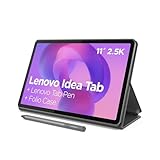
- POWER YOUR STUDY, FUEL YOUR PLAY – Discover smarter learning with the Lenovo Idea Tab. Stay campus-ready with all-day battery life, AI-powered apps to enhance your work, and sharp graphics for tv marathons with friends.
- SMOOTH, POWERFUL, IMMERSIVE – The MediaTek Dimensity 6300 processor is more powerful than ever, with the AI-enhanced multitasking you need to stay ahead.
- CIRCLE IT, SEARCH IT – Use your Lenovo Tab Pen or fingertip to circle items for instant search results or to translate other languages without switching apps. Circle to Search with Google ensures answers are only a circle away.
- SHARP VIEW, CLEAR SOUND – Experience sharp visuals and immersive sound for study sessions and streaming breaks. With 72% NTSC and quad Dolby Atmos-tuned speakers you can enjoy your study breaks with vivid videos and crystal-clear sound.
- LEVEL UP YOUR STUDY – Write, organize, sketch, and calculate with four learning apps built to match your flow. Lenovo AI Note, Squid, Nebo, and MyScript Calculator help you stay clear, focused, and ready for every study session.
What are the battery and charging realities?
Lenovo specifies a typical 10,200-mAh battery and support for charging up to 30 W. The supplied charger may be 20 W depending on the country and configuration. Notebookcheck measured approximately 11 hours and 32 minutes of Wi-Fi web browsing and described the overall runtime as average for the battery capacity; a full charge using the supplied 20-W charger took more than 2.5 hours in its test.
Those results are more useful than battery capacity alone. Actual runtime varies with brightness, Wi-Fi activity, video playback, games, multitasking, and stylus use. The Paper model’s low measured brightness may reduce power demand in some situations, but buyers should not assume that a 10,200-mAh battery guarantees class-leading endurance.
What ports, speakers, and connectivity does it have?
The practical hardware is generous in some areas and dated in others. The tablet includes Wi-Fi 6, Bluetooth 5.1, a microSD card slot, four JBL speakers with Dolby Atmos, fingerprint authentication, and face unlock. The reviewed configuration had no cellular/LTE modem, and Notebookcheck reported no NFC.
The USB-C port supports charging and audio but uses USB 2.0 data speeds. That is a meaningful limitation when transferring large video files or connecting fast external storage. The microSD slot is useful for documents and media, although Notebookcheck found the card interface was not especially fast.
An optional three-pin pogo connector supports Lenovo’s keyboard accessory. The keyboard can improve email, coursework, and document entry, but the accessory remains optional and Android window behavior still varies by application.
Can the Tab P12 Paper replace a laptop?
The Tab P12 Paper can replace a laptop for light productivity, but it is not a full Windows or macOS replacement. With the optional keyboard, users can type emails, edit documents, attend meetings, browse the web, and use split-screen applications. The Dimensity 7050, USB 2.0 port, app compatibility, and Android workflow become constraints for sustained professional work.
Choose a real laptop instead if the workflow depends on desktop-only software, extensive wired peripherals, large file transfers, advanced editing, or long typing sessions. Choose the Paper tablet when portability, handwriting, media consumption, and Android apps matter more than desktop software.
Do these 3 things before closing this tab:
1Repair Windows errors before they cause bigger problems2Fix the driver behind crashes, sound loss and screen glitches3Clear out junk files and repair common Windows errorsHow does the Tab P12 Paper compare with the regular Tab P12?
The regular Tab P12 is the more sensible all-round choice when the matte surface is not a priority. The two models share the broad platform, so the buying decision is mainly about display behavior, bundle contents, and price in the buyer’s region.
| Decision factor | Tab P12 Paper | Regular Tab P12 |
|---|---|---|
| Screen surface | Matte treated glass | Conventional glossy display |
| Diffuse indoor reflections | Substantially reduced | More visible |
| Strong direct light | Can scatter light broadly and wash out the image | Can show sharper reflections but may preserve more image outside them |
| Brightness and vividness | Lower measured brightness and weaker color performance in testing | Generally preferable for bright, vivid content |
| Stylus feel | More surface friction; better for users who prefer a textured feel | Smoother and more slippery glass |
| Performance | Essentially the same mid-range platform | Essentially the same mid-range platform |
| Value | Justified only when the matte behavior is useful | Potentially better if substantially cheaper |
Notebookcheck cited a US$50 matte-display surcharge and a US$329.99 regular-model price in June 2024. Those figures are historical review-era signals, not current August 2026 prices. Do not use them to claim a present-day saving or premium; compare the live regional prices for identical RAM, storage, pen, charger, warranty, and return terms.
Independent reader supportYour contribution helps us test, update, and keep practical guides available for everyone.Which alternatives make more sense?
| Buyer priority | Better direction | Why |
|---|---|---|
| Indoor notes and PDF annotation | Tab P12 Paper | Matte friction and reduced diffuse reflections address the main need |
| Lower price with similar general performance | Regular Tab P12 | Provides the same broad platform without paying mainly for the matte treatment |
| High-end gaming or demanding multitasking | Faster Android tablet | A more powerful processor and often a faster display are more important than matte glass |
| Premium app ecosystem and performance | iPad | Different accessory and software economics, but generally stronger performance and tablet app support |
| Sunlight reading and distraction-free writing | E-ink tablet | Better daylight behavior, but substantially less suitable for general multimedia and full-color Android use |
These are need-based alternatives rather than a universal ranking. The Paper model’s advantage disappears when the buyer’s main requirement is outdoor visibility, high-refresh gaming, cellular connectivity, fast USB transfers, professional color work, or desktop replacement.
Also popular on Amazon
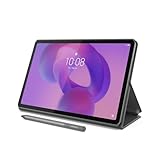
- POWER YOUR STUDY, FUEL YOUR PLAY – Discover smarter learning with the Lenovo Idea Tab. Stay campus-ready with all-day battery life, AI-powered apps to enhance your work, and sharp graphics for tv marathons with friends.
- SMOOTH, POWERFUL, IMMERSIVE – The MediaTek Dimensity 6300 processor is more powerful than ever, with the AI-enhanced multitasking you need to stay ahead.
- CIRCLE IT, SEARCH IT – Use your Lenovo Tab Pen or fingertip to circle items for instant search results or to translate other languages without switching apps. Circle to Search with Google ensures answers are only a circle away.
- SHARP VIEW, CLEAR SOUND – Experience sharp visuals and immersive sound for study sessions and streaming breaks. With 72% NTSC and quad Dolby Atmos-tuned speakers you can enjoy your study breaks with vivid videos and crystal-clear sound.
- LEVEL UP YOUR STUDY – Write, organize, sketch, and calculate with four learning apps built to match your flow. Lenovo AI Note, Squid, Nebo, and MyScript Calculator help you stay clear, focused, and ready for every study session.
Should you buy the Lenovo Tab P12 Paper?
Buy the Tab P12 Paper if you primarily use a tablet indoors, regularly annotate PDFs or write by hand, dislike reflections on glossy screens, prefer a little stylus friction, and can buy the matte model for only a modest premium. The included pen can improve the value, but verify the exact regional bundle first.
Choose the regular Tab P12 if you want brighter or more vivid movies and photos, care about color accuracy, can tolerate reflections, or find the glossy version substantially cheaper. For many buyers, the standard model offers the better all-round display.
Choose another tablet if you need reliable outdoor readability, high-end gaming, a 90-Hz or 120-Hz screen, fast wired storage, cellular data, professional drawing performance, or a serious laptop replacement.
Notebookcheck gave its tested unit 74.8% under its version-8 scoring system and warned that version-8 results are not directly comparable with older version-7 ratings. The review’s overall judgment was effectively that the matte screen is helpful rather than revolutionary. That is the right way to understand the product: the Lenovo Tab P12 Paper is a useful niche variant, not a fundamentally superior Tab P12.
What should you check before ordering?
- Confirm the model: Look for Lenovo Tab P12 with Matte Display and the TB372FC/ZAD5 identifier, not merely a listing that uses the word “Paper.”
- Check the country and stock: Availability has varied by market. A Lenovo support page does not prove that current retail inventory exists in a particular country.
- Verify the bundle: Confirm whether the Tab Pen Plus, charger, keyboard, and other accessories are included.
- Compare the live premium: Compare the matte and glossy Tab P12 with the same memory, storage, warranty, and return policy. Do not rely on the historical US$50 premium.
- Check software status: Verify Android version and security-patch date on the actual regional unit.
- Match the screen to the lighting: Buy matte for diffuse indoor glare and writing texture—not for direct-sunlight readability.
Frequently Asked Questions
Is the Lenovo Tab P12 Paper an e-ink tablet?
No. The Lenovo Tab P12 Paper is a full-color 12.7-inch LTPS LCD tablet with a matte treated-glass surface. The surface reduces some indoor reflections and adds stylus friction, but it does not provide e-ink’s daylight readability or low-power static-page behavior.
Quick wins for a faster PC:
Fix the driver behind crashes, sound loss and screen glitchesFind Drivers →Repair Windows errors before they cause bigger problemsFix Now →Is the Lenovo Tab P12 Paper good outdoors?
The Lenovo Tab P12 Paper is not a strong outdoor tablet because Notebookcheck measured only 148 cd/m2 maximum brightness on its test unit. Matte glass can scatter direct sunlight across the screen, so the display may become broadly washed out rather than merely showing one sharp reflection.
Does the Lenovo Tab P12 Paper include a pen?
The compatible Lenovo Tab Pen Plus supports 4,096 pressure levels, tilt detection, and palm rejection, but pen inclusion varies by country and configuration. Check the exact TB372FC/ZAD5 listing before buying.
Is the Lenovo Tab P12 Paper good for gaming?
The Lenovo Tab P12 Paper is adequate for casual gaming but is not a high-performance gaming tablet. Its MediaTek Dimensity 7050 processor, Mali-G68 MP4 graphics, and 60-Hz display are less suitable for high-end 3D games than faster Android tablets.
Does the Tab P12 Paper replace a laptop?
The Tab P12 Paper can handle light productivity with its optional keyboard, but it is not a full Windows or macOS laptop replacement. Android app limitations, the mid-range processor, and the USB 2.0 port restrict demanding desktop-style workflows.
The Bottom Line
Bottom line: The Lenovo Tab P12 Paper is worth considering when indoor glare and handwritten notes are central to how you use a tablet. Its matte surface is a meaningful improvement in diffuse indoor light and feels more controlled with a stylus. The screen is not a revolution, however: measured brightness is low, strong sunlight remains a problem, colors are weaker than on the glossy Tab P12, and the underlying hardware is still mid-range. Buy the Paper model for its specific screen behavior; buy the regular Tab P12 for better all-round display value.

