
Do these 3 things before closing this tab:
1Scan for outdated or missing drivers - takes under a minute2Clear out junk files and repair common Windows errors3Fix the driver behind crashes, sound loss and screen glitchesThe Kingroon KLP1 is an enclosed CoreXY 3D printer with Klipper built in, but the name covers different configurations. Kingroon lists a 230 × 230 × 210 mm version, while its V2.1 manual and another listing describe a 210 × 210 × 210 mm model. Its advertised 500 mm/s is a maximum specification—not a promise of dependable everyday print speed. Independent reviewers report successful prints and useful features, alongside noise, touchscreen lag and slicer setup work.
Which Kingroon KLP1 version is this review about?
The KLP1 is an enclosed CoreXY FDM printer. Kingroon describes it as running Klipper, with auto bed leveling and linear guides on the X and Y axes. However, the KLP1 name does not identify one settled build volume or specification set.

| Configuration or source | Build volume | What to know |
|---|---|---|
| Kingroon KLP1 230 listing | 230 × 230 × 210 mm | Current manufacturer listing reviewed; it also specifies a 300 °C maximum nozzle temperature and 100 °C maximum bed temperature. Kingroon Explore Hub KLP1 230 listing |
| Kingroon clearance listing | 210 × 210 × 210 mm | The listing accessed showed a KLP1 210 option and marked it sold out in its UK warehouse selector. Kingroon KLP1 product listing |
| Kingroon User Manual EN V2.1 | 210 × 210 × 210 mm | This manual also gives a 200 °C maximum nozzle temperature and names PLA, wood and TPU support; those details should not be merged with the later 230 listing. KLP1 User Manual EN V2.1 |
| ThePhonograph review of later configuration | 230 × 230 × 210 mm | The reviewer distinguishes the older 210 mm configuration from a later touchscreen version. ThePhonograph KLP1 review |
| Les Imprimantes 3D touchscreen/V2 review | 210 × 210 × 210 mm | The hands-on review, published 10 November 2023, lists this volume despite discussing V2 touchscreen changes. Les Imprimantes 3D review |
These differences make the seller’s exact model and revision more important than the KLP1 name alone. Confirm the advertised dimensions against the listing, manual supplied with the unit and seller’s answers before ordering.
What are the KLP1’s speed and temperature specifications?
For the KLP1 230, Kingroon lists a 500 mm/s maximum print speed and 20,000 mm/s² maximum acceleration. These are manufacturer specifications, not independently validated results. ThePhonograph recommends a lower 200–350 mm/s range based on its review of the later 230 configuration; that is the outlet’s guidance, not a universal speed guarantee.
#1 Best Overall

- 【Vivid 19-Color and Versatile Materials】Unleash creativity beyond limits. The Kobra X supports 4-color standard and expands up to 19 colors with 4 ACE 2 Pro for stunning artistic models. Adaptive extrusion force compensater handles everything from TPU(recommended 68D) to PLA. No more manual adjustments—transition from hard to soft materials seamlessly for professional-grade multi-material projects
- 【600mm/s High Speed Performance】Don't let slow speeds limit your creativity. This high-speed FDM 3D printer reaches up to 600mm/s, completing tasks significantly faster than traditional models. Whether making classroom models or home decor, the high-efficiency Kobra OS and vibration compensation keep every detail crisp and professional
- 【True Plug & Play Experience】Start your first project in as little as 15 minutes. The Kobra X arrives with a user-friendly setup and LeviQ 3.0 automatic bed leveling. By removing the need for tedious manual adjustments, it ensures a perfect first layer and smooth results even for those who have never used a 3D printer before
- 【LeviQ 3.0 Perfect First Layer】Forget the frustration of manual bed leveling that plagues beginner machines. The LeviQ 3.0 system utilizes 49-point full-auto leveling and vibration compensation to ensure a perfect first layer every time. Whether you are a hobbyist or a pro, get smooth, high-precision surfaces right out of the box with zero guesswork
- 【Quiet & Reliable for Home】The ultra-quiet ≤48 dB operation ensures the living or learning space remains peaceful. Combined with power loss recovery and filament run-out sensors, the Kobra X protects the hard work from unexpected interruptions, making it a dependable partner for long-running creative projects
The KLP1 230 listing specifies a 0.4 mm hardened-steel nozzle, 1.75 mm filament, a maximum nozzle temperature of 300 °C and a maximum bed temperature of 100 °C. The V2.1 manual’s 200 °C nozzle limit describes its earlier configuration, so check the documentation for the actual printer rather than assuming the newer listing applies.
Kingroon names PLA, ABS, wood, TPU, PETG, PA and carbon-fiber material among the 230 listing’s supported options. Compatibility claims do not guarantee easy results with every filament. Match the material to the temperature limits and enclosure of the exact revision, and expect that slicer settings may need adjustment.
Rank #2

- Multicolor 3D Printing: 4 × CFS for up to 16 colors. By hooking up as many as four CFS units together, you are able to print in the splendor of 16 colors. Saves the need for extra painting afterward. Also, K2 offers a build volume of 260 × 260 × 260 mm, able to cover the majority of user scenarios. (* K2 Combo includes K2 and one CFS unit)
- Ultra Quiet Printing: Silent Mode for a quieter printing experience. Annoyed by the buzzing noise? Not K2. By adopting step-servo motors and dynamically balanced fans. It is no louder than someone typing on a laptop PC
- Out-of-the-Box Experience: Pre-assembled for plug and play. You can use K2 right after unpacking and screen installation. Unlocks a wider selection of materials, including PLA/PETG/ABS/PLA-CF/PET
- Smart Auto Leveling & AI Camera: Faster leveling of only the target print area. The leveling sensor only probes and levels the bed area relevant to the desired print. Much faster and more precise. Close watch around the clock, Watch over spaghetti failure, idling, and so on in real-time
- Superior Print Quality: Sturdy frame and precise step-servo motor system. K2 uses 3 step-servo motors, both in the extruder and on the X/Y axis. They can adjust torque dynamically in less than a millisecond, taking the speed, extrusion consistency, print accuracy and noise control to the next level
How does the KLP1 perform in independent reviews?
ThePhonograph reports hands-on use of a later 230 × 230 × 210 mm version. Its account describes auto-loading filament, auto-leveling that includes a manual Z-offset step followed by a 36-point bed mesh, a magnetic PEI sheet and successful prints. These are observations from that outlet’s testing, not a guarantee that every unit or profile will behave identically.
The same review reports noticeable operating noise, a laggy touchscreen and manual slicer configuration. It says the supplied Cura configuration contained a spelling issue and an obsolete 210 mm volume setting. That makes checking the selected printer profile and build area a practical first step before slicing.
Les Imprimantes 3D’s 10 November 2023 review of the touchscreen/V2 revision describes limited assembly: removing shipping restraints and attaching enclosure panels and the spool holder. It notes V2 changes including Wi-Fi integrated on the board, a 3.5-inch resistive touchscreen and a ceramic heater block. The review also discusses Wi-Fi configuration, language selection and input-shaper calibration, and advises placing the printer on a stable support to avoid adding vibration.
Does the KLP1 run Klipper, and which slicers work?
Kingroon describes the KLP1 as having Klipper firmware. ThePhonograph reports that Cura, PrusaSlicer and Orca Slicer can be used, while noting that configuration can involve manual steps. The Cura profile issue it encountered is a reminder to verify that the profile matches the KLP1 revision and its actual build volume; availability of a slicer does not mean every included configuration is current or ready to use unchanged.
Rank #4
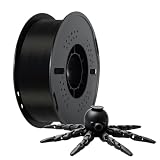
- Toughness Enhanced PLA Filaments: Kingroon PLA filaments have the advantages of incredible ease of printing Optimized printing quality, high purity with low shrinkage and superb layer bonding, meeting your demands for printing projects of functional parts with higher toughness.
- Clog-Free, Bubble-Free & Easy-to-use:Kingroon PLA filament Complete drying for 24 hours
- Dimensional Accuracy & Consistency: These tough Black PLA filaments have very strict tolerances. Diameter is 1.75mm with a dimensional accuracy of + / - 0.02mm 1 kg spool (2.2lbs).
- Wide Compatibility: Kingroon black pla Works perfectly with all common 1.75mm FDM 3D printers, thanks to the high quality standards in terms of manufacturing accuracy.
- Excellent service: Kingroon is a customer-centric company, we have been committed to providing customers with good service, if you have any questions, please do not hesitate to contact us at any time, we will try our best to solve your problems.
Is the Kingroon KLP1 good for beginners?
The KLP1 may suit a beginner comfortable with initial configuration and occasional troubleshooting, but the reviewed experience is less appliance-like than a printer with a polished, ready-to-run software workflow. Auto-loading filament, bed leveling and the enclosed design can help, while manual Z-offset work, profile checks and reported touchscreen lag add friction. A first-time buyer who wants the simplest possible setup should weigh those trade-offs against their willingness to learn calibration and slicer settings.
What should you check before buying?
- Variant and build area: Confirm whether it is the 210 or 230 version and verify all three dimensions for the specific unit.
- Revision-specific limits: Check the supplied manual and seller specifications for nozzle and bed temperatures, supported materials and other hardware details.
- Regional terms: Confirm voltage, shipping location, stock, delivery and return terms with the seller. The V2.1 manual describes 110/220 V selection.
- Included accessories: Ask what is included and whether a camera is optional; the manual identifies a USB camera as optional.
- Software profile: Confirm that a profile is available for the exact revision and correct build volume, and be prepared to inspect settings before printing.
- Replacement parts: Check nozzle and build-plate dimensions before buying spares. Similar model names do not establish that parts fit across revisions.
Price and availability
At the time the listings were accessed in 2026, Kingroon’s German-language storefront showed the KLP1 210 clearance listing at $329 and marked it sold out in its UK warehouse selector. Kingroon Explore Hub separately listed the KLP1 230 at $399. These are snapshots of different listings and variants, not current universal prices or proof of stock in another region. Check the seller’s live price, shipping cost, inventory and exact revision before purchase.
Quick wins for a faster PC:
Scan for outdated or missing drivers - takes under a minuteDriver Scan →Clear out junk files and repair common Windows errorsFree Scan →Quick Recap
Product prices and availability are accurate as of the date/time indicated and are subject to change. Any price and availability information displayed on Amazon at the time of purchase will apply.

