
The Tool Desk
Outbyte Driver Updater FREEFix the driver behind crashes, sound loss and screen glitchesFind Drivers →Outbyte PC Repair FREERepair Windows errors before they cause bigger problemsFix Now →iTechGuides is reader-supported. When you buy through links on our site, we may earn an affiliate commission. As an Amazon Associate I earn from qualifying purchases. Learn more
KB5077212 Hotpatch: Windows OS Build 26200.7781 Overview: Microsoft released KB5077212 on February 10, 2026, for eligible managed Windows 11 25H2 and 24H2 devices. It produces build 26200.7781 on 25H2 and 26100.7781 on 24H2, and the Hotpatch payload normally takes effect without restarting Windows.
KB5077212 is a genuine Microsoft enterprise Hotpatch release, not a standard consumer cumulative update. The update is now a historical February 2026 release rather than the current Windows 11 build as of August 18, 2026, so use the build numbers to identify what the update delivered—not to decide whether a device is fully patched today.
Key takeaways
- KB5077212 was released on February 10, 2026, and delivers OS build 26200.7781 to Windows 11 version 25H2 and 26100.7781 to version 24H2.
- KB5077212 is a Hotpatch update containing security and quality improvements, including miscellaneous security improvements to internal OS functionality; Microsoft listed no known issues when its support article was published.
- The Hotpatch payload normally does not require a restart, but a missing baseline, feature upgrade, driver or firmware update, or failed deployment can still require one.
- Hotpatch is not available to every Windows 11 PC; eligibility generally requires a supported Windows edition or Microsoft 365 license, Intune management, Windows Autopatch or an appropriate Hotpatch policy, VBS, and the required baseline.
- Microsoft lists Windows Update as the delivery channel for qualifying devices and does not list Microsoft Update Catalog or WSUS as delivery channels for this Hotpatch release.
- A device on build 26200.7781 may have received KB5077212 successfully but may still need later updates released after February 2026.
What is KB5077212 Hotpatch: Windows OS Build 26200.7781 Overview?
KB5077212 is Microsoft’s February 10, 2026, Windows 11 Hotpatch update for supported versions 25H2 and 24H2. Microsoft describes the package as providing security and quality improvements, with the published fix summary referring to “miscellaneous security improvements to internal OS functionality.” The official KB5077212 support article lists no known issues at publication time.
Outdated Drivers Are Slowing You Down
One free scan finds every outdated or missing driver and matches the right update for your exact hardware.Free scan · exact hardware matchPC Slower Than It Used to Be?
A free scan shows the junk files, broken settings and background clutter dragging Windows down - then fixes them in one click.Free scan · Windows 10 & 11KB5077212 is primarily a security-maintenance release, not a feature update. Microsoft’s published notes do not identify a new Windows feature or a named File Explorer, Start menu, taskbar, gaming, printing, or networking fix. The broad release description should not be expanded into claims about measured performance gains, application compatibility, or user-interface changes.
Popular on Amazon
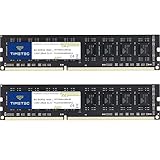
- [Color] PCB color may vary (black or green) depending on production batch. Quality and performance remain consistent across all Timetec products.
- DDR3L / DDR3 1600MHz PC3L-12800 / PC3-12800 240-Pin Unbuffered Non-ECC 1.35V / 1.5V CL11 Dual Rank 2Rx8 based 512x8
- Module Size: 16GB KIT(2x8GB Modules) Package: 2x8GB ; JEDEC standard 1.35V, this is a dual voltage piece and can operate at 1.35V or 1.5V
- For DDR3 Desktop Compatible with Intel and AMD CPU, Not for Laptop
- Guaranteed Lifetime warranty from Purchase Date and Free technical support based on United States
As of August 18, 2026, build 26200.7781 should be described as the build associated with KB5077212, not as the latest Windows 11 build. Later releases may have superseded the February build. Check Microsoft’s Windows 11 release information for the current servicing position.
Which Windows 11 versions receive KB5077212?
KB5077212 covers both Windows 11 version 25H2 and Windows 11 version 24H2, but each version receives a different base-build number.
| Windows 11 version | Build branch | Build delivered by KB5077212 | What the build indicates |
|---|---|---|---|
| 25H2 | 26200 | 26200.7781 | The 25H2 result associated with KB5077212 |
| 24H2 | 26100 | 26100.7781 | The 24H2 result associated with KB5077212 |
A computer on build 26200.7781 is generally running Windows 11 version 25H2. A computer on build 26100.7781 is generally running Windows 11 version 24H2. The KB title includes both builds, so KB5077212 does not apply only to 25H2.
Recommended Free Tools
How can you check your Windows version and build?
The fastest way to check whether a device is on 24H2 or 25H2 is to use the Windows version dialog.
- Press Windows key + R.
- Type
winver. - Press Enter.
- Record the Windows version and the complete OS build number.
You can also open Settings > System > About and inspect Windows specifications. Record the edition, version, and full OS build. The full build is more useful than relying only on an entry in Windows Update history, especially if a later update has already replaced build 7781.
What does KB5077212 fix?
KB5077212 provides security and quality improvements, but Microsoft’s release notes describe the security portion only at a broad level: miscellaneous security improvements to internal OS functionality. Microsoft does not publish a named list of feature, application, gaming, printing, File Explorer, Start menu, taskbar, or networking fixes for this Hotpatch release in the supplied support information.
That limitation matters when interpreting the update. KB5077212 should not be presented as a feature update, a performance upgrade, or a fix for a particular Windows problem unless a separate Microsoft source documents that specific connection. Microsoft also reported no known issues for KB5077212 when the support article was published; that status is tied to Microsoft’s published release notes and may not describe later servicing activity.
What’s actually slowing this PC down?
Pick the symptom - the matching free tool is one click away.
How does Windows 11 Hotpatch work?
Windows 11 Hotpatch uses a repeating servicing pattern: a quarterly baseline update carries broader cumulative changes and normally requires a restart, while Hotpatch updates in the following months primarily deliver security fixes designed to take effect without the usual restart.
For the 2026 25H2 schedule described in the research, January supplied the baseline at build 26200.7623 through KB5074109. February supplied the Hotpatch release KB5077212 at build 26200.7781. March was another Hotpatch month with a separate, later update. Microsoft explains the baseline-and-Hotpatch model in its Windows Autopatch Hotpatch documentation.
Also popular on Amazon

- Boosts System Performance: 32GB DDR5 RAM laptop memory kit (2x16GB) that operates at 5600MHz, 5200MHz, or 4800MHz to improve multitasking and system responsiveness for smoother performance
- Accelerated gaming performance: Every millisecond gained in fast-paced gameplay counts—power through heavy workloads and benefit from versatile downclocking and higher frame rates
- Optimized DDR5 compatibility: Best for 12th Gen Intel Core and AMD Ryzen 7000 Series processors — Intel XMP 3.0 and AMD EXPO also supported on the same RAM module
- Trusted Micron Quality: Backed by 42 years of memory expertise, this DDR5 RAM is rigorously tested at both component and module levels, ensuring top performance and reliability
- ECC Type = Non-ECC, Form Factor = SODIMM, Pin Count = 262-Pin, PC Speed = PC5-44800, Voltage = 1.1V, Rank And Configuration = 1Rx8
| Servicing stage | Example 25H2 month | Example build or KB | Typical restart behavior |
|---|---|---|---|
| Quarterly baseline | January 2026 | Build 26200.7623; KB5074109 | Restart normally required |
| Hotpatch | February 2026 | Build 26200.7781; KB5077212 | No restart normally required for the Hotpatch payload |
| Hotpatch | March 2026 | Later build; separate KB | No restart normally required for the Hotpatch payload |
Hotpatch packages are intended to be smaller and faster to install than broader baseline servicing, which can reduce disruption and bandwidth use. Hotpatch does not eliminate all Windows maintenance: baseline updates, feature upgrades, drivers, firmware, and other system changes can still require restarts.
Does KB5077212 require a restart?
KB5077212 normally does not require a restart when the Hotpatch payload is installed on an eligible device that already has the required baseline. “No restart required” describes the expected behavior of the Hotpatch payload, not an absolute promise that the device will never restart.
A restart may still be requested when:
- The required quarterly baseline is missing. Microsoft’s Intune Hotpatch guidance explains that a device missing the baseline may receive the baseline and Hotpatch updates together, with the baseline requiring a restart.
- Windows is being upgraded to a new version.
- A driver or firmware update is pending.
- Another cumulative update, application update, or policy action requires a restart.
- The Hotpatch deployment fails and Windows falls back to standard servicing.
- An administrator schedules a restart for unrelated maintenance.
If a device asks to restart after KB5077212 appears, do not automatically suppress the restart. First determine whether a baseline, feature upgrade, driver, firmware update, or failed installation is also pending.
Who is eligible for KB5077212 Hotpatch?
KB5077212 is not a general update for every Windows 11 installation. Hotpatch eligibility depends on the Windows version, edition, license, device architecture, management configuration, security settings, and baseline status.
Microsoft documentation identifies eligible licensing options that can include:
- Windows 11 Enterprise E3 or E5.
- Windows 11 Enterprise F3.
- Windows 11 Education A3 or A5.
- Microsoft 365 F3.
- Microsoft 365 Business Premium.
- Windows 365 Enterprise.
The exact license wording can vary by deployment scenario and Microsoft documentation. Administrators should verify the organization’s entitlement against Microsoft’s Windows Autopatch FAQ rather than assuming that any Enterprise label automatically enables Hotpatch.
Core client requirements
For Windows 11 client Hotpatch, Microsoft documents requirements that include Windows 11 version 24H2 or later, the current required baseline, Microsoft Intune management, a Windows quality-update policy with Hotpatch enabled, virtualization-based security (VBS), and an eligible Windows or Microsoft 365 license. The device must also be enrolled and targeted through the organization’s supported management configuration.
On x64 hardware, the documented processor path identifies an x64 AMD or Intel CPU. Arm64 systems have additional requirements and should be checked separately.
What extra requirements apply to Arm64 devices?
Supported Windows 11 25H2 and 24H2 Arm64 devices can use this Hotpatch release family, but Microsoft requires additional configuration. The KB5077212 support information identifies Windows 11 Enterprise 25H2 or 24H2, build 26100.4929 or later as the documented minimum baseline, Intune enrollment, a Hotpatch-enabled Windows quality-update policy, an eligible license, VBS, and disabled Compiled Hybrid PE (CHPE).
Also popular on Amazon

- [Specs] DDR3L / DDR3 1600MHz PC3L-12800 / PC3-12800 204-Pin Unbuffered Non ECC 1.35V CL11 Dual Rank 2Rx8 based 512x8
- [Size] Module Size: 8GB Package: 1x8GB
- [Voltage] JEDEC standard 1.35V, this is a dual voltage piece and can operate at 1.35V or 1.5V
- [Compatibility] Compatible with DDR3 Laptop / Notebook PC, Mini PC, All in one Device
- [Color] PCB Color is Green
After the CHPE-disabling configuration is applied, the Arm64 device must be restarted once. That one-time restart is a prerequisite for the configuration; it does not contradict the normal no-restart behavior of the subsequent Hotpatch payload. Administrators should also confirm the DisableCHPE policy, architecture, Enterprise edition, baseline, VBS state, and policy targeting. See Microsoft’s KB5077212 Arm64 requirements for the release-specific conditions.
Quick wins for a faster PC:
Scan for outdated or missing drivers - takes under a minuteDriver Scan →Repair Windows errors before they cause bigger problemsFix Now →Fix the driver behind crashes, sound loss and screen glitchesFind Drivers →How is KB5077212 installed?
On a qualifying device, KB5077212 is delivered automatically through Windows Update and Microsoft Update after the organization has configured the required licensing and management prerequisites.
- The organization assigns an eligible license.
- The device is enrolled in Microsoft Intune.
- The device is enrolled in the appropriate Windows Autopatch or supported update-management configuration.
- An administrator enables Hotpatch in a Windows quality-update policy.
- The device reaches the required baseline.
- Windows Update offers and installs KB5077212.
- The Hotpatch takes effect without the normal restart, assuming no other pending servicing action requires one.
Microsoft’s KB page lists Windows Update as the delivery channel for qualifying devices and does not include Microsoft Update Catalog or WSUS for this Hotpatch release. A regular user therefore should not expect to find KB5077212 as a conventional downloadable package for manual installation. Avoid third-party “KB download” sites, particularly when a site claims to provide an unofficial installer for an enterprise servicing package.
Organizations evaluating the deployment model may need Microsoft Intune for device management and a Windows Autopatch configuration for update orchestration. Those services are relevant to managed enterprise fleets, not to a personal Home or unmanaged Pro computer seeking to avoid an occasional restart.
How do you verify that KB5077212 installed?
Use more than one check when verifying a managed deployment. The OS build, Windows Update history, and Intune or Autopatch reporting answer slightly different questions.
1. Confirm the OS build
Run winver and check the full build:
26200.7781That is the expected KB5077212 result for Windows 11 25H2. Windows 11 24H2 should show 26100.7781 for the same KB.
2. Check Windows Update history
Open Settings > Windows Update > Update history and look for an entry identifying KB5077212. The entry can confirm that Windows recorded the KB, but the full OS build remains important because a later update may have superseded it.
3. Query the update from PowerShell
Administrators can run:
Get-HotFix -Id KB5077212If PowerShell returns no result, that alone does not prove that the servicing payload is absent in every servicing scenario. Compare the command result with winver, Windows Update history, and centralized management reports.
4. Check Intune or Windows Autopatch reporting
For an enterprise fleet, use the Windows Autopatch or Intune reporting views to check deployment status, failures, targeting, and current update state. Microsoft documents a Hotpatch quality-update report in its Hotpatch management guidance. Central reporting is more reliable for fleet assessment than checking one local history page at a time.
Do these 3 things before closing this tab:
1Fix the driver behind crashes, sound loss and screen glitches2Clear out junk files and repair common Windows errors3Scan for outdated or missing drivers - takes under a minuteAlso popular on Amazon
- Efficient performance: A lower voltage of 1.35 V is applied to reduce 20% power, enabling to effectively decrease hardware power consumption.
- System upgrade: With our high quality memory module, ideal for virtualization, cloud computing and multitasks handling, 100% factory-tested for stability, durability and compatibility.
- Durability Armed: 100% factory-tested to make sure the high stability, durability and compatibility.
- Compatibility is imperative: Compatible with major DDR3L / DDR3 motherboards.
- 【NOTE】The DDR3L UDIMM is backed by a lifetime warranty to promise complete services and technical support.
Why is KB5077212 missing from Windows Update?
KB5077212 may be missing because the device is outside the Hotpatch eligibility and deployment path, not because the KB is fake or unavailable.
| What to check | Why it matters | Practical action |
|---|---|---|
| Windows version | KB5077212 targets supported 24H2 and 25H2 scenarios. | Run winver and record the version and full build. |
| Edition and license | Hotpatch is not a universal Home or Pro feature. | Verify the organization’s qualifying Windows or Microsoft 365 entitlement. |
| Intune enrollment | Microsoft documents Intune management for the client Hotpatch path. | Confirm the device is enrolled and checking in. |
| Autopatch or update policy | Hotpatch must be enabled and targeted through the supported quality-update policy. | Review policy assignment, update rings, deferrals, deadlines, and conflicts. |
| Baseline | A device missing the baseline may receive a different servicing sequence. | Install or validate the required baseline and plan for its restart. |
| VBS | VBS is a documented Hotpatch prerequisite. | Check the device security configuration and policy state. |
| Architecture | Arm64 has additional CHPE and restart requirements. | Verify CHPE configuration and the required Arm64 baseline. |
| Windows 11 26H1 | Microsoft says Hotpatch is not available on Windows 11 version 26H1. | Consult Microsoft’s current release-health documentation before troubleshooting further. |
Existing update-ring configurations continue to be honored alongside Hotpatch policies, so a deferral or conflicting policy can delay delivery. A device can also be outside the targeted deployment group or temporarily follow standard updating during a version-upgrade cycle. Microsoft’s Hotpatch policy documentation is the appropriate reference for the organization’s deployment state.
Why does the device show the wrong build?
A build mismatch usually reflects a different Windows version, a later update, a different servicing path, or a failed installation.
| Observed result | Likely explanation |
|---|---|
| 26200.7781 | Expected KB5077212 result for Windows 11 25H2. |
| 26100.7781 | Expected KB5077212 result for Windows 11 24H2. |
| A build higher than 7781 | A later update may have superseded KB5077212. |
| A 24H2 build when 25H2 was expected | The device may still be on 24H2 or may not have completed a version upgrade. |
| A preview, Insider, LTSC, or specialized-channel build | The device may follow a different servicing channel and build sequence. |
| The expected build is absent after an offer | The installation may have failed or the device may have received the regular servicing path. |
Do not use build 26200.7781 alone as proof that the device is fully patched. Pair the build with update history and current Intune or Autopatch compliance reporting.
How does KB5077212 compare with the regular February cumulative update?
KB5077212 and the regular February 2026 cumulative update are different servicing paths and should not be treated as interchangeable.
| Decision factor | KB5077212 Hotpatch path | Regular cumulative-update path |
|---|---|---|
| Primary purpose | Security and quality maintenance through Hotpatch | Broader standard cumulative servicing, depending on the specific package |
| Build for 25H2 in this release | 26200.7781 | Different KB and build may apply |
| Build for 24H2 in this release | 26100.7781 | Different KB and build may apply |
| Restart expectation | Normally no restart for the Hotpatch payload when prerequisites are met | Follow the requirements of the specific cumulative update |
| Eligibility | Supported managed and licensed Hotpatch configuration | Depends on the applicable Windows servicing channel |
| Manual Catalog or WSUS delivery for KB5077212 | Not listed by Microsoft for this release | Depends on the specific update and servicing channel |
When comparing February updates, verify the exact KB number, build, Windows version, edition, and servicing channel. Microsoft’s Windows 11 release calendar helps distinguish the regular cumulative path from the Hotpatch path.
Independent reader supportYour contribution helps us test, update, and keep practical guides available for everyone.Is Windows 11 Hotpatch worth using?
Hotpatch is most valuable when avoiding user interruption is worth the licensing and management overhead. Frontline, retail, healthcare, manufacturing, and continuous-operation environments may benefit because security maintenance can be applied without the usual monthly Hotpatch restart.
| Hotpatch is a stronger fit when… | Hotpatch is a weaker fit when… |
|---|---|
| Restart windows are difficult to schedule. | The organization manages only a few unmanaged personal PCs. |
| Security compliance is important and interruption is costly. | The devices run Windows 11 Home or an unmanaged Pro configuration. |
| The organization already uses Intune, Windows Autopatch, Entra ID, and eligible licensing. | The organization relies on another endpoint-management platform and would need duplicated tooling or a migration. |
| Devices support frontline or continuous-operation workflows. | The primary goal is to obtain new Windows features immediately. |
| The organization benefits from a quarterly baseline plus intervening Hotpatch cadence. | Devices frequently undergo feature upgrades, reimaging, or offline maintenance. |
Intune, Windows Autopatch, Windows Enterprise licensing, Microsoft 365 Business Premium, and Windows 365 Enterprise can be relevant to an enterprise deployment decision, but purchasing any of them solely to obtain KB5077212 may be disproportionate. Licensing varies by region, agreement, billing term, and existing entitlements, so organizations should use Microsoft’s official product and licensing information rather than an unverified price.
- Microsoft Intune is the management platform relevant to the documented client deployment path.
- Windows Autopatch is Microsoft’s managed update service for configuring and managing supported Windows update deployment.
- Windows Enterprise licensing information helps organizations assess an eligible Windows edition and licensing path.
- Microsoft 365 Business Premium may be relevant to small and midsize businesses that also need Microsoft productivity, identity, security, and management capabilities.
- Windows 365 Enterprise is relevant to cloud-PC deployments, not ordinary local Windows installations.
Is KB5077212 still relevant in August 2026?
KB5077212 remains relevant for identifying a February 10, 2026 Hotpatch installation, but build 26200.7781 should not be treated as the current Windows 11 25H2 build in August 2026. A later cumulative or Hotpatch update may have superseded the build, and a device at 26200.7781 may still require current security updates.
Also popular on Amazon

- [Color] PCB color may vary (black or green) depending on production batch. Quality and performance remain consistent across all Timetec products.
- DDR3L / DDR3 1600MHz PC3L-12800 / PC3-12800 240-Pin Unbuffered Non-ECC 1.35V / 1.5V CL11 Dual Rank 2Rx8 based 512x8
- Module Size: 32GB KIT(4x8GB Modules) Package: 4x8GB ; JEDEC standard 1.35V, this is a dual voltage piece and can operate at 1.35V or 1.5V
- For DDR3 Desktop Compatible with Intel and AMD CPU, Not for Laptop
- Guaranteed Lifetime warranty from Purchase Date and Free technical support based on United States
For an audit, record the KB, Windows version, full OS build, update history, and current Intune or Autopatch compliance state. For current patch decisions, use Microsoft’s release-health calendar and the specific current KB for the device’s servicing channel.
What is the bottom line for KB5077212?
KB5077212 is a legitimate February 2026 Windows 11 Hotpatch update. Build 26200.7781 identifies the 25H2 result, while build 26100.7781 identifies the 24H2 result. The update is intended for eligible managed enterprise devices, normally applies without restarting, and is not a conventional package for every Windows 11 Home or Pro PC.
If KB5077212 is missing, check version, edition, license, Intune enrollment, Autopatch or quality-update policy, baseline, VBS, architecture, and update-ring targeting before attempting remediation. If the device requests a restart, check for a missing baseline or another pending servicing action rather than assuming the Hotpatch itself failed.
Free tools Windows power users keep installed
One-click scans. No signup required.
Frequently Asked Questions
Is KB5077212 safe to install?
KB5077212 is a genuine Microsoft Hotpatch release that Microsoft described as providing security and quality improvements and listed with no known issues when its February 10, 2026 support article was published. Installation still depends on the device’s supported licensing, management, baseline, and policy configuration.
Does KB5077212 work on Windows 11 Home or ordinary Windows 11 Pro PCs?
KB5077212 is not a general consumer update for every Windows 11 Home or unmanaged Pro PC. Microsoft’s Hotpatch client requirements focus on supported managed configurations with qualifying Windows or Microsoft 365 licensing, Intune, an enabled Hotpatch policy, VBS, and the required baseline.
Can KB5077212 be downloaded manually from the Microsoft Update Catalog?
Microsoft lists Windows Update as the delivery channel for qualifying KB5077212 devices and does not list Microsoft Update Catalog or WSUS for this Hotpatch release. Ordinary users should not rely on third-party sites claiming to provide an unofficial KB5077212 installer.
Why did my computer restart after installing KB5077212?
The Hotpatch payload normally does not require a restart, but a missing quarterly baseline, feature upgrade, driver, firmware update, unrelated cumulative update, or failed deployment can still require one. Check Windows Update history and the device’s Intune or Autopatch status before deciding that KB5077212 caused an unexpected failure.
Is Hotpatch available on Windows 11 version 26H1?
Microsoft’s Windows 11 release information says Hotpatch is not available on Windows 11 version 26H1. Devices on 26H1 should be evaluated against the servicing guidance for that version rather than expected to receive KB5077212 through the 24H2 or 25H2 Hotpatch path.
The Bottom Line
Bottom line: KB5077212 is the February 10, 2026 Windows 11 Hotpatch that produces build 26200.7781 on 25H2 and 26100.7781 on 24H2. It normally avoids a restart on eligible, managed devices, but it is not a universal consumer update and does not replace later patching.

