
PC Slower Than It Used to Be?
A free scan shows the junk files, broken settings and background clutter dragging Windows down - then fixes them in one click.Free scan · Windows 10 & 11Outdated Drivers Are Slowing You Down
One free scan finds every outdated or missing driver and matches the right update for your exact hardware.Free scan · exact hardware matchiTechGuides is reader-supported. When you buy through links on our site, we may earn an affiliate commission. As an Amazon Associate I earn from qualifying purchases. Learn more
Is Phomemo’s Portable Mini Printer Really Worth All The Hype? The Phomemo M02 is worth buying for inexpensive black-and-white stickers, short notes, labels, and journaling, but not for color photos, full documents, archival records, or app-averse buyers. Its compact inkless design is genuinely useful; its narrow thermal output and software dependence define the trade-offs.
The M02 is easy to misunderstand because “portable mini printer” sounds like a pocket-sized version of a conventional printer. It is not. The M02 is a small direct-thermal device that heats specially treated paper to create monochrome images. That makes the printer simple, quiet, and free of ink cartridges, but it also makes the output narrow, heat-sensitive, and dependent on compatible media.
The result is a product that earns the social-media attention in a specific niche. Journalers, scrapbookers, students, and home organizers may get frequent value from it. Anyone expecting a portable color-photo printer, a universal document printer, or a professional label maker should spend their money elsewhere.
Recommended Free Tools
Key takeaways
- The Phomemo M02 prints black-and-white direct-thermal output at 203 dpi on approximately 53-mm media, so the printer is best for short notes, icons, labels, and stickers rather than color photos or full documents.
- The M02 uses a 1,000-mAh battery and Bluetooth, but the original review observed roughly four to five hours of endurance when the powered-on printer remained connected; powering it down between uses produced a week or more in that reviewer’s usage pattern.
- The Phomemo app is central to the M02 experience, and the iOS listing shows in-app purchases and monthly and annual subscription options whose availability and pricing can vary by region and app version.
- Replacement paper is a recurring expense: an August 2026 Phomemo storefront snapshot showed certain three-roll packs at approximately $15.59 to $25.59, depending on paper type and claimed longevity.
- The M02 is a good fit for low-stakes monochrome printing, but ordinary thermal output should be treated as ephemeral or semi-durable rather than archival unless a particular paper has been independently tested.
What is the Phomemo M02, exactly?
The Phomemo M02 is an inkless, Bluetooth-connected mini printer that uses direct thermal technology. According to Phomemo’s M02 product information, the printer uses a 203-dpi thermal print head and supports narrow paper intended for notes, labels, decorations, and other small-format output.
Popular on Amazon
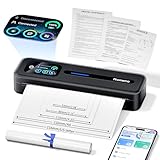
- User-Friendly Touchscreen Smart Printer: The M832D mobile printer features an upgraded smart digital display offers easy access to battery and connection status, and intelligently identifies the paper placement for precise printing, making it incredibly easy to monitor and adjust settings, even for first-time users or the elderly. For example, a beginner can easily check the battery level before printing or adjust paper settings without any guesswork. This intuitive display ensures a seamless printing experience, helping users achieve the best print results quickly and effortlessly
- Portable & Lightweight Design: Phomemo M832D compact printer weighs just 1.5lb, with a compact size that fits easily into your backpack, briefcase, or car. Optimized motor algorithms and refining the print head design reduce printing noise by 30%. The built-in 2600mAh battery allows for up to 200 pages of continuous printing on a single charge, making it ideal for on-the-go printing
- Wide Compatibility & Connectivity 50% Faster: Wireless travel printer compatible with iPhone, Android Phone, and iPad via Bluetooth - Optimized Bluetooth boosts connectivity speed by 50%. Connect to a laptop or computer via USB-C cable. (Note: Bluetooth connection is only for phone & tablet, not for laptop & computer). Print documents, photos, and web pages directly from your mobile device. This strong compatibility ensures you can print from virtually any device you own
- Multi-Size & Multi-Type Paper Support: Supports 8.5" x 11" US Letter, A4, 2.08''(53mm), 3.15''(80mm), and 4.33''(110mm) thermal paper. Compatible with thermal roll paper, folded thermal paper, and single-sheet thermal paper. Meet diverse printing needs, from detailed reports to quick notes. For example, a student can print class notes on smaller roll paper, while a business traveler can print contracts on US Letter or A4 paper. This flexibility ensures you can handle any printing task with ease
- Inkless Printing with 300dpi Clarity: Adopt advanced thermal technology, no ink, toner, or ribbons required. Print more efficiently and economically while ink free to reduce waste. The M832D small printer delivers high-quality prints with a resolution of 300 DPI, ensuring your documents are clear and professional-looking. For example, a small business owner can print invoices without worrying about ink running out, while a student can print study materials without the mess of ink. This eco-friendly and cost-effective solution is perfect for anyone looking to save time, money, and the environment
The original M02 should not be confused with the M02 Pro, M02S, T02, M04S, D30, M110, M221, M08F, or other Phomemo products. Phomemo sells several mini printers and label makers with different paper widths, resolutions, apps, connection methods, and intended uses. The Phomemo portable-printer information chart is useful for comparing model-specific specifications, but claims from a newer model should not automatically be transferred to the original M02.
| Specification | Phomemo M02 | What that means |
|---|---|---|
| Printing method | Direct thermal; inkless | The paper reacts to heat, so there are no ink cartridges but the print is environmentally sensitive. |
| Output | Black and white | The M02 can print images, but it is not a conventional color photo printer. |
| Resolution | 203 dpi | Suitable for readable text and simple graphics when the source is prepared well. |
| Paper width | Approximately 53 mm | Useful for narrow labels, stickers, icons, and short notes; restrictive for documents. |
| Connectivity | Bluetooth; some documentation also lists USB | The normal workflow is phone-to-app-to-printer rather than universal system printing. |
| Battery | 1,000 mAh | Portable enough for occasional use, with standby behavior affected by Bluetooth and power settings. |
| Primary control | Phomemo companion app | App compatibility and support are part of the product’s practical lifespan. |
What does the M02 print well?
The M02 prints best when the design is short, high-contrast, and simple. The strongest uses include:
- Short text labels for boxes, drawers, ingredients, and storage containers.
- To-do lists, reminders, temporary reference notes, and study prompts.
- Small line drawings, icons, borders, and journaling decorations.
- Scrapbook and planner stickers.
- Simple QR codes, provided the code is large and high-contrast enough to scan.
- Low-cost experiments with adhesive, transparent, or colored-background thermal media.
The original M02 review found the output sharper than expected for such a small printer, particularly for simple black-and-white designs. That result is plausible for the device’s 203-dpi target, but apparent sharpness depends heavily on the source image, print-density setting, paper condition, battery level, and how the app converts an image to monochrome. A clean black text label can look crisp while a detailed photograph becomes muddy.
For the best results, begin with large black text and strong contrast. Simplify line art, remove fine shading, enlarge small symbols, and preview the design before printing. A photograph designed for a color screen contains information the M02 cannot reproduce faithfully; converting the image to deliberate high-contrast black and white generally produces a more useful result than allowing the app to make an unpredictable conversion.
What does the M02 print poorly?
The M02 prints poorly whenever the job depends on color, broad tonal range, fine detail, or long-term stability. The printer is a poor choice for:
- Color photographs.
- Large or highly detailed images.
- Fine grayscale shading.
- Standard letter-size or A4 documents.
- Business-critical barcodes and compliance labels.
- High-volume inventory or shipping workflows.
- Records that must remain readable for years.
- Labels exposed to heat, direct sunlight, humidity, or heavy abrasion.
Calling the M02 a “photo printer” is technically defensible only in the narrow sense that the printer can transfer an image onto thermal media. The output remains monochrome thermal media, not a conventional color photograph. If a buyer’s main goal is portable color imagery, a ZINK photo printer such as the Canon IVY 2 or a photo-focused model such as the Canon SELPHY QX20 is a more appropriate category, although both cost more and use their own photo media. Canon’s compact portable-printer range illustrates the distinction between monochrome thermal notes, color photo printing, and general-purpose document printing.
How good is the M02’s print quality in real use?
The defensible verdict is “surprisingly good for simple monochrome work, limited for anything resembling a photo.” Text and bold icons benefit from the printer’s narrow output and high contrast. Detailed images lose texture, gray areas can collapse into blotches or disappear, and small text becomes difficult to read when the source is reduced too far.
Quick wins for a faster PC:
Scan for outdated or missing drivers - takes under a minuteDriver Scan →Repair Windows errors before they cause bigger problemsFix Now →Print density also matters. Phomemo’s troubleshooting guidance identifies low battery, print-density settings, dirty print heads, and damp paper as possible causes of faint or unclear output. The official Phomemo troubleshooting guidance recommends checking those factors before assuming the hardware has failed.
| Test type | Expected suitability | How to improve the result |
|---|---|---|
| Large black text | Good | Use bold type, adequate spacing, and a charged battery. |
| Small text | Variable | Increase the type size and avoid thin fonts. |
| Simple icon or line drawing | Good | Remove tiny details and use strong black-and-white contrast. |
| QR code | Potentially good | Print it large enough to scan and test the physical result before relying on it. |
| Grayscale image | Limited | Convert it to high-contrast monochrome and simplify the composition. |
| Color photograph | Poor match | Use a color ZINK or photo printer instead. |
Is the M02 genuinely portable?
Yes. Portability is one of the M02’s strongest arguments. The device is small enough for a bag, desk drawer, travel kit, or journal pouch, and the 1,000-mAh battery removes the need to remain next to a wall outlet. The official model chart provides Phomemo’s model-specific size and battery information.
Also popular on Amazon
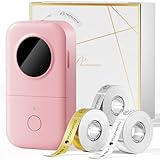
- Item Include: Phomemo D30 Portable Thermal Printer with 3 Tapes - 1 White Tape + 1 Gold Tape and 1 Clear Tape; The Phomemo D30 Bluetooth label maker supports continuous label tapes and labels in fixed length.
- Save Money - Direct thermal technology - The D30 Bluetooth label makers are inkless printing and don't require ink, toner, or ribbons. With lots of thermal colorful label tapes of your choice, the cost is tangible and much lower compared to most label-maker printers.(This label maker is Monochrome Printing Output, which only prints black text. We can create color-label artwork, printing with color-patterned label tapes is required)
- Multiple Creative Function & Convenient Label Templates - Choose from a wide variety of pre-designed templates including 1000+ symbols, 110+ frames, and a variety of fonts, Convenience and saving time. Easy to create various design label stickers from App with Icon, texts, tables, symbols, logos, barcodes, QR codes, images, time, insert Excel, Scan, Ocr, and Voice RECG, it is fun and effortlessly
- Wireless & Portable - Mini-size wireless Bluetooth-connected Phomemo label printer for Convenient & Fast printing, easy to create labels from smart mobile devices. Built-in durable and recharge battery for long working time, slide into your pocket, easy to carry anywhere
- The Phomemo D30 Sticker Printer Machine is widely used across various settings. It helps organize supplies at home through storage labels, food date markings, cosmetic item classification, and jar stickers. It is perfect for creating school name labels, study notes, file classifications, cable identification, and personal item tags in educational and office environments. It excels in producing price tags, jewelry tags, and more for small businesses.
Battery life needs more nuance than a single number. Active printing time, idle time while powered on, Bluetooth-connected standby, and time with the printer switched off are different conditions. The original review observed the battery indicator begin flashing red after approximately four to five hours when the paired printer was left on and connected. In the same reviewer’s usage pattern, disconnecting Bluetooth and powering the printer down between uses allowed a week or more on a charge. That is a reviewer observation, not a universal manufacturer-rated battery-life figure.
The practical routine is simple: print what you need, end the connection, and power the M02 off. Leaving a Bluetooth accessory powered on in a bag is likely to produce more disappointing battery behavior than occasional active printing.
How difficult is M02 setup?
Setup is usually straightforward when the correct app, paper, and model are used, but the M02 does not behave exactly like a normal printer. A practical first-use sequence is:
- Charge the M02.
- Install the Phomemo app that supports the M02.
- Load compatible approximately 53-mm thermal paper in the correct orientation.
- Turn on Bluetooth.
- Open the Phomemo app and select the M02.
- Pair from inside the app if the app requests it.
- Choose a note, image, label, or template.
- Preview the design and adjust contrast or print density if needed.
- Print a simple test before using specialty paper.
- Disconnect Bluetooth and power down after use.
Do not assume that adding the printer in the phone’s general Bluetooth settings completes the process. Bluetooth accessory printers often expect the companion app to discover and manage the device. The precise screens can change with the app version and operating system, so the current app may not use exactly these labels.
What should you do when the M02 will not connect or print?
Most first-use problems are worth troubleshooting before returning the printer. Work through the branch that matches the symptom.
If the printer does not connect
- Charge the printer and confirm that it is switched on.
- Turn Bluetooth off and on again.
- Close and reopen the Phomemo app.
- Remove the M02 from the app and pair it again.
- Check that another phone is not already connected.
- Confirm that the app supports the exact M02 model rather than a similar Phomemo device.
- Restart both the phone and printer.
If the output is faint
- Charge the M02.
- Increase print density in the app.
- Replace paper that is damp, old, or poorly stored.
- Clean the thermal print head carefully.
- Print a basic text test.
- Avoid very light gray source images.
If the output is blank
- Confirm that the roll is thermal paper.
- Reverse the roll orientation and try again.
- Close the cover firmly.
- Check for an “out of paper” or “cover open” warning.
- Try a fresh roll.
- Run the model’s self-test if the documentation and app support one.
Phomemo specifically identifies paper moisture and print-head cleanliness among the causes of unclear output in its support material. The company’s print-quality troubleshooting page is written for the M02 Pro, so use it as related guidance rather than proof that every menu or self-test works identically on the original M02.
How dependent is the M02 on the Phomemo app?
The M02 is substantially app-dependent, and that dependence is more important than the printer’s low purchase price. The normal workflow is to create or import content in Phomemo’s mobile app, prepare it for monochrome output, and send it over Bluetooth.
The U.S. Phomemo App listing identifies support for models including the M02 and shows in-app purchases, including monthly and annual subscription options. App features, pricing, account requirements, permissions, and operating-system compatibility can change by region and version. The available evidence establishes paid features and app dependence, but does not fully establish every M02 behavior for offline use, account-free setup, phone share-sheet printing, Windows, or Mac.
That uncertainty should affect the buying decision. A buyer who enjoys templates and quick editing may see the app as part of the value. A buyer who expects to press Print from any phone or computer application may find the M02 restrictive. A buyer who intends to keep the printer for years should also consider the possibility that future app support, permissions, or subscription structure could change even if the hardware still works.
Also popular on Amazon

- Upgrade Version -Phomemo D30 bluetooth label maker supports both continuous label tapes and fixed‑length labels. It is half the weight and size of traditional label maker, equipped with high‑quality German thermal print head that boosts print quality by 25%. Delivers superior print clarity, smooth printing effects and fast processing for hassle‑free daily labeling work
- Rich DIY Label Creation: D30 Mini Label Maker Pair with the exclusive "Print Master" app. Abundant free materials easily cover daily label-making needs; upgrade to membership to unlock more original premium templates. Built-in 4000+ icons, 800+ borders, 600+ fonts, 6800+ design assets and 1000+ templates. Full feature support: icon insertion, text editing, table creation, logo printing, barcode & QR code generation, image import, timestamp addition, Excel batch data import, document scanning, OCR recognition and voice input. Suitable for home organization, school craft marking and price tag making for small businesses
- Inkless High-quality Printing: This thermal label printer adopts advanced ink‑free BPA‑Free direct thermal printing technology, delivering sharp 203 DPI high‑definition print results. No ink, toner or ribbons are required, greatly reducing your long‑term operating costs. You can pick various colorful thermal label tapes to meet diversified aesthetic demands. Note: the printer only outputs black text; colorful visual effects are realized by patterned color label tapes. Get premium labeling performance with lower overall expenses than most conventional label makers on the market
- Ultra‑Portable Wireless Bluetooth Label Maker for On‑the‑Go Usage: D30 portable label maker connects wirelessly to your mobile device via Bluetooth for cable‑free printing anytime and anywhere. Built‑in durable rechargeable battery for extended working time without frequent recharging. Its palm‑sized lightweight body fits easily into pockets, bags or briefcases. Perfect for flexible labeling scenarios at home, in the office and small‑business booths
- Multi‑scene Versatile Label Maker for Home, Classroom, Office & Small‑business: This practical D30 label maker machine with tape covers wide‑range labeling demands. At home: organize clothes, food storage, cosmetics, mailings; mark baby bottles, food cans, kids’ belongings, medicine expiry dates, potted plants, garage hardware supplies
Privacy deserves a measured warning rather than an unsupported accusation. The app’s store listing contains developer-provided privacy disclosures and notes that Apple has not verified those disclosures. User reviews and marketplace comments report concerns about connection problems, support, the app interface, and proprietary software limitations, but those anecdotes do not establish a hardware failure rate or prove that the app is malicious. Review the current permissions and privacy disclosures before installing the app, particularly for children or classroom use.
What’s actually slowing this PC down?
Pick the symptom - the matching free tool is one click away.
How much does the M02 really cost?
The purchase price is only the starting point because every useful print consumes thermal media. An official Phomemo storefront snapshot viewed in August 2026 showed the M02 at a sale price of $51.99, formerly displayed as $69.99. Promotions, stock, region, and retailer pricing can change, so the price is a dated signal rather than a permanent market price.
On the same August 2026 research snapshot, certain three-roll paper listings ranged from approximately $15.59 for some white sticker paper to approximately $20.19–$25.59 for selected transparent, specialty, or longer-life variants. These figures vary by product and promotion. A meaningful cost-per-print calculation requires the roll length, the average label length, discarded prints, shipping, and whether the buyer chooses adhesive paper. The printer has no ink cost, but it absolutely has a paper cost.
| Cost component | Why it matters | Buying implication |
|---|---|---|
| Printer | The low upfront price makes experimentation easy. | Do not evaluate value without adding media costs. |
| Basic thermal rolls | Usually the least expensive way to print short notes. | Best for frequent, low-stakes use. |
| Sticker rolls | Adhesive media adds convenience and often a premium. | Worth it for journaling and labels, less so for disposable drafts. |
| Transparent or specialty paper | Special formats can cost more and may have different handling characteristics. | Buy only when the visual effect serves a real use. |
| Wasted prints | Pairing errors, poor alignment, damp paper, and failed conversions consume media. | Expect the real running cost to exceed an ideal roll-length calculation. |
| App extras | The iOS listing shows in-app purchases and subscription options. | Check which features are free before relying on templates or tools. |
Does M02 thermal paper last?
The honest answer is that M02 print longevity depends on the paper formulation and storage conditions. Thermal paper is designed to react to heat, so heat, direct sunlight, humidity, friction, and age can fade the image or darken the entire sheet. Ordinary M02 output should be treated as ephemeral or semi-durable unless a particular paper has been independently tested.
Phomemo markets paper with different claimed lifespans, including products described as lasting two years and products marketed with a 20-year claim. Those are manufacturer claims, not independent durability results. The M02 product and paper information should therefore be read as a description of the paper options, not a guarantee that every print will remain readable for the stated period in every environment.
The original review reported that a small sample of stickers remained readable despite exposure to sunlight and other conditions during the reviewer’s observation period. That is useful anecdotal evidence, but it is not a controlled longevity test. Do not use the M02 for legal records, permanent identification, heat-exposed equipment, or documents that must remain readable for years.
For better preservation, store prints away from sunlight, heat, humidity, and abrasion. Keep important information in a digital or conventional printed copy. Test any paper selected for a long-term project before printing a large batch.
Who should buy the M02?
| User or task | Verdict | Reason |
|---|---|---|
| Journaler or scrapbooker | Good fit | Small monochrome stickers and decorations are exactly what the format suits. |
| Student making notes or flashcards | Good fit with oversight | Quick labels and prompts are useful, but a phone, app, permissions, and paper are required. |
| Home organizer | Good fit | Narrow short labels work well for bins, drawers, ingredients, and storage. |
| Color-photo enthusiast | Poor fit | The M02 cannot produce conventional color photographs. |
| Traveler needing ordinary documents | Poor fit | The 53-mm monochrome output is not a substitute for a general-purpose document printer. |
| Small business needing critical labels | Usually poor fit | Media durability, narrow output, app dependence, and workflow limitations create avoidable risk. |
| Privacy-conscious buyer | Proceed cautiously | Review current app permissions and developer privacy disclosures before setup. |
| Buyer who dislikes proprietary apps | Avoid | The app is central to the normal M02 workflow. |
What are the better alternatives?
The right alternative depends on the output the buyer actually needs, not on whether another device is also described as portable.
| Alternative | Output and role | Better than the M02 for | Trade-off |
|---|---|---|---|
| Canon IVY 2 | Portable color ZINK photo printer | Small color photos and photo-oriented projects | Higher observed price signal of $119.99 and dedicated photo media. |
| Canon SELPHY QX20 | More photo-focused portable color printer | Higher-quality portable snapshots | Higher observed price signal of $189.99 and a less label-oriented workflow. |
| Canon PIXMA TR160 | General-purpose portable printer | Documents and color printing | Higher observed price signal of $269.99, with less pocketability and more complexity. |
| Brother PocketJet PJ-862 | Portable thermal document printer with wireless connectivity and listed printer emulations | Business documents and structured portable workflows | Less suited to cute stickers, casual journaling, and low-cost creative use. |
Canon’s listed prices are comparison signals from its U.S. store, not direct like-for-like tests or guarantees of current availability. The Brother PocketJet belongs to a different business-document category. These alternatives cost more because they solve different problems: color imagery, ordinary documents, or structured professional workflows.
Do these 3 things before closing this tab:
1Fix the driver behind crashes, sound loss and screen glitches2Clear out junk files and repair common Windows errors3Scan for outdated or missing drivers - takes under a minuteAlso popular on Amazon

- Easy Use Label Maker Printer- Mini Bluetooth wireless thermal portable label printer, connect your mobile phone easily. There are a lot of templates in APP, You can easily print any label you need, clothing labels, price labels, cable labels, jewelry labels,school labels, address labels, folder labels and so on. Phomemo-M110 Label width range of is 20mm~50mm(0.78”-2“). Not for shipping labels and does not support color printing
- Powerful APP- Print Master - M110 Bluetooth label maker machine with multiple label templates and can set up your own templates. You can edit and typeset labels, supporting Excel batch printing to improve work efficiency.OCR-Optical Character Recognition, recognize text on images in 4 seconds. You can enjoy converting the text in the photos directly into editable text with Phomemo-M110 label printer. Make your business run faster.
- Stable Bluetooth Connection - One-click connection and printing. Bluetooth 4.0 with a range of up to 33 feet; it only takes 2 seconds to connect. Make your business run more efficiently. A good assistant for home organization, school , office sorting and commercial material classification, as well as festival decorations for Halloween, Thanksgiving, Christmas and other holidays.
- Compatibility Note - The M110 label printer comes with one roll of test label paper; please fully charge the device before powering it on for testing, and feel free to contact us for after-sales service anytime if you fail to connect via Bluetooth or need troubleshooting & repair support. In the Print Master app, certain templates, icons and fonts marked with a diamond icon are exclusive to paid members, while all other unmarked templates are free to use.
- What’s included in the box: 1 × M110 2 Inch Label Printer,1 × Test Thermal Label Roll (Pre-installed inside the printer),1 × USB-C Data Cable,1 × User Manual
What are the main failure modes and long-term risks?
The M02’s risks are less about a complicated print mechanism and more about the combination of small-format thermal media, Bluetooth, app dependence, and model confusion.
- Model confusion: M02, M02 Pro, M02S, T02, D30, and other products may use different media or apps. Verify the exact model before buying paper or following a troubleshooting guide.
- Paper failure: Moisture, age, incorrect orientation, and incompatible media can cause faint or blank prints.
- Connection friction: The app may fail to detect the printer, especially if another phone is connected or the pairing state is stale.
- Software lifecycle risk: The hardware’s usefulness is tied to an app whose features, permissions, operating-system support, and paid structure may change.
- Durability mismatch: A sticker that survives a reviewer’s observation period is not proof of archival performance.
- Business workflow mismatch: A successful casual label does not establish predictable performance for shipping, compliance, barcode, or high-volume work.
Is the Phomemo M02 worth the hype?
The Phomemo M02 is worth the hype for the narrow job it actually performs: quick, inexpensive, pocket-sized black-and-white printing for labels, notes, journaling, scrapbooking, icons, and casual organization. The inkless design is convenient, the printer is genuinely portable, and simple output can look impressively sharp.
The M02 is not worth buying as a general portable printer. It cannot replace a color photo printer, a standard document printer, or a professional label system. The 53-mm thermal format limits what can be printed, replacement paper creates an ongoing cost, and environmental exposure can damage the output. The app requirement also means the buyer is evaluating a software ecosystem as much as a small piece of hardware.
For a direct purchase, Phomemo lists a 30-day money-back guarantee for qualifying orders and a one-year warranty unless otherwise stated. The official refund and warranty policy includes eligibility and reporting conditions, and non-quality returns may require the customer to pay return shipping. Check the policy for the relevant country and purchase channel before relying on it.
The Tool Desk
Outbyte PC Repair FREERepair Windows errors before they cause bigger problemsFix Now →Outbyte Driver Updater FREEFix the driver behind crashes, sound loss and screen glitchesFind Drivers →Frequently Asked Questions
Can the Phomemo M02 print color photos?
No. The Phomemo M02 produces black-and-white direct-thermal output. The M02 can transfer a photograph onto thermal paper, but the result is a monochrome approximation rather than a conventional color photo.
Does the Phomemo M02 use ink cartridges?
No. The Phomemo M02 is an inkless direct-thermal printer, so the paper contains the heat-sensitive material that creates the image. Replacement thermal paper is still a recurring cost.
Is the Phomemo M02 good for permanent labels?
The Phomemo M02 is better for temporary or semi-durable labels than archival labels. Heat, sunlight, moisture, friction, and paper formulation affect longevity, and Phomemo’s lifespan figures are manufacturer claims rather than independent durability results.
Does the Phomemo M02 work without the Phomemo app?
The normal M02 workflow depends heavily on the Phomemo mobile app. Available evidence does not fully verify every offline, account-free, phone share-sheet, Windows, or Mac printing behavior for the original M02, so buyers who require universal system printing should choose another printer.
Free tools Windows power users keep installed
One-click scans. No signup required.
What is the best use for the Phomemo M02?
The best use for the Phomemo M02 is occasional monochrome printing of short labels, reminders, journal decorations, stickers, icons, and simple notes. The narrow format and thermal limitations make the M02 a poor choice for color photos, full documents, and critical business labels.
The Bottom Line
Bottom line: Buy the Phomemo M02 if you specifically want a small, low-cost monochrome thermal printer for stickers, notes, labels, or journaling and accept the app and paper trade-offs. Skip it if you need color, ordinary documents, archival durability, universal printing, or a professional business workflow.

