
You cannot currently insert an embedded picture into Windows Notepad through a Microsoft-documented command or menu. Notepad is a plain-text editor, so its document format stores characters rather than pictures. Instructions to choose Insert > Pictures refer to OneNote, not Notepad.
You can keep an image associated with a Notepad file by recording its file path, URL, or a Markdown image reference. If you need a picture to appear inside the document, use an editor designed for formatted content instead.
Does Windows Notepad support pictures?
Microsoft does not currently document an image-insertion feature for Windows Notepad. Its recent release information describes lightweight Markdown features, including strikethrough and nested lists, but does not announce a command for embedding images. There is no verified Microsoft-documented File > Insert Picture, Insert > Picture, or equivalent option in Notepad.
This applies whether you open Notepad from the Start menu, right-click a file and choose Open with > Notepad, or use the current Windows 11 version.
Outdated Drivers Are Slowing You Down
One free scan finds every outdated or missing driver and matches the right update for your exact hardware.Free scan · exact hardware matchWindows Errors? Fix Them Before They Spread
Repair common Windows errors and clear accumulated junk for a smoother, more stable PC - no reinstall needed.Free scan · no reinstall#1 Best Overall
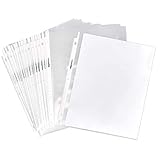
- Clear sheet protectors (100-pack) for organizing, storing, and protecting 8.5 x 11-inch sheets of paper
- Made of acid-free, PVC-free polypropylene (0.05 mm thick) for durable, lasting document protection
- Top-load pocket for easy sheet insert and removal
- Pre-punched holes down the side for adding to any standard 3-ring binder
- Ideal for work presentations and proposals, school reports, and more
What happens if you paste a picture into Notepad?
Notepad is intended for text documents. Copying and pasting an image does not provide a verified embedded-image workflow. What appears, if anything, depends on whether the source supplies a textual representation:
- Copying an image file in File Explorer may provide its filename or path as text, or may produce no useful text.
- Copying an image from a browser does not create a documented embedded-image workflow in Notepad.
- Copying text from an OCR tool may paste recognized words, but not the original image.
- Copying a URL pastes the URL as text; it does not download or embed the picture.
For example, these are text references you could save in Notepad:
Screenshot: C:\Users\Alex\Pictures\error-message.png
Online reference: https://example.com/image.png
They only record where the image is. Opening the text file will not display the picture inside it.
Recommended Free Tools
Rank #2

- Letter Size Fit: Designed for standard 8.5 x 11 inch documents. Each sleeve fits 1–2 sheets depending on paper thickness. Includes 50 clear sheet protectors for everyday filing needs.
- Durable Polypropylene Material: Made from premium polypropylene plastic, PVC free, with reinforced edges to help reduce wear from frequent binder use. Suitable for standard 3 ring binders.
- Top Loading Design: Top opening sleeves allow easy insertion and removal of documents. Non-stick surface helps prevent paper from clinging during daily use at home, school, or office.
- Clear Visibility for Reading: Transparent sleeves provide clear visibility for text and images without removing documents, helping keep papers organized and easy to reference.
- Multi-Purpose Organization: Ideal for organizing documents, certificates, recipes, photos, sheet music, and reference papers in binders or folders.
How to reference an image from Notepad
If you only need to document the location of a picture, use one of these methods.
Copy the file path
- Open File Explorer and locate the image.
- Hold Shift, right-click the file, and choose Copy as path.
- Open Notepad and press Ctrl+V.
- Save the note with Ctrl+S.
The pasted path may look similar to:
“C:\Users\Alex\Pictures\diagram.png”
The quotation marks are normal when Windows copies a path this way.
Use a Markdown image reference
For a text note intended for a Markdown editor or website, type a reference such as:

Notepad stores that line as text. It does not render the image in the Notepad window. A Markdown-capable application can render it later if the referenced file remains in the expected location.
Rank #3

- Document Protection Enhanced: Each clear pocket sleeves includes 100 sheet protector units measuring 9.25 x 11.25 inches, specifically designed to comfortably hold 8.5 x 11 inch letter-size paper. These binder sheet protectors are capable of accommodating up to 2 sheets per pocket.With clear binder sheet protectors, visibility and access to your documents.Additionally, our sheet protectors heavy duty design ensures durability. The versatile binder sleeves fit seamlessly into standard 3-ring binders.
- Easy Top Loading Access: Golbsart Clear sheet protectors feature a top-loading design. These binder page protectors are crafted from a special non-stick material that keeps your documents pristine. The clear paper sleeves enhance document visibility and accessibility, making it easier to manage your files efficiently. Sturdy plastic binder sleeves provide robust protection.Lastly, clear binder sleeves integrate seamlessly into any standard.
- Crystal Clear Visibility: Plastic sheet protectors 8.5 x 11 are meticulously engineered for optimal transparency. Paper protector sheets used in their construction are of the highest quality.Paper sleeves for binder integration not only protect contents but also provide easy access. Additionally, plastic sleeves for documents safeguard against environmental damage, spills, and tears. Finally, binder plastic sleeves are designed offering a dependable solution.
- Durability and Quality: Golbsart Clear sheet protectors for 3 ring binder are crafted from high-quality polypropylene.These PVC-free protectors feature clear page protectors for 3 ring binder with reinforced edges that resist tearing. The robust design of clear sleeves for binders ensures that documents remain secure and intact. Plastic paper sleeves offer additional protection against spills and smudges. Finally, binder clear plastic sleeves provide a clean and professional appearance.
- Versatility in Use: Heavy duty sheet protectors 8.5 x 11 clear are suited for a range of tasks. Whether preserving cherished recipes or safeguarding important contracts. Plastic page protectors 8.5 x 11 for 3-ring binder enhance this versatility. Plastic sleeves for binders offer further flexibility. Plastic sleeves for paper 8.5x11 secure your papers against dust, spills, and wear.Finally, 3 ring binder sleeves clear plastic extend the usability of any standard binder.
Use OneNote when the picture must appear on the page
Microsoft documents picture insertion for current OneNote, not Windows Notepad. In the current OneNote app:
- Open the page where you want the picture.
- Choose Insert > Pictures.
- Select the image file.
- Choose Insert.
The picture is placed on the OneNote page and can be moved or resized. This is not a Notepad menu path: Notepad does not provide the same command.
Microsoft also documents Insert > Pictures > From File for OneNote for Windows 10. That edition reached end of support in October 2025, so for current instructions use the supported OneNote application available through Microsoft 365 or the Microsoft Store.
Other suitable alternatives
| What you need | Better choice | Why |
|---|---|---|
| Picture alongside formatted notes | OneNote | Supports inserted images, text, sections, and pages. |
| A simple document containing text and pictures | Microsoft Word | Use Insert > Pictures and save as a Word document or PDF. |
| A quick annotated screenshot | Paint | Open the image, add text or shapes, and save the result. |
| Plain text plus image links | Notepad | Stores paths, URLs, and Markdown references without embedding media. |
What about the EM_INSERTIMAGE command?
Some technical articles mention the Win32 message EM_INSERTIMAGE as a way to insert a picture. It is not a Notepad command.
Do these 3 things before closing this tab:
1Fix the driver behind crashes, sound loss and screen glitches2Clear out junk files and repair common Windows errors3Scan for outdated or missing drivers - takes under a minuteRank #4

- 200-pack of sheet protectors for organizing, storing, and protecting 8.5-by-11-inch sheets of paper
- Made of PVC-free polypropylene (0.05 mm thick); clear finish for transparent visibility and a professional appearance
- Top loading for easy insert and removal; ideal for project info, work proposals, school reports, and more
- Pre-punched holes down the side; easily add to any standard 3-ring binder (no need to punch holes in the paper inserts)
- Product Dimensions: 11.5 x 9.84 x 1.77 inches
Microsoft documents EM_INSERTIMAGE for applications that use a compatible Windows Rich Edit control. The message requires a pointer to a RICHEDIT_IMAGE_PARAMETERS structure, and wParam must be zero. It can return S_OK or errors such as E_FAIL, E_INVALIDARG, and E_OUTOFMEMORY.
That documentation does not say that Windows Notepad exposes or accepts the message. It is not a supported way to modify a Notepad document, and it would not turn an ordinary text file into a picture-containing document.
Independent reader supportYour contribution helps us test, update, and keep practical guides available for everyone.Are image features coming to Notepad?
Reports have described image support or an Insert image button as a development feature for Windows 11 Notepad. Those reports do not establish a generally available, Microsoft-documented feature. Availability can vary between Windows Insider channels and released versions.
Microsoft announced Notepad version 11.2512.10.0 for the Windows 11 Canary and Dev Channels on January 21, 2026. The announcement covered additional Markdown syntax and a welcome experience, not a shipped picture-insertion feature. For a dependable workflow, check the Notepad version installed on your PC and its visible menus; an Insider feature report does not mean the feature is available in the stable Windows release.
Best Value

- 30-Pocket Portfolio Display Book: Each art binder with 30 bound (non-refillable) top-loading clear sheet protectors, letting you show 60 pages of 8.5x11" letter size or smaller. Folder measures 12 2/5" (L) x 9 11/16" (W) x 0.59" (H)
- Tailor-Made Spine Title: You can label and identify your watercolors, sketches, scrapbook, art pieces, sheet music, certificates, and other projects by customizing the reversible spine insert.
- High Transparency & Lies Flat When Open: Our presentation book with crystal clear PP sheet protectors offers complete transparency for checking through and organizing. Bound sheet protector lies flat when open, free your hands.
- Archival Quality & Heavy Duty: Made from durable and light weight polypropylene which is archival quality, acid-free, non-stick, and non-glare, and water-proof. Thickened and sturdy cover won’t easy to crack and keeps your clear sleeves from being damaged.
- Multi-Function: Not only suitable for long-term storage but also for displaying your paintings, photos, artwork, drawing, stencils. Great gift for students, teachers, office workers, secretaries, musicians, painters, etc.
FAQ
Can I insert a JPG or PNG directly into Notepad?
No supported Microsoft-documented method currently inserts an embedded JPG, PNG, or other picture into Windows Notepad. You can paste a path, URL, or text description instead.
Why do websites say to use Insert > Pictures in Notepad?
That path belongs to OneNote. Microsoft documents picture insertion in OneNote through Insert > Pictures, but not in Windows Notepad.
Can copy and paste insert an image into Notepad?
There is no verified embedded-image workflow. Notepad is intended for text, so pasting may provide textual content from the source, such as a filename, URL, path, or OCR result.
Does EM_INSERTIMAGE work with Notepad?
Microsoft documents EM_INSERTIMAGE for compatible Rich Edit controls used by desktop applications. Microsoft does not document it as a Notepad command or say that Notepad accepts it.
What should I use instead of Notepad?
Use OneNote for notes with pictures, Word for a document containing text and images, or Paint for editing and annotating a picture. Keep using Notepad if a path or link to the image is all you need.
The Bottom Line
Windows Notepad does not have a verified Microsoft-documented way to embed a picture. Save the image path or URL in the text file, or switch to OneNote, Word, or Paint when the picture must be visible inside the document. Do not rely on the OneNote Insert > Pictures instructions or treat EM_INSERTIMAGE as a Notepad workaround.
Sources: Microsoft Windows Insider Notepad release information, Microsoft Support: insert a picture in OneNote, Microsoft Support: OneNote for Windows 10 picture instructions, and Microsoft Learn: EM_INSERTIMAGE.
Quick Recap
Product prices and availability are accurate as of the date/time indicated and are subject to change. Any price and availability information displayed on Amazon at the time of purchase will apply.
Free tools Windows power users keep installed
One-click scans. No signup required.

