
After comparing QWERTY, Dvorak, Colemak, Colemak-DH, and Workman, the author of the exact-title article chose standard Colemak. They describe it as the best balance for their own mix of writing, coding, shortcuts, gaming, and everyday computer use—not as a universally fastest or best layout. The comparison is a first-person report, not a controlled study.
What was compared—and how
The author used QWERTY as the baseline and spent at least two weeks with each alternative. They report trying the layouts on a split ergonomic keyboard and checking portability on a laptop, across writing, coding, shortcuts, gaming, and routine computer tasks. Their comparison included speed, accuracy, comfort, finger travel, repeated same-finger use, shortcut friction, and behavior across apps and devices. These are the author’s observations; the article does not provide independently audited results or a reproducible dataset. The full comparison was published May 24, 2026.
| Layout | What the author reports | Practical comparison |
|---|---|---|
| QWERTY | Familiar baseline with the least setup friction and easiest immediate switching among apps and devices. | Existing fluency and broad compatibility |
| Dvorak | More disruptive to learn and more friction with shortcuts; prose typing felt comfortable after adapting. | Relearning cost and shortcut behavior |
| Colemak | The author’s preferred balance for daily writing and computing, with more familiar shortcut positions than Dvorak. | Perceived balance and portability |
| Colemak-DH | Included in the comparison, but not selected as the final layout. | Variant-specific setup and hardware fit |
| Workman | The author liked aspects of focused typing but found everyday app switching less intuitive. | Finger-movement goals versus familiarity |
Why the author chose Colemak
The decision was a compromise rather than a claim that one layout wins every measure. The author says Colemak felt comfortable for their work while preserving more familiar shortcut positions than Dvorak, and that returning to QWERTY on other computers remained manageable. Those advantages mattered alongside typing feel: a layout has to work in the apps and environments where you actually use it.
That conclusion belongs to this author’s routine and experience. The comparison does not establish that Colemak makes other people faster, more comfortable, or less prone to pain. The author reports personal measures but does not offer a general numerical result validated by an independent study.
Free tools Windows power users keep installed
One-click scans. No signup required.
#1 Best Overall
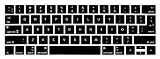
- 1)The Colemak keyboards are printed on the keyboard cover, silicone skin made it easier for typing
- 2)(Both EU and US Layout) Precisely Fit for Macbook Pro 13/15 inch with Touch Bar (Model Number A2159/A1706/A1707/1989/A1990,2016 2017 2018 2019 Released)(not for other models)
- 3)Removable and washable, keeping it clean and makes it always new, well protective and ideal for resistance against drink or food spillage's at home or at work
- 4)Easy to apply and remove, completely washable and reusable
- 5)Provide full protection for your keyboard against dust, liquid spill (coffee/beer/milk),key wear,contaminates and more
Is switching from QWERTY worth it if you already type fast?
It depends on what you hope to improve and how much friction you can tolerate while learning. A new layout asks you to rebuild muscle memory; the author treated the early days with each alternative as learning time and set aside at least two weeks per layout. That was their test window, not a guarantee of how long it will take you to adapt or regain your former speed.
If you are considering a switch, decide what would count as success before changing anything: for example, more comfortable long writing sessions, fewer awkward reaches, or a better fit with your daily tasks. Compare accuracy and comfort as well as speed, and give yourself a way to return to QWERTY while you learn. If your current layout already serves you well and a transition would disrupt work, there may be little practical reason to switch.
Rank #2

- FULL-ALUMINUM 75% CUSTOM BUILD — Save desk space without giving up the function row, arrow keys, or programmable knob. The CNC-machined aluminum body creates a solid, premium base for gaming, work, and everyday typing.
- 1000 HZ TRI-MODE WIRELESS — Use low-latency 2.4 GHz or USB-C wired mode at 1000 Hz, or pair up to three devices over Bluetooth 5.1. The 4000 mAh battery runs up to 180 hours with backlight off or 100 hours at the lowest RGB brightness.
- QMK/VIA PROGRAMMABLE — Remap keys, build macros, and set shortcuts for your workflow. Open-source QMK firmware and VIA support make this wireless custom mechanical keyboard flexible for coding, creative work, and gaming.
- FULLY ASSEMBLED AND HOT-SWAPPABLE — Includes factory pre-lubed Gateron Jupiter Red linear switches for a light, smooth stroke. Swap in most 3-pin or 5-pin MX mechanical switches without soldering; KSA double-shot PBT keycaps are included.
- REFINED SOUND AND CROSS-PLATFORM CONTROL — Double-gasket mounting, a flexible PC plate, multiple acoustic layers, and screw-in stabilizers help soften resonance and steady larger keys. South-facing RGB, Mac and Windows keycaps, and system support for macOS, Windows, and Linux complete the setup.
Which layout is easiest to learn after QWERTY?
There is no established universal answer in this comparison. QWERTY is easiest to use immediately if it is already your fluent layout. The author found Dvorak more disruptive to learn; their preference for Colemak reflected its perceived balance and familiar shortcuts, not proof that it is easiest for everyone.
Try a candidate with the keyboard and operating systems you actually use. Layout names alone do not tell you how the change will feel in your apps, shortcuts, or workflow.
Do these 3 things before closing this tab:
1Fix the driver behind crashes, sound loss and screen glitches2Clear out junk files and repair common Windows errors3Scan for outdated or missing drivers - takes under a minuteRank #3

- One-Knob Simplicity - A single control knob adjusts backlight brightness and media playback, so you manage lighting and volume without memorizing extra key combos.
- Switch Devices Without Re-Pairing, Zero Lag - Tri-mode connectivity jumps between USB-C, Bluetooth, and 2.4GHz wireless, so you can move from PC to laptop to tablet without sacrificing speed.
- Creamy Cushioned Typing Feel, Swap-Ready Anytime - Gasket-mounted construction with 5-layer noise dampening gives a soft, silky, quiet bounce, and the upgraded socket accepts almost any 3-pin or 5-pin switch.
- Vibrant RGB for a True eSports Vibe - Adjustable brightness and lighting modes bring your desk to life, day or night.
- Pro Software for Even Deeper Customization - Design your own lighting effects and program advanced macros with custom keybindings, so the board adapts to how you work or play.
Will changing layouts affect shortcuts, apps, or games?
It can. The author specifically treated shortcuts, games, shared computers, remote sessions, and application behavior as part of the comparison. Windows lists Colemak (version 11) among its keyboard layouts in Microsoft’s keyboard-layout table. But selecting a layout in the operating system does not guarantee that every program will interpret keys the same way.
The Colemak project’s Windows documentation describes installation options and warns that some applications—including certain games and VMware cases—may read scan codes directly rather than follow normal layout mapping. Its page labels the installer version 1.1 and dates that package to 2007, so treat its installer details as version-specific rather than a guarantee for every current Windows release.
Rank #4

- Colemak With Yellow Letters Keyboard Stickers Transparent
- High Quality Keyboard Stickers for any Computer, Desktop, Laptop, Notebook Keyboards
- Perfect for Communication, Education, Learning a New Language, or Great Gifts!
- Easy to Apply!
- Stickers for keyboard
- Check whether your important apps, games, and login screens follow the operating system’s selected layout.
- Test shortcuts and remote sessions before relying on the new layout for time-sensitive work.
- On shared computers, confirm you can switch back to QWERTY or use another familiar device when needed.
What about coding, gaming, and ergonomic keyboards?
Coding
The author included coding in the task mix but does not establish a best layout for programmers generally. Coding comfort depends on the characters, shortcuts, tools, and habits that matter in your own workflow. Test those directly rather than choosing a layout based on a general promise about typing speed or finger movement.
Gaming
Alternative layouts do not automatically make games unusable, but compatibility can vary when a game handles keys through scan codes. Check the specific games you play and test bindings before making a layout your only option.
Windows Errors? Fix Them Before They Spread
Repair common Windows errors and clear accumulated junk for a smoother, more stable PC - no reinstall needed.Free scan · no reinstallCrashes, No Sound, or Screen Glitches?
Random freezes, missing sound and display glitches usually trace back to one bad driver. Find and replace yours safely.Free scan · under a minuteBest Value

- Split Design Ergonomic: Split design helps to position wrists and forearms in a natural, relaxed position. Arteck Split Ergonomic Keyboard with Cushioned Wrist and Palm Rest, 2.4G USB Wireless Comfortable Natural Ergonomic Split Keyboard, for Windows Computer Desktop Laptop
- Wrist Rest: Soft cushioned wrist rest helps you to rest your wrist and forearm while typing and makes work easier and more comfortable.
- Easy Setup: Simply insert the nano USB receiver (stored at the back of the keyboard) into your computer and use the keyboard instantly.
- 6-Month Battery Life: Rechargeable lithium battery with an industry-high capacity lasts for 6 months with single charge (based on 2 hours non-stop use per day).
- Package contents: Arteck Split Ergonomic Keyboard, nano USB receiver (stored at the back of the keyboard), USB-C charging cable, welcome guide, our 24-month warranty and friendly customer service.
Keyboard hardware
Layout and keyboard are separate choices. The author reports testing layouts on both a split ergonomic board and a laptop keyboard; that does not mean a split keyboard is required to use Colemak or another layout. Microsoft describes its Ergonomic Keyboard as a USB keyboard with a split design, arched shape, and cushioned palm rest. That product description does not establish a medical benefit or prove that a particular keyboard reduces pain.
Why individual results differ
People do not all experience a layout change the same way. A Hacker News discussion from March 18, 2022, includes anecdotes from people who abandoned alternate layouts because of friction as well as people who adapted successfully. Those comments illustrate different experiences; they do not show how common either outcome is.
For the same reason, the author’s preference should be read as a useful account of trade-offs, not a recommendation that every typist should switch. Your existing fluency, work, devices, and tolerance for relearning all affect whether a new layout is worthwhile.
Quick Recap
Product prices and availability are accurate as of the date/time indicated and are subject to change. Any price and availability information displayed on Amazon at the time of purchase will apply.

