
Do these 3 things before closing this tab:
1Clear out junk files and repair common Windows errors2Fix the driver behind crashes, sound loss and screen glitches3Repair Windows errors before they cause bigger problemsiTechGuides is reader-supported. When you buy through links on our site, we may earn an affiliate commission. As an Amazon Associate I earn from qualifying purchases. Learn more
I don’t pay for Adobe Illustrator—here’s what I use instead: Affinity is the closest broad replacement for professional vector, photo, and layout work, while Inkscape is the strongest genuinely free and open-source option. Figma, CorelDRAW, Linearity Curve, Canva, and Procreate are useful for narrower workflows, not universal Illustrator substitutes.
Key takeaways
- Affinity is the closest all-round Illustrator alternative because Canva says its current app combines vector design, photo editing, and page layout and is free to use with a Canva account.
- Inkscape is the clearest choice for free, open-source, locally installed vector editing on Windows, macOS, and GNU/Linux.
- Adobe Illustrator costs US$22.99 per month on Adobe’s US annual, billed-monthly individual plan, or US$263.88 per year prepaid, according to Adobe’s pricing pages checked in the supplied research.
- Figma is better suited to collaborative UI design and prototyping than advanced illustration or print production.
- CorelDRAW is the serious commercial option for sign, apparel, engraving, and print businesses that want subscription and one-time-purchase choices.
- Importing an AI file does not guarantee perfect compatibility; fonts, effects, brushes, symbols, linked assets, transparency, and production settings still need testing.
Why stop paying for Adobe Illustrator?
The sensible reason to leave Illustrator is not that Illustrator is bad. The sensible reason is that many people pay for a professional application whose advanced features they use only occasionally.
A freelancer making occasional logos, a hobbyist creating SVG files, a small business preparing social graphics, or a Cricut and laser-cutter user may need pen tools, node editing, text, shapes, clipping paths, and reliable exports. That workflow does not automatically justify a recurring Adobe membership.
Recommended Free Tools
Adobe Illustrator remains subscription-only. Adobe’s US individual pricing page lists US$22.99 per month for an annual plan billed monthly, while Adobe’s pricing information page lists US$263.88 per year for annual prepaid billing. Those are US prices, and Adobe’s offers can vary by country, tax status, customer type, promotion, and billing term; check the current Illustrator plans before buying or cancelling.
Popular on Amazon
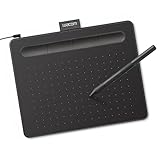
- Wacom Intuos Small Graphics Drawing Tablet: Enjoy industry leading tablet performance in superior control and precision with Wacom's EMR, battery free technology that feels like pen on paper
- Works With All Software: Wacom Intuos tablet can be used in any software program to explore new facets of digital creativity; draw, paint, edit photos/videos, create designs, and mark up documents
- What the Professionals Use: Wacom's industry leading pen technology and pen to paper feeling makes it the preferred drawing tablet of professional graphic designers
- Software and Training Included: Only Wacom gives you software with every purchase. Register your Intuos tablet and gain access to some of the best creative software and Wacom's online training
- Wacom is the Global Leader in Drawing Tablet and Displays: For over 40 years in pen display and tablet market, you can trust that Wacom to help you bring your vision, ideas and creativity to life
Adobe also advertises a seven-day Illustrator trial. The desktop application is installed locally, but Adobe delivers licensing and updates through its membership system. A subscription may still be good value if you regularly use Photoshop, InDesign, Acrobat, Lightroom, Premiere, or other Creative Cloud applications. Replacing Illustrator alone is not automatically cheaper than a bundle you already use.
Which Illustrator alternative fits your work?
The best Illustrator alternative depends on the job, not on whether an application appears in a generic “design software” list. Vector illustration, print production, UI design, raster painting, and template-based marketing graphics are different categories.
| Primary job | Best starting point | Why | Important limitation |
|---|---|---|---|
| Broad professional vector and layout work without Adobe | Affinity | Combines vector, photo, and page-layout functions in one desktop application. | AI-file imports may require cleanup and are not guaranteed to preserve every Illustrator feature. |
| Completely free desktop vector editing | Inkscape | Free, open-source, SVG-native, and available on Windows, macOS, and GNU/Linux. | Complex Illustrator documents may not round-trip perfectly. |
| UI design, prototypes, and collaboration | Figma | Provides vectors, layouts, prototyping, comments, shared files, and developer handoff. | It is not a full replacement for advanced illustration or prepress. |
| Commercial print, signs, apparel, and engraving | CorelDRAW | A mature professional suite with vector, layout, photo-editing, and typography tools. | It is commercial software; pricing and update rights depend on the selected plan. |
| Mac and iPad vector illustration | Linearity Curve | Designed around Apple-device vector and illustration workflows. | Current plan limits, exports, and device support should be checked before committing. |
| Simple marketing graphics and templates | Canva | Fast templates and browser-oriented design tools suit non-specialist marketing work. | Canva is not a full Illustrator replacement for complex vector production. |
| Freehand raster illustration on iPad | Procreate | Strong for painting and drawing with a tablet-first workflow. | Procreate is raster illustration software, not a true Illustrator substitute. |
Is Affinity the best Adobe Illustrator replacement?
For many solo designers, yes. Canva announced a new Affinity application that combines vector design, photo editing, and page layout, making Affinity the most direct broad replacement in this comparison.
Free tools Windows power users keep installed
One-click scans. No signup required.
According to Canva’s announcement, the current Affinity app is free for everyone, is available for Mac and Windows, and has iPad support described as forthcoming. Canva says a free Canva account can be used to download or activate the application. “Free” therefore does not mean account-free.
Canva also says Affinity supports AI, PSD, PDF, SVG, TIFF, and IDML files. That format list is useful when moving away from Adobe, especially for designers who work across vector, image, and page-layout documents. Affinity may replace several applications for a solo designer who wants one desktop workflow rather than an Illustrator-only drawing tool.
The important qualification is that format support is not the same as perfect document fidelity. An imported Illustrator file can contain live effects, Illustrator-specific brushes, symbols, appearance stacks, linked images, embedded or unavailable fonts, blend objects, gradient meshes, plugins, transparency settings, overprint information, and application-specific metadata. An Affinity document may open while still requiring visual and technical correction.
Older articles often describe Affinity Designer 2 as a paid one-time-purchase product. That description should not be applied automatically to the current Affinity announcement. The current product, its account requirement, future features, and commercial terms should be verified on Canva’s live Affinity product page before publication or purchase.
Also popular on Amazon

- Word-first 16K Pressure Levels: The upgraded stylus features 16,384 levels of pressure sensitivity and supports up to 60 degrees of tilt, delivering smoother lines and shading for a natural drawing experience. With no battery or charging needed, it operates like a real pen, making it easy for beginners to create effortlessly. This functionality helps novice artists develop their skills and explore their creativity without the intimidation of complex tools
- Designed for Beginners: This drawing pad desinged with 8 customizable shortcuts for both right and left-hand users, express keys create a highly ergonomic and convenient work platform
- Perfectly Adapted for Android: The XPPen Deco 01 V3 art tablet supports connections with Android devices running version 10.0 and above. It is recommended to download the XPPen Tools Android application, which adapts to your smartphone's screen aspect ratio, ensuring accurate mapping. It also supports mapping on Android screens with different aspect ratios in portrait mode
- Large Drawing Space, Bigger Bold Inspiration: This expansive drawing pad has10 x 6.25-inch helps you break through the limit between shortcut keys and drawing area
- Easy Connectivity for Beginners: The Deco 01 V3 offers USB-C to USB-C connectivity, plus adapters for USB C. This ensures easy connection to various devices, allowing beginner artists to set up quickly and focus on their creativity without compatibility concerns. Whether using a laptop, tablet, or desktop, the Deco 01 V3 provides a seamless experience, making it an ideal choice for those just starting their digital art journey
Affinity is a strong first trial for a designer who creates logos, illustrations, marketing assets, layouts, and image composites. Affinity is not a guaranteed one-for-one replacement when clients require native Illustrator files, Adobe plugins, Illustrator-specific templates, or exact Adobe production behavior.
Is Inkscape good enough for everyday vector work?
Inkscape is good enough for many basic and intermediate vector jobs, particularly when the priority is zero cost, open-source licensing, and local desktop use. Inkscape’s primary format is SVG, and the official project describes tools including Bezier and spiro curves, text tools, and broad format compatibility.
Inkscape runs on Windows, macOS, and GNU/Linux. The project describes Inkscape as free and open source under the GPL; its official licensing information explains the open-source licensing position. Inkscape’s official overview says it can import and export formats including SVG, AI, EPS, PDF, PS, and PNG.
That makes Inkscape especially practical for:
- Simple logos and brand marks.
- SVG icons and web assets.
- Diagrams, flowcharts, and technical illustrations.
- Laser-cutting and craft-machine files.
- Basic typography and text-on-path work.
- Users who work on Linux.
- People who want software that does not require a paid account.
Inkscape’s interface and workflow can feel less familiar or polished to someone coming directly from Illustrator. Extensions and community documentation are valuable, but the support experience differs from a commercial Adobe ecosystem. Users with demanding print requirements should also test color management, PDF output, fonts, bleed, spot colors, and overprint behavior with their printer.
Inkscape’s AI support should be treated as import and export capability, not as a promise of lossless Illustrator compatibility. SVG is usually the safest interchange format for simple logos, icons, diagrams, and cutting files. Complex Illustrator artwork may be safer as a tested PDF, depending on the recipient’s requirements. The official Inkscape overview documents its supported formats, but the target application and file complexity determine the real result.
The supplied research identifies Inkscape 1.4.2 as a May 12, 2025 maintenance release. That should not be called the latest release without checking the live Inkscape download page at publication time.
When is CorelDRAW a better choice?
CorelDRAW is a better choice when vector design is part of a commercial production operation rather than an occasional task. Sign shops, apparel businesses, engravers, print companies, and large-format operators often need a mature desktop suite and a predictable production workflow.
Also popular on Amazon

- Customize Your Workflow: The 6 customizable press keys on Huion H640P drawing tablet for pc let you assign your most-used commands—like undo, zoom, brush switch, or save—so you can keep your hands on the tablet and your mind on the art. Whether you're a digital painter switching brushes, or a comic artist zooming in and out, these keys keep your workflow smooth and uninterrupted. Plus, the Huion driver lets you save different shortcut profiles for different apps, so you never have to reconfigure when switching software.
- Professional Pen Performance: Huion H640P drawing pad for computer comes with the battery-free PW100 stylus that's always ready when inspiration strikes. With 8192 levels of pressure sensitivity, every light sketch, or bold stroke responds naturally to your hand—just like a real pen. The 5080 LPI resolution and 233 PPS report rate deliver lag-free, precise strokes, so you can draw confidently without second-guessing your cursor. The pen side buttons help you switch between pen and eraser instantly.
- Compact and Portable: Huion H640P computer graphics tablet features a compact, ultra-portable design at just 0.3 inches thin and 0.61 lbs light, so it slides easily into your backpack—perfect for sketching in coffee shops, taking notes in class, or editing on the go between home and studio. The 6x4 inch active area offers enough room for natural pen movements while fitting comfortably on crowded desks, or lecture hall seats.
- Stable Compatibility: Huion H640P graphic drawing tablet works seamlessly with Mac, Windows, Linux PCs, and Android smartphones/tablets (OS version 6.0 or later). Left-handed friendly, and you just need to flip the tablet and adjust the settings in the driver. Please note: H640P does NOT support iPhone/iPad.
- Move Beyond the Mouse: Huion Inspiroy H640P is a pen tablet that replaces your mouse for more natural, precise control. Freehand draw, take notes, or even play OSU—everything you do with a mouse, you can do better with a pen. The precise tip makes it ideal for detailed photo editing, graphic design, or signing PDF. Meanwhile, the ergonomic pen grip helps you avoid the strain that comes from hours of using a mouse.
Corel’s product information describes CorelDRAW Graphics Suite 2026 as a professional toolkit for vector illustration, page layout, photo editing, and typography on Mac and Windows. Corel offers annual and monthly subscriptions as well as a one-time-purchase option, according to its CorelDRAW comparison page.
The Tool Desk
Outbyte Driver Updater FREEFix the driver behind crashes, sound loss and screen glitchesFind Drivers →Outbyte PC Repair FREEClear out junk files and repair common Windows errorsFree Scan →The one-time-purchase option deserves careful reading. A perpetual-style purchase does not necessarily mean every future major version, cloud service, update, or feature is included forever. Compare the exact edition, region, maintenance terms, update eligibility, and required services before treating CorelDRAW as cheaper than Illustrator.
CorelDRAW is overkill for someone who edits an SVG twice a month. CorelDRAW is also not the right answer for a client workflow that demands native Illustrator files and Adobe-specific plugins. A professional alternative can still create handoff problems if customers, printers, or collaborators are built around Adobe.
Where does Figma fit?
Figma is an excellent Illustrator-adjacent tool for UI design, product mockups, collaborative brand systems, prototypes, and developer handoff, but it is not a blanket Illustrator replacement.
Figma’s official pricing page lists a free Starter plan. The same page displays a Professional full seat at US$16 per month, with other seat types and plan conditions shown separately. Pricing depends on the seat type and billing arrangement, so read the current Figma pricing page rather than assuming every collaborator costs the same.
Windows Errors? Fix Them Before They Spread
Repair common Windows errors and clear accumulated junk for a smoother, more stable PC - no reinstall needed.Free scan · no reinstallOutdated Drivers Are Slowing You Down
One free scan finds every outdated or missing driver and matches the right update for your exact hardware.Free scan · exact hardware matchFigma provides vectors, shapes, text, layers, grids, constraints, collaboration, prototyping, and PNG, JPG, and PDF exports. Those features are valuable when several people need to comment on a design, maintain shared components, inspect layouts, or hand work to developers.
Figma is a poor fit for advanced print production, offline-first work, complex illustration, and Illustrator-specific effects. A Figma vector layer and an Illustrator production file may both contain paths, but they do not provide the same prepress, plugin, effects, and document ecosystem.
Also popular on Amazon

- 4 Pack for More Fun: Apply the newest flexible liquid crystal technology, brighter and clearer than most LCD writing tablet. Take pressure-sensitive technology, you can draw lines of different thicknesses through different pressure levels. Package includes 4 pack lcd writing tablet (Blue, Light blue, Green and Pink), free children's imagination and creativity.
- 8.5 Inch Colorful Lcd writing Tablet: TQU kids LCD doodle board is a creative education and learning toy, perfect support for drawing, writing, spelling, math, remark, and notes which can let your kids freely release their natural instincts. With erase button on the front and lock switch. You can draw and erase easily by pressing the button on the front of the board. The pen fits snug on top of tablet and it will not come loose.
- Easy to use and Durable: The LCD writing tablet for kids is easy to use, just use the stylus to write, draw, scribble, doodle anything you want. Press the erase button to clear the screen in one second. Or press the lock key to save the screen contents. Our magic reusable drawing tablet is built in a button battery.
- Safe & Portable Toddler Travel Toys: Great for quiet, take-along entertainment. It’s an easy way to color on the go without lugging a bunch of stuff in the car or to a restaurant or church.
- Perfect Gift Idea: The multi-functional LCD writing tablet is a great gift choice for kids. It can be an educational toy for preschoolers. A perfect parent-pick gift for 3 4 5 6 7 8 year old girls and boys on back to school, homeschool, birthday, Easter, Children's Day, Thanksgiving Day, Christmas and any occasion.
Should Mac and iPad users consider Linearity Curve?
Linearity Curve is worth investigating for Mac and iPad users who prioritize a modern vector-illustration workflow, but current plan limits and export behavior need verification.
Linearity positions Curve as a Mac- and iPad-focused alternative in its Illustrator alternatives guide. That positioning makes Curve more relevant to Apple-device illustration than to every commercial print scenario.
Do not treat Linearity’s rankings on its own comparison page as independent evidence that Curve is universally “best.” Check current device support, offline behavior, free-tier restrictions, export limits, font handling, and paid-plan terms on the live Curve product page before moving an established workflow.
What does “free” really mean?
Design software uses “free” to describe several different business models, and confusing them leads to unpleasant surprises.
| Label | Meaning | Example in this comparison | What to check |
|---|---|---|---|
| Free and open source | The software can be used without a subscription and its source is released under an open-source licence. | Inkscape | Commercial-use rights, support, extensions, and file compatibility. |
| Free commercial software | The vendor says the product is free, but the vendor controls the application and its future terms. | Current Affinity announcement | Account requirement, activation, future policy, and optional paid services. |
| Free tier | Core features are available at no cost while some seats, collaboration, storage, or features are paid. | Figma Starter | File limits, team permissions, version history, exports, and seat pricing. |
| Free trial | Full or partial access lasts for a limited period before payment is required. | Adobe Illustrator and CorelDRAW trials | Trial length, renewal terms, cancellation timing, and regional conditions. |
| Freemium | Basic work is free while premium exports, AI, storage, templates, or collaboration cost extra. | Can apply to several design services | Which specific feature is needed for the actual workflow. |
Pirated Illustrator copies are not an acceptable alternative. They create legal, security, update, and file-integrity risks while avoiding none of the underlying production problems.
Independent reader supportYour contribution helps us test, update, and keep practical guides available for everyone.What do you lose when you leave Illustrator?
You may lose more than a familiar interface. The real switching cost can include rebuilding templates, learning shortcuts, replacing plugins, correcting imported files, recreating color libraries, training collaborators, and explaining new file formats to clients or printers.
Illustrator remains the safer choice when a designer works in an Adobe-heavy agency, exchanges editable AI files every day, depends on Adobe plugins, uses Illustrator-specific generative features, or relies on established Adobe templates. Adobe’s product material highlights editable generative vector features, but the existence of a feature in Illustrator does not establish feature parity in Affinity, Inkscape, CorelDRAW, Figma, or another alternative; consult Adobe’s current Illustrator feature information for Adobe-specific capabilities.
Also popular on Amazon

- PLEASE NOTE:XPPen Artist13.3 Pro drawing tablet Need to connect with computer,you need to use it with your computer or laptop, the 3 in 1 cable is included
- Drawing Tablet with Screen: Tilt Function- XPPen Artist 13.3 Pro supports up to 60 degrees of tilt function, so now you don't need to adjust the brush direction in the software again and again. Simply tilt to add shading to your creation and enjoy smoother and more natural transitions between lines and strokes
- Graphics Tablets: High Color Gamut- The 13.3 inch fully-laminated FHD Display pairs a superb color accuracy of 88% NTSC (Adobe RGB≧91%,sRGB≧123%) with a 178-degree viewing angle and delivers rich colors, vivid images, and dazzling details in a wider view. Your creative world is now as powerful as it is colorful
- Drawing Pad: One is enough- The sleek Red Dial on the display is expertly designed with creators in mind, its strategic placement allows for natural drawing postures. With just one wheel, you can effortlessly zoom in and out, adjust brush sizes, and flip the canvas—all tailored to suit the habits of everyday artists. The 8 customizable shortcut keys allow you to personalize your setup, streamlining your workflow and enhancing creative efficiency
- Universal Compatibility & Software Support:supports Windows 7 (or later), Mac OS X 10.10 (or later), Chrome OS 88 (or later), and Linux systems. Fully compatible with major creative software including Photoshop, Illustrator, SAI, and Blender 3D. Register your device to access additional programs like ArtRage 5 and openCanvas for expanded creative possibilities.
A mixed workflow is often more realistic than an absolute ban on Adobe. A solo designer might use Affinity for daily vector and layout work, Inkscape for open-source SVG tasks, Figma for collaborative interfaces, and a short Adobe subscription only when a client or production house requires native Illustrator files.
How should you migrate AI, SVG, PDF, and EPS files?
Migration should begin with representative files and production tests, not with a wholesale conversion of the archive. Keep the original Illustrator documents untouched and create test copies for each target application.
- Inventory the archive. Separate simple logos and icons from files containing live effects, gradient meshes, linked images, plugins, symbols, complex transparency, overprint settings, or production templates.
- Collect interchange exports. When possible, ask the file owner for an outlined PDF and an SVG. Keep the original AI file as the editable master when Illustrator compatibility matters.
- Protect live text. Install and license the same fonts in the replacement application. Check substitution warnings. Keep a live-text master before outlining text, because outlined type cannot be edited as text.
- Open a test copy. Inspect every artboard, layer, clipping mask, gradient, blend, effect, linked image, symbol, and transparency setting.
- Compare dimensions and color. Confirm document size, scale, color space, profiles, spot colors, bleed, crop marks, and overprint settings against the original.
- Export the required delivery format. Use SVG for suitable simple vector assets, or a tested PDF or EPS when a printer, sign shop, or craft machine specifically requests it. Do not assume that one format is safest for every recipient.
- Make a visual proof. Keep a rasterized reference beside the converted file and compare text, colors, masks, clipping paths, transparency, line weights, and print dimensions.
- Ask the recipient to test it. A printer or client may have requirements for PDF/X, spot colors, editable layers, bleed, trim, overprint, or native Illustrator files that cannot be inferred from the file extension.
SVG is practical for simple logos, icons, and cutting files, but SVG implementations differ. Filters, blend modes, gradients, masks, text, and embedded assets can render differently between applications. PDF or EPS may be safer for some print workflows, but only after the receiving vendor confirms the required standard.
What’s actually slowing this PC down?
Pick the symptom - the matching free tool is one click away.
Which alternative should each type of reader choose?
| Reader | Recommended starting point | Reason |
|---|---|---|
| Hobbyist making occasional SVGs | Inkscape | No-cost, open-source desktop vector editing is usually sufficient. |
| Linux user | Inkscape | Inkscape officially supports GNU/Linux as well as Windows and macOS. |
| Professional solo designer | Affinity | Affinity covers vector, image, and layout work without requiring an Illustrator subscription, subject to its account and compatibility conditions. |
| UI or product-design team | Figma | Collaboration, prototyping, shared files, and developer handoff matter more than Illustrator-style illustration. |
| Print, sign, apparel, or engraving business | CorelDRAW or a tested Affinity workflow | Production requirements, customer handoff, and printer acceptance should drive the decision. |
| Mac or iPad illustrator | Linearity Curve or Affinity | Compare device support, plan limits, exports, and the need for desktop production features. |
| Adobe agency worker | Keep Illustrator or use a hybrid setup | Native AI files, plugins, templates, and team expectations can outweigh subscription savings. |
| Marketing-focused small business | Canva | Templates and quick browser-based graphics are more relevant than advanced vector production. |
My final recommendation
Start with Affinity if you want the closest broad desktop replacement for Illustrator and can work within Canva’s account and current product terms. Start with Inkscape if “free” must mean open source, local, and subscription-free. Choose Figma for collaborative UI work, CorelDRAW for serious production businesses, and Linearity Curve for a verified Mac or iPad illustration workflow.
Do not switch solely because an application is free or because it can open an AI file. Switch after testing the files, fonts, colors, effects, exports, and handoff rules that your actual work depends on. You do not need Adobe Illustrator for every vector task, but you may still need Illustrator for Adobe-native production.
Frequently Asked Questions
Can Affinity replace Adobe Illustrator completely?
Affinity can replace Illustrator for many vector, layout, and image-editing workflows, but it is not guaranteed to reproduce every Illustrator effect, plugin, template, or AI-file feature. Test representative documents before changing a production workflow.
Is Inkscape really free?
Inkscape is free and open-source software under the GPL, with versions for Windows, macOS, and GNU/Linux. Inkscape is a strong choice for SVGs, logos, diagrams, and cutting files, but complex AI documents may require cleanup.
Can I open an Illustrator AI file without losing anything?
No application should be assumed to open every AI file without loss. Fonts, live effects, brushes, symbols, linked images, transparency, overprint settings, plugins, and application-specific metadata can change during import, so compare a converted file with the original.
Is Figma a full Illustrator alternative?
Figma is primarily an alternative for UI design, prototypes, collaboration, shared design systems, and developer handoff. Figma is not a full replacement for advanced illustration, offline-first work, or demanding print production.
The Bottom Line
Bottom line: Affinity is the best first replacement to test for broad professional work, and Inkscape is the best genuinely free and open-source option. Keep Illustrator, or use a hybrid workflow, when native AI compatibility, Adobe plugins, agency templates, or printer requirements are non-negotiable.

