
The Tool Desk
Outbyte Driver Updater FREEScan for outdated or missing drivers - takes under a minuteDriver Scan →Outbyte PC Repair FREEClear out junk files and repair common Windows errorsFree Scan →If a job is one independent command that should run on a clock, cron may be enough. Airflow is worth considering when the work needs coordinated task dependencies, clearer run-state management, or controlled recovery of missed and historical runs. This is a decision rule, not a claim that every cron setup lacks monitoring or retries.
When cron is the right fit
Cron is a scheduler: it starts a command at specified times. For a recurring task with no meaningful prerequisites—such as running one self-contained script overnight—a cron entry may solve the actual problem without introducing a workflow platform to operate.
Airflow does not replace cron syntax. Apache Airflow 3.3.2 accepts cron expressions, interval schedules, and presets for a DAG’s schedule. Its documentation shows both schedule="0 0 * * *" and schedule="@daily", and lists presets including hourly, daily, weekly, monthly, quarterly, and yearly. More elaborate schedules can use a custom timetable. See Airflow’s Cron & Time Intervals documentation.
A useful starting test
- The job can start on its own; it does not need to wait for another task to finish.
- A missed run can be handled by your existing operating procedure rather than recreated as a historical workflow run.
- You can tell whether the command failed and decide what to do next using the monitoring and retry mechanisms you already have.
- The job’s schedule and operational needs do not justify running and maintaining a separate orchestration system.
If those conditions describe the job, moving it into a DAG may add machinery without addressing a real requirement.
#1 Best Overall

- ✓ BLUE BACKLIGHT & 18 ON/OFF PROGRAMS: BN-LINK digital timer switch features a blue backlight, ensuring easy visibility and programming. Set up to 18 On/Off programs and 7-day scheduling options, you have the flexibility to tailor your lighting. Whether it's for lights, fans, you can set intervals as short as one minute and choose individual days or preset combination days, providing unparalleled customization and convenience.
- ✓ FULL CONTROL & BACKUP BATTERY: Take charge of your home lighting effortlessly with the BN-LINK 7-Day Programmable Light Switch Timer. DST Mode makes seasonal time adjustments quick and easy with one-touch control, eliminating the need to reset your schedules.Easily shift between AUTO (timed on/off) and MANUAL (manual on/off) modes by pressing and holding on the door. Plus, enjoy peace of mind with its built-in rechargeable battery, ensuring your settings remain intact during power outages.
- ✓ PROTECT HOME & SAVE ENERGY: Activate automatic timer light switch's "Random" vacation mode to create the illusion of occupancy and deter potential intruders while you're away. Scheduled programming allows this wall timer switches to automatically turn lights on/off according to your schedule, perfect for managing porch lights, entryway lights, hallway lights, garage lights, patio lights, ceiling fans, and more while saving time, energy, and daily effort.
- ✓ SINGLE-POLE & 3-WAY COMPATIBLE: Designed for both single-pole and 3-way setups, This light switch timer indoor gives you flexible installation options for different home wiring needs. BN-LINK 3 way timer switch for lights lets you control the same light from two locations, ideal for stairways, hallways, garages, large rooms, and entryways. Compatible with SPDT switches. Wall plate included.
- ✓ NEUTRAL WIRE REQUIRED:Neutral Wire Must Required When Installation.This digital light timer switch is ETL listed and rigorously controlled for quality and safety. Conforms to UL Std.60730-1, 60730-2-7. Rating: 15A/1875W, 10A/1250W Tungsten, 10A/1250W Ballast, 1/2HP, 125VAC, 60Hz. Operating temp.: -15°C (5°F) to 50°C (122°F). Storage temp.: -20°C (-4°F) to 60°C (140°F).
What changes when a job becomes a workflow
A schedule answers when runs are created. It does not, by itself, describe which tasks must wait for others, what to do after an intermediate failure, or how to reconstruct a missed period. Those needs are where orchestration can be useful.
In Airflow, a DAG defines tasks and their dependencies, while the scheduler creates DAG runs and tracks their state. Its documented operational controls include catchup for creating runs for missed scheduled times, backfill for running a DAG over a specified historical date range, and clearing tasks to rerun them. These are separate capabilities from simply starting a command on a schedule. See Airflow’s Dag Runs documentation.
Rank #2

- SunSmart technology – Built-in function adjusts sunrise and sunset settings throughout the year to accommodate varying daylight times for your region
- Weekly programming – Create up to seven ON/OFF programs throughout the week to support varied schedules, and a random security feature alters settings by up to 30 minutes to create a lived-in appearance
- Switch upgrade – Replace single-pole or three-way switches equipped with a neutral wire to control LED, CFL, incandescent and halogen bulbs, and other permanently installed fixtures
- Daylight saving time – Optional setting accommodates clock changes in areas that observe daylight saving time without reprogramming your light timer
Questions that point toward orchestration
- Does one step depend on another? If extraction must succeed before transformation, and transformation before publishing, explicit task dependencies can represent that order.
- Must a run wait for an external condition? A workflow may need to proceed only when upstream data or another prerequisite is ready, rather than at a fixed time alone.
- How do you observe and retry failures? Decide whether the current setup makes failures visible and supports the retry or recovery procedure the job needs. Do not assume that every cron installation has the same monitoring—or that cron inherently provides none.
- What happens after downtime? If missed intervals must be represented and processed, catchup or a deliberate backfill may be valuable.
- Can the job safely process past periods? Historical reruns are only useful if the task’s logic and data handling make them safe and meaningful.
- What is the operating burden? An orchestration platform brings operational responsibilities. The relevant question is whether its controls solve problems worth that added work, not whether a particular job-count threshold has been reached.
Keep the schedule separate from the data date
For data pipelines, the time a run starts and the period it processes are not necessarily the same. Airflow’s data interval describes the period associated with a run; its logical date can identify the start of that interval rather than the wall-clock execution time. A daily run may be triggered when an interval ends while processing the interval that just finished. Treating the logical date as “when this code ran” can therefore select the wrong data window.
Airflow 3.4.0 documents both trigger timetables and data-interval timetables. They can assign intervals, logical dates, run identifiers, and catchup behavior differently. Check which timetable and version your DAG uses before relying on a particular date interpretation. The details are in Airflow’s Timetables documentation and its Dag Runs documentation.
Free tools Windows power users keep installed
One-click scans. No signup required.
Rank #3

- ✓ VERSATILE & CUSTOMIZABLE: BN-LINK digital timer switch sets up to 18 On/Off programs and 7-day scheduling options, you have the flexibility to tailor your lighting. Whether it's for lights, fans, you can set intervals as short as one minute and choose individual days or preset combination days, providing unparalleled customization and convenience.
- ✓ FULL CONTROL & BACKUP BATTERY: Take charge of your home lighting effortlessly with the BN-LINK 7-Day Programmable Light Switch Timer. DST Mode makes seasonal time adjustments quick and easy with one-touch control, eliminating the need to reset your schedules.Easily shift between AUTO (timed on/off) and MANUAL (manual on/off) modes by pressing and holding on the door. Plus, enjoy peace of mind with its built-in rechargeable battery, ensuring your settings remain intact during power outages.
- ✓ PROTECT HOME & SAVE ENERGY: Activate automatic timer light switch's "Random" vacation mode to create the illusion of occupancy and deter potential intruders while you're away. Scheduled programming allows this wall timer switches to automatically turn lights on/off according to your schedule, perfect for managing porch lights, entryway lights, hallway lights, garage lights, patio lights, ceiling fans, and more while saving time, energy, and daily effort.
- ✓ SINGLE-POLE & 3-WAY COMPATIBLE: Designed for both single-pole and 3-way setups, This light switch timer indoor gives you flexible installation options for different home wiring needs. BN-LINK 3 way timer switch for lights lets you control the same light from two locations, ideal for stairways, hallways, garages, large rooms, and entryways. Compatible with SPDT switches. Wall plate included.
- ✓ NEUTRAL WIRE REQUIRED:Compatible with SPDT and Neutral Wire Must Required When Installation.This digital light timer switch is ETL listed and rigorously controlled for quality and safety. Conforms to UL Std.60730-1, 60730-2-7. Rating: 15A/1875W, 10A/1250W Tungsten, 10A/1250W Ballast, 1/2HP, 125VAC, 60Hz.
Decide what recovery should mean
“Run it again” can mean several different things: retry a failed task, rerun a task in an existing workflow, or create runs for historical schedule intervals. Make the recovery requirement explicit before choosing a scheduler.
Catchup, backfill, and clearing in Airflow
- Catchup: create DAG runs for eligible scheduled times missed since the last run. Airflow 3.4.0’s current documentation says catchup defaults to false; defaults and behavior depend on version and configuration.
- Backfill: run a DAG for a specified historical date range when you need to process past intervals.
- Clearing tasks: mark selected tasks to run again as part of recovery.
These controls do not make every historical rerun safe. Before enabling catchup or starting a backfill, establish what data each interval represents and whether repeating its work could duplicate or overwrite results. For version context, Airflow 2.6.0 also documents DAG-run concepts, but its behavior should not be assumed to match current Airflow defaults; consult the documentation for the version you operate: Airflow 2.6.0 DAG Runs.
Rank #4
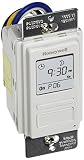
- Country of Origin: CHINA
- The Package Length of the product is 6.6 inches
- The Package Width of the product is 7.87 inches
- The Package Height of the product is 12.19 inches
A practical way to choose
- Describe the job’s real shape. Is it one independent command, or a sequence with prerequisites and downstream steps?
- Write down what failure requires. Specify how you learn a run failed, whether it should retry, and who or what initiates recovery.
- Define missed-run behavior. Decide whether missed intervals can be skipped, handled manually, or must be caught up as distinct work.
- Define historical-run behavior. State which dates can be replayed and how the job avoids unintended duplicate effects.
- Compare the requirement with the operating burden. Choose the simplest scheduler that meets the failure, dependency, visibility, and recovery needs. Revisit the choice when those needs change.
That often means cron for a standalone recurring command and Airflow for work that benefits from DAG dependencies and managed interval recovery. It is not a universal ranking: a capable cron environment may already meet a job’s operational needs, and an Airflow DAG still needs correct scheduling and data-interval design.
Quick Recap
Best Value

- Save time, money and energy by scheduling your indoor or outdoor lighting and appliances - ideal for ceiling lights, ceiling fans, exhaust fans, patio lights, and more.
- Features 4 programmable On/Off buttons and 2 On/Off override buttons for when you need to use the connected light/fan outside of your selected scheduled times.
- Blue LED indicator lights next to each button show which buttons/programs are currently active or selected. Compatible with LED, CFL, Incandescent and Halogen bulbs as well as dimmable LED and dimmable CFL bulbs.
- Replace your existing light switch - (NEUTRAL WIRE IS REQUIRED – WALL PLATE NOT INCLUDED) Screw terminal installation provides improved space efficiency when replacing existing switches compared to flying leads
- Backup battery maintains your settings in the event of a power outage. Electrical Ratings: 120VAC 60 Hz, 15A General/Resistive, 1200W Tungsten, 1200VA Ballast, ½ HP, UL Listed.
Product prices and availability are accurate as of the date/time indicated and are subject to change. Any price and availability information displayed on Amazon at the time of purchase will apply.

