
The Tool Desk
Outbyte PC Repair FREEClear out junk files and repair common Windows errorsFree Scan →Outbyte Driver Updater FREEScan for outdated or missing drivers - takes under a minuteDriver Scan →iTechGuides is reader-supported. When you buy through links on our site, we may earn an affiliate commission. As an Amazon Associate I earn from qualifying purchases. Learn more
Hughesnet Satellite Internet Plans – Review and Pricing: Hughesnet is mainly a rural-availability and budget choice, not a performance leader. Satellite-only plans advertise up to 100 Mbps but list typical latency around 650 ms; Fusion lowers typical latency to about 100 ms where available. The best fit is light-to-moderate use when fiber, fixed wireless, cellular, and Starlink are unavailable or unsuitable.
Hughesnet’s headline “unlimited data” policy needs careful reading: each plan includes a finite Priority Data allowance, followed by unlimited Standard Data that may be slower during busy periods. Equipment, installation, taxes, promotional pricing, address eligibility, and contract costs can materially change the bill.
Key takeaways
- Lite, Select, Elite, and Fusion advertise 25 Mbps, 50 Mbps, 100 Mbps, and up to 100 Mbps download speeds respectively, but the satellite-only plans list approximately 650 ms typical latency.
- Hughesnet’s “unlimited” service means unlimited Standard Data after the monthly Priority Data allowance is used; Standard Data can be slower during congestion and is not unlimited full-speed data.
- Broadband Facts labels show introductory service prices from $44.99 to $99.99 per month before equipment, with leased equipment adding $9.99 to $19.99 per month.
- Lite has a 12-month commitment, while Select, Elite, and Fusion have 24-month commitments; early termination fees can reach $400 and unreturned equipment fees can reach $500.
- Fusion is the most responsive Hughesnet option, with approximately 100 ms typical latency, but Fusion is available only in select areas and still does not match a good terrestrial broadband connection.
Hughesnet Satellite Internet Plans – Review and Pricing
Hughesnet is a fixed satellite internet service intended primarily for U.S. addresses where wired broadband or strong terrestrial wireless service is unavailable. Hughes says its network is based on the JUPITER satellite system and provides coverage across the United States, but nationwide network coverage does not mean every address receives every plan or the same performance. The exact address must be checked before ordering through the Hughesnet residential plan lookup.
Quick wins for a faster PC:
Repair Windows errors before they cause bigger problemsFix Now →Fix the driver behind crashes, sound loss and screen glitchesFind Drivers →Clear out junk files and repair common Windows errorsFree Scan →The central buying decision is not simply which plan has the highest advertised Mbps. A better question is: Which connection provides enough Priority Data and acceptable responsiveness at the exact address after the promotional period and equipment costs are included?
Popular on Amazon

- NO NEW CABLE PROVIDER ACTIVATIONS. Not compatible with Verizon, AT&T, CenturyLink, DirecTV, DISH, or bundled voice plans.
- CABLE INTERNET AND WIFI MADE FOR YOUR HOME: This two-in-one cable modem and WiFi router puts every setting in your hands, from your WiFi names and passwords to how your network runs, so it works the way your household needs.
- GET THE FULL SPEED OF PLANS UP TO 800 MBPS: DOCSIS 3.0 delivers plenty of speed for HD and 4K streaming, online gaming, and video calls across your home. Actual speeds vary by plan and provider.
- AC1900 WIFI COVERAGE FOR THE WHOLE HOME: Stay connected in every room with dual-band AC1900 WiFi covering up to 1,800 sq ft and Beamforming+ for stronger signal to mobile devices. Real-world coverage depends on home size, layout, and building materials.
- WIRED CONNECTIONS FOR YOUR FASTEST DEVICES: Four Gigabit Ethernet ports keep gaming consoles, desktops, and streaming devices hardwired for the lowest latency and the most stable connection in your home.
What Hughesnet plans are available?
Hughesnet’s current residential lineup in the supplied Broadband Facts labels includes Lite, Select, Elite, and Fusion. The figures below are published plan signals, not guaranteed nationwide checkout prices. The labels carry publication dates from June 2025 or earlier, while Hughesnet’s live consumer page uses address-specific offers. Confirm every figure at checkout.
| Plan | Intro service price | Regular price shown | Download / upload | Priority Data | Typical latency | Commitment |
|---|---|---|---|---|---|---|
| Lite | $44.99/mo. | $54.99/mo. after 12 months | 25 / 3 Mbps | 100 GB | 650 ms | 12 months |
| Select | $54.99/mo. | $79.99/mo. after 12 months | 50 / 5 Mbps | 100 GB | 650 ms | 24 months |
| Elite | $69.99/mo. | $94.99/mo. after 12 months | 100 / 5 Mbps | 200 GB | 650 ms | 24 months |
| Fusion | $99.99/mo. | $124.99/mo. after 12 months | 100 / 5 Mbps | 200 GB | 100 ms | 24 months |
The plan figures above come from the Lite Broadband Facts label, the Select Broadband Facts label, the Elite Broadband Facts label, and the Fusion Broadband Facts label.
“Up to 100 Mbps” describes an advertised plan capability or label speed, not a promise that every household will receive that speed at every time. Actual experience can vary with network congestion, Priority Data status, weather, obstructions, Wi-Fi conditions, equipment, and the number of active devices.
What’s actually slowing this PC down?
Pick the symptom - the matching free tool is one click away.
Which Hughesnet plan is the best value?
Lite is the lowest-cost entry point, but the 25 Mbps advertised download speed and 100 GB Priority Data allowance make Lite best for one or two light users. Select raises the advertised speed to 50 Mbps but does not increase Priority Data, so Select is not a clear data-capacity upgrade over Lite.
Elite is the more logical satellite-only choice for a household that needs 100 Mbps advertised download speed and 200 GB of Priority Data. Elite does not solve satellite latency: its label still lists approximately 650 ms typical latency.
Fusion combines satellite and wireless connectivity. Fusion is the plan to investigate when responsiveness matters, but Fusion is available only in select areas. Fusion’s approximately 100 ms typical latency is a meaningful improvement over Hughesnet’s satellite-only tiers, not a guarantee of fiber-like performance. Hughesnet describes Fusion’s availability and technology on its Fusion plan page.
How much does Hughesnet really cost?
The advertised service price is only part of the monthly bill. Broadband Facts labels show equipment lease charges, a lease setup fee, and a property-tax recovery fee before variable government taxes and optional services are added. The labels also identify a possible $5-per-month ACH payment discount separately, so the reader should verify whether a quoted price requires ACH payment.
Also popular on Amazon
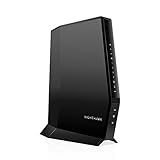
- CABLE INTERNET AND WIFI MADE FOR YOUR HOME: This two-in-one cable modem and WiFi router puts every setting in your hands, from your WiFi names and passwords to how your network runs, so it works the way your household needs.
- APPROVED FOR YOUR PROVIDER AND PLAN: Works with Xfinity internet plans up to 800Mbps, Spectrum up to 1Gbps, and Cox up to 1Gbps. Not compatible with Verizon, AT&T, CenturyLink, DirecTV, DISH, or bundled voice plans. ISP activation required after setup.
- GET THE FULL SPEED OF YOUR PLAN: DOCSIS 3.1 supports Gigabit+ cable internet plans, so large downloads finish faster and 4K streaming, gaming, and video calls can all run at once. Actual speeds vary by plan and provider.
- WIFI 6 COVERAGE FOR THE WHOLE HOME: Stay connected in every room with dual-band AX2700 WiFi 6 covering up to 2,000 sq ft and capacity for 25+ connected devices. Real-world coverage depends on home size, layout, and building materials.
- WIRED CONNECTIONS FOR YOUR FASTEST DEVICES: Four Gigabit Ethernet ports keep gaming consoles, desktops, and streaming devices hardwired for the lowest latency and the most stable connection in your home.
| Plan | Intro service | Lease fee | Intro service + lease | Regular service | Regular service + lease |
|---|---|---|---|---|---|
| Lite | $44.99 | $9.99 | $54.98/mo. | $54.99 | $64.98/mo. |
| Select | $54.99 | $14.99 | $69.98/mo. | $79.99 | $94.98/mo. |
| Elite | $69.99 | $14.99 | $84.98/mo. | $94.99 | $109.98/mo. |
| Fusion | $99.99 | $19.99 | $119.98/mo. | $124.99 | $144.98/mo. |
Using those published figures, a first year of service plus leased equipment would be approximately $659.76 for Lite, $839.76 for Select, $1,019.76 for Elite, or $1,439.76 for Fusion. Those are arithmetic examples, not checkout quotes. The totals exclude taxes, the possible $0.75-per-month Property Tax Recovery Fee, lease setup charges, optional services, and location-specific discounts.
The public Hughesnet home-plan page currently advertises plans starting at $39.99 per month for 12 months, but that figure is not a guaranteed national price for every household. Hughesnet requires an address lookup, and offers can vary by geography, customer type, promotion, payment method, and plan availability. Treat the current home-plan page and the checkout summary as more authoritative for a particular address than a general price table.
| Possible charge or condition | What the supplied Hughesnet labels show | What to verify |
|---|---|---|
| Equipment lease | $9.99 Lite; $14.99 Select and Elite; $19.99 Fusion per month | Whether leasing, buying, or a promotion changes the amount |
| Lease setup | $99 shown on the labels | Whether the charge applies to the checkout offer |
| Professional installation while leasing | Listed as free on the labels | Whether special mounting or site work costs extra |
| Professional installation when buying equipment | $199.99 standard professional installation charge shown | Final installation terms and any nonstandard work |
| Property tax recovery | $0.75 per month for lease options | Local taxes and the final bill |
| Optional services | Mesh Wi-Fi, Voice, Express Repair, and Norton 360 Deluxe may be offered | Prices and whether any option is preselected |
Hughesnet advertises a Price Lock Guarantee stating that the monthly service fee will not change for two years. Promotional terms, equipment charges, taxes, optional services, eligibility conditions, and the definition of the protected service fee should be checked separately in the checkout summary and subscriber agreement.
What does unlimited data mean on Hughesnet?
Hughesnet plans include a monthly Priority Data allowance and unlimited Standard Data. Hughesnet says Standard Data has no usage limit and no overage charge, but Standard Data may be slower than other traffic during busy periods. Unlimited data therefore does not mean unlimited high-speed or unrestricted-capacity data. The company’s explanation of Priority Data and Standard Data is available on its consumer pricing page.
Crashes, No Sound, or Screen Glitches?
Random freezes, missing sound and display glitches usually trace back to one bad driver. Find and replace yours safely.Free scan · under a minuteWindows Errors? Fix Them Before They Spread
Repair common Windows errors and clear accumulated junk for a smoother, more stable PC - no reinstall needed.Free scan · no reinstall| Data type | What it means | Household consequence |
|---|---|---|
| Priority Data | The plan’s monthly allowance receives priority treatment | Best period for streaming, updates, work files, and other demanding activity |
| Standard Data | Automatically continues after Priority Data is exhausted and is described as unlimited | Service continues, but performance may decline during congestion |
| Priority Data reset | Priority Data returns at the beginning of each billing cycle | Heavy use early in the cycle can leave the household relying on Standard Data |
| Priority Data Tokens | Hughesnet says customers can purchase additional Priority Data when needed | Extra high-priority data can add to the cost; check the current token price before relying on this option |
Streaming, operating-system updates, cloud backups, photo synchronization, game patches, security cameras, and multiple connected devices can consume Priority Data in the background. Once Priority Data is gone, a household may remain online but see slower downloads, reduced streaming quality, delayed updates, and less usable performance for several simultaneous users.
Hughesnet itself warns that full-time video streaming and console-based gaming can quickly consume Priority Data. The practical question is not whether Hughesnet disconnects a customer at a data threshold; the practical question is whether the household can tolerate the performance of Standard Data for the rest of the billing cycle.
How fast and responsive is Hughesnet?
Hughesnet speed and Hughesnet responsiveness are separate issues. The plan labels show 25 Mbps for Lite, 50 Mbps for Select, and 100 Mbps for Elite and Fusion, with upload speeds of 3 Mbps on Lite and 5 Mbps on the other plans. Satellite-only Lite, Select, and Elite labels show approximately 650 ms typical latency, while the Fusion label shows approximately 100 ms typical latency.
Also popular on Amazon

- FAST, RELIABLE WIFI: Delivers fast, reliable WiFi across your apartment or small home for streaming, video calls, browsing, and smart home devices.
- WORKS WITH YOUR EXISTING INTERNET SERVICE: Pairs with your existing modem or gateway via ethernet. Compatible with most cable, fiber, DSL, and satellite providers. Some gateways and modem router combos may require bridge mode. No coax needed.
- SET UP AND MANAGE YOUR NETWORK WITH THE NIGHTHAWK APP: Download the free Nighthawk app on iOS or Android for guided setup. Manage WiFi, run speed tests, pause devices, and set up guest networks from anywhere. Active internet required.
- READY FOR THE DEVICES YOU ALREADY OWN: Your phones, laptops, and TVs work right out of the box. WiFi 6 delivers speeds up to 1.8 Gbps across 2.4 GHz and 5 GHz bands. Backward compatible with WiFi 5 and earlier.
- COVERAGE IN EVERY ROOM: Covers up to 1,500 sq. ft. for up to 20 connected devices. Walls, floors, and interference can reduce range. Larger or multi-story homes may benefit from a NETGEAR Orbi mesh WiFi system.
Latency is the delay before data makes the round trip between the household and an online service. High latency can make a page feel slow to begin loading even when the eventual download rate is adequate. High latency is especially noticeable in video calls, remote desktops, interactive business applications, tunnel-based VPNs, and real-time multiplayer games. A large file download is less sensitive to latency once the transfer is underway.
| Activity | Satellite-only Hughesnet | Fusion | Practical verdict |
|---|---|---|---|
| Web, email, messaging | Generally workable for light use | More responsive where available | Suitable if no better connection exists |
| Occasional standard-definition or moderate streaming | Possible, but consumes Priority Data | Possible, but still consumes Priority Data | Monitor data usage and resolution |
| Video meetings | Latency and upload limits can make meetings difficult | Better potential responsiveness, but not terrestrial broadband | Test a critical work setup before committing |
| Remote desktop and interactive cloud tools | Often feels sluggish | Improved but address- and path-dependent | Poor choice for latency-sensitive full-time work |
| Competitive gaming | Not a sensible fit | Hughesnet identifies Fusion as the supported option for rapid-response games | Confirm availability and test before buying |
| Large uploads and cloud backups | Limited by 3–5 Mbps upload and Priority Data | Still limited by the plan’s upload figure and data allowance | Schedule or throttle transfers |
Hughesnet says tunnel-based VPNs can significantly reduce service speeds. Browser-based email and ordinary web applications may be workable, while corporate VPNs, remote desktop, frequent video meetings, and continuous file synchronization deserve testing before a long-term contract. Hughesnet also does not recommend console-based gaming because gaming can quickly consume Priority Data.
Which Hughesnet plan should you choose?
| Household profile | Most defensible choice | Why | Main warning |
|---|---|---|---|
| One or two light users | Lite | Lowest published service and lease cost, with 25 Mbps and 100 GB Priority Data | Streaming and updates can exhaust 100 GB |
| Small household needing more throughput | Select | 50 Mbps advertised download speed | Priority Data remains 100 GB and the commitment is 24 months |
| More demanding satellite-only household | Elite | 100 Mbps advertised download speed and 200 GB Priority Data | Typical latency remains approximately 650 ms |
| Latency-sensitive user in a qualifying area | Fusion | Hybrid connectivity and approximately 100 ms typical latency | Limited availability and the highest published monthly cost |
| Heavy streamer, gamer, or large multi-user household | Usually an alternative provider | Terrestrial or low-Earth-orbit service may provide more useful responsiveness and capacity | Compare exact-address availability rather than national claims |
| Person likely to move soon | A no-contract alternative, if available | Reduces exposure to early termination and equipment-return obligations | Hughesnet commitments can last 12 or 24 months |
Lite is not automatically the cheapest choice over the full commitment if the household repeatedly purchases Priority Data Tokens or cannot use the connection comfortably after Priority Data is exhausted. Select increases throughput but keeps the same 100 GB Priority Data allowance. Elite adds data and speed, but it does not fix satellite-only latency. Fusion is the conditional choice when responsiveness matters and the address qualifies.
Is Hughesnet good for streaming, gaming, and remote work?
Hughesnet can support occasional streaming and ordinary online work, but Hughesnet is a poor replacement for a strong fiber, cable, fixed-wireless, cellular, or low-Earth-orbit connection when the household streams heavily, games competitively, or depends on low-latency work applications.
Streaming
Occasional streaming can be reasonable if the household controls video resolution and monitors Priority Data. Full-time streaming, high-resolution video, several simultaneous streams, and automatic media downloads can consume the monthly Priority Data allowance quickly. “Unlimited” Standard Data keeps the account connected after that point, but busy-period slowdowns can make streaming less reliable.
Gaming
Satellite-only Hughesnet is a poor fit for competitive or rapid-response multiplayer because approximately 650 ms typical latency is too high for responsive play. Hughesnet says rapid-response games are supported only with Fusion and warns that console gaming can quickly consume Priority Data. Fusion is not available everywhere and should not be treated as a universal gaming solution.
Remote work
Email, browser-based documents, and occasional low-bandwidth work may function adequately. Video conferencing, remote desktop, corporate VPNs, large uploads, cloud backups, and continuous synchronization are substantially more demanding. Hughesnet specifically warns that tunnel-based VPNs can significantly reduce speeds, so a remote worker should test the employer’s VPN and meeting tools before accepting a contract.
Also popular on Amazon

- MultiGig speed for today & tomorrow: DOCSIS 3.1 performance supports cable internet plans up to 2.5 Gbps, delivering ultrafast streaming, gaming, and downloads.
- Save on rental fees: Own your modem and avoid monthly equipment charges - check with your cable provider for plan compatibility.
- Compact, modern design: Space saving footprint with simple LED indicators for power, upstream/downstream, and online status.
- Easy setup: Connect cable, power on, and activate with your cable provider. Then join the default Wi-Fi or personalize your own Wi-Fi network name and password.
- Wi-Fi 6 Coverage: Includes dual-band W-Fi 6 (AX3000) delivering up to 3 Gbps wireless performance for your whole home.
What contract and cancellation risks should you check?
Hughesnet labels show a 12-month contract for Lite and 24-month contracts for Select, Elite, and Fusion. The labels show an early termination fee of up to $400. Hughesnet’s moving and cancellation information says the fee is $400 during the first 90 days and then declines monthly; the published reduction differs by plan and equipment option.
| Obligation | Published detail | Why it matters |
|---|---|---|
| Lite minimum term | 12 months | Shorter exposure than the other listed plans |
| Select, Elite, Fusion minimum term | 24 months | A move or service change can be costly |
| Early termination | Up to $400 | Confirm the amount and monthly reduction in the subscriber agreement |
| Leased equipment return | Return required within 45 days after cancellation | Keep tracking and shipment records |
| Unreturned Select or Elite equipment | $300 fee shown | Return the modem/power supply and radio as instructed |
| Unreturned Fusion equipment | $500 fee shown | Higher equipment exposure than Select or Elite |
The moving information identifies the modem and power supply and the radio among the equipment that must be returned. The page describes a $30-per-month early-termination reduction for Lite under the purchase option and $15 per month for Select, Elite, and Fusion; the lease option describes a $15 monthly reduction. Contract language and fees can change, so save the checkout summary, subscriber agreement, cancellation confirmation, and equipment-return tracking information.
Free tools Windows power users keep installed
One-click scans. No signup required.
What installation does Hughesnet require?
Hughesnet supplies a satellite dish and Wi-Fi modem. Hughesnet says professional installation is normally provided, generally within five days of purchase, and typically takes one to four hours. “Normally” and “in most cases” are not guarantees: weather, technician availability, property conditions, and site work can delay installation.
- The dish needs a clear line of sight to the satellite.
- Trees, roofs, terrain, and future vegetation growth can obstruct the signal.
- Renters may need landlord or property-owner permission; homeowners should check HOA rules where applicable.
- The technician needs safe access and a suitable mounting location.
- Grounding and cable routing must be handled correctly.
- Ask before ordering whether unusual mounting, long cable runs, or difficult access creates an extra charge.
Severe weather, especially heavy rain or snow along the signal path, can be a service variable for satellite internet. Physical obstruction and weather risk should be discussed during the site assessment rather than assumed away.
Independent reader supportYour contribution helps us test, update, and keep practical guides available for everyone.Can Hughesnet replace cable, fiber, cellular, or Starlink?
Usually, Hughesnet should be a fallback when better low-latency options are unavailable, unreliable, or unaffordable at the reader’s address. That is a decision framework, not a universal ranking: a weak cellular signal, an obstructed Starlink installation, or severe local congestion can change the result.
| Alternative | Why check it first | What can disqualify it | Comparison to Hughesnet |
|---|---|---|---|
| Fiber | Usually the strongest combination of latency, upload speed, and sustained capacity | Unavailable address or unaffordable construction cost | Normally preferable for demanding households |
| Cable or DSL | Often more responsive and less affected by satellite distance | No service at the property or poor local infrastructure | Normally preferable if service quality and price are acceptable |
| Local fixed wireless | Can provide lower latency through a nearby terrestrial network | No line of sight, coverage, or overloaded tower | Often worth checking before geostationary satellite |
| 5G/LTE home internet | Potentially simpler installation and lower latency | Weak signal, address restrictions, congestion, or data-management terms | Can be better, but performance is highly location-dependent |
| Starlink | Low-Earth-orbit architecture generally targets lower latency than traditional satellite | Obstructed sky view, local capacity, hardware cost, or service price | Often the stronger rural performance candidate, but verify the exact address and current terms |
| Viasat | Another satellite option with different address-level plans | Higher total cost, unsuitable data policy, or latency | Compare actual checkout terms rather than national starting prices |
| Hughesnet | May be available where terrestrial alternatives are not | Priority Data limits, latency, contract, or total cost | Best considered as a conditional rural fallback |
Check alternatives in this order: fiber; cable or DSL; local fixed wireless; 5G/LTE home internet; Starlink; Viasat; then Hughesnet. A reader should verify each option at the exact service address. For independent context, CableTV.com’s Hughesnet coverage discusses the trade-off between lower cost and latency/data limitations, while Reviews.org’s satellite-provider comparison recommends Starlink for many rural users because of speed and latency. Those are editorial evaluations, not universal performance guarantees or hands-on results for every address.
Recommended Free Tools
For direct comparisons, use the official Starlink residential page, Viasat internet page, and the home-internet pages for T-Mobile and Verizon 5G. Current competitor pricing was not verified in the supplied research, so do not compare Hughesnet with an assumed national Starlink, Viasat, or cellular price.
Also popular on Amazon

- CABLE INTERNET ONLY - NOT COMPATIBLE WITH: Fiber (Verizon FiOS, AT&T), DSL, Satellite, or Fixed Wireless. ONLY works with cable providers like Xfinity, Spectrum, Cox. Verify your internet type BEFORE purchase.
- NO WiFi INCLUDED - ROUTER REQUIRED: This is a modem ONLY. You MUST buy a separate WiFi router to get wireless internet. Without a router, only ONE device can connect via Ethernet cable. This does NOT replace your current WiFi router.
- CABLE INTERNET REQUIRED: Works EXCLUSIVELY with cable internet service (DOCSIS) from providers like Xfinity, Spectrum, or Cox. Will NOT work with fiber (Verizon FiOS, AT&T), DSL, satellite, or fixed wireless internet. Contact your ISP to confirm compatibility BEFORE purchasing.
- MULTI-GIG PERFORMANCE: Supports internet plans up to 2.5 Gbps with 2.5 Gbps Ethernet port. Designed for plans 1 Gbps and faster from certified providers: Xfinity (up to 2.33 Gbps), Spectrum (1 Gbps), Cox (2 Gbps). Verify your plan speed and provider compatibility.
- SETUP REQUIREMENTS: You need: (1) Cable internet service, (2) Separate WiFi router with 2.5 Gbps port for full speeds, (3) ISP activation. This modem cannot create WiFi networks or connect multiple devices without additional equipment.
What should you check before ordering Hughesnet?
- Enter the exact address. Confirm that the desired plan is actually available and whether Fusion is offered.
- Record the complete monthly bill. Include service, equipment, the post-promotion price, taxes, property-tax recovery, and any ACH requirement.
- Check the one-time charges. Confirm the lease setup fee, installation terms, mounting requirements, and any equipment-purchase charges.
- Estimate Priority Data. Include streaming, cameras, updates, game downloads, cloud backups, work files, and every regular user.
- Test latency-sensitive needs. Ask whether employer VPNs, remote desktop, video meetings, and games can be tested before the commitment begins.
- Read cancellation terms. Note the minimum term, early termination formula, equipment-return deadline, and unreturned-equipment fee.
- Inspect the installation site. Look for clear sky visibility, safe technician access, permission requirements, and obstructions.
- Save the evidence. Keep the checkout summary, subscriber agreement, promotion details, and equipment-return instructions.
Hughesnet’s public pages repeatedly direct customers to an address lookup because availability and offers are location-specific. The address check is mandatory, not an optional formality.
Final Hughesnet review: who should buy it?
Hughesnet is reasonable for a rural household with no acceptable fiber, cable, DSL, fixed-wireless, cellular, or Starlink alternative; light-to-moderate internet use; and a willingness to manage Priority Data and tolerate satellite latency. Hughesnet is not a performance leader, even when Elite and Fusion advertise 100 Mbps download service.
Choose Fusion over a satellite-only plan when Fusion is available and responsiveness matters. Choose Elite when a satellite-only household needs more Priority Data and higher advertised throughput but can accept approximately 650 ms typical latency. Choose Lite only when usage is genuinely light and the shorter commitment and lower lease fee outweigh the limited speed and data allowance.
Do these 3 things before closing this tab:
1Scan for outdated or missing drivers - takes under a minute2Repair Windows errors before they cause bigger problems3Fix the driver behind crashes, sound loss and screen glitchesAvoid Hughesnet satellite-only service for competitive gaming, full-time high-resolution streaming, large households, heavy cloud backups, frequent game downloads, VPN-dependent remote work, or any situation where a viable low-latency terrestrial or low-Earth-orbit alternative is available. Before signing up, compare the full checkout total—not just the headline promotion—and save the cancellation and equipment-return terms.
Frequently Asked Questions
Is Hughesnet truly unlimited?
Hughesnet describes Standard Data as unlimited and says there is no overage charge, but every plan has a finite Priority Data allowance. After Priority Data is exhausted, Standard Data may be slower during busy periods, so unlimited does not mean unlimited full-speed service.
What happens after Hughesnet Priority Data runs out?
Hughesnet service continues on Standard Data after Priority Data is exhausted, but performance may decline during congestion. Streaming quality, downloads, updates, and simultaneous household use can become less reliable until Priority Data resets at the next billing cycle; Hughesnet also offers Priority Data Tokens for additional high-priority data.
Is Hughesnet good for gaming and Zoom or Teams?
Satellite-only Hughesnet is generally a poor fit for competitive gaming because the listed typical latency is approximately 650 ms. Video meetings may work for some users, but latency, upload speed, VPN behavior, and Priority Data usage should be tested before a remote worker accepts a long-term contract; Hughesnet identifies Fusion as the supported option for rapid-response gaming where Fusion is available.
Does Hughesnet require a contract and what is the cancellation fee?
The listed commitment is 12 months for Lite and 24 months for Select, Elite, and Fusion, with an early termination fee of up to $400. Hughesnet’s cancellation information says the fee is highest early in the term and declines monthly; leased equipment must be returned within 45 days, or equipment fees of $300 to $500 may apply.
Can I use residential Hughesnet in an RV or boat?
No. Hughesnet’s residential plan page says residential Hughesnet is not available for mobile locations such as an RV or boat. Mobile users need to investigate a separate mobile connectivity provider.
The Bottom Line
Bottom line: Hughesnet is worth considering when rural availability matters more than speed consistency and low latency. Compare the exact-address checkout price, equipment and installation charges, Priority Data allowance, contract, and cancellation obligations before ordering. If fiber, fixed wireless, cellular home internet, or Starlink works at the property, compare that option carefully first.

