
Do these 3 things before closing this tab:
1Clear out junk files and repair common Windows errors2Fix the driver behind crashes, sound loss and screen glitches3Repair Windows errors before they cause bigger problemsiTechGuides is reader-supported. When you buy through links on our site, we may earn an affiliate commission. As an Amazon Associate I earn from qualifying purchases. Learn more
The simplest way to watch television on a laptop or desktop PC is to use the broadcaster’s official website or app. Open BBC iPlayer, ITVX, Channel 4 or My5, sign in if required, and choose the service’s Live, TV Guide, Catch up or On demand section. You do not need a TV tuner for internet streaming.
For finding a programme across several services, use Freeview’s online TV Guide. It usually sends you to the broadcaster’s own player rather than streaming every programme directly. If you want television received through an aerial instead of the internet, a compatible USB TV tuner is the alternative.

Quick comparison: which service should you use?
| What you want to do | Best starting point | Important caveat |
|---|---|---|
| Watch BBC channels live or catch up | BBC iPlayer | A TV Licence is required to watch BBC iPlayer and live television. |
| Watch ITV live or catch up | ITVX | A free account is required; many catch-up programmes are listed for 30 days, but rights vary. |
| Watch Channel 4 services | Channel 4 | Sign-in and programme-rights restrictions may apply. |
| Watch Channel 5 programmes on demand | My5 or the current Channel 5 web player | Use the current official player because branding and live-channel arrangements can change. |
| Find a programme across services | Freeview online TV Guide | It commonly redirects you to the relevant broadcaster’s player. |
| Receive terrestrial TV without streaming | Compatible USB TV tuner and aerial | You need suitable Windows software, an aerial and a usable local signal. |
How to watch live TV in a web browser
- Connect your laptop or PC to the internet. Ethernet is usually more reliable than weak Wi-Fi.
- Open a current version of a supported browser.
- Go to the broadcaster’s official website rather than downloading an unknown streaming application.
- Create an account or sign in if the service asks you to.
- Choose Live, TV Guide or a channel, then select the programme you want to watch.
The exact channel list and availability can change by programme, event, territory and device. There is no single website that reliably provides every UK television channel and every programme live.
Free tools Windows power users keep installed
One-click scans. No signup required.
BBC iPlayer
BBC iPlayer provides live BBC channels alongside on-demand programmes and box sets. Some live events can also be launched from BBC Sport or another BBC page through a Watch live option.
#1 Best Overall

- Digital TV Converter Box: 2026 OWERSLYN Mini Digital Converter Box for TV receives ATSC broadcast signals from an antenna and outputs them to a TV, Projector, or a Monitor, allowing you to watch TV programs with ease. its compact design lets you conveniently hide it behind your TV.
- 75% smaller than normal ATSC tuner that can be plugged into your TV’s HDMl port and powered by TV’s USB or 5V USB Charger, can tuck neatly behind your TV. IR infrared sensor and 2-in-1 Remote control with learning function so you don't have to use the old remote control as well. Note: CH3/CH4 channel switching is not supported.
- TV converter box features an HDMI output that supports 1080P HD resolution and offers three video output options: HDMI, 3RCA, and component. Both HDMI and 3RCA cables are included in the package, so there's no need to buy additional video cables—just plug and play. *Note: Not compatible with TVs that only have an RF input.
- You can play video,music and view photos, or recorded TV shows from your USB storage device.Real-time DVR recording of digital converter box allows you to record TV shows for future watch, timer setting can be scheduled recording at any time you want. (Incompatible with streaming programs)
- What You Get: 1 x TV Tuner Stick,1 x 2 in1 Remote Control,1 x HDMI Cable, 1 x 3RCA Cable, 1 x USB to DC Cable, 1 x lR Receiver with display, 1 x Manual.📞 Enjoy lifetime support, one-year warranty, and quick responses within 24 hours. Important Note: This device receives Over-The-Air signals via an antenna. It does NOT work as a replacement for a Cable Box. An external antenna (sold separately) is required.
BBC iPlayer is not just a catch-up service: watching anything on BBC iPlayer requires a TV Licence, including on a laptop, desktop PC, tablet or phone. The same licence rules also apply to watching or recording live television on other channels and streaming services.
ITVX
ITVX offers live streaming and catch-up viewing through its website and app. Its live area can include ITV1, ITV2, ITVBe, ITV3 and ITV4, as well as curated channels and selected live events.
- Open ITVX and create or sign in to a free account.
- Select Live to choose a channel, or search for a programme.
- For an older episode, select the available catch-up episode from the programme page.
ITV describes many catch-up programmes as being available for 30 days, but that is not a guarantee that every programme will remain online for that long. A show may have television rights without ITV having the corresponding online rights.
Channel 4
The current service is called Channel 4; older references may call it All 4. The Channel 4 website provides live and on-demand viewing for Channel 4 and related services such as E4, Film4 and More4, subject to current rights and availability.
Use the website’s live section for scheduled broadcasts, or search for a programme and select an available episode. The service may ask you to sign in. If a programme is listed on the television schedule but cannot be played online, the cause may be a rights restriction rather than a problem with your computer.
My5 and Channel 5
My5 provides catch-up episodes and box sets from the Channel 5 family, including Channel 5, 5STAR and 5USA, along with other available services and featured content. The player’s Catch Up, Box Sets and Featured areas are useful starting points.
For live Channel 5 viewing, use the current official My5 or Channel 5 web experience and look for its live-TV option. The service’s branding and channel-player arrangements have changed over time, so an old Demand 5 or My5 link may no longer be the best route.
Rank #2

- 1. Precautions before use: Please download the latest electronic version of the instructions from the Mygica official website and read it carefully. This product is not ready for use after purchase. User needs to install the corresponding driver and playback software.
- 2. Product introduction: A681B is a TV tuner that allows users to watch digital TV programs on desktop computers and laptops. After installation, there is no need for WiFi network to watch digital TV. It is a very practical product for viewers who like to watch various live sports games and TV programs.
- 3. Product features: small, portable, supports 1080P HDTV. After installing the playback software "HiDTV", you can record and play back the video.
- 4. Compatible devices: A681B is compatible with Windows desktop computers, Windows laptops, Android TV, Android car machines and other Android devices (Android version of the playback software must be installed). Note: This product is not compatible with MacBook.
- 5. Compatible operating system versions: Compatible with Windows 7/ Windows 10 / Windows 11 / Linux ubuntu 20.04.1, kernel:5.4
Use Freeview’s online TV Guide to find programmes
Freeview’s online TV Guide is useful when you know what you want to watch but not which broadcaster provides it. Search for a programme or browse the schedule, then select an entry with a play symbol where available.
Freeview will generally hand you off to the relevant player. That may be BBC iPlayer, ITVX, Channel 4, My5 or another participating service, and you may need to sign in again. The catalogue depends on the channel, programme, rights and region.
Think of Freeview’s website as a directory and discovery tool, not a replacement for every broadcaster’s own streaming service. If you already know the programme, searching its broadcaster directly is often faster.
Live TV and catch-up are different
Live TV means watching a programme while it is being broadcast or simulcast. Catch-up means watching an episode after its scheduled broadcast through an on-demand player.
What’s actually slowing this PC down?
Pick the symptom - the matching free tool is one click away.
A programme can be:
- available live but removed from catch-up later;
- available as catch-up but not streamed live;
- listed in a television schedule but unavailable online; or
- available only in certain regions because of online rights.
Sports, films, imported shows and major live events are particularly likely to have separate online-rights restrictions. Catch-up periods are not universal: ITV currently describes a 30-day period for many shows, while Channel 5 presents recent episodes in its Catch Up area without promising one retention period for every programme.
Internet and browser requirements
Streaming needs a stable internet connection and a supported, up-to-date browser. A minimum speed quoted for one platform or device should not be treated as a universal requirement for every laptop service or HD stream. Freeview, for example, gives 2 Mbps as a minimum for catch-up and on-demand viewing on Freeview Play equipment; HD video, Wi-Fi interference and other users on the connection can require more.
For the best chance of smooth playback:
- use Ethernet if practical, especially on a desktop PC;
- move closer to the Wi-Fi router if the signal is weak;
- pause large downloads, cloud backups and game updates;
- close unnecessary browser tabs and applications;
- select a lower video-quality setting when the connection is congested; and
- keep the browser and operating system updated.
No particular internet speed guarantees uninterrupted playback. The result also depends on Wi-Fi conditions, household traffic, video resolution and the broadcaster’s own service.
What to do when streaming does not work
The video will not play
- Check that the episode or live event is still available.
- Sign in if the service requires an account.
- Refresh the page and try the official player in a current browser.
- Temporarily disable browser extensions that block scripts, adverts or media playback.
- Try another official broadcaster player. If only one programme fails, its online rights may be the explanation.
ITV, for example, notes that a programme can have television rights without having online rights. An unavailable episode is therefore not necessarily evidence of a laptop fault.
The stream keeps buffering
- Pause other high-bandwidth activity on the network.
- Move closer to the router or connect the computer by Ethernet.
- Restart the router and try the stream again.
- Lower the player’s quality setting.
- Test another broadcaster’s player.
- If only one service is affected, check that broadcaster’s service-status information or try again later.
Do not buy a TV tuner or PC-repair software as the first response to buffering. Buffering is more commonly related to the network, Wi-Fi, browser, player or service availability. A general Windows maintenance tool may be relevant only when the computer has broader performance, storage or repair problems; it cannot guarantee smoother playback from a particular broadcaster.
The programme is unavailable outside the UK
Online television rights are often territory-specific. A service may block live streams or downloads outside the UK, and a programme that is available at home may not be available while travelling. Do not try to bypass regional restrictions. Freeview also notes that internet streaming and downloads may not work outside the UK, although some content downloaded through an individual player may be viewable offline under that service’s rules.
Recommended Free Tools
When a USB TV tuner makes sense
A USB TV tuner is optional hardware for receiving terrestrial broadcasts directly on a Windows laptop or desktop. It can make sense if you want live Freeview reception without opening a broadcaster website, or if you want to record broadcast television using compatible software.
A USB TV tuner for PC is not required for BBC iPlayer, ITVX, Channel 4 or My5, and it does not automatically provide those services’ catch-up libraries. It receives broadcast signals; it is not a universal streaming subscription.
What you need
- a USB tuner compatible with your version of Windows;
- the tuner’s drivers and viewing or recording software;
- a suitable TV aerial and cable; and
- a usable signal in your location.
UK Freeview hardware must support the appropriate UK terrestrial standard, such as DVB-T or DVB-T2 for compatible HD services. A tuner designed for North American ATSC broadcasts is not automatically suitable for UK Freeview.
Rank #4
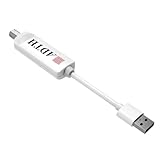
- Before you buy: check ATSC 3.0 in your area. NEXTGEN TV availability varies by city and channel. Use a coverage tool (city/channel lookup and OTA prediction) to confirm your local stations.
- Encrypted ATSC 3.0 channels require internet and compatible DRM. To view protected channels, your streaming device must support Widevine L1 and be connected to the internet (Wi‑Fi or Ethernet).
- Host device compatibility matters (Dolby AC-4 + HEVC). ATSC 3.0 playback depends on your device’s built-in codec support. Run the ADTH NextGen TV Test app to verify your device before connecting the tuner.
- Known to work well with: Onn 4K Pro and Fire TV Cube (3rd gen) play both ATSC 1.0 and ATSC 3.0 in independent testing. Built-in Android TV, Google TV, and Fire TV televisions vary by model. USB tuner compatibility is not guaranteed on all TV models, even within the same brand. For best results, use a tested streaming device or check the ADTH NextGen TV Test app and supported device list before purchase
- Not a network tuner, plays on the device it’s plugged into. Unlike network tuners, this USB tuner is intended for one TV/one streaming device at a time.
Basic setup
- Check the tuner’s regional broadcast-standard and Windows requirements.
- Connect a suitable aerial to the tuner.
- Install the manufacturer’s driver and TV software.
- Plug the tuner into the PC’s USB port.
- Run a channel scan and allow it to complete.
- Test live channels and configure recording only where the hardware, software and channel rights permit it.
If the scan finds few or no channels, check the aerial connection and signal before assuming the tuner is defective. An indoor aerial may work in some locations but perform poorly in others; an existing household aerial may already be the better option.
The Tool Desk
Outbyte PC Repair FREERepair Windows errors before they cause bigger problemsFix Now →Outbyte Driver Updater FREEFix the driver behind crashes, sound loss and screen glitchesFind Drivers →Should you stream or use a tuner?
| Choose streaming when… | Choose a USB tuner when… |
|---|---|
| You mainly want catch-up, box sets or on-demand programmes. | You want direct terrestrial reception through an aerial. |
| You do not want extra hardware or drivers. | You want live broadcast TV without relying on a broadcaster’s website. |
| You watch programmes from several different players. | You want to explore recording options supported by the tuner and software. |
| Your internet connection is stable. | Your aerial signal and broadcast standard are suitable. |
Best method by viewing goal
- BBC live or catch-up: use BBC iPlayer, remembering the TV Licence requirement.
- ITV live or recent episodes: use ITVX and sign in to a free account.
- Channel 4, E4, Film4 or More4: use the current Channel 4 service.
- Channel 5 catch-up: use the current My5 or Channel 5 player.
- You do not know where a programme is available: search Freeview’s online TV Guide, then follow its link to the broadcaster.
- You want aerial reception and possible recording: use a compatible Windows USB TV tuner with a suitable aerial.
Frequently Asked Questions
Can I watch TV on my laptop without a TV tuner?
Yes. Use the official websites or apps for BBC iPlayer, ITVX, Channel 4 and My5. A tuner is needed only if you want to receive terrestrial broadcasts directly through an aerial.
Do I need a TV Licence to watch TV on a computer?
You need a TV Licence to watch or record live television on any channel or streaming service, and to watch anything on BBC iPlayer. The rule applies regardless of whether you use a laptop, desktop, tablet or phone.
Can I watch every Freeview channel online?
No. Freeview’s online guide helps you find programmes and commonly redirects to the relevant broadcaster’s player. Availability depends on the channel, programme rights, device and region.
Why has a programme disappeared from catch-up?
Catch-up availability is limited by the service’s retention policy and online rights. Sports, films, imported programmes and live events may have shorter or different availability, or may not be offered online at all.
Will a USB TV tuner provide BBC iPlayer or ITVX catch-up?
No. A USB tuner receives compatible terrestrial broadcasts and may support recording through its software. It does not automatically provide broadcaster streaming libraries.
The Bottom Line
For most people, start with the broadcaster’s official player: BBC iPlayer for BBC content, ITVX for ITV, Channel 4 for Channel 4 services and My5 for Channel 5 catch-up. Use Freeview’s online guide when you need help finding a programme. Choose a USB TV tuner only when you specifically want live terrestrial reception or supported recording through a Windows PC.
Quick Recap
Product prices and availability are accurate as of the date/time indicated and are subject to change. Any price and availability information displayed on Amazon at the time of purchase will apply.

