
iTechGuides is reader-supported. When you buy through links on our site, we may earn an affiliate commission. As an Amazon Associate I earn from qualifying purchases. Learn more
To verify a CPU before installation, check the exact processor against the exact motherboard’s CPU support list, confirm the socket matches, and make sure the installed BIOS meets the version listed for that CPU. A matching socket or chipset family alone does not prove compatibility.
What you need to identify first
Write down the processor’s complete model name and the motherboard’s complete model name. A family name such as “Core i7” or “Ryzen 7” is not specific enough: processors within a family can have different support requirements.
Find the motherboard’s hardware revision too, if the manufacturer lists revisions separately. Use the board maker’s product and support pages for that exact variant. Intel recommends identifying the processor and generation, then checking compatibility resources and the system or motherboard maker’s guidance (Intel Desktop Processor Upgrade Information).
Do these 3 things before closing this tab:
1Repair Windows errors before they cause bigger problems2Scan for outdated or missing drivers - takes under a minute3Clear out junk files and repair common Windows errorsCheck the socket and the exact CPU support list
Confirm the socket
Compare the processor’s socket/package with the socket specified for the motherboard. Intel notes that different processor sockets can differ electrically, mechanically, and in keying; a socket mismatch rules out compatibility. As Intel puts it, “Make sure the socket of the processor that you choose is compatible with the existing socket of your motherboard” (Intel Desktop Processor Upgrade Information).
Popular on Amazon

- Processor provides dependable and fast execution of tasks with maximum efficiency.Graphics Frequency : 2200 MHZ.Number of CPU Cores : 8. Maximum Operating Temperature (Tjmax) : 89°C.
- Ryzen 7 product line processor for better usability and increased efficiency
- 5 nm process technology for reliable performance with maximum productivity
- Octa-core (8 Core) processor core allows multitasking with great reliability and fast processing speed
- 8 MB L2 plus 96 MB L3 cache memory provides excellent hit rate in short access time enabling improved system performance
Search the motherboard maker’s CPU list
Open the exact motherboard’s CPU support page, CPU compatibility list, or CPU QVL and search for the full processor model. The list is the model-specific check: ASUS describes its CPU QVL as processors it has verified for compatibility and stability, and provides instructions for locating entries (ASUS: How to query (CPU/memory) QVL List?).
If the exact CPU is missing or the entry is ambiguous, do not treat a socket match as confirmation. Check the manufacturer’s support information or contact its support team. Intel likewise directs users to the motherboard or system manufacturer for supported upgrade options (Intel Desktop Processor Upgrade Information).
Also popular on Amazon
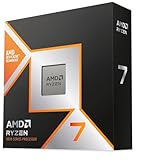
- The world’s fastest gaming processor, built on AMD ‘Zen5’ technology and Next Gen 3D V-Cache.
- 8 cores and 16 threads, delivering +~16% IPC uplift and great power efficiency
- 96MB L3 cache with better thermal performance vs. previous gen and allowing higher clock speeds, up to 5.2GHz
- Drop-in ready for proven Socket AM5 infrastructure
- Cooler not included
Check whether the BIOS supports the CPU
Look at the CPU entry for a field such as “Validated since BIOS” or “Since BIOS.” It identifies the BIOS version the board maker lists for that processor. Compare it with the version currently installed, if you can determine it. ASUS shows this field on its CPU Support page and explains how to use it (ASUS: How to check the motherboard compatibility with the new generation CPU and troubleshooting of the booting issue?).
Quick wins for a faster PC:
Fix the driver behind crashes, sound loss and screen glitchesFind Drivers →Clear out junk files and repair common Windows errorsFree Scan →Scan for outdated or missing drivers - takes under a minuteDriver Scan →If the installed BIOS is older than the listed version, the board may fail to boot or display with the new CPU. Follow the motherboard maker’s update instructions; do not assume that a board will update itself when the unsupported processor is installed.
Also popular on Amazon
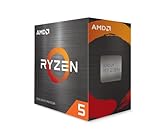
- Can deliver fast 100 plus FPS performance in the world's most popular games, discrete graphics card required
- 6 Cores and 12 processing threads, bundled with the AMD Wraith Stealth cooler
- 4.2 GHz Max Boost, unlocked for overclocking, 19 MB cache, DDR4-3200 support
- For the advanced Socket AM4 platform
Example: Intel 600- and 700-series boards
Intel says its 600- and 700-series desktop chipset motherboards require a BIOS update to boot 13th- and 14th-generation Intel Core desktop processors, and recommends updating before installing those CPUs. This requirement applies to the generations and chipset families described in Intel’s guidance, not to every Intel platform. Follow the instructions for your exact board model (Intel: Required BIOS Updates for Intel 600 and Intel 700 Series Chipset with Intel Core Desktop Processors (13th and 14th gen)).
Plan a BIOS update before swapping processors
If the old CPU still works
When the current processor is supported and the installed BIOS is too old for the replacement, update the BIOS while the old CPU is still installed, if the board maker’s instructions allow it. Use the BIOS file and procedure for the exact motherboard model and revision.
Also popular on Amazon
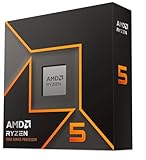
- Pure gaming performance with smooth 100+ FPS in the world's most popular games
- 6 Cores and 12 processing threads, based on AMD "Zen 5" architecture
- 5.4 GHz Max Boost, unlocked for overclocking, 38 MB cache, DDR5-5600 support
- For the state-of-the-art Socket AM5 platform, can support PCIe 5.0 on select motherboards
- Cooler not included
If this is a new build and the CPU cannot boot
Check the board manual for a feature such as USB BIOS Flashback. Some motherboards can update the BIOS without a CPU installed, but availability and procedures differ by model. AMD describes this as a possible workaround on some compatible boards; confirm the exact board’s feature and follow its manual rather than assuming the option exists (AMD: Unable to Boot New Desktop System Configured with AMD Ryzen Series Processor, and Compatible AMD-Powered Motherboard).
The Tool Desk
Outbyte Driver Updater FREEScan for outdated or missing drivers - takes under a minuteDriver Scan →Outbyte PC Repair FREERepair Windows errors before they cause bigger problemsFix Now →Use this pre-installation checklist
- Record the exact CPU model. Use the processor label, product listing, or existing system information; do not rely on the product family alone.
- Record the exact motherboard model and revision. Find its manufacturer support page for that variant.
- Confirm the socket/package. Stop if the processor and board sockets do not match.
- Find the CPU in the board’s support list. If it is absent or unclear, seek confirmation from the motherboard maker.
- Compare BIOS versions. Check the CPU entry’s required or validated BIOS against the installed version.
- Prepare any required update. Update with the existing supported CPU when possible, or use a documented Flashback method if the exact board supports it.
- Install only after support and BIOS preparation are confirmed. CPU compatibility does not by itself confirm cooler fit, adequate power, or other system requirements; check those component specifications separately.
Why chipset names are not enough
A chipset family can include boards with different CPU support and BIOS versions. For example, Intel’s guidance for 600- and 700-series boards and 13th- and 14th-generation processors makes BIOS preparation part of the check; it does not establish support for every motherboard in those families or for other generations. The exact motherboard CPU list and its BIOS instructions are the decisive references.
Quick Recap
Also popular on Amazon

- AMD Ryzen 9 9950X3D Gaming and Content Creation Processor
- Max. Boost Clock : Up to 5.7 GHz; Base Clock: 4.3 GHz
- Form Factor: Desktops , Boxed Processor
- Architecture: Zen 5; Former Codename: Granite Ridge AM5

