
Recommended Free Tools
To magnify your iPhone screen, open Settings > Accessibility > Zoom, turn on Zoom, then adjust Maximum Zoom Level to set its magnification ceiling. While using Zoom, double-tap with three fingers to toggle it, or double-tap and hold with three fingers, then drag up or down to change the current magnification.
Turn on Zoom and set the maximum level
- Open Settings.
- Tap Accessibility, then Zoom.
- Turn on Zoom.
- Drag the Maximum Zoom Level slider to choose how far the screen can magnify. This sets the upper limit; it does not set the current magnification. Apple’s iPhone User Guide describes the slider but does not state a numeric range.
Use Zoom gestures
- Turn Zoom on or off: Double-tap the screen with three fingers. You can also assign Zoom to Accessibility Shortcut and use that shortcut to toggle it.
- Adjust magnification: Double-tap with three fingers and, after the second tap, keep your fingers on the screen and drag up or down. Alternatively, triple-tap with three fingers to open the Zoom menu, then drag the Zoom Level slider.
- Pan while magnified: With Full Screen Zoom, drag with three fingers.
- Open the Zoom menu: Triple-tap with three fingers. The menu includes region and filter choices, lens resizing for Window Zoom, and an option to show the controller.
- Use the Zoom Controller: Tap it to open the menu, double-tap it to zoom in or out, or drag it to pan while zoomed.
To add the toggle shortcut, go to Settings > Accessibility > Accessibility Shortcut and select Zoom. Gesture and control details are in Apple’s iPhone User Guide.
Choose full-screen or window magnification
| Region | What it magnifies | How to navigate |
|---|---|---|
| Full Screen Zoom | The entire display. | Drag with three fingers to pan. |
| Window Zoom | Part of the display through a movable, resizable lens. | Drag the handle at the bottom of the lens to move it; use the Zoom menu to resize it. |
The same Zoom settings also include optional controls. Follow Focus tracks selections and text insertion or typing; Smart Typing switches to Window Zoom when a keyboard appears. You can enable keyboard shortcuts for an external keyboard and choose filters: None, Inverted, Grayscale, Grayscale Inverted, or Low Light. With a pointer device, Apple lists Zoom Pan behavior and an option to scale the pointer with Zoom. See Apple’s Zoom guide for the available options.
Choose the right iPhone magnification feature
Accessibility Zoom, Display Zoom, and Magnifier address different needs:
#1 Best Overall

- 【Enhanced Viewing Experience】Transform your smartphone into a cinematic display with this portable screen magnifier. It enlarges your phone's screen by 2–4 times, offering crisp, high-definition visuals that bring videos, games, and content to life for a true theater-like experience
- 【Flexible Viewing Orientations】Designed with an adjustable pull-out mechanism, this magnifier effortlessly supports both landscape and portrait modes. Ideal for watching movies, browsing social media, or making video calls—switch seamlessly to match your preferred viewing style
- 【Reduced Eye Strain, Extended Comfort】Equipped with an advanced HD lens, the magnifier provides clear and gentle visuals that help minimize eye fatigue during prolonged use. Enjoy extended viewing sessions in greater comfort, whether binge-watching shows or reading articles
- 【Compact and Travel-Friendly】Lightweight and foldable, this magnifier is built for portability. It stores flat and can easily fit into bags or pockets—perfect for use at home, on trips, or outdoors. Unfold it anytime for instant big-screen entertainment
- 【Universal Compatibility & Easy Setup】Works with virtually all smartphone models without the need for charging or complicated setup. Ready to use right out of the box—an excellent gift choice for any occasion, delivering an effortless and immersive viewing experience for everyone
| Feature | Best for | Where to find it |
|---|---|---|
| Accessibility Zoom | Magnifying screen content on demand, with a choice of full-screen or window magnification. | Settings > Accessibility > Zoom |
| Display Zoom | Making text and interface elements generally larger. | Settings > Display & Brightness > Display Zoom > Larger Text, then tap Done and Use Zoomed. |
| Magnifier | Inspecting small text or objects in the physical world around you. | Apple describes this as a nearby-object magnifier, separate from screen Zoom. |
Apple explains Display Zoom in Adjust iPhone display and text settings and distinguishes Magnifier among the vision accessibility features.
Turn off Zoom if the Home Screen is too magnified
If icons and controls are enlarged so much that you cannot navigate, first double-tap the screen with three fingers to zoom out. Then go to Settings > Accessibility > Zoom and turn Zoom off.
Rank #2

- 12 inch HD Phone Screen Magnifier: ZULFACY 12 inch high-definition mobile phone screen magnifier delivers a vivid and clear viewing experience. It magnifies your phone screen by 2-4 times, so you can enjoy movies and videos on your smartphone to the fullest in HD.Ideal for watching movies or reading.(Note: For best results, use in low-light conditions and avoid direct sunlight)
- High-Definition Screen: HD vision, eye protection against blue radiation, no power. It will relieve the discomfort and visual fatigue causing by long time focusing on small screen. It can protect your eyes from blue light radiation.Attention: The visible distance of the amplifier is 2-3 meters.When watching, please open the bottom feet; otherwise, the screen may not stand upright
- Foldable and Ultra-Portable Design: HD screen magnifying glass storage revolving folding design.Simply place your phone in the designated slot.If the height is not enough, a bracket can be used to adjust the height. When folded, it is super slim and can also be carried around in a bag. Suitable for indoor, camping, travel, leisure, anywhere, and more.Please do not use it in backlit or reflective conditions (Light refraction will confuse the light and make the picture blurry)
- Compatible with all smartphones: The screen magnifier is designed for most smartphones and works with most brands of mobile phones on the market.such as iPhone Pr 17 Xs Max/XR/X/8/8 Plus/7/7 Plus/6S, Samsung Galaxy Note 10/9/8/7/6/5, and other Android smartphones
- Perfect Gift: The distinctive design and texture render the amplifier an ideal choice for holiday gifts to family and friends. It is also suitable as a kitchen gadgets,Christmas gifts,Thanksgiving Day gifts, New Year gifts, Halloween gifts ,birthday gifts, white elephant gifts for adult,mothers day gifts,fathers day gifts,Valentine's Day,mens gifts,and various anniversary gifts for him
If you cannot reach the setting on the iPhone, Apple also describes turning it off from a computer:
- Connect the iPhone to a computer.
- Open Finder on macOS Catalina or later, or iTunes on an earlier macOS version or a PC.
- Select the iPhone, choose Configure Accessibility, deselect Zoom, and confirm.
These recovery instructions are in Apple’s Home Screen magnification troubleshooting article.
The Tool Desk
Outbyte Driver Updater FREEFix the driver behind crashes, sound loss and screen glitchesFind Drivers →Outbyte PC Repair FREEClear out junk files and repair common Windows errorsFree Scan →Quick Recap
Best Value

- 【20 Inch Screen Magnifier】- 2024 new upgraded 20'' 3D screen amplifier can magnify your phone screen 3-5times, fully fit the curvature of the human eye, more comfortable to watch. The screen magnifier will reduce the discomfort and visual fatigue caused by long-term focus on the small screen, and can effectively reduce the radiation.
- 【3D HD Screen Amplifier】- HD vision, eye protection against blue radiation, no power. It will relieve the discomfort and visual fatigue causing by long time focusing on small screen.
- 【Folding Design】- HD screen magnifier Storage type rotating folding design. If the height is not enough, height can be adjusted with the ring stand. Super slim when folded and also can be carried around in your bag. Suitable for indoor, camping, journey, leisure, anywhere and etc.
- 【Compatible With Your Device】- The screen magnifier is specifically designed to fit most smartphones, such as iPhones 15/15pro 14/14pro/ 13/13pro/ 12/12 pro/12 mini / Xs Max/XR/X/8/8 Plus/7/7 Plus/6S, Samsung Galaxy Note 10/9/8/7/6/5 Edge Android phone smartphones.
- [Best Choice of Gifts]Simple and stylish design, The Screen magnifier phone holder is simple and easy to use, making it an ideal gifts for men and women. It is also suitable as a kitchen gadgets,Christmas gifts,Thanksgiving Day gifts, New Year gifts, Halloween gifts ,birthday gifts, white elephant gifts for adult,mothers day gifts,fathers day gifts,Valentine's Day,mens gifts,and various anniversary gifts for him. We’re convinced you will love your new phone screen magnifier, If you have any queries with your purchase, our support team is available to assist within 24 hours
Rank #4

- Tips:This 3D screen magnifier is recommended for use in low light environments, and the viewing effect will be more obvious and outstanding.It is not recommended to use in a backlight and reflective environment
- 3D 12 Inch Screen Magnifier:Jairuty 3D HD mobile phone screen magnifier can magnify your phone screen 2-4 times, fully fit the curvature of the human eye, more comfortable to watch.Experience movies, live sports, and games with incredible depth and clarity on this big screen phone magnifier, making every detail pop and bringing the cinematic experience right to your couch.(Note: For best results, use in low-light conditions and avoid direct sunlight)
- 3D HD Screen Amplifier:HD vision, eye protection against blue radiation, no power. By maintaining a comfortable viewing distance (we recommend 1.5-2m), you can enjoy hours of content without the eye strain associated with small screens.So you can enjoy movies and videos on your smartphone to the fullest in HD
- Stable, Safe & Adjustable Viewing: Engineered for a secure experience, Jairuty magnifier features an anti-slip phone slot to prevent your device from falling. Find your best angle with the adjustable stand for maximum comfort and stability on any flat surface.If the height is not enough, you can adjust the height with the stand at the bottom of the screen amplifier
- Foldable & Portable Design:Jairuty HD Cell Phone Amplifier Storage type rotating folding design.This ultra-slim mobile phone magnifier screen folds easily into your bag—Whether you’re traveling, camping, or simply moving from the couch to the kitchen, this screen amplifier for cell phone is your go-to gadget for instant big-screen entertainment
Rank #3
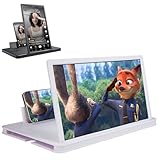
- 【Enhanced Viewing Experience】Transform your smartphone into a cinematic display with this portable screen magnifier. It enlarges your phone's screen by 2–4 times, offering crisp, high-definition visuals that bring videos, games, and content to life for a true theater-like experience
- 【Flexible Viewing Orientations】Designed with an adjustable pull-out mechanism, this magnifier effortlessly supports both landscape and portrait modes. Ideal for watching movies, browsing social media, or making video calls—switch seamlessly to match your preferred viewing style
- 【Reduced Eye Strain, Extended Comfort】Equipped with an advanced HD lens, the magnifier provides clear and gentle visuals that help minimize eye fatigue during prolonged use. Enjoy extended viewing sessions in greater comfort, whether binge-watching shows or reading articles
- 【Compact and Travel-Friendly】Lightweight and foldable, this magnifier is built for portability. It stores flat and can easily fit into bags or pockets—perfect for use at home, on trips, or outdoors. Unfold it anytime for instant big-screen entertainment
- 【Universal Compatibility & Easy Setup】Works with virtually all smartphone models without the need for charging or complicated setup. Ready to use right out of the box—an excellent gift choice for any occasion, delivering an effortless and immersive viewing experience for everyone
Product prices and availability are accurate as of the date/time indicated and are subject to change. Any price and availability information displayed on Amazon at the time of purchase will apply.
Independent reader supportYour contribution helps us test, update, and keep practical guides available for everyone.
