
iTechGuides is reader-supported. When you buy through links on our site, we may earn an affiliate commission. As an Amazon Associate I earn from qualifying purchases. Learn more
To see your full Shazam song history on iPhone, open the Shazam app and tap Library, Recent Shazams, or Shazams, depending on your version. For missing results, check the Control Center recognition history, Siri’s legacy iTunes Store list, and the My Shazam Tracks playlist.
Shazam’s main app is the best starting point, but “full history” means saved recognitions—not necessarily every song Shazam ever attempted to identify. Songs recognized through Siri, Control Center, Auto Shazam, and Apple Watch can be stored or displayed differently depending on your iOS version, Shazam version, account, and sync settings.
Key takeaways
- The Shazam app is the primary place to review saved songs: open Shazam and choose Library, Recent Shazams, or Shazams.
- On recent iOS versions, touching and holding the Control Center Recognize Music or Shazam control reveals recognition history.
- Siri recognitions may already be in Shazam, while older or missing Siri results may appear under iTunes Store > Siri when that legacy menu is available.
- Shazam iCloud Sync is intended to keep saved Shazams current across Apple devices, but it cannot restore songs that were never saved or belonged to another account.
- My Shazam Tracks in Apple Music or Spotify is a playlist view and backup convenience, not proof that every recognition was added to the service’s main music library.
How do you see your full Shazam song history on iPhone?
Open the Shazam app, tap Library or swipe up from the main screen, then open Recent Shazams or Shazams. Scroll through the saved results and tap any song to open its Shazam page, lyrics, supported streaming services, or additional actions.
What’s actually slowing this PC down?
Pick the symptom - the matching free tool is one click away.
Shazam’s labels vary by app release. You may see Library, My Music, Recent Shazams, or simply Shazams. Older instructions commonly use My Music > Shazams; newer versions may show the history directly under Library. The primary route is documented in this Shazam history walkthrough.
Popular on Amazon
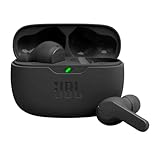
- JBL Deep Bass Sound: Get the most from your mixes with high-quality audio from secure, reliable earbuds with 8mm drivers featuring JBL Deep Bass Sound.
- Comfortable fit: The ergonomic, stick-closed design of the JBL Vibe Beam fits so comfortably you may forget you're wearing them. The closed design excludes external sounds, enhancing the bass performance.
- Up to 32 (8h + 24h) total hours of battery life with speed charging: With 8 hours of battery life in the earbuds and 24 in the case, the JBL Vibe Beam provide all-day audio. And when you need more power, you can speed charge an extra two hours in just 10 minutes.
- Stay aware of your surrounding: Go anywhere and hear everything with Smart Ambient technology. When you need to pause for a quick chat, TalkThru lets you instantly hear yourself and those around you without taking out your earbuds. Or use Ambient Aware to keep the music playing while remaining aware of your surroundings.
- Hands-free calls with VoiceAware: When you're making hands-free stereo calls on the go, VoiceAware lets you balance how much of your own voice you hear while talking with others.
| Where the song was recognized | First place to check | What to do if it is missing |
|---|---|---|
| Shazam app | Shazam > Library > Recent Shazams or Shazams | Check the signed-in account, iCloud Sync, and the app’s saved library |
| Control Center | Touch and hold Recognize Music, Music Recognition, or the Shazam control | Tap the result to open it in Shazam and check the control’s own history |
| Siri | Shazam library on newer software | Try iTunes Store > list icon > Siri if the legacy menu exists |
| Apple Music or Spotify | My Shazam Tracks playlist | Reconnect the correct account and reauthorize Shazam |
| Apple Watch | Shazam on the watch > Recent Shazams | Check the iPhone Shazam app and the Apple Account used for syncing |
| Auto Shazam | Shazam > Recent Shazams > dated Auto Shazam session | Look for the date or session grouping rather than an individual top-level entry |
How do you view songs recognized with Control Center?
Open Control Center by swiping down from the upper-right corner of the iPhone. Touch and hold the Recognize Music, Music Recognition, or Shazam control to display its recognition history, then tap a song to open it in Shazam.
The control name depends on the iOS release. If the control is missing on a newer iPhone, open Control Center, tap the + button or touch and hold an empty area, select Add a Control, and add Recognize Music. Older iOS releases use Settings > Control Center, where you add Music Recognition. The newer Control Center editing route is described in this guide to customizing Control Center.
On newer iOS and Shazam versions, Control Center recognitions are expected to appear in the main Shazam library as well. The Control Center history remains worth checking when a song is absent from the app, because older software, account differences, or a sync problem can leave results surfaced separately.
Free tools Windows power users keep installed
One-click scans. No signup required.
How do you find songs identified by Siri?
Check the Shazam app’s Library or Recent Shazams first. Siri uses Shazam technology to identify songs, and newer systems may place Siri recognitions in the same Shazam library as songs identified in the app.
If a Siri result is missing, try the legacy fallback: open iTunes Store, tap the list or menu icon in the upper-right corner, and tap Siri. Review the songs shown there, following the fallback route documented in the iPhone Shazam history reference.
iTunes Store > Siri is not a guaranteed current menu. The option may be absent on newer devices, in some countries, or with particular device configurations. Treat it as a legacy recovery path, not as the normal way to view Siri history.
How do you save Shazam history to Apple Music or Spotify?
Shazam can sync recognized songs to a My Shazam Tracks playlist in a connected Apple Music or Spotify account. In Shazam, open the gear icon for Settings, choose the Apple Music sync option or connect Spotify, approve the requested permissions, and then open the My Shazam Tracks playlist in the chosen music app.
The playlist is separate from your main Apple Music library or Spotify library. Finding a song in My Shazam Tracks does not automatically mean that the song has been added to your personal library, liked songs, or another playlist. The playlist integration and its limitations are described in this overview of Shazam’s Apple Music and Spotify playlist connection.
Also popular on Amazon

- Powerful Bass: soundcore P20i true wireless earbuds have oversized 10mm drivers that deliver powerful sound with boosted bass so you can lose yourself in your favorite songs.
- Personalized Listening Experience: Use the soundcore app to customize the controls and choose from 22 EQ presets. With "Find My Earbuds", a lost earbud can emit noise to help you locate it.
- Long Playtime, Fast Charging: Get 10 hours of battery life on a single charge with a case that extends it to 30 hours. If P20i true wireless earbuds are low on power, a quick 10-minute charge will give you 2 hours of playtime.
- Portable On-the-Go Design: soundcore P20i true wireless earbuds and the charging case are compact and lightweight with a lanyard attached. It's small enough to slip in your pocket, or clip on your bag or keys–so you never worry about space.
- AI-Enhanced Clear Calls: 2 built-in mics and an AI algorithm work together to pick up your voice so that you never have to shout over the phone.
The reviewed coverage reports that Shazam’s built-in connection generally lets you choose Apple Music or Spotify rather than maintaining both connections simultaneously. Choose the service that already contains most of your music. Apple Music’s official product page and Spotify’s official service page provide current availability and plan information; pricing varies by country, plan, promotion, and date.
Do not treat My Shazam Tracks as a guaranteed archival export. Older recognitions may fail to backfill, repeated recognitions may create duplicates, and a playlist that stops updating may require reconnecting the streaming account, reauthorizing permissions, or checking that Shazam is connected to the intended Apple Music or Spotify account.
How do you sync Shazam history across Apple devices?
Enable Shazam’s iCloud synchronization from the Shazam app: open Shazam, tap the gear icon, find iCloud Sync or its equivalent, and choose Use iCloud or enable synchronization. Sign in with the same Apple Account on the other Apple devices.
Quick wins for a faster PC:
Clear out junk files and repair common Windows errorsFree Scan →Scan for outdated or missing drivers - takes under a minuteDriver Scan →Shazam documented iCloud Sync for Shazam for iOS version 13.28. The current menu wording may differ, but the purpose is to keep saved identified songs current across Apple devices. The feature is documented in this explanation of Shazam iCloud Sync.
iCloud Sync is not the same as an iPhone backup. Sync cannot reliably recreate a recognition that was never saved to the Shazam library, was deleted, was made under another Apple Account or Shazam account, or existed only in an older local history. A freshly reinstalled Shazam app may also need time to synchronize or may require you to sign in again.
What should you do when a Shazam song is missing?
Work through the recognition source before assuming the song has been permanently lost:
- Check the correct screen. Open Shazam’s Library or Recent Shazams instead of looking only at the home screen.
- Confirm the account. Make sure Shazam and the iPhone use the account associated with the original recognitions. Different accounts can create separate histories.
- Check iCloud Sync. Open Shazam Settings and verify that the iCloud synchronization option is enabled on the relevant devices.
- Inspect Control Center. Touch and hold Recognize Music, Music Recognition, or the Shazam control. A result may still be visible in that control’s history even when it is not in the main library.
- Check Siri’s fallback list. Open iTunes Store, tap the list icon, and choose Siri if that menu is available on the device.
- Check My Shazam Tracks. Look in the connected Apple Music or Spotify playlist and verify the correct account, permissions, and connection.
- Update when possible. Updating iOS and Shazam can improve compatibility between recognition sources, although an update cannot recover data that was never saved.
If a Control Center result appears, tap it to open the song in Shazam. Depending on the software version, the song’s more-options menu may also offer a way to add the result to the Shazam library. Current coverage indicates that newer versions combine more sources, but the behavior is version-dependent.
Outdated Drivers Are Slowing You Down
One free scan finds every outdated or missing driver and matches the right update for your exact hardware.Free scan · exact hardware matchPC Slower Than It Used to Be?
A free scan shows the junk files, broken settings and background clutter dragging Windows down - then fixes them in one click.Free scan · Windows 10 & 11Can you export your entire Shazam history?
The reviewed documentation establishes ways to view Shazam history, synchronize it with iCloud, and place songs in a My Shazam Tracks playlist; it does not establish an official native CSV, text, or spreadsheet export from the iPhone Shazam app.
Also popular on Amazon

- WORLD’S BEST IN-EAR ACTIVE NOISE CANCELLATION — Removes up to 2x more unwanted noise than AirPods Pro 2* so you can stay fully immersed in the moment.*
- BREAKTHROUGH AUDIO PERFORMANCE — Experience breathtaking, three-dimensional audio with AirPods Pro 3. A new acoustic architecture delivers transformed bass, detailed clarity so you can hear every instrument, and stunningly vivid vocals.
- HEART RATE SENSING — Built-in heart rate sensing lets you track your heart rate and calories burned for up to 50 different workout types.* With iPhone, you will have access to the Move ring, step count, and the new Workout Buddy,* powered by Apple Intelligence.*
- LIVE TRANSLATION — Communicate across language barriers using Live Translation,* enabled by Apple Intelligence.*
- EXTENDED BATTERY LIFE — Get up to 8 hours of listening time with Active Noise Cancellation on a single charge. Or up to 10 hours in Transparency using the Hearing Aid feature.*
For a practical copy, use the Shazam history for reference or use the connected Apple Music or Spotify playlist as a listening list. You can also copy song titles manually, but do not assume that a third-party scraper or unofficial export tool is safe. Any tool requesting Shazam, Apple Account, Apple Music, or Spotify credentials should be evaluated carefully for privacy and account-security risks.
Independent reader supportYour contribution helps us test, update, and keep practical guides available for everyone.What other Shazam history views are available?
Shazam widget
The Shazam widget is useful for a quick glance at recently identified music, but it shows only a small recent selection rather than the complete history. Reported widget sizes display approximately one, three, or four recent tracks, so open the Shazam app for the full saved list.
Apple Watch
Open Shazam on Apple Watch and view Recent Shazams; swipe upward to see additional results. Apple Watch recognitions can also appear in the iPhone Shazam app when the devices and accounts are synchronized. The watch and iPhone history behavior is covered in this guide to viewing Shazam history.
Auto Shazam
Auto Shazam can identify multiple songs while it runs in the background. Those results may appear under a dated Auto Shazam folder within Recent Shazams, so check session or date groupings when a series of recognitions does not appear as separate prominent entries. The dated-session behavior is described in this Auto Shazam guide.
Which Shazam history route should you use?
| Your goal | Best route | Important limitation |
|---|---|---|
| See most saved recognitions | Shazam > Library or Recent Shazams | Only saved results are guaranteed to appear |
| Find a Control Center recognition | Touch and hold the Control Center recognition control | Names and behavior vary by iOS version |
| Recover an older Siri result | Shazam library, then iTunes Store > Siri | The Siri menu may be unavailable on current devices or in some regions |
| Use the list on another Apple device | Enable Shazam iCloud Sync | The same Apple Account and saved library are required |
| Listen to identified songs as a collection | My Shazam Tracks in Apple Music or Spotify | It is a playlist, not necessarily your main music library or a complete export |
| Find a batch identified in the background | Recent Shazams > dated Auto Shazam session | Folder names and grouping can change |
Frequently Asked Questions
Does Shazam keep every song I have ever tried to identify?
Shazam does not guarantee a recoverable record of every attempted recognition. The Shazam app history represents saved results, while unsaved, deleted, account-specific, or legacy Siri and Control Center results may be unavailable or stored in a separate view.
Why is a song in Control Center but not in the Shazam app?
A Control Center result can remain in the recognition control’s own history when the result has not synchronized with the main Shazam library. Touch and hold the Control Center recognition control, tap the song, and check the account, app version, and iCloud Sync settings.
Can I see old Siri Shazams on an iPhone?
Older Siri recognitions may be available in iTunes Store under the list icon and then Siri, although that legacy menu is not present on every current device or in every region. Also check Shazam’s Library and the My Shazam Tracks playlist.
Can Shazam export history to a CSV or spreadsheet?
The reviewed documentation does not establish an official bulk CSV, text, or spreadsheet export from the iPhone Shazam app. Viewing the in-app history, manually copying song details, or using My Shazam Tracks as a playlist are the documented practical alternatives.
The Bottom Line
For most iPhone users, start with Shazam > Library > Recent Shazams. If a song is missing, touch and hold the Control Center recognition control, check Shazam’s Siri library and the legacy iTunes Store > Siri list, then inspect My Shazam Tracks. Enable iCloud Sync for saved history across Apple devices, but do not assume that unsaved results or every attempted recognition can be recovered.

