
Windows 11 has no built-in Frutiger Aero theme, but you can create a similar look with bright nature wallpaper, light colors, and optional shell and Explorer customizations. Start with Windows’ personalization settings, then add tools such as ExplorerPatcher, Windhawk, or Lively Wallpaper only if you want their specific features; older visual styles carry more compatibility risk.
What you need for a Frutiger Aero setup
Frutiger Aero is an aesthetic rather than a Windows theme format. Typical ingredients include:
- Blue skies, green hills, water, leaves, flowers, and clean white highlights
- Bright cyan, turquoise, lime, and white accents
- Rounded interfaces with glossy or translucent-looking surfaces
- Vista- or Windows 7-inspired taskbar, Start menu, Explorer, icons, and sounds
- Optional animated water, clouds, bubbles, or grass on the desktop
Windows 11 can supply wallpaper, colors, sounds, cursors, and a theme-saving workflow. It cannot natively reproduce Vista/7 glass window frames, a classic Start menu, or the old Explorer command bar.
1. Create the base look in Windows 11
- Open Settings with Win + I.
- Go to Personalization > Themes.
- Choose an existing light theme, or select Browse themes to look for a Microsoft Store theme.
- Open Personalization > Background and select a bright landscape image or a slideshow of nature photographs.
- Open Personalization > Colors. Use a light Windows mode and select a cyan, blue, turquoise, or green accent.
- Adjust Personalization > Themes > Sounds and Mouse cursor if you have suitable sound or cursor files.
For a convincing result, avoid dark mode, muted gray wallpapers, and highly saturated neon colors. Frutiger Aero usually works better with a pale blue background, white surfaces, and one or two green accents than with many unrelated colors.
#1 Best Overall
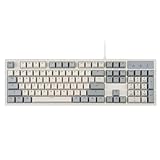
- FULL-SIZE RETRO KEYBOARD - A new full-size keyboard with a classic gray/white keyboard retro theme and durable constructions; Dimensions: 17.95 x 6.65 x 1.34 inches
- MECHANICAL DESIGN - Keys Gateron brown tactile switch create a good feedback for the use in the office or at home.
- ERGONOMIC SA SPHERICAL KEYCAPS - Curved key design with a flatter top and back edges of each key that naturally fits better with the shape of your fingertips for exceptionally comfortable typing feeling; The keys are removable and easy to clean
- LONG KEY STRUCTURE - Comfortable and responsive keys with long travel distance and satisfying auditory feedback
- SYSTEM REQUIREMENTS - Windows 7, 8, 10, and 11, one free USB port; Package includes: PERIBOARD-108 and manual
When the arrangement is ready, go to Settings > Personalization > Themes, select Save, and give the theme a name such as Ocean Aero. This saves the native Windows portion so it can be restored easily.
2. Change the taskbar and Start behavior with ExplorerPatcher
ExplorerPatcher is useful when the modern Windows 11 shell feels too far removed from Vista or Windows 7. It is a shell-customization utility, not a complete theme pack: it does not provide wallpaper, icons, or a finished Frutiger Aero skin.
Download it only from the project’s official GitHub releases repository. The project warns that unofficial copies from other sites may contain malware. The releases page lists tag 26100.4946.69.6; check the release notes and select the build appropriate for your system. Builds are available for Intel/AMD x64 and ARM64 systems. The release notes also document fixes for recent Windows 11 24H2 behavior, including broken graphics that could result from using “Shrink address bar height” in File Explorer.
After installation, use ExplorerPatcher’s settings to experiment with:
Outdated Drivers Are Slowing You Down
One free scan finds every outdated or missing driver and matches the right update for your exact hardware.Free scan · exact hardware matchWindows Errors? Fix Them Before They Spread
Repair common Windows errors and clear accumulated junk for a smoother, more stable PC - no reinstall needed.Free scan · no reinstall- A Windows 10-style taskbar
- Taskbar labels and separate buttons for open windows
- Multi-monitor taskbar behavior
- Start menu behavior
- File Explorer behavior
- The Alt+Tab interface
On Windows 11 22H2 and later, the Windows 10-style taskbar implementation, called ep_taskbar in the release notes, is used by default. That can provide a more familiar foundation for an older Windows-inspired desktop, but it does not recreate the Vista glass taskbar.
ExplorerPatcher safety notes
Shell modifications can temporarily make the desktop or explorer.exe unresponsive after a Windows update. Create a restore point or save important work before installing. If the shell fails, uninstall ExplorerPatcher from installed apps or use Windows recovery rather than repeatedly installing replacement files.
Current ExplorerPatcher release notes say Microsoft Defender no longer flags the program, so Defender exclusions are not generally required. A third-party antivirus product may still interfere. If a trusted antivirus product demonstrably blocks installation and requests exclusions, the project identifies these locations:
Rank #2

- Retro Cute Aesthetic to Brighten Your Desk: With charming round keycaps and a vintage typewriter vibe, this keyboard turns your workspace into a cozy, stylish haven. Available in multiple fun colors to match any setup, it’s as pretty as it is practical
- Full-Size Layout for All Your Tasks: The complete 104-key design includes a dedicated numeric keypad, perfect for spreadsheets, data entry, gaming, and everyday typing. No need to compromise on functionality for style
- Reliable Wired USB Connection: Skip the hassle of pairing and dead batteries. Just plug the USB cable into your computer, and you’re ready to go. Enjoy stable, lag-free performance for work or play, every time
- Universal Compatibility for Every Device: Works seamlessly with Windows, Linux, PC, laptops, and desktops. Whether you’re at home, school, or the office, it’s the perfect companion for all your daily tasks
- Perfect Gift Choice: The retro typewriter keyboard with exquisite packaging, whether for their use or as a gift to friends, lovers, and children, are a good choice
| Location | Why it may matter |
|---|---|
| C:\Program Files\ExplorerPatcher | Installed program files |
| %APPDATA%\ExplorerPatcher | User configuration and related files |
| C:\Windows\dxgi.dll | A file that some security tools may block |
Do not add exclusions automatically. The project warns that explorer.exe will not start if dxgi.dll exists but is prevented from loading. The release page specifically warns against installing ExplorerPatcher on systems with SentinelOne.
Quick wins for a faster PC:
Scan for outdated or missing drivers - takes under a minuteDriver Scan →Clear out junk files and repair common Windows errorsFree Scan →Fix the driver behind crashes, sound loss and screen glitchesFind Drivers →3. Add Vista-like Explorer behavior with Windhawk
Windhawk loads focused modifications, called mods, into selected Windows processes. For a Vista/7-inspired Explorer, install the Aerexplorer mod and read its configuration notes before enabling it.
Aerexplorer is listed as version 1.8.2. It can make Explorer behave more like Windows Vista, Windows 7, Windows 8, or older Windows 10. It is not a complete desktop theme, and it does not guarantee that every Windows 11 application will adopt the same appearance.
Required Aerexplorer process setting
Aerexplorer may not work immediately after installation. Its documentation requires an additional process-inclusion change:
- Open Windhawk.
- Go to Settings > Advanced settings > More advanced settings.
- Find the Process inclusion list.
- Add svchost.exe.
- Restart Explorer or Windows, then test File Explorer again.
The mod needs to hook svchost.exe to capture the creation of Explorer windows successfully. One documented side effect is that Control Panel can lose its styling after Aerexplorer is enabled. If that happens, disable the mod before adding other visual modifications.
4. Style File Explorer without stacking incompatible blur tools
If your main goal is a more polished Explorer window rather than a complete Vista behavioral change, use Windhawk’s Windows 11 File Explorer Styler. Its integrated styles include:
| Style | Possible use |
|---|---|
| Translucent Explorer11 | A softer, translucent-looking Explorer surface |
| MicaBar | A modern wallpaper-influenced title or command area |
| NoCommandBar | A cleaner, less modern Explorer layout |
| Minimal Explorer11 | A reduced interface with fewer visual elements |
| Tabless | A less tab-focused Explorer appearance |
| WindowGlass, TintedGlass, LiquidGlass | Glass-like or tinted experiments |
Try one style at a time. The documentation says only one XAML diagnostics consumer can be active at once and identifies ExplorerBlurMica as an example of a conflicting program. If Explorer displays incorrectly, disable one tool rather than compensating with additional blur settings.
Rank #3

- Retro Cute Aesthetic to Brighten Your Desk: With charming round keycaps and a vintage typewriter vibe, this keyboard turns your workspace into a cozy, stylish haven. Available in multiple fun colors to match any setup, it’s as pretty as it is practical
- Full-Size Layout for All Your Tasks: The complete 104-key design includes a dedicated numeric keypad, perfect for spreadsheets, data entry, gaming, and everyday typing. No need to compromise on functionality for style
- Reliable Wired USB Connection: Skip the hassle of pairing and dead batteries. Just plug the USB cable into your computer, and you’re ready to go. Enjoy stable, lag-free performance for work or play, every time
- Universal Compatibility for Every Device: Works seamlessly with Windows, Linux, PC, laptops, and desktops. Whether you’re at home, school, or the office, it’s the perfect companion for all your daily tasks
- Perfect Gift Choice: The retro typewriter keyboard with exquisite packaging, whether for their use or as a gift to friends, lovers, and children, are a good choice
Keep the terminology straight: Windows 11’s Mica is not authentic Aero glass. Microsoft describes Mica as an opaque material that uses the desktop wallpaper and theme to create its appearance. It may look attractive in a Frutiger Aero setup, but it does not reveal the desktop behind a window like Vista Aero glass did.
5. Apply a third-party visual style only if you accept the risks
For the closest approximation to Vista/7 window borders, controls, and system colors, use a compatible third-party visual style with SecureUxTheme. SecureUxTheme allows Windows to apply visual styles that are not digitally signed by Microsoft. Its documented mechanism patches the UXTheme service in memory rather than modifying the original system files.
The project states that it is compatible with Secure Boot, leaves system files untouched, and is intended to have no performance impact. These are project claims, not a Microsoft guarantee. A third-party theme designed for Windows Vista or Windows 7 is not automatically compatible with Windows 11. Depending on the Windows build, it may apply only partially, leave controls unstyled, or cause applications to crash.
Before applying a custom .theme or .msstyles package:
- Create a restore point and save your current Windows theme.
- Use a theme made for your Windows 11 build whenever possible.
- Keep the original theme files available so you can revert.
- Apply the visual style before adding several Windhawk mods, making troubleshooting easier.
- Test Settings, File Explorer, Control Panel, and a few everyday applications.
If applications crash after applying a third-party theme through SecureUxTheme or UltraUXThemePatcher, Windhawk’s App Theme Crash Fixer is designed for this failure class. It can spoof GetCurrentThemeName so applications see the default Aero theme path instead of trying to read problematic third-party theme files. It is a compatibility aid, not a guarantee that an old theme is safe.
Do not use the unsupported OldNewExplorer workaround as a routine Windows 11 solution. Aerexplorer’s documentation describes replacing ExplorerFrame.dll with a file from Windows build 21332 as unsupported and not recommended.
The Tool Desk
Outbyte PC Repair FREEClear out junk files and repair common Windows errorsFree Scan →Outbyte Driver Updater FREEFix the driver behind crashes, sound loss and screen glitchesFind Drivers →6. Add an animated Frutiger Aero wallpaper with Lively
Lively Wallpaper can supply the moving water, clouds, bubbles, fish, or floating particles that static wallpaper cannot. It supports Windows 10 1903 or later in the installer version and Windows 10 1809 or later in the Microsoft Store version, so Windows 11 meets the operating-system requirement.
Rank #4
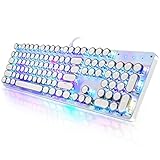
- 【Retro Typewriter Style Keyboard】: Merges the charm of vintage typewriters with advanced mechanical blue switches for medium resistance, clear click sounds, and tactile feedback, offering a unique and comfortable typing experience.
- 【 RGB Lighting】: Features multi RGB colors backlight modes and adjustable sidelights, enabling brightness and speed customization for immersive gaming or mood lighting in any setting
- 【Comfortable Typing Experience】 Enjoy a responsive and lag-free typing experience with our gaming keyboard featuring classic switches that provide satisfying tactile feedback with each keystroke. The stepped layout offers an ergonomic angle and concave keycap design for comfortable typing. Advanced anti-ghosting technology allows all 104 keys to work simultaneously, ensuring fast typing response.
- 【26Key Anti-Ghosting for Peak Responsiveness】: With 26 keys anti-ghosting, ensures every keystroke is registered during intense gaming or fast typing, for flawless performance.
- 【Powerful Compatibility 】 Our keyboard is compatible with Win XP, Vista, Win7, Win8, Win10A, Android, Linux, Mac, etc. It is a plug-and-play device that can be directly plugged into a computer's USB port for easy use. We provide a comprehensive after-sales system to ensure your satisfaction with our product.
Its listed minimum hardware requirements are an Intel i3-equivalent processor, 4 GB of RAM, Intel HD Graphics 4600 or better, DirectX 10 or later, and 1 GB of available storage. Actual performance depends on wallpaper resolution and complexity.
- Install Lively from a trusted source.
- Open its system-tray icon to access the application.
- Use the Screen configuration area to choose the wallpaper and display on which it runs.
- Start with a low-resolution or lightly animated scene and check GPU and memory use.
Lively supports video wallpapers through Mpv, libVlc, Vlc, and Windows Media Foundation. Mpv is the default and recommended player. The Microsoft Store version supports only its default Mpv player; additional player plugins cannot be installed in that version.
Windows N, KN, and E editions need additional codecs for video playback. If an animated wallpaper stutters or causes instability, Lively’s documentation recommends turning GPU decoding off. Mpv configuration is stored here for the installer version:
Recommended Free Tools
C:\Users\<UserName>\AppData\Local\Lively Wallpaper\Mpv\portable_config\
For the Microsoft Store version, the documented location is:
%LocalAppData%\Packages\12030rocksdanister.LivelyWallpaper_97hta09mmv6hy\LocalCache\Local\Lively Wallpaper\Mpv\portable_config\
Independent reader supportYour contribution helps us test, update, and keep practical guides available for everyone.A practical order for assembling the desktop
- Set a light Windows theme, nature wallpaper, and cyan/green accent.
- Save that native setup from Settings > Personalization > Themes > Save.
- Install and configure ExplorerPatcher if you want older taskbar or Start behavior.
- Install Windhawk and test either Aerexplorer or File Explorer Styler, not every Explorer modification at once.
- Add a compatible third-party visual style only after the shell works normally.
- Install Lively last, then tune animation and video decoding.
This order gives each layer a clear purpose. If Explorer breaks after step four, you know which mod to disable. If the desktop only feels visually flat, adjust wallpaper, colors, or the visual style without changing the shell again.
What’s actually slowing this PC down?
Pick the symptom - the matching free tool is one click away.
Best Value
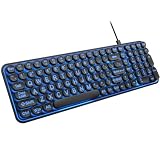
- 【Large Print Keyboard】: 4X larger than standard keyboard fonts, clear and easy to find when typing, and can help those who have trouble seeing keyboards. Perfect for seniors, the visually impaired, students, special needs departments and libraries, etc.
- 【7 Color Backlit Wired Keyboard】This lighted keyboard features 7 vibrant LED colors and 3 adjustable brightness levels, with easy-to-use backlight hotkeys. Evenly distributed lighting ensures clearly visible key displays, enabling effortless typing in dimly lit offices, at night, or in other low-light environments
- 【Retro Round Key Keyboard】Blends vintage aesthetics with modern typewriter functionality, featuring round keycaps, quiet typing keys, and a compact layout. Designed for smooth, comfortable use, this retro typewriter keyboard helps you stand out in the office. It can showcase its unique charm at home, school,studio, and office
- 【Plug and Play & Silent Click】This wired Backlit keyboard offers effortless setup with plug-and-play functionality—no drivers, power charging, or battery swaps required. Features quiet typing keys for noise-free use.
- 【12 Multimedia Hotkeys & Ergonomic Design】12 convenient multimedia hotkeys for control of music, volume, lock keyboard, email and more, greatly boosting your work and entertainment efficiency. Ergonomic key arrangement reduces wrist fatigue and discomfort during prolonged use.
What to do when something breaks
| Symptom | First response |
|---|---|
| Aerexplorer has no effect | Confirm that svchost.exe is in Windhawk’s Process inclusion list, then restart Explorer or Windows. |
| Control Panel looks wrong | Disable Aerexplorer and check whether the documented styling conflict disappears. |
| Explorer has broken graphics | Disable the newest Explorer mod or conflicting blur/XAML tool. Do not run multiple XAML diagnostics consumers. |
| Explorer will not start after ExplorerPatcher | Check whether security software is blocking dxgi.dll; use recovery or uninstall the utility if necessary. |
| Apps crash after a custom theme | Revert to the saved Windows theme, then consider App Theme Crash Fixer. |
| Animated wallpaper stutters | Use a simpler wallpaper, check display configuration, or disable GPU decoding. |
How close can Windows 11 get?
A stable setup can reproduce the mood of Frutiger Aero very well: bright natural wallpaper, clean white windows, turquoise accents, older taskbar behavior, customized Explorer, and gentle animation. It cannot make every Windows 11 component identical to Vista. Some modern Settings pages and applications use their own frameworks, while old visual styles may not match the current Windows build.
For most PCs, the best balance is native personalization plus carefully selected ExplorerPatcher and Windhawk settings. SecureUxTheme and old theme files should be treated as optional experiments, with a restore path prepared before changing them.
FAQ
Does Windows 11 have a built-in Frutiger Aero theme?
No. Windows 11 can natively manage wallpapers, colors, sounds, cursors, and saved themes, but it does not include the Vista/7 Aero glass theme, classic Start menu, or classic Explorer layout.
Is ExplorerPatcher a Frutiger Aero theme?
No. ExplorerPatcher changes Windows shell behavior and appearance, including the taskbar, Start menu, File Explorer, and Alt+Tab. You still need wallpaper, colors, sounds, and possibly a visual theme.
Is Windows 11 Mica the same as Vista Aero glass?
No. Microsoft describes Mica as an opaque material that uses the wallpaper and theme to create its appearance. Vista Aero used translucent glass effects.
Why is Aerexplorer not working after installation?
Aerexplorer requires svchost.exe in Windhawk’s Process inclusion list. Add it through Windhawk > Settings > Advanced settings > More advanced settings, then restart Explorer or Windows.
Can I use ExplorerBlurMica with Windows 11 File Explorer Styler?
They may conflict. File Explorer Styler documents a one-consumer limitation for XAML diagnostics and identifies ExplorerBlurMica as an example of a conflicting program. Use one XAML-modifying tool at a time.
Will a Windows 7 theme work automatically on Windows 11?
No. An old .theme or .msstyles file may apply partially, fail to style some controls, or make applications unstable. Use a Windows 11-compatible style and keep a restore point.
Free tools Windows power users keep installed
One-click scans. No signup required.
The Bottom Line
Start with Settings > Personalization > Themes: choose a bright nature wallpaper, a light cyan/green color scheme, suitable sounds and cursors, then save the result. Add ExplorerPatcher for older shell behavior, Windhawk for carefully selected Explorer changes, and Lively Wallpaper for motion. Reserve SecureUxTheme and old Vista/7 visual styles for advanced experimentation, because they are the most likely part of the setup to cause compatibility problems.
Quick Recap
Product prices and availability are accurate as of the date/time indicated and are subject to change. Any price and availability information displayed on Amazon at the time of purchase will apply.

