
Recommended Free Tools
You can build a voice-controlled robot arm from a 3D-printed frame, five small servos, an Arduino-compatible controller and a voice-recognition module. But the available build descriptions do not establish a complete, current bill of materials for exactly $55, so treat that amount as a target to verify—not a proven total.
What the $55 build involves
ElectroNoobs’ May 30, 2026 tutorial describes an Arduino-based arm made with five 9g servos and 3D-printed parts. The controller uses servo signals to position the joints, while a voice module supplies commands. The tutorial is a practical design reference, but it does not establish the finished arm’s lifting capacity, accuracy, safety margin or full project cost.
A printed frame can avoid buying a preassembled arm, but printing is not automatically free: include access to a printer, filament or a printing service in your budget. Also account for wiring, the controller, voice input and a suitable servo power supply rather than pricing only the arm or servos.
Parts and costs to account for
Use these as sourcing categories, not as a verified $55 shopping list. No current listing prices or stock were established for the parts.
The Tool Desk
Outbyte Driver Updater FREEFix the driver behind crashes, sound loss and screen glitchesFind Drivers →Outbyte PC Repair FREEClear out junk files and repair common Windows errorsFree Scan →#1 Best Overall

- 【Humanoid Robot with ESP32】 Powered by ESP32 and 17 intelligent servos, Tonybot smart humanoid robot delivers smooth, dynamic performance. Use the app to easily control it for walking, dancing, kicking, and more. Tonybot can stand up automatically, which is great for playing football and performing gymnastics.
- 【Multimodal Large AI Models】Powered by an AI model module that combines language, voice, and vision models, Tonybot Ultimate Kit unlocks advanced embodied AI functions such as natural conversation and scene understanding. (Ultimate Kit Only)
- 【AI Vision & Voice Interaction】Equipped with an ESP32-S3 vision module and voice interaction module, Tonybot AI robot enables offline face recognition, target tracking, visual line following, voice control, and more. Customize commands and train it to be your AI assistant.
- 【Expandable AI Development with Sensors】 Tonybot robot kit comes with an ultrasonic sensor, IMU sensor, buzzer, and supports modules like dot matrix display, fan, temp/humidity sensors, and WiFi for endless AI-driven development.
- 【3 Programming Options & Comprehensive Tutorials】Tonybot smart AI robot supports Arduino, Python, and Scratch programming, with open-source low-level code and step-by-step tutorials covering everything from beginner learning to advanced humanoid robot development.
- Arm structure: printed parts for the five-servo design, or a compatible hobby robot arm kit. Compare the total cost and assembly work before choosing.
- Actuators: five 9g servos for the documented design. Confirm that the servos fit the printed parts and that their torque suits the tasks you expect the arm to perform.
- Controller: an Arduino or compatible board with the connections needed to control the servos and receive voice-module data.
- Voice input: a compatible UART voice-recognition module configured with the commands you want the arm to recognize.
- Power and wiring: a supply appropriate for the selected servos, plus the wiring needed to connect the components. Do not assume the controller board can power every servo directly.
- Fabrication and incidentals: printer access or printing service, material, connectors and other assembly supplies, if they are not already on hand.
Before buying, total the required components and fabrication costs, check board and module compatibility, and verify the power requirements for the exact servos in your design. If that total exceeds $55, reduce the scope or choose different components; do not present the build as meeting the target unless your actual parts and costs do.
How voice commands control the arm
In the ElectroNoobs design, the voice-recognition module is configured for a set of commands and sends two-byte command values to the microcontroller over UART. The controller interprets those values and changes servo positions. This is fixed-command control, not open-ended conversational voice control; the tutorial does not report a recognition-accuracy measurement.
Rank #2

- 3 Flexible Programming Methods. The xArm AI supports Arduino, Scratch, and Python. With comprehensive tutorials, users can easily master AI and programming skills while unlocking their creativity.
- Enhanced AI Interaction. Equipped with the WonderCam AI vision module and WonderEcho AI voice interaction module, the xArm AI enables color recognition, tag tracking, facial recognition, voice broadcasting, and voice control, opening up a world of advanced AI applications.
- Advanced Inverse Kinematics. The xArm AI features intelligent serial bus servos and an advanced inverse kinematics algorithm, ensuring precise motion planning and smooth execution—even for complex tasks.
- Open for Secondary Development. Powered by the CoreX Controller, the xArm AI offers multiple ports for servos, motors, and sensors, making it fully compatible with the Hiwonder sensor lineup and ideal for secondary development.
- With Abundant Learning Materials. xArmAI is an AI robot designed for students and beginners in artificial intelligence education. Have fun with xArmAI robotic arm and learn coding skills at the same time!
Plan commands around distinct movements the arm can perform, such as moving a joint to a preset position. The software must map each received command to the intended servo action. The number and usefulness of possible movements depend on the arm’s mechanics and the program you write, not just on the voice module.
Choose a power supply for your exact servos
Servo power requirements vary by design and component choice. As one specific reference, a Joy-it Talking-Pi manual listing specifies 4.8–6 V and a maximum current of 6 A for its servo setup. Those figures are not a universal recommendation for the five-servo Arduino build. Check the voltage and current requirements for your selected servos, and size the supply and wiring accordingly.
Rank #3

- 【Advanced AI Robot Dog】Designed for AI education, MechDog AI acts as a lifelike robotic pet, making learning mechanics, electronics, and programming highly engaging for beginners.
- 【Multimodal AI & Voice-Vision Interaction】Equipped with an AI module fusing language, voice, and vision models for deep perception. Enjoy real-time Q&A, scene understanding, and smart object recognition for highly natural, customizable interactions.
- 【Robot Arm Expansion & Coreless Servos】Expandable with a 3DOF robotic arm for autonomous gripping. Driven by 8 high-speed coreless servos, it ensures precise gait control and stable movement.
- 【Inverse Kinematics for Flexible Movement】Built-in inverse kinematics instantly adjust walking direction and posture, delivering exceptionally flexible and lifelike dynamic movements.
- 【Cross-Platform Control & Multiple Programming Options】Control seamlessly via PC or mobile app. Supports Scratch, Arduino, and Python, providing versatile programming options for all skill levels.
Alternative: a Raspberry Pi and preassembled arm
A 2021 review in the European Journal of Electrical Engineering and Computer Science describes a different arrangement: a Raspberry Pi, 32GB microSD card, power bank, breadboard power supply, microphone, speaker, Android phone with Bluetooth and a preassembled 6-DOF servo arm. It illustrates a computer-based route, but it is a more involved parts list and does not show that this setup fits a $55 budget.
Another voice-controlled robot example from ElectronicWings combines Raspberry Pi and Arduino and describes a robot that can pick up objects. Its project page is an example of a broader robot project, not evidence of the cost or capabilities of the small five-servo arm.
Rank #4
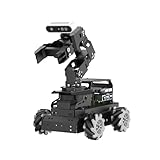
- 【Raspberry Pi 5 & ROS2 Robot Car】 LanderPi AI robot car is powered by Raspberry Pi 5, compatible with ROS2, and programmed in Python, making it an ideal platform for AI robot development.
- 【High-Performance Hardware】LanderPi smart AI robot car equipped with DC gear encoder motors, TOF lidar, 3D depth camera, 6DOF Robotic Arm, and other advanced components to ensure optimal performance and efficiency.
- 【AI Advanced AI Capabilities】 LanderPi Raspberry Pi car supports SLAM mapping, path planning, multi-robot coordination, vision recognition, target tracking, and more, covering a wide range of AI applications.
- 【Autonomous Driving with Deep Learning】Utilizes the YOLOv8 model training to enable road sign and traffic light recognition, along with other autonomous driving features, helping users explore and develop autonomous driving technologies.
- 【Empowered by Large AI Model, Human-Robot Interaction Redefined】LanderPi robot car deploys multimodal models with ChatGPT at its core, integrating 3D vision robotic arm and AI voice interaction box. This synergy enhances its perception, reasoning, and actuation capabilities, enabling advanced embodied AI applications and delivering natural, context-aware human-robot interaction.
Check the build before calling it a $55 project
- List every required item, including the controller, voice module, power supply, wiring and printed structure.
- Include the cost of filament or a printing service if you do not already have suitable printed parts.
- Confirm that the voice module communicates in a way the chosen controller can receive and that the arm’s servos fit the structure.
- Verify power requirements for the actual servos rather than borrowing figures from another product’s manual.
- Calculate the total using current prices available to you, then state clearly which parts are included or already owned.
The documented Arduino design gives a sensible starting point for a compact fixed-command arm. The sources do not provide an itemized, current build that proves the finished project costs exactly $55.
Quick Recap
Best Value
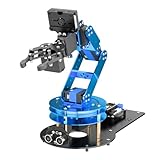
- ESP32 Controller & Arduino Programming. LeArmAI is an open-source AI robotic arm powered by ESP32 and fully compatible with Arduino programming. It features built-in Bluetooth and multiple expansion ports, making it ideal for function upgrades and secondary development.
- Smart Bus Servos & Inverse Kinematics. Equipped with 6 smart bus servos and an advanced inverse kinematics algorithm, LeArmAI 6DOF robot arm delivers precise path planning and smooth, efficient movements—perfect for tackling complex tasks.
- Versatile Sensor Expansion. LeArmAI robot arm supports a wide range of sensors, including AI vision, voice module, ultrasonic, and acceleration sensors. This robotic arm enables creative applications like color recognition, target tracking, face detection, voice control, and distance measurement.
- Multiple Control Options. Control LeArmAI robotic arm with an app, PC software, or wireless controller. It's beginner-friendly and easy to get started, even with no prior experience.
- Comprehensive Learning Resources & Open Source Robot Arm. Comes with 200+ tutorials, sample experiments, open-source code, circuit schematics, and well-commented programs—helping users dive into AI and programming while sparking endless creativity.
Product prices and availability are accurate as of the date/time indicated and are subject to change. Any price and availability information displayed on Amazon at the time of purchase will apply.
Do these 3 things before closing this tab:
1Repair Windows errors before they cause bigger problems2Scan for outdated or missing drivers - takes under a minute3Clear out junk files and repair common Windows errors
