
iTechGuides is reader-supported. When you buy through links on our site, we may earn an affiliate commission. As an Amazon Associate I earn from qualifying purchases. Learn more
To know if a Mac is refurbished or new, do not rely on its serial number alone. Compare the invoice, box, and Mac identity; check Apple coverage, Parts & Service history when supported, battery cycles, Activation Lock, management enrollment, and physical condition. These checks can expose prior use or repair, but no single test proves a complete history.
A valid serial number, clean chassis, sealed packaging, low battery-cycle count, or active Apple warranty can all appear on a Mac that was returned, opened, repaired, replaced, or refurbished by Apple or a third party.
Key takeaways
- Apple Certified Refurbished Macs are pre-owned, tested, cleaned, inspected, repackaged, and sold with a standard one-year limited warranty.
- Apple’s Check Coverage page can identify a serial number and show coverage information, but it is not a complete public history of use, repairs, or refurbishment.
- Parts & Service history is available on supported Apple silicon Macs running macOS Tahoe 26 or later, and its labels can reveal detected replacement or repair work.
- A high battery cycle count, visible wear, serial-number mismatch, Activation Lock, or remote-management enrollment is stronger evidence of prior use or an unresolved ownership problem than a sealed box is evidence of newness.
- Activation Lock is a purchase-blocking issue: the previous owner must remove the Mac from their Apple Account before you accept it.
What does “refurbished” mean?
“Refurbished” does not describe one universal process. The seller’s program, testing standards, replacement parts, warranty, packaging, and documentation determine what the label means.
Outdated Drivers Are Slowing You Down
One free scan finds every outdated or missing driver and matches the right update for your exact hardware.Free scan · exact hardware matchWindows Errors? Fix Them Before They Spread
Repair common Windows errors and clear accumulated junk for a smoother, more stable PC - no reinstall needed.Free scan · no reinstall| Label | What it generally means | What you should verify |
|---|---|---|
| Apple Certified Refurbished | A pre-owned Mac processed and sold through Apple’s certified refurbished program. | Apple order or invoice, advertised refurbished status, included accessories, packaging, configuration, and warranty. |
| Manufacturer refurbished | A manufacturer has refurbished the device under its own program. For a Mac, this normally means Apple’s program if the seller uses the term accurately. | Which manufacturer performed the work and who provides the warranty. |
| Retailer refurbished | A retailer or its contracted service inspected, repaired, or reconditioned the Mac. | Inspection standard, replaced parts, cosmetic grade, warranty, and return policy. |
| Third-party refurbished | An independent business repaired, cleaned, tested, or reconditioned the Mac. | Business identity, service records, parts used, battery condition, warranty, and return rights. |
| Used | The Mac was previously owned or operated. “Used” does not promise that formal refurbishment occurred. | Actual condition, ownership status, service history, and seller disclosure. |
| Open-box | The original product was opened or returned. The Mac may be unused, lightly used, repaired, or repackaged. | Why it was returned, whether the box was resealed, and whether the seller guarantees a complete configuration. |
| Demo or display unit | The Mac was used for store demonstration or display. | Wear, battery cycles, warranty start date, and whether the seller discloses its display history. |
| Replacement device | A service replacement supplied during a repair or warranty process. Its commercial history may differ from a retail-new unit. | Replacement documentation, serial and configuration records, coverage, and seller’s exact description. |
Apple says its Certified Refurbished products are pre-owned and undergo full functional testing, cleaning, inspection, repackaging, replacement of defective modules when identified, and final quality assurance. Apple also says the products receive a new refurbished part number and serial number. A new serial number therefore does not mean the Mac itself was never previously owned. See Apple’s explanation of its refurbished process.
Popular on Amazon

- Quad-core 8th-Generation Intel Core i5 Processor
- Brilliant Retina Display with True Tone technology
- Touch Bar and Touch ID
- Intel Iris Plus Graphics 645
- Ultrafast SSD
Apple’s current refurbished storefront advertises full functional testing, a one-year limited warranty, and savings of up to 15%; inventory, models, prices, and availability vary by country and change over time. Check Apple Certified Refurbished inventory before comparing a listing with a new Mac.
How can you check whether a Mac is refurbished or new?
The most reliable approach is to combine documentation, software checks, ownership checks, and physical inspection. Perform the checks in this order, preferably before the seller’s return period expires.
- Ask where the Mac was purchased. Request the original invoice, order confirmation, and exact product description. “Apple Certified Refurbished,” “open-box,” “used,” and “seller refurbished” are materially different claims.
- Record every serial and model identifier. Compare the value in macOS with the number on the enclosure and box.
- Check Apple coverage. Use Apple’s official coverage page and compare the result with the seller’s warranty claim.
- Inspect Parts & Service history if the Mac supports it. A detected repair or replacement deserves an explanation and documentation.
- Check battery cycle count on a Mac laptop. A high count can contradict an “unused” claim, while a low count does not prove the complete Mac is new.
- Complete enough of setup to check ownership and management. Stop if the Mac requests another person’s Apple Account or displays an organization’s remote-management enrollment.
- Inspect the hardware and accessories. Look for wear, tool marks, mismatched parts, missing accessories, and serial-number discrepancies.
- Test, document, and decide before the return deadline. Save photographs, screenshots, listing text, messages, and the seller’s promises.
How do you find a Mac’s serial number?
The serial number is the starting point for identifying the computer, but it is not a complete refurbishment certificate.
Recommended Free Tools
From macOS
- Open the Apple menu.
- Choose About This Mac.
- Record the model name and serial number.
Apple also documents an alternative route: hold Option while opening the Apple menu, choose System Information, select Hardware, and read the serial number. Apple’s instructions are available in Find your Mac model name and serial number.
From Terminal
If macOS is usable but the normal About window is unavailable, open Terminal and run:
ioreg -l | grep IOPlatformSerialNumberThe output contains the value after IOPlatformSerialNumber. Apple documents this command in the same Mac serial-number and model-identification guide.
From the Mac or its box
Check the underside of the Mac, usually near regulatory markings, and check the label on the original box. Compare both with macOS.
Quick wins for a faster PC:
Repair Windows errors before they cause bigger problemsFix Now →Fix the driver behind crashes, sound loss and screen glitchesFind Drivers →Clear out junk files and repair common Windows errorsFree Scan →A mismatch is a significant warning sign, but it is not automatic proof of fraud. A replacement enclosure, replacement logic board, incorrect box, or seller error can produce a mismatch. Photograph the numbers and ask the seller to explain the discrepancy before accepting the Mac.
If the Mac will not complete setup but can start macOS Recovery, Terminal may be available from the Recovery utilities. Apple specifically notes that the serial number may be obtainable through Recovery Terminal.
What does Apple Check Coverage tell you?
Enter the serial number at Apple Check Coverage to see whether Apple recognizes it and what coverage or support information is associated with it.
Also popular on Amazon
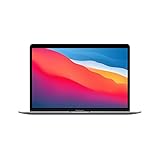
- Apple-designed M1 chip for a giant leap in CPU, GPU, and machine learning performance
- Go longer than ever with up to 18 hours of battery life
- Up to eight GPU cores with up to 5x faster graphics for graphics-intensive apps and games
| Coverage result can help establish | Coverage result cannot conclusively establish |
|---|---|
| Whether Apple recognizes the serial number. | That the Mac has never been used. |
| The general product identity and support context. | That the Mac has never been opened or repaired. |
| Whether warranty or AppleCare-related benefits appear. | That the Mac is Apple Certified Refurbished. |
| Whether coverage information looks inconsistent with the seller’s claim. | That every internal component is original. |
| Whether the displayed dates merit further investigation. | That the displayed date is when the current seller acquired the Mac. |
An active warranty may reflect a recent purchase, a replacement device, or transferred coverage rather than an untouched retail-new Mac. An older Mac may have expired coverage even if the Mac has been sitting unused in inventory. A device without current coverage is not automatically refurbished.
Apple Certified Refurbished Macs can also have new refurbished serial numbers and part numbers. Apple’s coverage page is therefore useful for recognition and warranty context, not as a public, complete refurbishment-history database.
Can a model or part-number prefix prove that a Mac is refurbished?
No. Prefixes are supporting clues at most, not universal proof of a Mac’s history.
Online guides commonly claim that M means originally sold as new, F means refurbished, N means replacement, and P means personalized or engraved. Apple’s current public support guidance focuses on identifying the Mac with its serial number and checking coverage; it does not present those prefixes as a complete, consumer-facing refurbishment-verification system.
Do not confuse the serial number with Apple’s part number or model number. A third-party-refurbished Mac may retain a part number that does not identify it as Apple-refurbished. A prefix cannot establish the manufacturing date, usage history, repair history, or seller’s refurbishment process. Use the invoice, seller identity, Apple documentation, Parts & Service history, battery information, and physical evidence together.
Do these 3 things before closing this tab:
1Scan for outdated or missing drivers - takes under a minute2Clear out junk files and repair common Windows errors3Fix the driver behind crashes, sound loss and screen glitchesHow do you use Parts & Service history on a Mac?
On supported Macs, Parts & Service history is currently the strongest software-based indication of detected repair work. Apple says the feature requires Apple silicon, macOS Tahoe 26 or later, and a Mac that detects that it has been repaired.
- Open the Apple menu.
- Choose System Settings.
- Select General.
- Choose About.
- Select Parts & Service.
The Parts & Service option appears only when the Mac detects a qualifying repair. Apple documents the feature and its limits in About Mac parts and service history.
| Label | What the label means | What to do |
|---|---|---|
| Genuine | The repair used genuine Apple parts and processes. | Still ask when and why the Mac was repaired; genuine parts do not make a used Mac new. |
| Unknown | The part may be nongenuine, malfunctioning, or otherwise not verified. | Ask for service records and consider an inspection or return. |
| Unverified | The logic board was previously replaced and may affect some features. | Treat the result as a major disclosure issue, especially if the listing said new. |
| Used | The part was previously used or installed in another Mac. | Reconcile the result with the seller’s description and return policy. |
A missing Parts & Service entry does not prove that the Mac has never been repaired. The feature is unavailable on unsupported Macs, including older Intel models, and appears only when Apple detects qualifying work. A repair may also be undocumented or not detected. Apple says only the most recent service appears if a part was serviced more than once.
Genuine parts also do not equal new condition. Apple, Apple Authorized Service Providers, Independent Repair Providers, and certain repair programs can use genuine Apple parts on a Mac that remains used or refurbished.
The Tool Desk
Outbyte PC Repair FREEClear out junk files and repair common Windows errorsFree Scan →Outbyte Driver Updater FREEFix the driver behind crashes, sound loss and screen glitchesFind Drivers →If Parts & Service is disabled because security settings were modified, Apple advises installing updates, restarting, and checking System Integrity Protection. Do not interpret a disabled or unavailable interface as a clean history.
Also popular on Amazon

- STRIKINGLY THIN DESIGN — The redesigned MacBook Air is more portable than ever and weighs just 2.7 pounds. It’s the incredibly capable laptop that lets you work, play or create just about anything — anywhere
- SUPERCHARGED BY M2 — Get more done faster with a next-generation 8-core CPU, up to 10-core GPU and up to 24GB of unified memory
- BIG, BEAUTIFUL DISPLAY — The 13.6-inch Liquid Retina display features over 500 nits of brightness, P3 wide color and support for 1 billion colors for vibrant images and incredible detail
- ADVANCED CAMERA AND AUDIO — Look sharp and sound great with a 1080p FaceTime HD camera, three-mic array and four-speaker sound system with Spatial Audio
- VERSATILE CONNECTIVITY — MacBook Air features a MagSafe charging port, two Thunderbolt ports and a headphone jack
How do you check battery cycle count on a MacBook?
Battery cycle count can reveal meaningful prior use, but battery information describes the installed battery rather than the complete history of the Mac.
- Hold Option while opening the Apple menu.
- Choose System Information.
- In the sidebar, select Power.
- Look under Battery Information for Cycle Count.
Apple documents this route in Determine battery cycle count for Mac laptops.
A high cycle count indicates meaningful battery use and may conflict with an “unused” claim. A very low cycle count is consistent with a new, lightly used, replacement, or refurbished Mac. A low count does not prove that the entire computer is new because a refurbisher may have replaced the battery. Do not impose a universal “new Mac must have zero cycles” rule: factory testing, setup, diagnostics, shipping, or inspection can create a small number of cycles.
What’s actually slowing this PC down?
Pick the symptom - the matching free tool is one click away.
Also check System Settings > Battery > Battery Health, where available. Review maximum capacity and any Service Recommended message. Cycle-count limits vary by Mac model. Apple says Mac laptop batteries are designed to retain up to 80% of their original capacity at their maximum cycle count.
How do you check Activation Lock and remote management?
Activation Lock is an ownership check and a deal-breaker, not merely a refurbishment clue. Start setup far enough to confirm that the Mac can be activated by you.
Make sure the Mac does not request another person’s Apple Account or device passcode. Ask the seller to sign out, disable Find My, and remove the Mac from the previous owner’s account while you are present. Apple explains the requirements in Activation Lock for Mac and documents removal through Find My on Mac.
Activation Lock can require the previous owner’s Apple Account password or device passcode before another person can turn off Find My, erase the Mac, or reactivate it. If Activation Lock appears, do not accept a promise that a bypass will be possible later, do not pay for a bypass service, and do not sign into your own Apple Account. If the seller cannot remove the lock during the transaction, return or reject the Mac.
Check remote management separately. Look for an organization-branded setup screen, enrollment message, restrictions that prevent changes, or a claim that the Mac is “fully unlocked” accompanied by a refusal to let you complete setup. A Mac can be erased and still remain enrolled with a school or business. Require the seller or organization to release the Mac before purchase.
What do the box, accessories, and hardware reveal?
Packaging and physical condition provide corroborating evidence, not conclusive proof.
Apple says Certified Refurbished products are packaged in a brand-new white box and include the appropriate accessories, cables, operating system, and documentation. See Apple’s Certified Refurbished packaging and accessory information. A white box is consistent with Apple-refurbished stock, but a box can be swapped or resold. A sealed box does not prove that the Mac inside is new, and a retail-color box does not prove that the Mac is new.
Also popular on Amazon
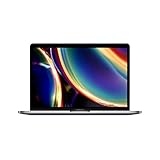
- Touch Bar and Touch ID
- Backlit Magic Keyboard
- Brilliant Retina display with True Tone technology
Check that the charger, cable, keyboard, mouse, and documentation match the model and region. Missing or incompatible accessories may indicate an incomplete third-party refurbishment. Compare the box serial number with the device and macOS, and investigate any mismatch.
Inspect the Mac for:
- Scratches, dents, worn keycaps, shiny palm-rest areas, or trackpad wear.
- Dust in vents, tool marks near screws, uneven seams, gaps, loose hinges, or mismatched screws.
- Bottom-case or enclosure color differences and labels that do not match the rest of the chassis.
- Display discoloration, pressure marks, dead pixels, camera or microphone problems, speaker distortion, damaged ports, and unreliable Touch ID.
- Signs that the display, keyboard, enclosure, battery, or logic board was replaced.
A pristine exterior does not prove newness because a refurbisher may thoroughly clean the Mac or replace its enclosure. Minor cosmetic marks can be compatible with a properly disclosed used or refurbished Mac. The important question is whether the condition matches the listing and price.
What does a factory reset prove?
A successful reset proves that the Mac has returned to Setup Assistant; it does not prove that the Mac was never used or refurbished.
Apple supports Erase All Content and Settings on Apple silicon Macs and Intel Macs with the T2 Security Chip running macOS Monterey 12 or later. On macOS Ventura 13 or later, use:
- Open the Apple menu.
- Choose System Settings.
- Select General.
- Scroll to Transfer or Reset.
- Choose Erase All Content and Settings.
On macOS Monterey 12, open System Preferences, use the System Preferences menu in the menu bar, and choose Erase All Content and Settings. Apple lists the supported hardware and paths in Erase your Mac and reset it to factory settings.
After erasure, the Mac should restart into Setup Assistant. Erasing a Mac is also the normal way to prepare a used or refurbished Mac for resale, so the same result is expected from both a new open-box computer and a previously used one. If the option is unavailable, older Intel Macs require the appropriate manual erase and macOS reinstallation process.
Which evidence is strong and which evidence is weak?
| Evidence | What it suggests | Strength and limitation |
|---|---|---|
| Apple invoice explicitly identifying Certified Refurbished stock | The Mac came through Apple’s certified refurbished program. | Strongest provenance evidence, provided the invoice matches the device. |
| Parts & Service entry showing Used, Unknown, or Unverified | Detected prior part use or repair. | Strong evidence of service or replacement, but available only on supported Macs. |
| Activation Lock or remote management | Another owner or organization still controls the Mac. | Deal-breaker until the seller removes the association. |
| High battery cycle count | Meaningful use of the installed battery. | Useful contradiction to “unused,” but a replacement battery can hide earlier use. |
| Serial mismatch between Mac, box, and macOS | Possible box mix-up, enclosure or board replacement, or misrepresentation. | Important warning requiring an explanation, not automatic proof of fraud. |
| Valid serial number | Apple recognizes the identifier. | Weak by itself; does not prove newness, originality, or complete history. |
| Active Apple warranty | Coverage is available or recently began. | Weak by itself; coverage can involve replacements, transfers, or older inventory. |
| Sealed packaging or white box | The package has not been opened recently or resembles Apple-refurbished packaging. | Weak; packaging can be resealed, swapped, or resold. |
| Low battery cycle count | The current battery has had limited recorded use. | Weak by itself because the battery may have been replaced. |
| Successful factory reset | The Mac is ready to begin setup again. | Weak; used and refurbished Macs are routinely erased before resale. |
What should you do if the Mac was misrepresented?
Stop treating the Mac as acceptable until the seller’s claim and the evidence agree.
- Do not sign into personal accounts yet. Complete only the setup checks needed to detect Activation Lock and management enrollment.
- Preserve evidence. Photograph the Mac, labels, box, accessories, screen messages, and visible wear. Save screenshots of coverage, Parts & Service history, battery information, the product listing, invoice, and seller messages.
- Ask for a written explanation. Request service records, proof of Apple Certified Refurbished status, or clarification of any serial mismatch and replacement part.
- Use the return policy promptly. Request a refund rather than accepting an unverifiable explanation, especially when the listing said “new” but the evidence indicates prior use or repair.
- Escalate a material dispute. Contact Apple or an Apple Authorized Service Provider for a hardware assessment when the purchase value or suspected repair makes an inspection worthwhile. A provider may assess condition and components but may not reconstruct the Mac’s complete commercial history.
- Never attempt an Activation Lock bypass. The previous owner or organization must release the Mac legitimately.
Is Apple Certified Refurbished worth considering?
Apple Certified Refurbished is the clearest lower-cost option when documented provenance, Apple-backed testing, and warranty matter more than choosing any custom configuration.
Apple says its certified refurbished products are pre-owned, fully function-tested, cleaned, inspected, repackaged, and sold with a standard one-year limited warranty. Apple’s refurbished store also advertises savings of up to 15%, although exact models, configurations, prices, and regional availability change. Apple says refurbished Macs cannot be customized in the same way as new Macs, so limited inventory is the main trade-off.
Free tools Windows power users keep installed
One-click scans. No signup required.
Compare the specific Apple Certified Refurbished listing with the price of a new Mac rather than assuming that every “refurbished” marketplace listing offers the same process or protection. A retailer-refurbished or third-party-refurbished Mac may be a reasonable purchase, but its quality and warranty must be evaluated separately.
Also popular on Amazon
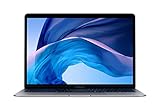
- Stunning 13.3-inch Retina display
- Touch ID and the latest Apple-designed keyboard
- Dual-core 8th-generation Intel Core i5 processor with Intel UHD Graphics 617
- Fast SSD storage and 8GB memory
- Stereo speakers with wider stereo sound
Should you buy AppleCare for a refurbished or used Mac?
AppleCare may be useful when the exact Mac is eligible and the buyer values extended support or accidental-damage coverage, but AppleCare does not correct misrepresentation or remove Activation Lock.
Eligibility, plan terms, deductibles, pricing, and availability vary by Mac model, country, purchase date, and condition. Check the exact details through Apple’s Mac AppleCare information instead of relying on a universal price. Confirm that the Mac is eligible before treating AppleCare as part of the purchase decision.
Final Mac inspection checklist
Use this checklist during an in-person purchase or before the return window closes:
Recommended Free Tools
- ☐ The listing clearly says new, Apple Certified Refurbished, open-box, used, or seller-refurbished.
- ☐ The invoice or order identifies the seller and matches the Mac’s model and configuration.
- ☐ The serial number in About This Mac matches the hardware and box, or any mismatch has a documented explanation.
- ☐ Apple recognizes the serial number and the coverage result does not contradict the seller’s claim.
- ☐ Parts & Service history has been checked when the Mac is Apple silicon and runs macOS Tahoe 26 or later.
- ☐ Any Genuine, Unknown, Unverified, or Used labels have been understood and disclosed.
- ☐ The MacBook’s battery cycle count, maximum capacity, and condition match the advertised condition.
- ☐ Setup does not request another person’s Apple Account credentials.
- ☐ Setup does not enroll the Mac in an unexpected business or school management system.
- ☐ The charger, cable, accessories, documentation, and packaging are present and appropriate.
- ☐ The chassis, screen, keyboard, ports, camera, microphone, speakers, hinges, and Touch ID work correctly.
- ☐ The Mac can be erased and reaches Setup Assistant, if the hardware and macOS support Erase All Content and Settings.
- ☐ Photos, screenshots, listing text, messages, and serial numbers have been saved before the return deadline.
Frequently Asked Questions
Can Apple tell me whether my Mac is refurbished?
Apple can identify the Mac and show coverage information, but Apple’s public coverage checker does not provide a complete refurbishment and repair history. Use the seller’s invoice, Apple Certified Refurbished documentation, Parts & Service history when available, and physical and battery evidence together.
Does a Mac with an M prefix mean it is new?
No. Model or part-number prefixes such as M, F, N, and P are commonly used as clues, but Apple’s current public support guidance does not present them as a universal consumer-facing test of refurbishment status. A prefix cannot prove that a Mac was never used or repaired.
Does a low battery cycle count prove a Mac is new?
No. A low cycle count shows limited recorded use of the installed battery, but the battery may have been replaced. A low count is consistent with new, lightly used, replacement, and refurbished hardware.
What should I do if a used Mac has Activation Lock?
Do not accept the Mac until the previous owner removes it from their Apple Account and disables Find My. Do not pay for a bypass service or rely on a promise that the lock can be removed later; return or reject the Mac if the seller cannot release it.
What’s actually slowing this PC down?
Pick the symptom - the matching free tool is one click away.
Does a factory reset prove that a Mac was never used?
No. Erase All Content and Settings returns a supported Mac to Setup Assistant, but erasing is also standard preparation for selling used and refurbished Macs. A reset proves the Mac was erased, not that it is new.
The Bottom Line
Bottom line: You usually cannot prove that a Mac is new with one lookup. The best decision comes from matching the seller’s claim and invoice with the Mac’s identifiers, Apple coverage, supported Parts & Service history, battery condition, ownership status, physical condition, accessories, and return protection. Treat Activation Lock or unexpected remote management as a reason to reject the purchase, and treat unexplained evidence of prior repair or use as a reason to return or renegotiate.

