
Integrate the robot as part of a complete application—not as a standalone arm. Start by defining the task and operating conditions, survey the existing machine and controls, select an interface and control architecture that the actual equipment supports, assess risk across every operating mode, then commission and document the whole cell. The safe design, wiring, control sequence, and compliance requirements depend on the specific equipment, layout, task, and jurisdiction.
What does a robot integration include?
A production-ready application can include the robot arm and controller, end-effector, fixtures, sensors, process equipment, PLC or cell controller, communications interfaces, utilities, and safeguarding. The existing machine or conveyor is part of the system too: its doors, clamps, cycle states, faults, and access conditions can affect how the robot operates.
That scope matters because the arm’s capabilities alone do not determine whether the complete application can perform the task reliably or safely. OSHA’s Technical Manual describes robot systems broadly, including the application’s control and communication interfaces, and notes that integration at the user facility often supplies functionality the individual robot does not provide.
1. Define the task and site constraints
Describe the work the cell must do
Write down the operation the robot will perform, the parts and tools involved, the required quality and cycle needs, and what the existing equipment must do before, during, and after each robot action. Define normal production as well as what people need to do when setting up, clearing a jam, responding to a fault, recovering the cell, cleaning, or maintaining it.
Do these 3 things before closing this tab:
1Clear out junk files and repair common Windows errors2Fix the driver behind crashes, sound loss and screen glitches3Repair Windows errors before they cause bigger problems#1 Best Overall

- Spark Your Creativity with Robotic Arm: Hiwonder-xArm1S is a high-quality desktop robot arm capable of remote-control grasping, object transportation, custom actions, graphical programming, and more. It serves as the ideal platform for building and showcasing creative projects and for learning about bionic robotics.
- Intelligent Servo: Hiwonder-xArm1S is equipped with 6 high-precision intelligent serial bus servos that provide position, voltage and temperature feedback. These powerful servos deliver strong torque, enabling the robot arm to grasp objects weighing up to 500g with ease.
- Premium Structure Design: The robot arm is constructed from an exquisite aluminum alloy bracket. The base is fortified with high-torque servos and industrial-grade bearings, guaranteeing exceptional stability.
- Various Control Methods: It supports PC, phone app, mouse, wireless PS2 Wireless Controller, and you can also control the robotic at your fingertips. With these control methods, xArm robotic Arm would bring more methods of play and study, perfect for realizing your innovative programming ideas and coding study.
- Versatile Action Editing: Hiwonder-xArm1S provides various action editing methods through a easy-to-use interface, including PC, app, and offline manual editing. This versatility allows you to easily create a wide range of robot applications.
Record the installation conditions
- Part dimensions, mass, orientation, and process requirements.
- Available floor space, robot reach constraints, fixtures, machine openings, and human access routes.
- Available electrical, pneumatic, hydraulic, or other process utilities, as applicable.
- Environmental conditions and the planned operating schedule.
- Current machine states, cycle timing needs, and quality checks.
- Operator and maintenance tasks, including the points where people may approach or enter the work area.
These details form the basis for evaluating robot capability and application risk. A robot model or end-effector cannot be selected responsibly from the phrase “robotic arm” alone.
2. Survey the existing machine and controls
Gather equipment and configuration details
Record the machine make and model, control hardware and software revisions, PLC details, available I/O, supported network or fieldbus options, safety circuits, guarding and interlocks, and relevant electrical or fluid-power requirements. Obtain the manuals and configuration information for the exact equipment revisions involved.
Map the operating sequence
Document the machine and robot states that matter to the process: for example, when the machine is ready for a part, when a door or clamp is in the required state, when the robot may enter, and how each device reports completion or a fault. For every process step, identify which device issues the command and which device confirms the result. Include what should happen if an expected confirmation does not arrive.
Do not assume that two devices support a particular protocol or have compatible options because the protocol is common in the plant. The specific robot controller, PLC, and machine documentation must establish the available interface. FANUC, for example, describes a PROFINET option as a communications path between FANUC robot controllers, PLCs, and plant automation networks; that is a vendor-specific example, not evidence of compatibility with another controller.
Quick wins for a faster PC:
Clear out junk files and repair common Windows errorsFree Scan →Scan for outdated or missing drivers - takes under a minuteDriver Scan →Rank #2
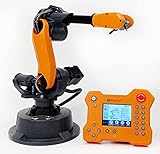
- WLKATA Mirobot Professional Kit. This Professional Kit includes everything in the Education Kit , plus a wireless Bluetooth controller.Part list:Robot arm,Power supply & High-speed USB cable & IDC cable, Pen holding, Micro servo gripper module,Pneumatic set, Multifunctional box,Mirobot Mecha sticker,Handbook,Wireless Bluetooth controller.
- Multiple control methods: computer terminal WLKATA Studio software control, APP mobile phone control, APP mobile phone control, three-dimensional virtual control (V-Rep Ros Matlab),Contains a matching robot controller for better and more comprehensive control
- WLkata Mirobot equipped with laser engraving, writing and drawing, handling and palletizing, mobile app control, etc. Multiple functions, reserved multiple expansion interfaces to support secondary development. Users can develop more application scenarios through software programming and hardware expansion to meet the needs of students of different ages.
- Desktop-level lightweight industrial robotic arm prototype, safe operation, comprehensive functions, freely set actions, add accessories arbitrarily, one arm has unlimited creativity!
- WLKATA is suitable for teaching and training scenarios, color sensor training, multi-fixture coordination training, joint training of six-axis robotic arms and code wheel robotic arms, scene training, painting and calligraphy art training, artificial intelligence voice training, etc.If you have any questions about installation or use, please check the manual or contact us, we will serve you wholeheartedly.
3. Choose the control and communications architecture
Decide where the sequence will be coordinated
Depending on the equipment’s capabilities and the plant’s requirements, the robot controller may coordinate directly with a machine, a line PLC may sequence both, or a higher-level cell controller may be used. The choice depends on actual interface support, timing and diagnostic needs, safety architecture, maintainability, and plant standards. There is no universally correct arrangement for an unspecified line.
Keep process signaling distinct from safety functions
Have qualified controls and safety engineers specify which paths handle ordinary process communication and which handle safety-related functions. Do not assume that a standard communications connection, an I/O signal, or a vendor feature provides the required safety function without confirming its suitability and validating the designed system.
4. Assess risk and design safeguarding for the complete application
Consider all tasks and operating modes
Assess the integrated application in installation, setup, programming, testing, production, jam clearing, fault recovery, cleaning, and maintenance. Consider robot motion as well as tooling, the workpiece, machine hazards, unexpected start, pinch and crush points, electrical and stored-energy hazards, access, reach, environmental conditions, and foreseeable faults or misuse. The people who install, operate, maintain, or work near the cell can help identify real tasks and exposures.
Select and verify protective measures
Choose safeguards and other risk-reduction measures for the assessed hazards and the actual layout, then verify them in the integrated application and its operating modes. A collaborative-robot label does not establish that an application is safe: the tool, workpiece, speed, surrounding equipment, and way people interact with the cell affect the assessment. OSHA’s Technical Manual treats collaborative applications as requiring application-specific hazard analysis.
Outdated Drivers Are Slowing You Down
One free scan finds every outdated or missing driver and matches the right update for your exact hardware.Free scan · exact hardware matchPC Slower Than It Used to Be?
A free scan shows the junk files, broken settings and background clutter dragging Windows down - then fixes them in one click.Free scan · Windows 10 & 11Rank #3

- Spark Your Creativity with Robotic Arm: Hiwonder-xArm1S is a high-quality desktop robot arm capable of remote-control grasping, object transportation, custom actions, graphical programming, and more. It serves as the ideal platform for building and showcasing creative projects and for learning about bionic robotics.
- Intelligent Servo: Hiwonder-xArm1S is equipped with 6 high-precision intelligent serial bus servos that provide position, voltage and temperature feedback. These powerful servos deliver strong torque, enabling the robot arm to grasp objects weighing up to 500g with ease.
- Premium Structure Design: The robot arm is constructed from an exquisite aluminum alloy bracket. The base is fortified with high-torque servos and industrial-grade bearings, guaranteeing exceptional stability.
- Various Control Methods: It supports PC, phone app, mouse, PS2 wireless control, and you can also control the robotic at your fingertips. With these control methods, Hiwonder-xArm1S would bring more methods of play and study, perfect for realizing your innovative programming ideas and coding study.
- Versatile Action Editing: Hiwonder-xArm1S provides various action editing methods through a user-friendly interface, including PC, app, and offline manual editing. This versatility allows you to easily create a wide range of robot applications.
OSHA describes risk assessment as identifying hazards, exposures, and risks and selecting risk-reduction measures. Its guidance is practical information, not a substitute for current standards, local legal requirements, or competent project-specific engineering.
5. Engineer the tool, fixtures, sensors, and utilities
Match the end-effector and fixtures to the part and process
Choose a gripper or process tool based on the workpiece, task, payload, mounting, required sensing, and compatibility with the robot. Coordinate fixtures, machine doors, clamps, and sensors with the intended sequence so that each device is in the required state before the robot moves to the next step. ISO/TR 20218-1:2018 provides additional safety guidance for end-effector design and integration.
Confirm supporting equipment and service needs
Check that the proposed layout leaves room for the robot, tool, fixtures, equipment access, and planned safeguards. Identify required utilities and the provisions needed to inspect, maintain, or replace application components. No particular gripper, scanner, safety relay, or other component can be identified as suitable without the application details.
6. Implement, test, and commission the integrated cell
Test normal operation and abnormal conditions
Install and connect equipment according to the applicable manufacturer instructions and the designed control and safety architecture. Before production use, test the complete interaction between robot and machine, including process handshakes, interlocks, faults, stop and restart behavior, operating modes, and recovery. Verify the safeguards and risk-reduction measures in the actual cell rather than relying only on component specifications.
Rank #4

- 【End-to-End Imitation Learning】Hiwonder SO-ARM101 robot arm is an embodied intelligent hardware platform compatible with the Lerobot open-source framework. It provides developers with streamlined access to shared code, templates, and pre-trained models to explore the latest advancements in AI research.
- 【Dual-Camera Vision System】Equipped with both a gripper-mounted camera and an external camera, the system supports both precise manipulation and environmental awareness for accurate imitation learning.
- 【Hiwonder High-Performance Bus Servos】Featuring 12 high-torque bus servo motors with magnetic feedback, the Hiwonder SO-Arm101 robotic arm delivers smooth, stable motion, eliminating issues like power deficiency and jitter.
- 【Professional Control & Debugging】Integrated with the Hiwonder BusLinker V3.0 debugging board, the system supports servo scanning, real-time status monitoring, and trajectory control. The professional PC software simplifies device calibration and debugging, making it accessible for both researchers and hobbyists.
- 【Open-Source Compatibility】The SO-ARM101 robotic arm is designed to be fully compatible with the LeRobot open-source project. We acknowledge the contributions of the open-source community; all trademarks and copyrights belong to their respective owners.
Complete the handover
Provide operators and maintenance staff with training and usable operating and maintenance information. Deliver the risk assessment, interface map, operating procedures, maintenance provisions, and test and validation records needed to operate and service the cell.
ISO 10218-2:2025 covers safety requirements for industrial robot applications and robot cells, including integration and commissioning. OSHA’s Technical Manual also identifies assembly, installation, and testing as stages where workers may be exposed, and describes site acceptance verification and worker training as important measures.
7. Preserve configuration and reassess changes
Keep a record of the final hardware and software configuration, interface map, safety validation and test results, inspection and maintenance plan, and approved procedures. Reassess changes to the task, tooling, machine, controller, layout, access, or operating mode before putting them into use. OSHA recommends maintaining test records and assessing new or modified tasks before work begins.
Independent reader supportYour contribution helps us test, update, and keep practical guides available for everyone.Which standards and regulatory context apply?
ISO lists ISO 10218-2:2025, Edition 2, published in February 2025, as the international safety requirements standard for industrial robot applications and robot cells. Its stated scope includes design, integration, commissioning, operation, maintenance, decommissioning, disposal, machine and component integration, and information for use. ISO 10218-1:2025, Edition 3, also published in February 2025, addresses the industrial robot itself; Part 2 addresses integration into complete systems. ISO marks the 2011 edition of Part 2 as withdrawn and superseded by the 2025 edition.
Recommended Free Tools
Best Value

- Optimized AI Arm Kit for LeRobot & Hugging Face Projects – The SO-ARM101 is an upgraded low-cost robotic arm servo motor kit designed for AI robotics enthusiasts and developers. Fully compatible with LeRobot and Hugging Face frameworks, it supports imitation learning and reinforcement learning, making it ideal for real-world robotics applications. (3D-printed parts not included.)
- Enhanced Wiring & Performance – Compared to the SO-ARM100, the SO-ARM101 features improved wiring to prevent disconnection at joint 3 and eliminates range-of-motion limitations. The leader arm uses optimized gear ratio motors for smoother performance—no external gearboxes required
- Real-Time Leader-Follower Functionality – New real-time tracking allows the leader arm to follow the follower arm, enabling human intervention and correction during reinforcement learning (RL) training. Perfect for hands-on AI robotics development and research
- Open-Source, DIY-Friendly & Nvidia-Compatible – Developed by TheRobotStudio, this open-source AI Arm kit integrates seamlessly with the LeRobot platform, offering PyTorch-based datasets, simulation, training, and deployment tools. Fully compatible with Nvidia Jetson edge devices, including reComputer Mini J4012 Orin NX 16 GB
- Comprehensive Learning Resources – Includes detailed open-source assembly and calibration guides, testing tutorials, and deployment instructions. From wiring to AI training, get everything you need to start building, teaching, and optimizing your robotic arm for grasping and placing tasks
For the United States, OSHA’s Robotics—Standards page states: “There are currently no specific OSHA standards for the robotics industry.” OSHA lists consensus standards separately as guidance from their originating organizations and clarifies that they are not OSHA regulations. Applicable general workplace requirements still need to be assessed for the facility and task. Requirements and adoption status vary by location and application; publication of an ISO standard alone does not establish regulatory compliance.
Confirm the current standards and local regulatory requirements during planning. The applicable design and compliance conclusions depend on the specific cell and jurisdiction.
What information should you have before selecting a robot or integrator?
Assemble a project brief that lets vendors and engineering reviewers assess the application rather than guess at its requirements:
- The task, workpiece, tool or process, quality requirements, and target cycle needs.
- The robot and controller model, if already selected, plus the PLC and existing machine details and revisions.
- The layout, available space, machine access, worker tasks, and current safeguarding.
- Operating modes, expected fault and recovery conditions, and maintenance requirements.
- Available utilities, interfaces, I/O, plant communication standards, and required diagnostics.
- The facility’s jurisdiction and the owner’s requirements for support, documentation, and maintenance.
Use that information with a competent integrator and safety professional to develop and validate the application-specific design. Without the equipment, task, layout, and jurisdiction, it is not possible to responsibly specify wiring, safety-device settings, a control architecture, performance values, project cost, or a compliance conclusion.
How to compare proposed integration approaches
Compare proposals against the needs of the cell rather than treating a robot’s purchase specifications as the whole decision. These are engineering comparison criteria, not a product ranking:
Quick Recap
- Task capability: payload, reach, cycle needs, repeatability, process requirements, and workpiece and tool suitability.
- Control compatibility: supported interfaces and options for the exact controller revisions, I/O capacity, diagnostics, and plant standards.
- Safety architecture: assessment results, layout and access, safeguarding method, safety-control capability, operating modes, and validation evidence.
- Integration burden: machine modifications, fixtures, utilities, floor space, installation downtime, commissioning effort, and responsibility for support.
- Lifecycle fit: maintainability, staff skills, spare parts, documentation, support, and the effect of future line changes.
Product prices and availability are accurate as of the date/time indicated and are subject to change. Any price and availability information displayed on Amazon at the time of purchase will apply.

