
Start by identifying where Overwatch stops: Battle.net downloading or applying an update, Scan and Repair, or the game launch itself. The right next step depends on that stage; a stalled download, a repair loop, and a startup freeze do not point to one confirmed cause. Work from the least invasive matching step below, and note any error code or recent change.
First, identify where Overwatch gets stuck
Write down the exact stage and message before changing anything. Does Battle.net stay on “Initializing,” stop while downloading or fetching a manifest, or hang while applying an update? Does Scan and Repair stall or repeat? Does the Play button change state without opening the game, or does Overwatch open and then freeze?
Also note the exact error code, what changed shortly before the problem began, and whether Battle.net itself works normally. These details help separate an app or download issue from a game-file or launch issue. A 2026 forum case involving error BLBNTAGT00001389 received a suggestion to end Battle.net Update Agent processes in Task Manager and retry; that is advice tied to that reported error, not a universal fix. Read the forum case.
If the Battle.net update or download is stuck
Restart Battle.net and retry
Close and reopen the Battle.net desktop app, then retry the update. If the error is BLBNTAGT00001389, one Blizzard forum response recommends opening Task Manager, ending all Battle.net Update Agent processes, and restarting the update. Use that step only as a troubleshooting option for the reported error; it does not establish the cause of other stalled downloads.
Recommended Free Tools
#1 Best Overall

- Versatile compatibility: supports Xbox Series X/S, Xbox One X/S consoles and PC Win10 and above (including the game platform Steam).
- Precise control: features Hall joysticks and Hall triggers for a comfortable feeling, long service life and improved game accuracy.
- Plug and Play Convenience: Wired USB connection (removable) for easy setup and instant play without the need for additional drivers.
- Customizable experience: Includes 2 custom backbuttons that allow users to eliminate false triggers and improve their gaming experience.
- Impressive gameplay: Provides a pulsating vibration trigger and an asymmetric vibration grip motor for intense tactile feedback.
Consider local files or security software
A Blizzard forum support reply on an update and Scan and Repair failure identifies third-party software, including antivirus, and corrupted local Battle.net or game data as possible causes. It suggests removing the game’s datacascindices folder from the Overwatch installation and then running Scan and Repair. This changes local game files: confirm the selected folder is inside the correct Overwatch installation before removing it. The reply also describes reinstalling the Battle.net desktop app and removing its local support folders in Windows user or application-data locations. Folder names and locations can vary, so check current Blizzard support instructions before deleting app data. See the support reply.
If the download stalls while fetching a manifest
A 2019 forum response suggests clearing Battle.net cache files as a possible step for a stalled installation manifest, then checking whether security software is interfering if the problem continues. Because the advice is older and cache locations may change, use Blizzard’s current instructions for exact paths rather than deleting folders based on an outdated location. Read the 2019 thread.
Rank #2

- With broad game support, the Logitech Gamepad F310 works with old standbys to today's biggest titles, so it's easy to set up and use with your favorite games.
- Profiler software allows the gamepad to be programmed to perform keyboard and mouse commands for games without gamepad support.* * Requires software installation.
- A familiar control layout that doesn't require a learning curve to be able to use, with all the same buttons as on an Xbox 360.
- The unique floating D-pad rests on four switches-instead of a single pivot point-making it responsive to quick changes in direction.
- The six-foot cord lets you lean back and play a comfortable distance from your PC monitor.
If Scan and Repair fails or Overwatch freezes at startup
Run Scan and Repair once
- Open the Battle.net desktop app and select Overwatch.
- Open the game options using the cogwheel or options menu on the Overwatch page.
- Select Scan and Repair and allow the process to finish before trying to launch the game again.
A Blizzard forum response recommends this after a startup freeze following an update. In that case, the player reported that the scan found no problems but the freeze continued. A clean scan is therefore not proof that every game file, driver, setting, or other system component is healthy; if the symptom remains unchanged, move to launch troubleshooting or gather diagnostics. Read the startup-freeze thread.
Reinstall only after less invasive steps
An older support response describes uninstalling and reinstalling Overwatch, including checking for leftover game files. Treat full removal as a later option: inspect any folder before deleting it, and preserve personal files or settings you want to keep. See the forum guidance.
Free tools Windows power users keep installed
One-click scans. No signup required.
Rank #3

- Wide Compatibility - The 1000Hz wireless gamepad controller works seamlessly with PC /Laptop (Windows 7 8 10 11, Xbox Games on PC, Not for Win XP), Android 8.0+ (cellphone, tablet, Smart TV, Samsung TV), for Apple / iOS 13 Above (iPhone, iPad), Mac, MacOS, Switch (Switch, Switch 2), Steam OS/Steam Deck, Tesla (Tesla Model 3 & Model Y) & Xbox Games on PC. Connectivity modes: 1. Wired, 2.Bluetooth Dongle (Not 2.4G), 3. Bluetooth wireless
- Dual Hall Effect Joysticks and Triggers - Experience unparalleled precision and durability with Hall Effect Controller joysticks and triggers. Enjoy no drifting, no dead zones, and precise control with joysticks that offer an extended lifespan. The triggers provide glitch-free, responsive performance, reducing wear and tear, making this gaming controller ideal for competitive gaming
- Ultra-Sensitive Response - The Rechargeable Wireless Gaming Controller achieves 1000H Hz in wired mode & Bluetooth Dongle mode, ensuring precise and prompt responses for seamless gaming, minimizing input lag for a competitive edge.
- 4-Level Vibration & Gyro in Switch - From intense rumble at 100% to a gentle buzz at 30%, the abxylute gaming controller allows you to find the perfect level of immersion for every gaming session. Gyroscope can be available in Switch games, and motion sensing. 【Notice】One-Year after sales warranty.
- Dual Turbo Modes & Long-lasting Gameplay - Customize turbo feature to any button, allowing you to unleash rapid-fire attacks with just a single press. Free your fingers and dominate your opponents effortlessly. The rechargeable wireless PC controller features a powerful 600mAh rechargeable battery, delivering up to 18 hours of continuous gameplay on a single charge. This ensures that you can enjoy uninterrupted gaming sessions with your controller for PC
If Overwatch appears to launch but never opens
A 2025 support-forum response lists several possible troubleshooting tracks for a game that will not load. They are options to test, not a diagnosis that every item applies:
- Install available Windows and graphics-driver updates.
- Reset the in-game options.
- Check whether security software is interfering with the login module.
- Remove Battle.net Tools data so it can be rebuilt, using current Blizzard guidance to identify the correct folder.
- Run Scan and Repair.
- Close background applications that may conflict with the game.
If these steps do not resolve the launch failure, collect a DxDiag or MSInfo report and contact Blizzard support or use its community troubleshooting channels. A forum list of possible steps is not evidence that one specific setting or application caused the failure. Read the 2025 support thread.
Rank #4

- Now Including Hall Effect Modules – Say goodbye to stick drift with contact-free magnetic sensors in the thumbsticks giving you smoother control, enhanced precision, and increased longevity
- Code for Bonus Virtual Item Included – Moon Bounce Emote
- 2 Types of Glow – Bring the spirit of the arcade to your controller with a glow in the dark effect and a reaction when a UV light is applied giving off a fluorescent glow
- Advanced Gaming Buttons – Get an edge over the competition with two mappable buttons you can program on-the-fly, mid-game—no system settings to configure
- 3-Way Trigger Locks – Set the travel distance of the triggers with three different positions to pull off quicker actions in your favorite FPS games or go full throttle in a high-end race car
If the game is stuck on “Downloading update” in-game
A 2023 forum response says the earlier bug discussed in that thread had already been resolved months before the reply. It should not be assumed to explain a new occurrence. The responder considered a local client, system, or connection issue more likely for a new report, while noting that system and connection details are needed to narrow the cause. Read the thread.
Check network settings cautiously
The same response names advanced router or firewall features—including QoS, SIP ALG, ASUS RoG settings, and some ISP modem security-firewall features—as possible areas to check. Router menus differ by model. Do not change unfamiliar settings as a first step; consult the router maker or ISP instructions, and record the existing configuration before making changes.
Best Value
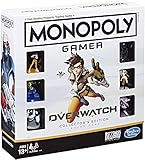
- INSPIRED BY OVERWATCH: This Monopoly board game is inspired by the wildly popular Overwatch video game; designed with Overwatch fans in mind
- 6 CHARACTER TOKENS: The Overwatch edition of the Monopoly game features 6 character tokens including D. Va, Lúcio, Mercy, Reaper, Tracer, and Winston
- COLLECTOR'S EDITION: This Monopoly Gamer Overwatch Collector's Edition board game makes a great gift or collector's item for Overwatch players
- LEAD A TEAM OF HEROES: Players choose a group leader, draft a team, and battle for the high score to win the Monopoly game Overwatch edition
- EARN POINTS: Travel around the Monopoly board earning points by capturing objectives and collecting loot boxes; the player with the highest score wins the Overwatch edition of the Monopoly board game
It also discusses power-cycling network devices and factory-resetting a device as possible troubleshooting paths. A factory reset can erase network configuration and interrupt other devices, so reserve it for last and follow the device maker’s instructions. See the support response.
Protect local settings and highlights
The 2023 response also lists clearing Battle.net app data, resetting in-game options, repairing the client, trying selective startup or a new administrator account, and submitting MSInfo if the issue remains. These are Windows-oriented options and may affect local configuration. In particular, deleting the Overwatch settings folder can remove saved highlights; copy and move highlights somewhere safe first if you intend to try that step.
Choose the next step by risk and symptom
| Where it fails | Start with | Escalate cautiously to |
|---|---|---|
| Battle.net update or download | Restart the app and retry; use the Update Agent suggestion only for the reported BLBNTAGT00001389 case. | Targeted cache or indices cleanup, checking security software, then app reinstall if needed. |
| Scan and Repair or startup freeze | Run Scan and Repair and retry the game. | Launch troubleshooting, diagnostics, then full game reinstall if appropriate. |
| Play changes state but the game does not appear | Check drivers, Windows, security software, game options, and background apps. | Battle.net Tools cleanup or DxDiag/MSInfo and support assistance. |
| In-game update screen or suspected network issue | Record the symptom and assess the local client and connection. | Router/firewall changes or device reset only with the maker’s or ISP’s instructions. |
Cleanup and reset steps are less reversible than restarting an app or running a repair. Before removing folders, resetting options, or changing a router, identify what the action affects and preserve settings, highlights, and network details you may need.
When to stop guessing and collect diagnostics
If symptom-matched steps do not change the result, gather DxDiag or MSInfo and provide the exact stage, error text or code, and steps already attempted when contacting Blizzard support or posting in its community. The forum cases offer possible troubleshooting paths, but they do not establish a single cause for all players, and menus or folder paths can change over time.
Quick Recap
Product prices and availability are accurate as of the date/time indicated and are subject to change. Any price and availability information displayed on Amazon at the time of purchase will apply.

