
The Tool Desk
Outbyte Driver Updater FREEFix the driver behind crashes, sound loss and screen glitchesFind Drivers →Outbyte PC Repair FREEClear out junk files and repair common Windows errorsFree Scan →To export a CapCut project in 4K on Desktop, finish your edit, click Export, choose 4K (3840×2160) under Resolution if it is available, set the frame rate and bitrate, then export. CapCut Pro is not universally required for every 4K export: access depends on your platform, device, project and selected settings. [CapCut’s export instructions] explain the available options; a Pro prompt may appear for some 4K or 60fps selections or when a project uses premium materials.
How to export in 4K in CapCut Desktop
CapCut identifies Desktop as its most reliable and flexible route for 2K and 4K exports. The exact controls can vary by app version, operating system, device and project, so use the options shown in your own export panel.
- Finish your edit. Check the timeline and project settings before exporting.
- Open the export panel. Click Export.
- Choose the resolution. Under Resolution, select 4K (3840×2160) if it appears. CapCut’s help describes selecting 2K or 4K in this menu. See CapCut’s export steps.
- Set the frame rate. Choose a rate suited to the source footage and intended delivery. Available choices can depend on the source and system, so a specific frame rate may not appear in every installation.
- Set the bitrate. If the panel offers bitrate control, choose a higher setting when preserving detail is the priority. A higher bitrate can make the exported file larger; CapCut does not specify one bitrate that is right for every project.
- Export and check the file. Open the resulting video in a media player or on a suitable display to inspect it.
Does exporting 4K require CapCut Pro?
Not in every case. CapCut says a purchase prompt can appear when you choose certain export settings, including 4K or 60fps, or when the project contains premium materials. Whether a prompt appears depends on the platform and project; it does not establish that all 4K exports are Pro-only. If you see a prompt, check whether it names the resolution, frame rate or a premium resource as the reason. CapCut’s Pro prompt help covers these purchase flows.
Why is the 4K option missing?
CapCut does not make 2K and 4K export options available on every device or platform. If you cannot select 4K, check these factors:
#1 Best Overall

- Dell Precision 5550 Workstation Laptop Touch | 15.6" 3840x2400 4k | Core i7-10850H - 512GB SSD Hard Drive - 32GB RAM - Nvidia Quadro T1000 | 6 cores @ 5.1 GHz - 4GB GDDR6 Win 11 Pro Silver (Renewed)
- Platform and device: Resolution options depend on the device, operating system and CapCut platform. Desktop is CapCut’s stated preferred route for 2K and 4K control.
- Project configuration: Check the project settings and the Resolution menu in the export panel.
- Source media and system capability: CapCut points to source footage and system capability as factors in export availability. A 4K source or setting is not guaranteed to be supported in every configuration.
- Purchase prompt: If 4K appears but is locked behind a prompt, inspect whether the export selection or a premium project element triggered it.
- Current platform-specific guidance: Consult CapCut’s help for the relevant platform; there is no single fix established for every missing-option case. CapCut’s missing 2K/4K option help addresses this issue.
How to avoid a blurry 4K export
Choosing a 4K output does not restore detail that is absent from the source. CapCut lists low output resolution, compressed source media and project settings among possible causes of blur. Match the export resolution to the footage where practical, and raise the bitrate if the available controls allow it and you want to retain more detail. These choices involve a trade-off: higher bitrate can increase file size. For more guidance, see CapCut’s advice on blurry videos in CapCut for PC.
Storage considerations for 4K projects
CapCut says 4K work requires sufficient available storage. If space is limited, an external SSD is one possible way to add project storage, but it is not a CapCut requirement and does not improve image quality by itself.
Rank #2
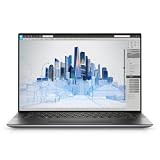
- Dell Precision 5560 Laptop 15.6" Touch Screen
- Intel Core i7 11th Gen i7-11800H Eight-Core Processor 2.3GHz (4.6GHz With Turbo Boost)
- 512GB SSD Hard Drive & 32GB RAM Memory
- 3840x2400 4K resolution Touch with an integrated Webcam and an Nvidia T1200 Graphics Card
- Wireless Wifi & Bluetooth
What CapCut says about Desktop
“For best results, edit and export 4K projects on CapCut Desktop—it offers the most control, fastest rendering, and highest fidelity.”
This is CapCut’s own guidance in its official export help article, not an independently tested comparison.
Do these 3 things before closing this tab:
1Scan for outdated or missing drivers - takes under a minute2Repair Windows errors before they cause bigger problems3Fix the driver behind crashes, sound loss and screen glitchesQuick Recap
Best Value

- 🚀 RESPONSIVE INTEL CORE 3 100U PROCESSOR: Powered by the Intel Core 3 100U (6 cores, up to 4.7GHz) with integrated Intel UHD Graphics, this Dell laptop handles everyday productivity, browsing, and multitasking with smooth, dependable performance. Windows 11 Home keeps you ready to work, learn, and stay connected right out of the box, making this an ideal everyday computing companion for home or office use.
- ⚡ SMOOTH 8GB DDR5 MEMORY & FAST 512GB NVME SSD: 8GB DDR5 memory keeps multitasking fluid across everyday apps and browser tabs, while the 512GB M.2 PCIe NVMe SSD delivers fast boot times and ample storage for documents, photos, and files. An SD card slot adds convenient options for transferring media directly from cameras or other devices.
- 🎨 SMOOTH 15.6" FHD DISPLAY WITH 120HZ REFRESH RATE: Enjoy a 15.6-inch Full HD (1920x1080) IPS anti-glare display with 120Hz refresh rate, WVA viewing angles, and 250 nits brightness for fluid, comfortable everyday viewing. The 720p HD camera with integrated microphone and precision touchpad round out a well-equipped display and input experience for work, browsing, and video calls.
- 🔌 VERSATILE CONNECTIVITY FOR EVERYDAY NEEDS: Stay connected with Realtek Wi-Fi 6 (2x2, MU-MIMO) and Bluetooth wireless connectivity for fast, reliable performance. Ports include USB 3.2 Gen 1 Type-A, USB 2.0, USB 3.2 Gen 1 Type-C, HDMI 1.4, a universal audio jack, and an SD card slot, giving you flexible options for peripherals, displays, and storage expansion in any setting.
- 🛡️ DURABLE CARBON BLACK DESIGN FOR EVERYDAY USE: Finished in a sleek Carbon Black plastic chassis, this laptop weighs a manageable 4.19 lbs for everyday portability. Tuned dual speakers deliver clear audio for calls and media, while the non-backlit keyboard and precision touchpad provide comfortable, reliable input. Ideal for students, home users, and everyday professionals seeking dependable performance.
Rank #4

- 【17.3" FHD IMMERSIVE DISPLAY】 This hp 17 inch laptop features a stunning 17.3-inch Full HD (1920 x 1080) Anti-Glare screen. The narrow-bezel design and high-definition resolution provide an expansive, crystal-clear viewing area, perfect for video editing, detailed spreadsheets and professional video conferencing.
- 【ULTRA RYZEN 5 PERFORMANCE】 Powered by the AMD Ryzen 5 7520U processor (4 Cores, 8 Threads, Up to 4.3GHz), this hp 17 laptop delivers high-efficiency multitasking that beats i7-1165G7 in multi-core benchmarks. Best laptop for video editing. Ideal for 2026 AI-enhanced office workflows, student productivity, and seamless streaming.
- 【ELITE MEMORY & STORAGE】 Configured with up to high-speed LPDDR5 RAM and PCIe NVMe M.2 SSD for rapid boot-ups and massive data access. This hp 17 ensures zero-lag performance even when running multiple browser tabs and memory-intensive professional applications simultaneously.
- 【WINDOWS 11 PRO & HARDWARE SUPPORT】 This hp 17.3 laptop runs on Windows 11 Pro, delivering enterprise-level security, while the integrated 720p privacy camera features a physical shutter for secure video conferencing. Stay connected with ultra-fast Wi-Fi 6 and Bluetooth 5.3, and power through your day with up to 9 hours of battery life. The laptop 17 with a full-size keyboard with a numeric keypad makes this hp 17” laptop a ready-to-deploy solution for business users requiring reliability, security, and sustained performance.
- 【CONNECTIVITY & CONTROL】 Equipped with Wi-Fi 6, Bluetooth, USB Type-C, and HDMI for ultimate peripheral support. As a complete video editing laptop solution includes mouse and tablet stand to protect your device and streamline your mobile workstation setup.
Rank #3

- POWERFUL FOR CREATIVITY - The Dell Precision 7000 series stand at the top of the Precision lineup, delivering higher performance and expandability than the 3000 and 5000 series for demanding professional workloads. As a flagship model, the Precision 7680 showcases Dell’s high‑end workstation design with powerful, scalable capabilities, aligned with the evolution of the Dell Pro Max series. Equipped with an NVIDIA RTX 1000 Ada 6GB GPU, it delivers the performance and stability required for professionals in design, architecture and photography.
- HIGH PERFORMANCE - Powered by Intel Core i5-13600HX vPro Processor (up to 4.8GHz) for superior efficiency and speed. 32GB DDR5 CAMM RAM and 2TB PCIe NVMe M.2 SSD for seamless multitasking and fast storage. CAMM was designed specifically to overcome the performance limits of SODIMM while reducing both Z height and routing traces on the PCB to ultimately allow for laptops with both faster RAM and thinner profiles.
- CRISP DISPLAY - The 16" 4K UHD+ (3840 × 2400) OLED touchscreen anti‑glare display with 100% DCI‑P3 color gamut and 400‑nit brightness delivers sharp, vivid visuals for professional work. Support for up to four external monitors via HDMI, USB‑C, and Thunderbolt ports at 4K@60Hz (without docking station), enables flexible multi‑screen setups. A built‑in 1080p FHD IR webcam with privacy shutter supports facial recognition ensures clear, reliable video calls and security.
- VERSATILE CONNECTIVITY - Equipped with two Thunderbolt 4, USB-C, two USB-A, HDMI, Ethernet, and an Audio combo jack for flexible connections. With Wi-Fi 6E and Bluetooth, ensuring fast wireless connectivity and compatibility with a wide range of peripherals.
- OPERATING SYSTEM - Windows 11 Pro 64‑bit, with AI‑powered Copilot, offers intelligent assistance to streamline complex professional workflows, enhance productivity, and support advanced multitasking across demanding applications. Built for workstation‑class computing, it delivers enterprise‑grade security and IT manageability.
Product prices and availability are accurate as of the date/time indicated and are subject to change. Any price and availability information displayed on Amazon at the time of purchase will apply.

