
Quick wins for a faster PC:
Fix the driver behind crashes, sound loss and screen glitchesFind Drivers →Clear out junk files and repair common Windows errorsFree Scan →Scan for outdated or missing drivers - takes under a minuteDriver Scan →iTechGuides is reader-supported. When you buy through links on our site, we may earn an affiliate commission. As an Amazon Associate I earn from qualifying purchases. Learn more
To enable the optimal audio codec for your Bluetooth headphones in macOS, first identify the active codec and confirm that both devices support it. macOS normally negotiates codecs automatically, and current versions may not provide a supported switch for forcing AAC, aptX, LDAC, or another choice.
That distinction matters because “bad Bluetooth sound” does not always mean that macOS selected the wrong codec. A calling app may have activated the headphones’ microphone and moved the connection from high-quality stereo playback to a lower-quality headset profile. Codec negotiation can also be affected by multipoint, firmware, distance, interference, and the specific Mac and macOS release.
Key takeaways
- macOS normally negotiates the best mutually supported Bluetooth codec automatically rather than offering a universal “optimal codec” switch.
- On older macOS releases, Option-clicking the Bluetooth menu-bar icon while audio plays may reveal an Active Codec entry.
- AAC is usually the sensible target for an Apple-source device when the particular Mac-and-headphones pairing negotiates it reliably; aptX availability varies by hardware and macOS version.
- LDAC, aptX HD, aptX Adaptive, and aptX Lossless are not automatically available from a Mac simply because headphones advertise them.
- If sound quality collapses when a call starts, selecting the Mac’s built-in microphone often restores high-quality Bluetooth stereo output.
- A stable SBC connection is preferable to a forced codec that causes dropouts, and a wired or USB-transmitter setup is usually better for demanding low-latency use.
How do you enable the optimal audio codec for your Bluetooth headphones in macOS?
You generally cannot enable a universal optimal-codec setting in current macOS. macOS negotiates a codec supported by both the Mac and the headphones, so the practical process is to check the active codec, verify the headphones’ specifications, correct any headset-profile problem, and test whether a legacy control works on the specific system.
Older articles often recommend Apple’s Bluetooth Explorer or undocumented Terminal preferences. Those methods were associated with older macOS releases and older Apple developer tool packages. They may be unavailable, incompatible, or ineffective on a recent Mac, particularly without version-specific testing.
Popular on Amazon

- WORLD’S BEST IN-EAR ACTIVE NOISE CANCELLATION — Removes up to 2x more unwanted noise than AirPods Pro 2* so you can stay fully immersed in the moment.*
- BREAKTHROUGH AUDIO PERFORMANCE — Experience breathtaking, three-dimensional audio with AirPods Pro 3. A new acoustic architecture delivers transformed bass, detailed clarity so you can hear every instrument, and stunningly vivid vocals.
- HEART RATE SENSING — Built-in heart rate sensing lets you track your heart rate and calories burned for up to 50 different workout types.* With iPhone, you will have access to the Move ring, step count, and the new Workout Buddy,* powered by Apple Intelligence.*
- LIVE TRANSLATION — Communicate across language barriers using Live Translation,* enabled by Apple Intelligence.*
- EXTENDED BATTERY LIFE — Get up to 8 hours of listening time with Active Noise Cancellation on a single charge. Or up to 10 hours in Transparency using the Hearing Aid feature.*
Apple’s current Bluetooth developer resources do not present Bluetooth Explorer as a supported, ordinary consumer workflow for selecting a Bluetooth audio codec. Treat any force option as an experiment, not as a guaranteed macOS feature.
What does a Bluetooth audio codec change?
A Bluetooth codec compresses audio for transmission over the wireless link and decodes it in the headphones. The codec and its implementation can affect audio artifacts, latency, connection stability, battery use, and whether high-quality stereo playback remains available while the headphone microphone is active.
Codec branding is not a direct ranking of what will sound best. A well-implemented AAC connection may sound better than a poorly implemented higher-bitrate codec. A stable SBC connection can also be preferable to a forced mode that produces interruptions, failed connections, or excessive latency.
Crashes, No Sound, or Screen Glitches?
Random freezes, missing sound and display glitches usually trace back to one bad driver. Find and replace yours safely.Free scan · under a minutePC Slower Than It Used to Be?
A free scan shows the junk files, broken settings and background clutter dragging Windows down - then fixes them in one click.Free scan · Windows 10 & 11| Codec or connection | What it may offer | Important limitation on Mac |
|---|---|---|
| AAC | Often a sensible Apple-device pairing with good quality at a moderate bitrate | Negotiation and implementation vary; AAC is lossy, not lossless |
| aptX | Can be useful with compatible headphones and Mac configurations | Availability and forcing behavior vary by macOS version and hardware; ordinary aptX is not aptX HD or Adaptive |
| SBC | Broad compatibility and reliable fallback behavior | Latency and sound quality depend on the implementation and connection conditions |
| LDAC, aptX HD, aptX Adaptive, or aptX Lossless | Attractive specifications on compatible devices and transmitters | A headphone advertisement does not prove that a Mac can negotiate the codec |
| Wired or USB audio | Predictable quality, latency, and microphone behavior | Requires a cable, adapter, headset, or USB interface |
Is the problem really the codec?
If sound becomes thin, tinny, or telephone-like as soon as Zoom, Teams, Discord, FaceTime, or a browser call begins, the main problem is probably a Bluetooth profile change rather than the selected codec.
A2DP is the Bluetooth profile used for high-quality stereo playback. HFP/HSP-style headset operation provides two-way audio for the headphone microphone, but playback quality is usually substantially lower. A Bluetooth headset cannot generally provide unrestricted high-quality stereo playback and the same Bluetooth microphone path at the same time.
Apple’s archived Bluetooth documentation for OS X describes paired Bluetooth headsets as providing input and output audio devices, which helps explain why macOS can change the active audio path when an application requests microphone input.
How do you restore good Bluetooth sound during calls?
- Open System Settings → Sound → Input.
- Select Built-in Microphone, or select a separate wired or USB microphone.
- Keep the Bluetooth headphones selected only as the output device.
- Quit and reopen the calling application so the application renegotiates its audio devices.
- Play stereo audio again and check whether the quality has returned.
This arrangement avoids using the Bluetooth headphones’ microphone. It is usually the most effective fix for call-related quality loss, although it does not provide wireless two-way audio through the headphone microphone.
How do you check which Bluetooth codec macOS is using?
The check depends on the macOS generation. Older macOS versions may show the codec in the Bluetooth menu, while recent versions may omit the information from the standard user interface.
Older macOS: use the Active Codec menu
- Pair the Bluetooth headphones normally.
- Start playing audio through the headphones.
- Make sure the Bluetooth icon is visible in the menu bar.
- Hold the Option key and click the Bluetooth icon.
- Hover over the connected headphones.
- Look for Active Codec.
The historical Option-click procedure is described in MacRumors’ macOS Bluetooth codec guide. Menu labels and visibility are version-dependent, so the absence of Active Codec does not mean that the headphones are using an incorrect codec.
| Reported result | Practical interpretation |
|---|---|
| AAC | Usually a sensible result for an Apple-source device when the connection is stable |
| aptX | Potentially useful if the specific Mac, macOS version, and headphones demonstrably support it |
| SBC | The compatible fallback; investigate it if quality or latency is poor, but do not assume SBC is unusable |
| No codec shown | The macOS version may not expose the information in the Bluetooth menu |
Recent macOS: use diagnostics rather than assuming a hidden switch
When the Active Codec entry is unavailable, macOS does not provide a single guaranteed replacement that exposes and changes every Bluetooth codec. Console logs or specialist diagnostic tools may provide clues, but the process and messages vary by macOS release.
Also popular on Amazon
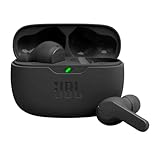
- JBL Deep Bass Sound: Get the most from your mixes with high-quality audio from secure, reliable earbuds with 8mm drivers featuring JBL Deep Bass Sound.
- Comfortable fit: The ergonomic, stick-closed design of the JBL Vibe Beam fits so comfortably you may forget you're wearing them. The closed design excludes external sounds, enhancing the bass performance.
- Up to 32 (8h + 24h) total hours of battery life with speed charging: With 8 hours of battery life in the earbuds and 24 in the case, the JBL Vibe Beam provide all-day audio. And when you need more power, you can speed charge an extra two hours in just 10 minutes.
- Stay aware of your surrounding: Go anywhere and hear everything with Smart Ambient technology. When you need to pause for a quick chat, TalkThru lets you instantly hear yourself and those around you without taking out your earbuds. Or use Ambient Aware to keep the music playing while remaining aware of your surroundings.
- Hands-free calls with VoiceAware: When you're making hands-free stereo calls on the go, VoiceAware lets you balance how much of your own voice you hear while talking with others.
Check Console logs
- Open Applications → Utilities → Console.
- Connect or reconnect the headphones while audio is playing.
- Search for Bluetooth audio,
bluetoothd, orbluetoothaudiod. - Look for A2DP configuration messages that identify a codec.
Older reports show log entries that identify formats such as AAC-LC and may include bitrate information, but process names, log visibility, and message formats change. The SoundGuys codec guide documents the older diagnostic approach. Treat Console as an advanced diagnostic aid, not a guaranteed current codec viewer.
Check Audio MIDI Setup without confusing formats with codecs
- Open Applications → Utilities → Audio MIDI Setup.
- Select the Bluetooth headphones in the sidebar.
- Inspect the sample rate, bit depth, and channel configuration.
- Compare the configuration before and after disabling the headphone microphone.
Audio MIDI Setup can help confirm the selected output device and whether macOS is presenting stereo or a lower-quality input/output mode. Changing the sample rate in Audio MIDI Setup does not select AAC, SBC, aptX, LDAC, or another Bluetooth codec. Sample-rate settings and Bluetooth codec negotiation are different layers.
How do you confirm that your headphones support AAC or aptX?
Check the headphone maker’s exact technical specifications before changing macOS settings. Use the manufacturer’s sources in this order:
- The technical specifications for the exact model number.
- The user manual.
- The manufacturer’s companion app and firmware notes.
- Independent measurements or reviews only when the manufacturer’s documentation is incomplete.
A “high-resolution audio” label does not prove that macOS supports the advertised Bluetooth codec. A headphone may use LDAC or aptX Adaptive with an Android phone but use AAC or SBC with a Mac. Similar-looking models can have different codec support, and firmware, multipoint, or companion-app settings can alter behavior.
Codec support must exist at both ends of the connection. A Mac cannot unilaterally impose a codec that the headphones lack, and headphones advertising LDAC do not establish that the Mac can negotiate LDAC. macOS does not normally expose LDAC selection in the standard user interface, so verify the exact Mac, macOS release, headphone model, and firmware before making a stronger compatibility claim.
Can Bluetooth Explorer force AAC or aptX on macOS?
Bluetooth Explorer may have provided codec controls on older macOS installations, but it is now a legacy and unreliable method. Do not assume that a current download of Apple’s Additional Tools for Xcode contains the utility or that an older copy will launch or work correctly on current Intel or Apple-silicon Macs.
Older coverage describes this historical procedure:
- Download Additional Tools for Xcode from Apple Developer Downloads.
- Open the downloaded disk image.
- Look for Bluetooth Explorer, historically located in a Hardware folder.
- Copy Bluetooth Explorer to Applications and launch it.
- Choose Tools → Audio Options.
- Depending on the tool and macOS version, look for options such as Enable AAC or Force use of aptX.
- Do not enable a disable option at the same time as the codec you want.
- Close the dialog, disconnect and reconnect the headphones, and check the codec again.
The historical menu path is described by 9to5Mac’s Bluetooth Explorer procedure and MacRumors’ older instructions. Apple’s archived documentation describes Bluetooth Explorer as a developer utility associated historically with Hardware IO Tools, while an Apple Developer Forums discussion documents uncertainty about its inclusion in newer Additional Tools packages.
Download developer utilities only from Apple’s official developer resources. Avoid untrusted mirrors offering modified or repackaged copies. A force setting cannot make unsupported headphones accept a codec, and forcing a mode can cause dropouts or failed connections.
Free tools Windows power users keep installed
One-click scans. No signup required.
Do the Terminal commands enable AAC or aptX on current macOS?
Commonly repeated Terminal commands are historical, undocumented preferences. They may have affected older macOS versions, but they are not guaranteed to enable a codec on current macOS.
Also popular on Amazon
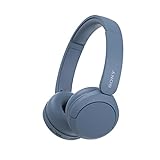
- LONG BATTERY LIFE: With up to 50-hour battery life and quick charging, you’ll have enough power for multi-day road trips and long festival weekends.(USB Type-C Cable included)
- HIGH QUALITY SOUND: Great sound quality customizable to your music preference with EQ Custom on the Sony | Headphones Connect App.
- LIGHT & COMFORTABLE: The lightweight build and swivel earcups gently slip on and off, while the adjustable headband, cushion and soft ear pads give you all-day comfort.
- CRYSTAL CLEAR CALLS: A built-in microphone provides you with hands-free calling. No need to even take your phone from your pocket.
- MULTIPOINT CONNECTION: Quickly switch between two devices at once.
sudo defaults write bluetoothaudiod "Enable AAC codec" -bool true
sudo defaults write bluetoothaudiod "Enable AptX codec" -bool true
Older guides also show commands that set those values to false:
sudo defaults write bluetoothaudiod "Enable AAC codec" -bool false
sudo defaults write bluetoothaudiod "Enable AptX codec" -bool false
These preferences do not enable LDAC, aptX HD, aptX Adaptive, or aptX Lossless. They also cannot overcome missing support in the Mac, macOS, or headphones. The safest way to undo an experiment is to set the relevant value to false, disconnect and reconnect the headphones, and restart the Mac if the Bluetooth audio daemon retains the old state.
If Bluetooth audio remains unstable, remove the headphones from Bluetooth settings and pair them again after undoing the undocumented preference changes. Do not delete arbitrary Bluetooth preference files as a first-line fix; doing so can remove pairings and create unnecessary recovery work.
What should you do if the codec will not change?
Use this troubleshooting sequence before concluding that a codec setting failed:
- Confirm support. Check the exact headphone model, Mac hardware, macOS version, and firmware.
- Reconnect after changing a setting. Codec negotiation normally occurs during connection setup, so changing an option while headphones are connected may have no immediate effect.
- Disable multipoint. A second connected phone, tablet, or computer can restrict codec choices or cause fallback behavior.
- Check the microphone path. Set System Settings → Sound → Input to the built-in microphone and restart the calling app.
- Toggle Bluetooth. Disconnect the headphones, turn Bluetooth off and on, then reconnect.
- Restart the Mac. This can clear a stale Bluetooth audio service state.
- Undo force settings. Revert undocumented AAC or aptX preferences before further testing.
- Forget and re-pair. Remove the headphones in Bluetooth settings, place them into pairing mode, and pair them again.
- Test another headset. A second Bluetooth device helps separate a Mac-side issue from a headphone firmware or compatibility issue.
- Compare a wired connection. If wired audio is clean and immediate, the wireless link or profile negotiation is the likely limitation.
Why does forced Bluetooth audio become choppy?
Choppy audio after forcing a codec usually means that the selected mode is less tolerant of the current radio conditions or hardware implementation. Possible contributors include 2.4-GHz Wi-Fi congestion, USB 3 interference near the Mac, distance, obstructions, poor antenna placement, or headphone firmware.
Increasing bitrate is not automatically a fix. A higher-bitrate or less tolerant mode can demand more bandwidth and make interruptions worse. Return to automatic negotiation or a stable compatible codec if dropouts appear.
Which codec is optimal for a Mac?
The optimal codec is the best compatible and stable codec for the particular Mac-and-headphones pairing, not the codec with the most impressive name or highest advertised bitrate.
The Tool Desk
Outbyte Driver Updater FREEScan for outdated or missing drivers - takes under a minuteDriver Scan →Outbyte PC Repair FREEClear out junk files and repair common Windows errorsFree Scan →- Choose a stable stereo A2DP connection first. Continuous playback is more useful than a nominally superior codec with dropouts.
- Prefer AAC when the pairing supports it reliably. AAC is often a sensible target for an Apple-source device, but it is lossy and implementation quality varies.
- Use aptX only when the specific combination proves it works. Current aptX availability and forcing behavior vary by Mac hardware and macOS release.
- Keep SBC if it is the only stable compatible option. SBC is a fallback, not proof that the headphones are defective.
- Choose wired or USB audio for demanding work. Gaming, monitoring, video editing, recording, and microphone-intensive calls often benefit more from predictable latency and profile independence than from codec experimentation.
When is a wired connection or USB Bluetooth transmitter better?
A wired 3.5-mm, USB, or optical connection is the most predictable alternative when low latency, consistent quality, or independent microphone input matters. A wired USB headset or USB audio interface also avoids Bluetooth headset-profile switching during meetings and recording.
A USB Bluetooth transmitter can be useful when headphones support a codec that the Mac’s built-in Bluetooth path does not normally negotiate. The transmitter must support the desired codec, the headphones must support the same codec, and the transmitter’s macOS behavior must be compatible. Many transmitters appear as USB audio devices rather than using the Mac’s ordinary Bluetooth audio path; microphone support may be limited or absent.
Before buying a transmitter, verify the exact supported codecs, whether the device works with macOS, how it handles microphone input, whether it supports the required latency mode, and whether it offers a wired fallback. A codec logo by itself is not enough.
Also popular on Amazon
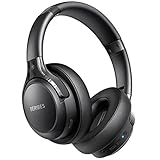
- 120 Hours Playtime: Low power consumption technology applied, BERIBES bluetooth headphones with built-in 1000mAh battery can continually play more than 120 hours, standby more than 1050 hours after one fully charge. By included 3.5mm audio cable, the wireless headphones over ear can be easily switched to wired mode when powers off. No power shortage problem anymore.
- Optional 6 Music Modes: Adopted most advanced dual 40mm dynamic sound unit and 6 EQ modes, BERIBES updated headphones wireless bluetooth black were born for audiophiles. Simply switch the headphone between balanced sound, extra powerful bass and mid treble enhancement modes. No matter you prefer rock, Jazz, Rhythm & Blues or classic music, BERIBES has always been committed to providing our customers with good sound quality as the focal point of our engineering.
- All Day Comfort: Made by premium materials, 0.38lb BERIBES over the ear headphones wireless bluetooth for work are the most lightweight headphones in the market. Adjustable headband makes it easy to fit all sizes heads without pains. Softer and more comfortable memory protein earmuffs protect your ears in long term using.
- Latest Bluetooth 6.0 and Microphone: Carrying latest Bluetooth 6.0 chip, after booting, 1-3 seconds to quickly pair bluetooth. Beribes bluetooth headphones with microphone has faster and more stable transmitter range up to 33ft. Two smart devices can be connected to Beribes over-ear headphones at the same time, makes you able to pick up a call from your phones when watching movie on your pad without switching.
- Packaging Component: Package include a Foldable Deep Bass Headphone, 3.5MM Audio Cable, Type-c Charging Cable and User Manual.
What should you prioritize when buying Bluetooth headphones for a Mac?
For Mac buyers, Apple integration, reliable multipoint behavior, microphone performance, firmware support, and a wired or USB fallback can matter more than the maximum codec printed on the box.
Do these 3 things before closing this tab:
1Scan for outdated or missing drivers - takes under a minute2Repair Windows errors before they cause bigger problems3Fix the driver behind crashes, sound loss and screen glitches| Buyer priority | What to look for | What not to assume |
|---|---|---|
| Apple integration | Predictable pairing, automatic switching, and maintained macOS support | That every advanced codec is manually selectable |
| Codec experimentation | Explicit compatibility documentation for the exact Mac and headphone model | That LDAC or aptX Adaptive on Android will also work from macOS |
| Meetings | Good microphone behavior, a separate USB or wired option, and controllable multipoint | That a premium playback codec guarantees a high-quality Bluetooth microphone path |
| Gaming or monitoring | Wired mode, USB audio, or a tested low-latency transmitter | That a higher Bluetooth bitrate automatically means lower latency |
| Noise cancellation and comfort | A comfortable fit, effective ANC, and a maintained companion app | That a codec badge is the best predictor of everyday listening quality |
Apple’s AirPods range is aimed at automatic negotiation and ecosystem integration rather than manual codec selection. Sony’s headphone range and Bose’s headphone range include models with different codec, multipoint, microphone, and firmware behaviors, so evaluate the exact model rather than the brand name. Readers specifically seeking manual LDAC or aptX experimentation should not choose AirPods solely because they integrate well with Apple devices.
What is the bottom line?
Start by identifying whether the problem is codec negotiation, Bluetooth interference, or a switch to headset mode. On older macOS, Option-click the Bluetooth menu to look for Active Codec. On recent macOS, accept that the codec may not be visible or user-selectable through supported built-in controls.
Use AAC when the exact pairing supports it and remains stable; use aptX only when that specific Mac, macOS release, and headphone combination verifies it; and prefer stable automatic negotiation over a forced, unreliable mode. For calls, select the Mac’s built-in or a wired/USB microphone. For predictable latency and full-quality microphone use, choose wired audio, a USB audio interface, or a carefully matched USB Bluetooth transmitter.
Frequently Asked Questions
Can I force LDAC on a Mac?
macOS does not normally expose LDAC selection in its standard user interface, and headphones advertising LDAC do not prove that a Mac can negotiate it. A compatible USB Bluetooth transmitter may provide another path, but the transmitter, headphones, and macOS USB-audio behavior must be tested together.
What’s actually slowing this PC down?
Pick the symptom - the matching free tool is one click away.
Why do my Bluetooth headphones sound bad only during calls?
The headphones probably switched from A2DP stereo playback to a lower-quality headset profile because the calling app activated the headphone microphone. Select the Mac’s built-in microphone under System Settings → Sound → Input, keep the headphones as output, and restart the calling app.
Is AAC better than SBC on macOS?
AAC may produce better results than SBC in a particular Apple-device and headphone implementation, but AAC is not universally better and is not lossless. A stable SBC connection is preferable to an AAC connection that drops out or becomes unreliable.
Does Audio MIDI Setup change the Bluetooth codec?
No. Audio MIDI Setup can show the selected Bluetooth device’s sample rate, channels, and audio mode, but changing those values does not select AAC, SBC, aptX, LDAC, or another Bluetooth codec.
The Bottom Line
Bottom line: macOS normally chooses the best codec that both devices can support, and current macOS may not provide a supported way to force one. Verify the active codec where possible, fix headset-mode switching during calls, and choose a stable AAC, aptX, or SBC connection over an unstable forced mode. Use wired audio or a matched USB transmitter when latency, microphone quality, or advanced codec support is critical.
Recommended Free Tools

