
An agentic AI browser can read web content and take actions in a browser session, including actions performed through authenticated sites. Treat it as privileged software exposed to untrusted input—not as a conventional browser feature that is safe by default. Approve only a defined deployment and workflow after limiting its access, controlling consequential actions, and testing whether those controls work.
How to determine if agentic AI browsers are safe enough for your enterprise
There is no blanket “safe enough” verdict for agentic browsers. The answer depends on the product and version, tenant configuration, identity and connected services, and the work people expect the agent to do. A feature that summarizes public pages presents a different exposure from one that can use signed-in sessions, submit forms, or change business records.

Use a scoped, evidence-based decision: define the workflow, map the agent’s data and authority, impose controls outside the model, test attacks against the deployed configuration, and decide whether to approve a limited pilot, require remediation, or block the workflow.
Why can a browser agent create a security risk?
Web pages, documents, email, and tool outputs can carry instructions intended to manipulate an agent. OWASP describes direct and indirect prompt injection; Google’s agent-security guidance also warns that malicious tool manifests or contaminated tool outputs can contain instructions. An agent may mistake hostile content for directions, drift from the user’s task, disclose information it can see, or attempt an action the user did not authorize.
Quick wins for a faster PC:
Repair Windows errors before they cause bigger problemsFix Now →Scan for outdated or missing drivers - takes under a minuteDriver Scan →Clear out junk files and repair common Windows errorsFree Scan →#1 Best Overall
Model safeguards can help, but they are not a sufficient control. Chrome for Developers’ June 9, 2026 guidance on WebMCP says that the probabilistic nature of large language models makes it impossible to guarantee safety inside the model itself. The practical implication is to restrict what the agent can access and do, and enforce approvals and denials independently of its interpretation of a page.
What should you establish before a pilot?
Define the precise scope
Record the browser and agent feature, version, tenant settings, intended user group, and specific workflows. List the sites and applications in scope and the data classes the agent may encounter. Separate low-impact activities such as summarizing public information from actions that send messages, submit forms, alter records, make purchases, or administer systems. Do not transfer a finding about one product or configuration to another feature marketed as an AI browser.
Rank #2
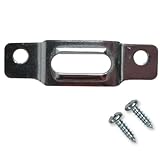
- BEFORE YOU BUY: Our security mounting plates attach to the bottom rail of wood picture frames so a wall-mounted T-head screw can lock the frame in place. Designed for wood frames only. Not for metal frames, shelves, TVs, or structural loads.
- PACKAGE CONTENTS: Includes 100 security mounting plates and 200 #6 x 1/2 inch screws. Complete picture frame hardware and picture frame mounting hardware set for securing multiple frames, artwork, and wall displays.
- ANTI THEFT SECURITY: Designed as anti theft picture hangers and anti theft hangers, these plates lock into a wall-mounted T-screw to help prevent unauthorized removal. Also used as earthquake picture hangers to keep frames secure during vibration.
- DURABLE STEEL CONSTRUCTION: Zinc-plated steel frame mounting hardware and picture frame brackets resist bending and corrosion. Reliable picture frame fasteners and framing brackets designed for galleries, offices, schools, and public spaces.
- VERSATILE FRAME HARDWARE: Works with many hanging hardware for wall art systems including offset clips, picture clips, canvas clips, and z bracket installations. Ideal for securing framed art, photos, and wall displays.
Map data, identity, and authority
Find out what the agent can actually see and use in this deployment. Check page contents, screenshots, open tabs, cookies, browser-profile context, saved credentials, downloads, site permissions, connected services, tools, and extensions. Determine whether it acts as the user, uses delegated authorization, or operates under a standing identity; then establish which resources and operations that identity can reach.
Also document what data leaves the endpoint, which service processes it, retention and model-training settings, tenant isolation, and what administrators can audit. NIST’s February 5, 2026 concept-paper announcement identifies agent identification, authorization, auditing, and non-repudiation as important areas; it is an announcement about a concept paper, not a completed standard or certification.
Recommended Free Tools
Rank #3

- This is a genuine OEM (Original Equipment Manufacturer) part
- Kason builds products that are used in the commercial food industry
- Use genuine OEM parts for safety reliability and performance
- Country of origin: United States
Check product claims against the deployment
Microsoft Support’s documentation for Browse with Copilot says that the feature can access cookies and open tabs in the current browser window, but not saved passwords, autofill data, or wallet information. The page also says screenshots associated with conversations may be retained for up to 30 days unless the conversation is deleted, and that screenshots are not used for training. These statements apply to that feature as documented, not to other browsers or enterprise configurations. Microsoft advises users starting agentic browsing to avoid financial activity, personal identifiers, and highly confidential data.
Confirm the current documentation and tenant behavior directly. A vendor description is not a substitute for checking the permissions, policies, integrations, and data handling that are active in your environment.
Rank #4

- 【Up to 1100 Mbps VPN Speed 】 Hardware-accelerated WireGuard and OpenVPN-DCO deliver up to 1100 Mbps VPN throughput, over 3× faster than Brume 2 for smooth remote access and file transfers.
- 【Three 2.5G Ports & Multi-WAN】Tri-port 2.5GbE design with flexible WAN LAN configuration supports multi-gigabit wired setups, dual-ISP Multi-WAN and failover to keep home and SOHO networks online.
- 【Stealth VPN Obfuscation】VPN obfuscation disguises VPN traffic as regular HTTPS, helping you evade blocking, bypass restrictive networks and maintain stable, private connections.
- 【DPI protection】Deep Packet Inspection with visual dashboards blocks adult/gambling/malicious sites, while SQM and QoS prioritize gaming, calls, and video when bandwidth is tight
- 【OpenWrt & USB 3.0 Expansion】OpenWrt with 1GB DDR4 and 8GB eMMC lets you install plugins and build VPN, ad-blocking or NAS, while USB 3.0 Type‑C connects high-speed storage or 4G/5G dongles
Which controls should be in place?
Minimize what the agent can reach
- Use a separate, scoped agent identity or per-action delegated authorization where available; avoid broad standing access.
- Grant only the permissions and tools needed for the approved task, and check authorization for each action against the relevant resource.
- Limit navigation to task-relevant origins where the product allows it. Treat web pages, tool descriptions and outputs, retrieved documents, and messages from other agents as untrusted input.
- Set deterministic deny rules for prohibited actions. Do not rely on the model to refuse every malicious instruction.
Gate high-impact actions
Require explicit human approval or separate authorization before payments, writes, deletes, production changes, sensitive-data transfers, or external sends. Make approval specific enough that a person can understand what will happen and to whom or what. Apply step or budget limits where relevant, and provide a visible way to stop or correct the agent. For actions that cannot be safely reversed, do not treat a rollback plan as a replacement for approval.
Make activity visible
Users and administrators should be able to determine what the agent intended, what it actually did, and when it did it. Log relevant requests, approvals, tool calls, and outcomes; monitor for unusual activity, repeated attempts to bypass restrictions, and user reports. Retain human review for high-impact workflows rather than treating logs as a substitute for oversight.
Do these 3 things before closing this tab:
1Repair Windows errors before they cause bigger problems2Fix the driver behind crashes, sound loss and screen glitches3Clear out junk files and repair common Windows errorsBest Value

- Two Replacement Keys For Summit Appliance And Accucold Refrigerators.
- Compatible With Various Summit And Accucold Refrigeration Units.
- Model Numbers Beginning with* AL54, ACF33, ACR4, AL57, ALFZ53, ASD, FF1532, FF64, FFRF24, FFRF30, SCF475, SCFF1533, SCFF53, SPR51, SPR627, SCR14, SCR61, SPR316, SPR618, SWC15, SWC1875, SCR2466B, SWBV30, SWC30, ARG, and ARS. *Not for use with panel-ready models.
How should you test an agentic browser before expanding use?
Test the exact deployed version and configuration with realistic tasks and adversarial cases. Keep a record of test conditions, expected and actual behavior, failures, remediation owners, and retest dates.
- Prepare controlled attack cases. Include hidden instructions in page content, malicious or irrelevant destinations, instructions embedded in tool outputs, requests to transmit information visible in another tab, and attempts to trigger actions outside the user’s request.
- Check both access and actions. Look for unauthorized reads, sensitive-data leakage, unauthorized writes or external sends, unrelated-site navigation, and task drift.
- Probe the controls. Verify that prohibited actions are blocked, confirmation gates cannot be bypassed, and a user can interrupt the agent. Check whether logs and alerts capture the event clearly enough to investigate.
- Measure usefulness as well as prevention. Track false positives and whether mitigations prevent unauthorized actions or data exfiltration without unnecessarily preventing the intended task. Google recommends security evaluations that assess this balance.
- Retest after changes. Repeat relevant tests after changes to the browser, model, policy, extension, connector, or identity design, and monitor production behavior for anomalies.
A successful demonstration or a vendor’s account of its safeguards is not proof that controls hold under hostile input. The evidence should come from repeatable tests of the configuration and workflow you intend to authorize.
How should you compare products and deployment models?
Use the same criteria for every candidate, and record what is known for the specific deployment rather than assuming that a feature exists because it is common in the category.
| Evaluation area | Questions to answer |
|---|---|
| Data scope | Can it access pages, tabs, cookies, credentials, screenshots, or connected work data? What are the retention and model-processing boundaries? |
| Identity and authorization | Does it act with delegated or standing identity? Are permissions granular and resource-specific, and are actions auditable? |
| Action control | Can administrators restrict origins and operations, require approval, stop the agent, and recover from changes? |
| Security evidence | Are adversarial evaluations, limitations, logging, incident response, and update practices documented? |
| Administration | Can administrators set tenant or group policies, inventory deployments, govern extensions, and disable the agent centrally? |
| Responsibility | For this SaaS, PaaS, or self-hosted deployment, who operates orchestration, identity, access scope, memory, tools, monitoring, and incident response? |
Responsibilities vary by deployment. Confirm the provider/customer split in the contract and technical design; do not assume that a provider’s operation of the service means it owns your identity policies, workflow approvals, or incident handling.
The Tool Desk
Outbyte PC Repair FREERepair Windows errors before they cause bigger problemsFix Now →Outbyte Driver Updater FREEScan for outdated or missing drivers - takes under a minuteDriver Scan →What decision should the enterprise make?
- Approve a limited pilot only for named low-risk workflows, with stated data and origin boundaries, restricted permissions, monitored activity, and tested controls.
- Require remediation and retesting when a missing control—such as scoped identity, action restrictions, approval, or audit visibility—could be addressed before use expands.
- Block the workflow when data scope, identity, authorization, approval, or monitoring cannot be controlled well enough for its impact, especially for high-impact actions.
Document the decision against the specific product, version, tenant, and workflows, along with test evidence and the conditions that would trigger reevaluation. This is a risk-based enterprise decision framework, not a certification or a claim that any particular vendor has passed a test.
Quick Recap
Product prices and availability are accurate as of the date/time indicated and are subject to change. Any price and availability information displayed on Amazon at the time of purchase will apply.

